


Android-style app bubbles for the web. Floating, draggable bubbles that snap to screen edges, stack into a group, expand into content panels, and fling to dismiss — an overlay for any website.
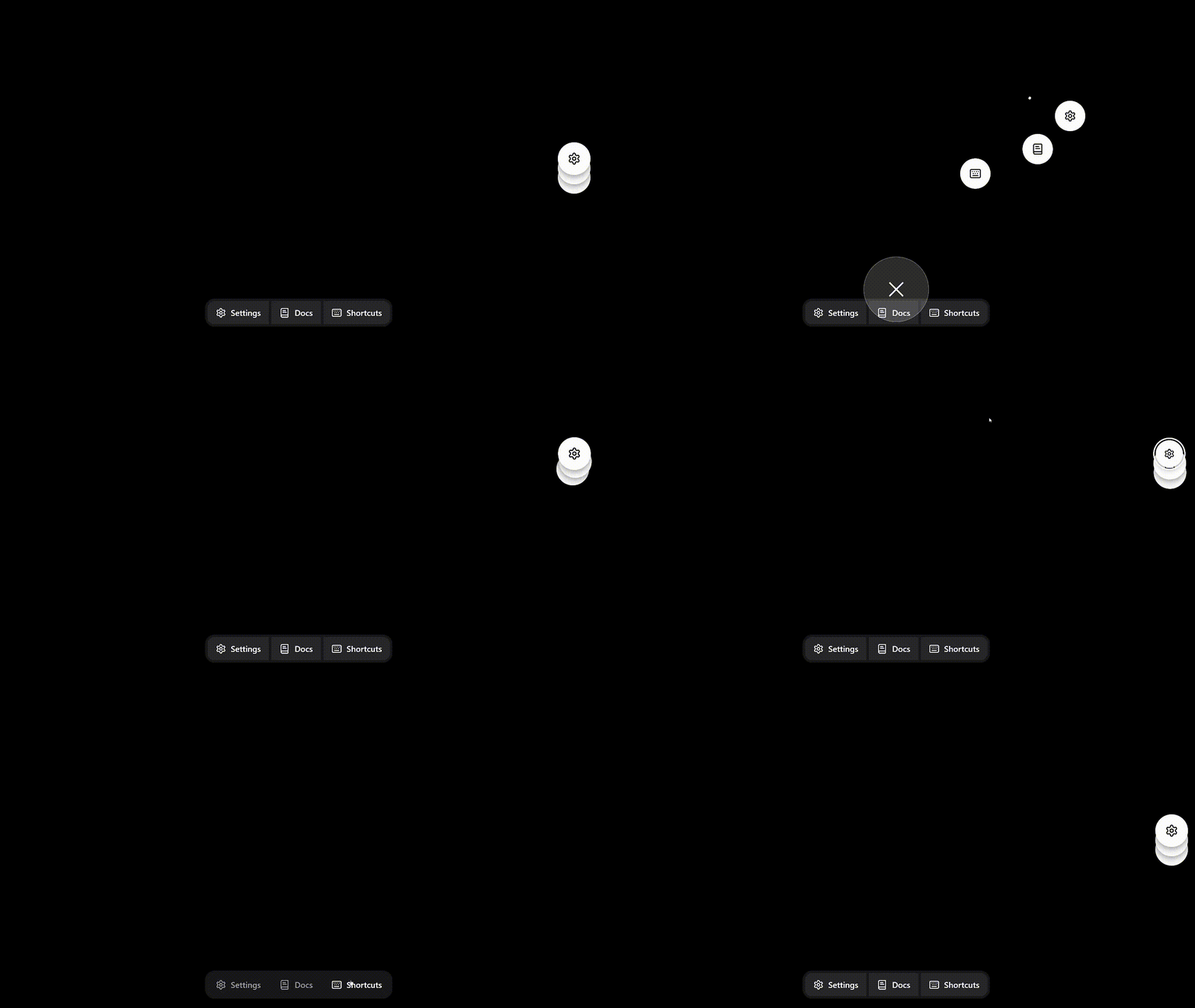
- Zero dependencies, framework-agnostic — plain TypeScript over the DOM; works with anything, ships nothing else
- Real physics — spring glides, momentum flings, chained trail drags, a magnetic dismiss target
- Keyboard accessible — single tab stop, arrow-key navigation, ARIA semantics throughout
- Respects
prefers-reduced-motion— every animation has a calm equivalent - Customizable — follows the system color scheme by default, with dark/light presets, per-token color overrides, dock position, panel sizing
Browser-only DOM library. Importing is SSR-safe — nothing renders until you mount — but it runs only in the browser; call
createBubbles()/add()client-side.
bun add @hyperplexed/bubbles
# or: npm install @hyperplexed/bubblesimport { createBubbles } from "@hyperplexed/bubbles";
const manager = createBubbles();
const content = document.createElement("div");
content.textContent = "Hello from the panel!";
manager.add({
id: "chat",
label: "Chat support",
content
});That's a working bubble: drag it anywhere and it snaps to the nearest edge, tap it to expand the panel, drag it onto the target at the bottom of the screen to dismiss it.
Creates a manager. Touches no DOM until the first add(), so it's safe to construct during app setup (browser only — there is no SSR rendering to do).
| Option | Type | Default | Description |
|---|---|---|---|
theme |
"auto" | "dark" | "light" |
"auto" |
Color scheme. "auto" follows the user's prefers-color-scheme and tracks changes live. The presets are named for the host page they suit: "dark" pairs a bright bubble with a dark panel; "light" inverts it. |
colors |
Partial<BubbleTheme> |
— | Per-token color overrides applied on top of the preset. See Theming. |
side |
"left" | "right" |
"right" |
Screen edge the docked stack starts on. Users can drag it anywhere afterward; with configure() it applies to the next fresh entry. |
vertical |
number |
0.5 |
Vertical center of the docked stack as a fraction of the viewport height (0 top, 1 bottom), clamped to the screen margins. |
panelWidth |
number | string |
480 |
Expanded panel width — a number (px) or a "<n>px" / "<n>%" string. A "%" resolves against the viewport live (so it tracks resizes). The viewport always caps it. |
panelMaxHeight |
number | string |
— | Cap on the panel height — a number (px) or a "<n>px" / "<n>%" string, e.g. "80%". Without it the panel may use the full height under the bubble row. The panel still shrinks to fit shorter content. |
maxBubbles |
number |
5 |
Most bubbles the manager will hold; add() returns false beyond it. |
ricochet |
number |
0.4 |
Fraction of speed a flung bubble keeps when it bounces off the top/bottom screen gap — 0 stops dead, 1 is lossless. Clamped to 0–1. |
initialState |
"docked" | "open" |
"docked" |
The state a fresh flock enters in. "open" drops every bubble straight into its row slot — never docked-then-risen. |
const manager = createBubbles({
	theme: "light",
	colors: { bubbleSurface: "#7c3aed", bubbleIcon: "#ffffff" },
	side: "left",
	vertical: 0.33,
	panelWidth: 420,
	panelMaxHeight: 600,
	maxBubbles: 3
});Mounts a bubble. It flies in from the docked side and joins the group. Re-adding a mounted id refreshes label, onDismiss, and the panel sizing overrides in place (the element, icon, and content live on), and reverses an exit still animating after a dismissal. Returns true when the bubble is present after the call (newly added, already mounted, or reclaimed mid-dismissal) and false only when the manager is at maxBubbles and the request was ignored. Bubbles still animating out after remove() don't count toward the cap, so an evict-then-add swap works in one tick.
| Option | Type | Description |
|---|---|---|
id |
string |
Unique id for this bubble (required). |
label |
string |
Accessible name for the bubble and its panel, e.g. "Chat support". Without it the bubble announces as a generic button. |
icon |
HTMLElement |
Content shown inside the collapsed bubble (an avatar, an SVG, anything). Defaults to an ellipsis glyph. |
content |
HTMLElement |
Content shown in the expanded panel. Without it the bubble has no panel. |
panelWidth |
number | string |
Overrides the manager's panelWidth for this bubble's panel (px number, or a "<n>px" / "<n>%" string). |
panelMaxHeight |
number | string |
Overrides the manager's panelMaxHeight for this bubble's panel (px number, or a "<n>px" / "<n>%" string). |
onDismiss |
() => void |
Fires after the user dismisses the bubble (drag onto the target, or Delete on the keyboard). Not fired by manager.remove(). |
Programmatic removal — animates the bubble off-screen, then unmounts it. Does not fire onDismiss (that's reserved for user-initiated dismissal, so you can mirror state without loops).
Applies new options to the live manager — no remounting, no re-entry animations. Theme and colors repaint every bubble, panel, and the dismiss target in place; panel sizing reflows open panels (per-bubble panelWidth/panelMaxHeight overrides keep winning); ricochet governs flings from the next throw; a changed maxBubbles governs future add() calls (a lower cap never evicts live bubbles). side, vertical, and initialState describe how a fresh flock enters, so they take effect once every bubble is gone and the next one enters (or on the next page load). Omitted options return to their defaults, same as createBubbles.
One boundary to know: elements you supplied (icon, content) are yours — the library never restyles them, so react to your own theme state there.
// e.g. follow the host page's dark-mode toggle:
darkModeToggle.addEventListener("change", () => {
	manager.configure({ theme: darkModeToggle.checked ? "dark" : "light" });
});Expands or collapses the group, moving keyboard focus with it. Bind this to your own shortcut — the library ships no global hotkey, so it can never collide with your page's.
The flock's current arrangement: "docked" (stacked on a screen edge) or "open" (the top row, panel showing). With no bubbles mounted, returns the state the next flock will enter in — the configured initialState. Useful for host chrome that reacts to the overlay, e.g. dimming the page while the row is open.
The id of the active bubble — the one whose panel shows while the group is open, and the one that leads the row when it next opens. The newest-added bubble is always active; collapsing the open row makes the most recently used bubble active. Returns undefined while no bubbles are mounted. "Is this bubble's panel showing?" is manager.state() === "open" && manager.active() === id.
Makes a bubble active and brings its panel forward: expands a docked group on it, or switches the open row's panel to it. Moves keyboard focus to the bubble, like toggle(). No-op for an unknown id, a bubble mid-removal (re-add() to reclaim those), the already-active bubble of an open group, and while the user is dragging — a live drag owns the group.
// Surface a particular bubble from your own UI:
showSupportButton.addEventListener("click", () => manager.activate("chat"));Marks one of your own controls — a launcher button, a menu item — as a trigger, and returns a function that unregisters it. Pressing outside the open row collapses the flock; without this, a press on a button that itself opens or switches a bubble would collapse it a beat before your handler reopens it. Registering the element makes that press exempt. The library's own bubbles are always exempt — this is only for controls that live outside the flock.
const off = manager.registerTrigger(showSupportButton);
showSupportButton.addEventListener("click", () => manager.activate("chat"));
// later: off();Subscribes to a manager event; returns an unsubscribe function. Handlers fire on a microtask after the change, so they always observe a settled manager — and a handler that calls back into the manager re-enters cleanly.
const off = manager.on("activechange", ({ id }) => {
	highlightTab(id); // id is undefined once the last bubble is gone
});
// later: off();| Event | Payload | Fires when |
|---|---|---|
statechange |
{ state: "docked" | "open" } |
The arrangement changes. Semantic, not animated — it fires when the group changes state, not when bubbles finish flying there. While empty, tracks the configured initialState, so a changed one fires too. |
activechange |
{ id: string | undefined } |
The active bubble changes (undefined once none remain). |
add |
{ id: string } |
A bubble is mounted by add(). Re-adds and reclaims (reversing an in-flight removal) don't fire it. |
dismiss |
{ id: string } |
The user commits to dismissing a bubble — releases it on the target, or presses Delete — fired the instant they commit, before the exit animation. User gestures only; dragging the whole group onto the target fires one dismiss per bubble. Every dismiss is followed by a matching remove (reason: "user"). |
remove |
{ id: string; reason: "user" | "programmatic" } |
A bubble finishes leaving, after any exit animation — "user" for a dismissal (drag onto the target or Delete), "programmatic" for manager.remove()/destroy(). A removal a re-add() reverses never fires it. |
Reach for dismiss over remove when UI should track a committed user action snappily — un-highlighting a control, say — since remove lags behind the fly-off animation; reach for remove when you need the bubble to actually be gone (teardown, freeing a slot).
Changes are coalesced per microtask: statechange and activechange report net changes against the last value delivered, so a value that flickers and returns within one tick announces nothing. add, dismiss, and remove are occurrences, delivered in order. The per-bubble onDismiss callback still fires synchronously at the dismissal, between the two events.
Removes every bubble, panel, and listener immediately. Call when the host view unmounts.
By default the theme is "auto": it follows the user's prefers-color-scheme and repaints live when it changes. To force a scheme, pick a preset. Either way, colors overrides individual tokens on top of whichever preset is active:
import { bubbleThemes, createBubbles } from "@hyperplexed/bubbles";

const manager = createBubbles({
	theme: "light",
	colors: { bubbleSurface: "#0ea5e9", focusRing: "#0ea5e9" }
});

// Presets are exported, so overrides can build on their values:
bubbleThemes.light.panelSurface; // "#ffffff"
Every token the library paints with:
| Token | Paints |
|---|---|
bubbleSurface |
Fill of the collapsed bubble circle |
bubbleIcon |
Stroke of the built-in ellipsis glyph (only when a bubble has no icon) |
bubbleShadow |
Drop shadow under each bubble |
focusRing |
Ring marking the focused bubble |
panelSurface |
Fill of the expanded panel and its caret |
panelText |
Default text color inside the panel |
panelShadow |
Drop shadow under the panel |
dismissSurface |
Fill of the drag-to-dismiss target circle |
dismissBorder |
Border of the dismiss target circle |
dismissIcon |
Stroke of the X inside the dismiss target |
Inside the panel, content is your element — style it however you like; only panelText cascades in as a default.
Both icon and content are plain HTMLElements, which keeps the library framework-agnostic. The bubble surface centers whatever you pass, so an icon only needs its own size — no flex or centering wrapper. Vanilla:
const icon = document.createElement("img");
icon.src = "/avatar.png";
icon.style.cssText = "width: 100%; height: 100%; border-radius: 50%; object-fit: cover;";
(The 100% above makes the avatar fill the circle; a smaller glyph can drop it and sit centered at its natural size.)
From a framework, icon and content also accept a render callback — it's handed a host element to populate, and whatever cleanup you return runs when the bubble is removed or the manager is destroyed. So the framework's unmount is wired to the bubble's lifecycle for you; no host element to create, no teardown to track. Svelte 5:
import { mount, unmount } from "svelte";
import ChatPanel from "./chat-panel.svelte";

manager.add({
	id: "chat",
	label: "Chat",
	content: (host) => {
		const panel = mount(ChatPanel, { target: host });
		return () => unmount(panel);
	}
});
React:
import { createRoot } from "react-dom/client";

manager.add({
	id: "chat",
	label: "Chat",
	content: (host) => {
		const root = createRoot(host);
		root.render(<ChatPanel />);
		return () => root.unmount();
	}
});
(Passing a ready HTMLElement still works — use that when you own the element's lifecycle yourself.)
The panel surface handles clipping, rounding, and the height constraint; give your content its own scrolling regions rather than relying on an outer scrollbar.
- Docked, bubbles stack on a screen edge and move as one: drag any of them and the rest chase in a trail, fling the group and it coasts to an edge, drop it on the dismiss target to dismiss them all.
- Tap the stack and it expands into a centered row along the top, with the active bubble's panel below. Tap another bubble to switch panels; tap the active bubble, press anywhere outside the row, or press Escape to collapse home. (An outside press only collapses — it never consumes the click, so the page behind stays interactive.)
- Dismiss target appears at the bottom of the screen during any drag; it leans toward the cursor and magnetically captures the bubble when close.
- The newest bubble always becomes the active one; collapsing reorders the most recently used bubble to the top of the stack.
The whole group is a single tab stop. The docked stack announces as one button; the open row announces one button per bubble.
| Key | Docked stack | Open row |
|---|---|---|
Enter / Space |
Expand the group | Switch to this bubble / collapse if active |
← / → |
Send the stack to the other edge | Move focus between bubbles |
↑ / ↓ |
Scoot the stack (with Ctrl: all the way) |
— |
Delete / Backspace |
— | Dismiss the focused bubble |
Escape |
— | Collapse and return focus to the stack |
Panels are non-modal dialogs (role="dialog", labelled by the bubble's label, wired via aria-controls/aria-expanded); the host page stays reachable behind them. The dismiss target is pointer-only decoration and hidden from assistive tech — keyboard dismissal has its own path. All motion honors prefers-reduced-motion with fades in place of flights.
Accessibility here is built to spec — the ARIA roles, single tab stop, and keyboard model above — rather than audited with real screen readers. Feedback from assistive-tech users is very welcome.
- Bubbles render at the top of the stacking order (
z-indexnear max). If your page also uses extreme z-indexes, bubbles paint above panels by design — a dragged bubble slides over its fading panel, never behind it. - Pointer Events and the Web Animations API are required — i.e., all evergreen browsers. The interaction suite runs in CI against Chromium, Firefox, and WebKit, plus touch on Pixel 7 and iPhone 14.
- The package ships ESM with type declarations;
sideEffects: falsekeeps it tree-shakeable.
bun install
bun run dev        # playground at the Vite dev URL
bun run check      # svelte-check over the whole repo
bun run test       # vitest unit tests
bun run test:e2e   # Playwright browser tests (Chromium/Firefox/WebKit + mobile)
bun run build      # library build to dist/
bun run build:site # playground build to dist-site/
The repo holds the library (src/) and a Svelte playground (playground/); only dist/ is published.
Bubbles is source-available and maintained as-is, by one person, in spare time. Bug reports and ideas are welcome via issues, and small, focused PRs are too — but there's no guaranteed support or response. Please read CONTRIBUTING.md before opening a pull request, and report security issues privately per SECURITY.md.