
A fast, lightweight image format converter — convert single files, batch-convert entire folders, control quality, and strip metadata, all without leaving your workflow.
- Drag & drop images or folders directly into the app
- Batch conversion of entire directories
- 9 supported formats — PNG, JPG, WEBP, GIF, BMP, TIFF, TGA, QOI, PBM
- Quality control for lossy and compression-based formats (JPG, WebP, PNG)
- Metadata stripping — removes EXIF, IPTC, XMP, and ICC profile data
- Custom output folder — redirect output anywhere, or default to alongside the source
- Dark and light theme with automatic system theme detection
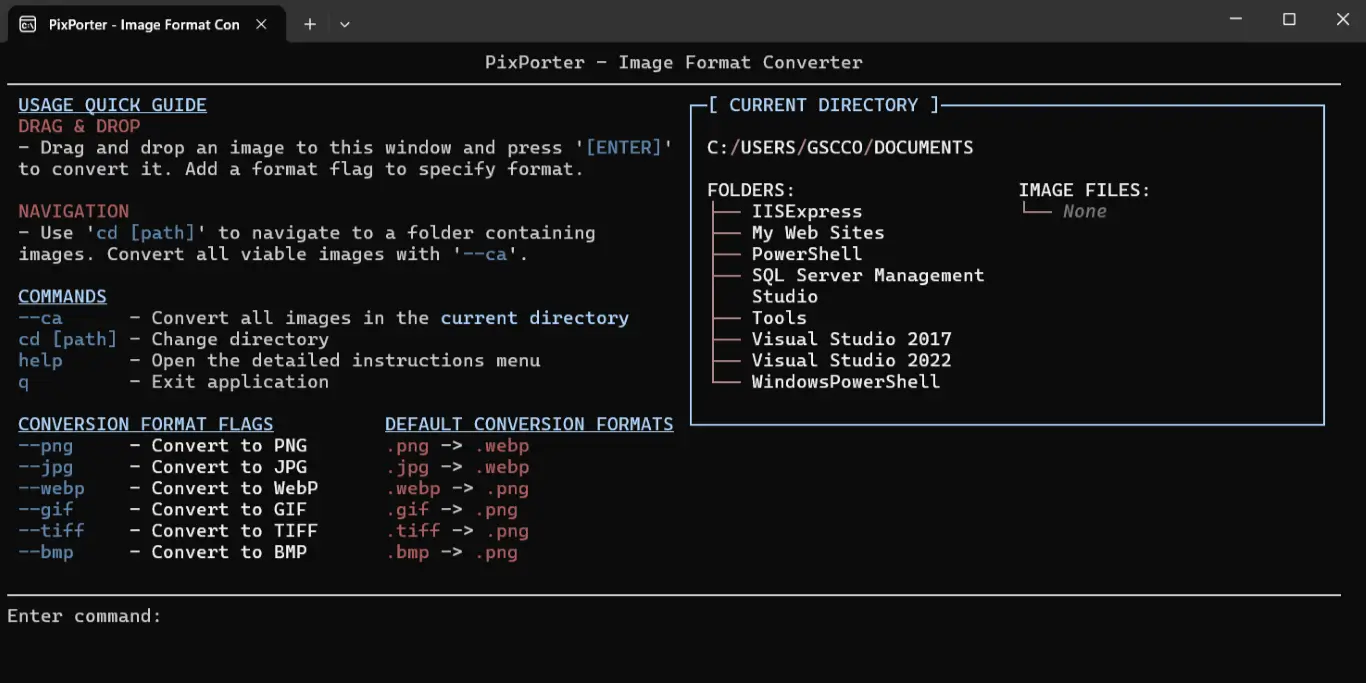
- CLI companion for terminal-based and scripted workflows
When no output format is specified, PixPorter uses these defaults:
| Input | Output |
|---|---|
.webp |
.png |
.png |
.webp |
.jpg / .jpeg |
.webp |
.gif |
.webp |
.tiff |
.webp |
.bmp |
.webp |
.tga |
.webp |
.qoi |
.webp |
.pbm |
.webp |
# Convert a single file
my_photo.png

# Convert with a specific format
my_photo.png --jpg

# Convert with quality setting
my_photo.png --webp --quality=85

# Strip metadata
my_photo.png --jpg --stripmeta

# Convert all images in current directory
--ca

# Convert all to a specific format
--ca --png --quality=90

# Navigate directories
cd C:\Users\Photos
| Flag | Description |
|---|---|
--webp |
Convert to WebP* |
--png |
Convert to PNG* |
--jpg |
Convert to JPG* |
--gif |
Convert to GIF |
--tiff |
Convert to TIFF |
--bmp |
Convert to BMP |
--tga |
Convert to TGA |
--qoi |
Convert to QOI |
--pbm |
Convert to PBM |
--quality=N |
Set output quality 1–100 (* formats only) |
--stripmeta |
Strip all embedded metadata from output |
--ca |
Convert all images in the current directory |
Quality applies to JPG, WebP, and PNG output. For JPG and WebP it controls pixel fidelity — lower values produce smaller, lossier files. For PNG it controls compression level only; PNG is always lossless and no pixel data is ever discarded.
PixPorter is built on SixLabors.ImageSharp, a fully managed, cross-platform image processing library.
Licensed under the Apache License 2.0. © Six Labors.