setup IntelliJ IDEA
-
Download and install JDK:
http://www.oracle.com/technetwork/java/javase/downloads/index.html -
Download and install IntelliJ IDEA:
https://www.jetbrains.com/idea/ -
Download Groovy SDK
http://www.groovy-lang.org/download.html -
Launch IntelliJ IDEA and create new project.
-
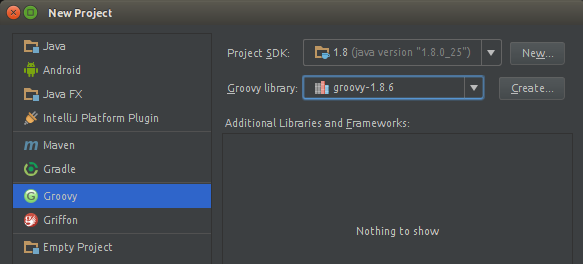
Select "Groovy project"
Project SDK: your JDK
Groovy library: downloaded groovy library
Then click [Next]. -
Set project location to
plugins/VarScript/in your server
Then click [Finish]. -
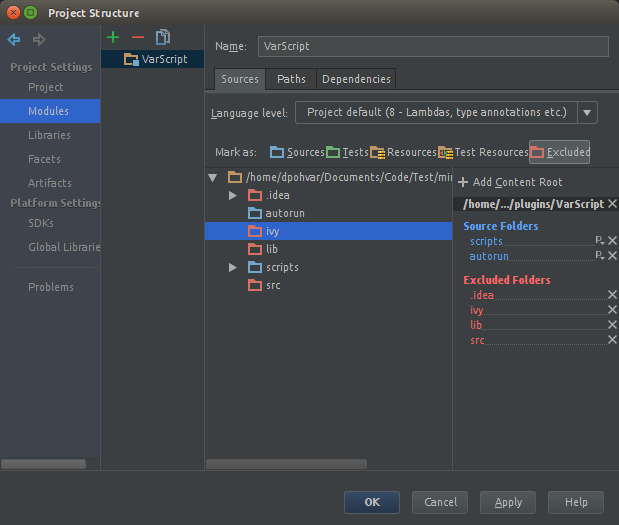
Go to "Project Structure" (Ctrl+Alt+Shift+S) -> Modules -> Sources
and mark autorun and scripts as Sources, all other folders as Excluded
-
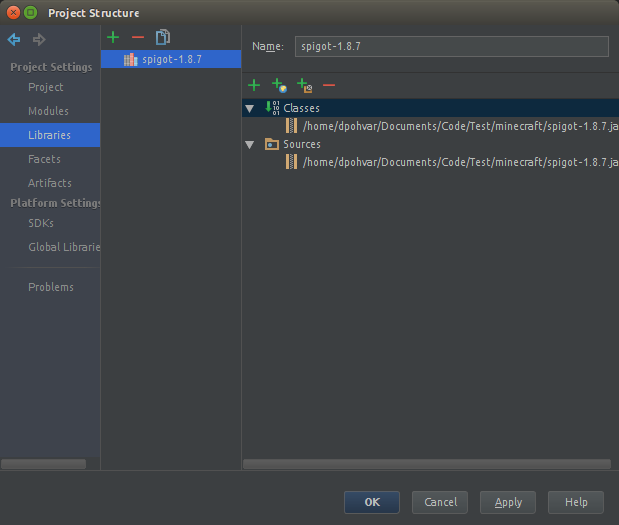
Go to "Project Structure" (Ctrl+Alt+Shift+S) -> Libraries
click "New Project Library" (+) -> Java and select your server jar file.
click "New Project Library" (+) -> Java and select VarScript.jar.
In the same way, add other libraries, which will be used in the project.
Then click [OK]. -
Everything is ready!
Use IntelliJ IDEA to create scripts and classes.
How to define varscript variables in IDEA:
-
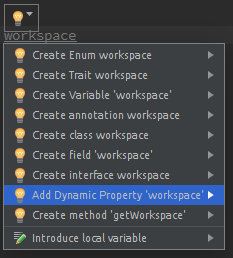
type the name of variable and press [Alt+Enter]
-
click to "Add dynamic property"
-
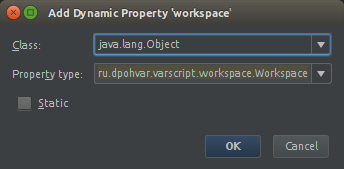
setup property
Class: java.lang.Object
Property type: type of variable