A news app generated with Python version 3.8.13 && Flask version 1.1.4
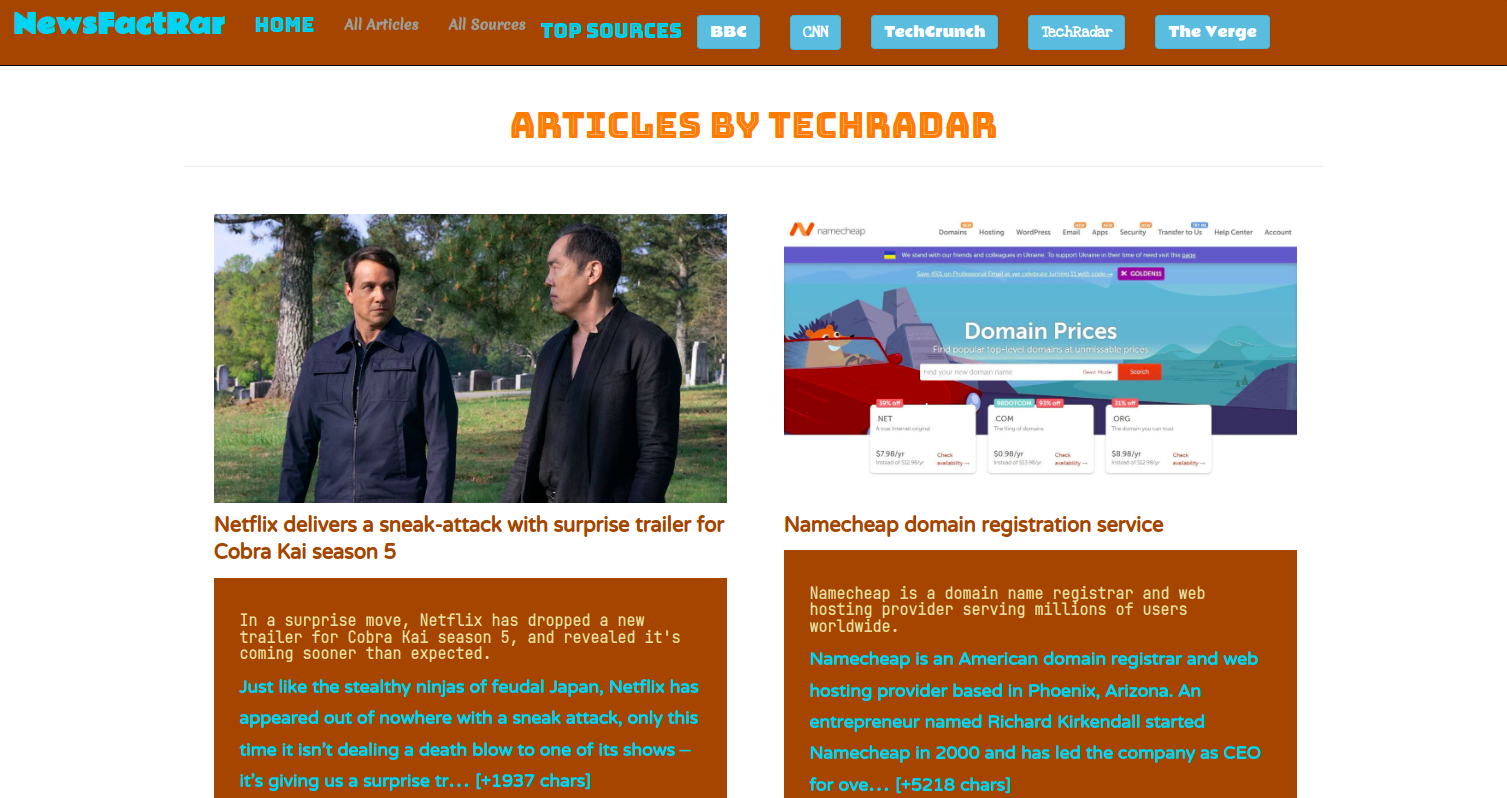
NewsFactRar app displays news from the Newsapi. Users can find top headlines & various sources on the home page, with article titles, images, descriptions, and snippet contents. Users can also navigate to top news sources and get access to news articles from the selected source. Users can access random news articles on the "All Articles" page, or check out information about all the available news sources on the "All Sources" page.
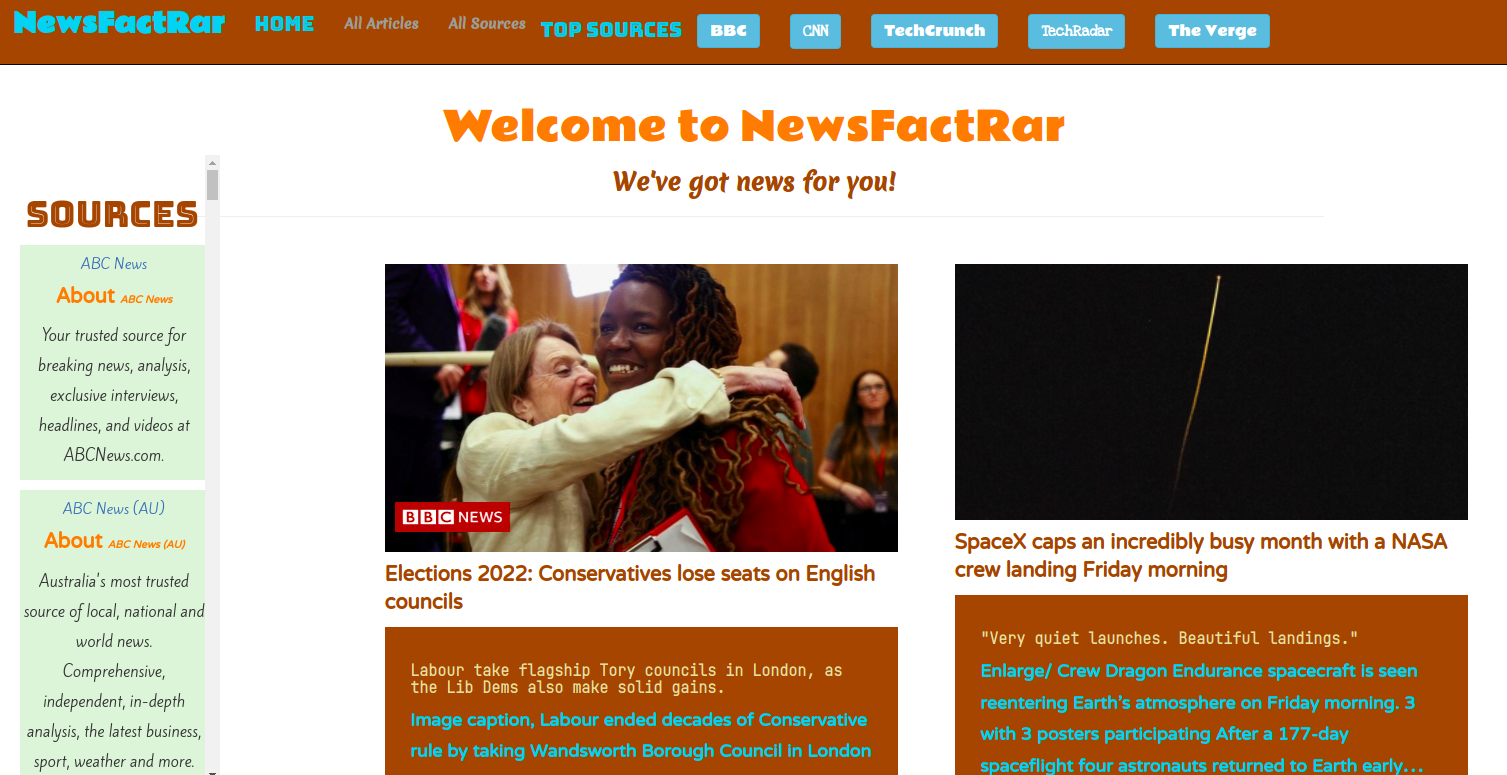
1. Home Page
- OUTPUT: 'Navbar, Welcome message, Sidebar, Home page content'
2. User Action:
- INPUT: Click : Navbar : 'NewsFactRar', 'HOME'
- OUTPUT: Home page
- OUTPUT: Top Headlines
- OUTPUT: Sidebar--News Sources
3. User Action:
- INPUT: Click : Navbar : 'All Articles'
- OUTPUT: All Articles page
- OUTPUT: Random Articles
4. User Action:
- INPUT: Click : Navbar : 'All Sources'
- OUTPUT: All Sources page
- OUTPUT: Random Sources
5. User Action:
- INPUT: Click : Navbar : 'BBC'
- OUTPUT: BBC News page
- OUTPUT: News Articles by BBC
6. User Action:
- INPUT: Click : Navbar : 'CNN'
- OUTPUT: CNN News page
- OUTPUT: News Articles by CNN
7. User Action:
- INPUT: Click : Navbar : 'TechCrunch'
- OUTPUT: TechCrunch News page
- OUTPUT: News Articles by TechCrunch
8. User Action:
- INPUT: Click : Navbar : 'TechRadar'
- OUTPUT: TechRadar News page
- OUTPUT: News Articles by TechRadar
9. User Action:
- INPUT: Click : Navbar : 'The Verge'
- OUTPUT: The Verge News page
- OUTPUT: News Articles by The Verge
10. User Action:
- INPUT: Click : Browser Page : Close
- Exits
- To use this open-source repo, clone it; to contribute, fork it.
- Open your Terminal (CTRL + ALT + T on Ubuntu/Linux).
- Make a destination directory in your preferred path (where you would like to clone the repo into.)
- Run the command
cd yourDestinationDirectory - Run the command
git clone https://github.com/benie254/flaskNews.gitto clone the repo into your destination directory. - Run the command
cd flaskNewsto move you into this repo's directory. - Run the command
atom .for Atom orcode .for VSCode --opens the directory in your preferred code editor. (it is okay if you use something different.) - Happy coding!
No known bugs. Please report any issues or encountered bugs!
- Bootstrap -- page designs
- Adobe Color Wheel -- color palette
- Google Fonts -- stylized fonts
Reach out with any issues, concerns, or contributions to Benie-throughMail
Copyright (c) 2022 Benson Langat
Permission is hereby granted, free of charge, to any person obtaining a copy of this software and associated documentation files (the "Software"), to deal in the Software without restriction, including without limitation the rights to use, copy, modify, merge, publish, distribute, sublicense, and/or sell copies of the Software, and to permit persons to whom the Software is furnished to do so, subject to the following conditions:
The above copyright notice and this permission notice shall be included in all copies or substantial portions of the Software.
THE SOFTWARE IS PROVIDED "AS IS", WITHOUT WARRANTY OF ANY KIND, EXPRESS OR IMPLIED, INCLUDING BUT NOT LIMITED TO THE WARRANTIES OF MERCHANTABILITY, FITNESS FOR A PARTICULAR PURPOSE AND NONINFRINGEMENT. IN NO EVENT SHALL THE AUTHORS OR COPYRIGHT HOLDERS BE LIABLE FOR ANY CLAIM, DAMAGES OR OTHER LIABILITY, WHETHER IN AN ACTION OF CONTRACT, TORT OR OTHERWISE, ARISING FROM, OUT OF OR IN CONNECTION WITH THE SOFTWARE OR THE USE OR OTHER DEALINGS IN THE SOFTWARE.*
Copyright (c) 2022 Benson Langat
Python version 3.8.13