
Production-ready, single-container Docker image for Pinakes, the self-hosted Integrated Library System (ILS) for schools, municipalities, and private collections.



- One image, Apache + PHP 8.2 (mod_php) — no separate nginx/fpm container, mirrors the upstream "Apache-only" production target.
- Built from the official release ZIP (which already ships a production
vendor/), so the running image is byte-for-byte the artifact end users deploy — no source duplication, no Composer at build time. - Headless install — set
ADMIN_EMAIL+ADMIN_PASSWORDand the container installs Pinakes (schema, locale data, bundled plugins, admin user) on first boot, no web wizard. Omit them and the container creates an empty database and redirects every request to the full web wizard at/installer/until the install is completed. - Auto-tracks upstream — a new Pinakes release automatically rebuilds and republishes this image.
- Published to GitHub Container Registry (
ghcr.io) and, optionally, Docker Hub.
This image bundles Pinakes, which is licensed GPL-3.0. See Attribution & license.
| Public catalog (OPAC) | Browse & filter |
|---|---|
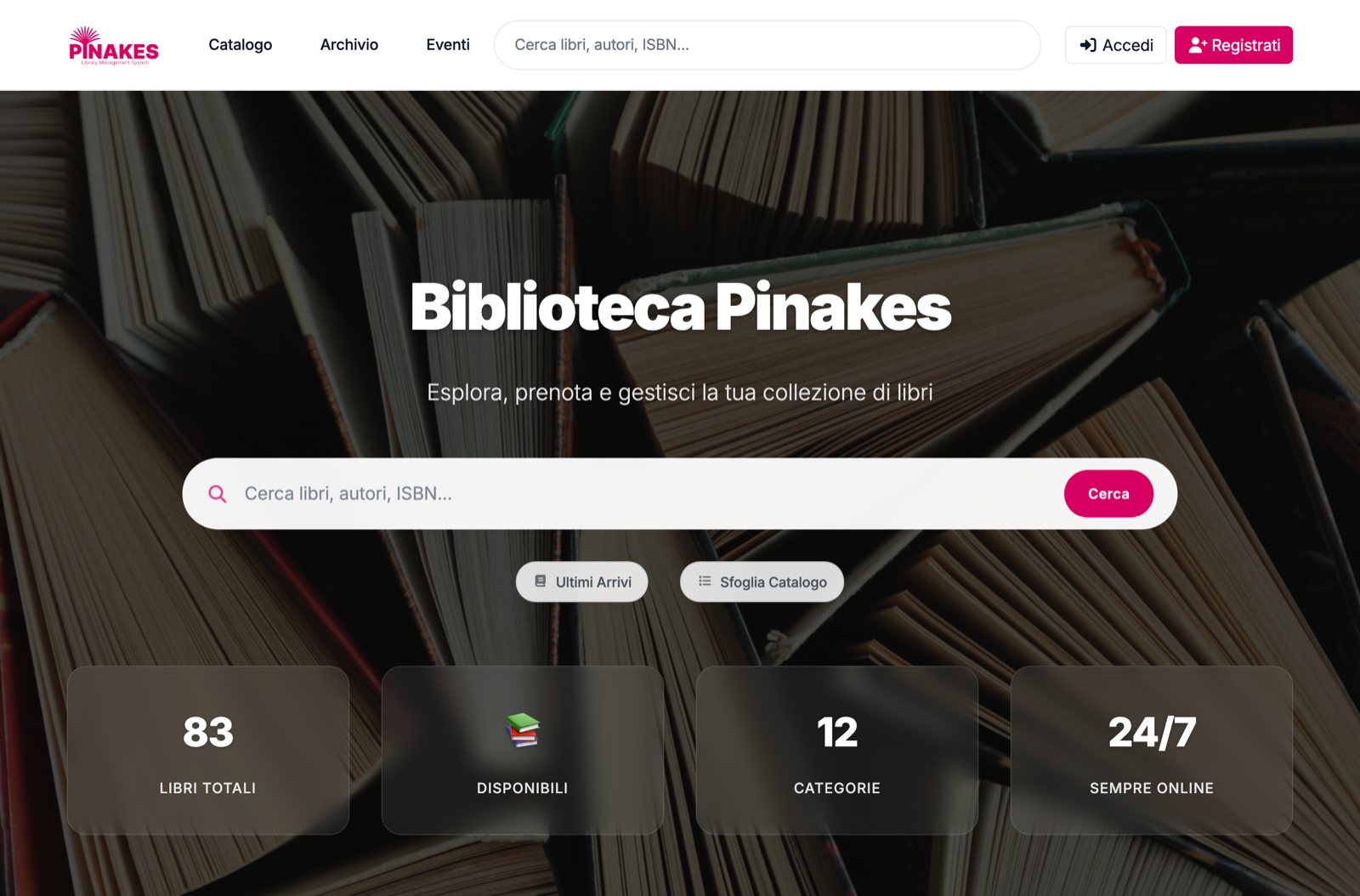 |
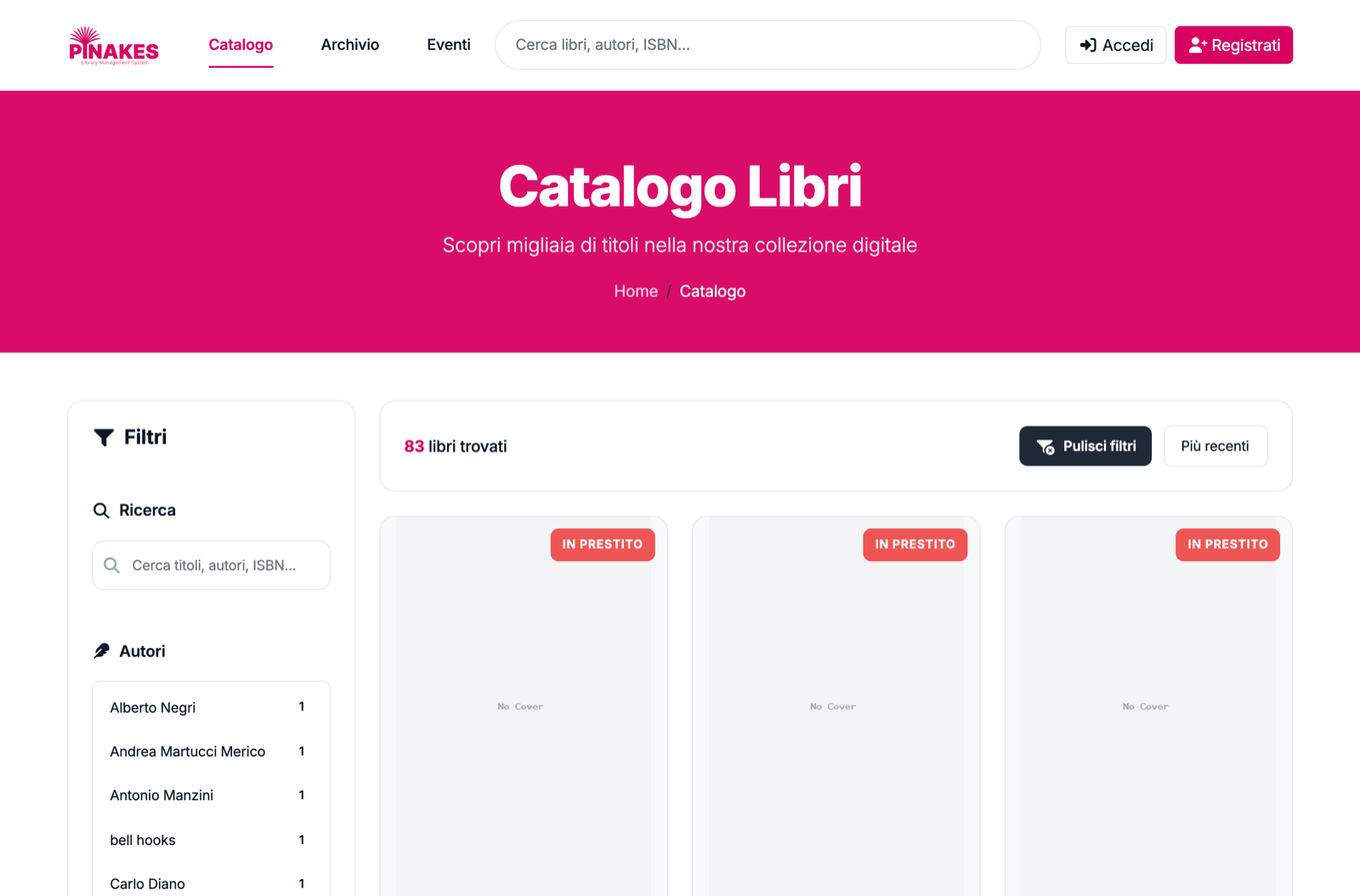 |
| Admin dashboard | Collection management |
|---|---|
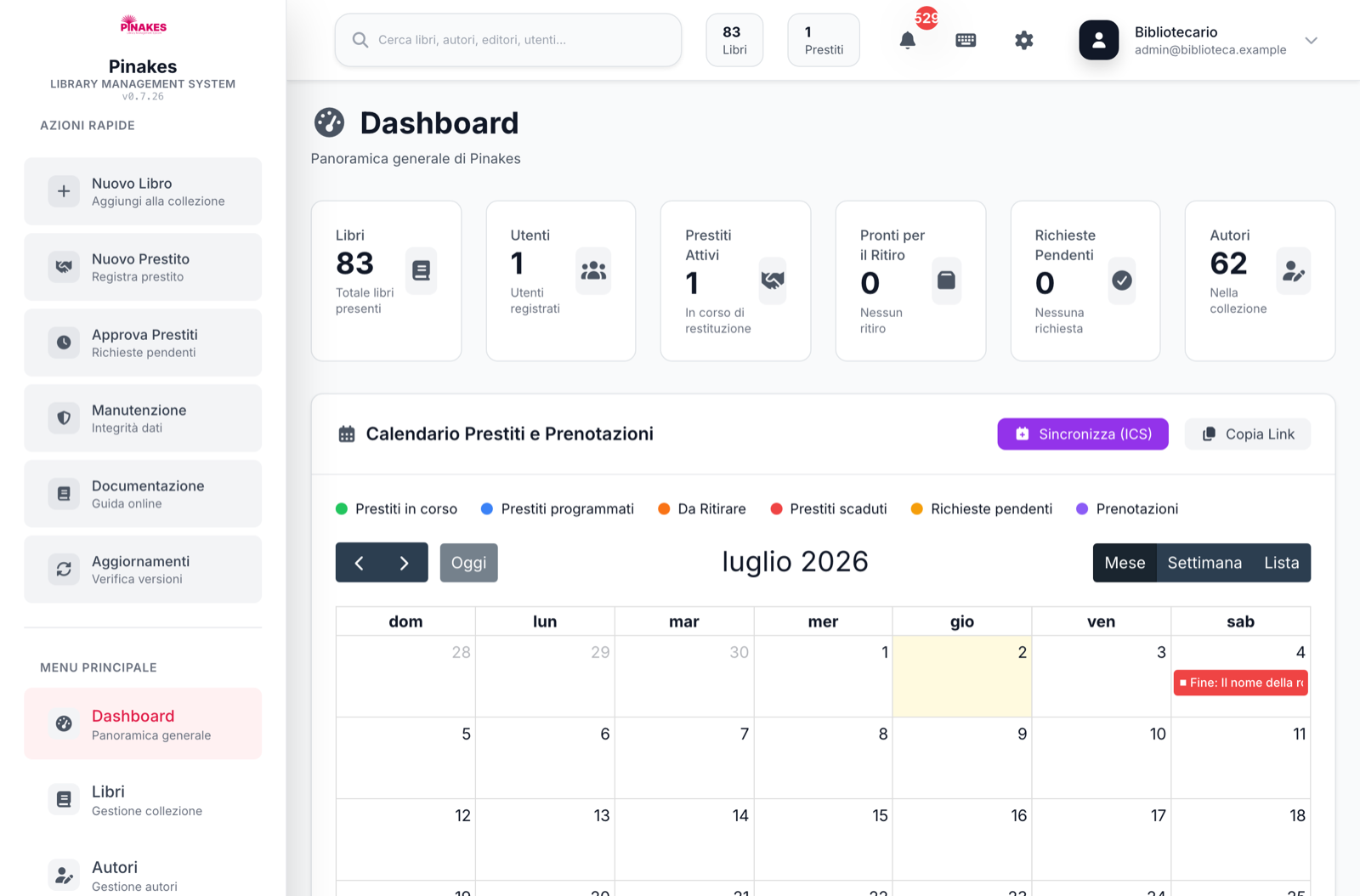 |
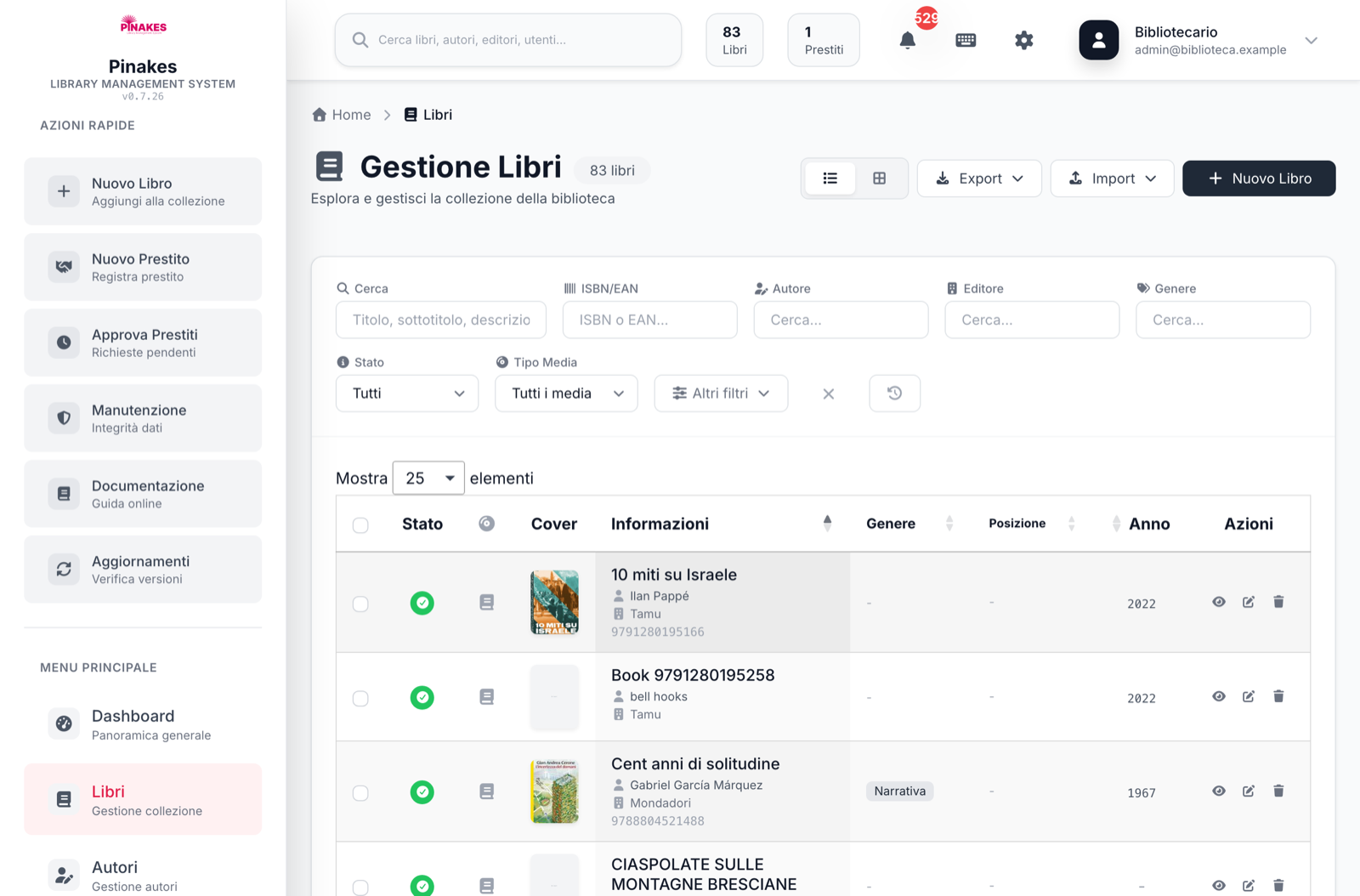 |
git clone https://github.com/fabiodalez-dev/pinakes-docker.git
cd pinakes-docker
cp .env.example .env
# edit .env: set ADMIN_EMAIL + ADMIN_PASSWORD (headless), strong DB passwords,
# and a stable PLUGIN_ENCRYPTION_KEY (printf 'base64:%s\n' "$(openssl rand -base64 32)")
docker compose up -d
Open http://localhost:8080 and log in with the admin credentials you set. That's it.
Using only
docker compose up -dpulls the published image. Add--buildto build it locally from theDockerfile.
docker run -d --name pinakes -p 8080:80 \
  -e DB_HOST=mydb.example.com -e DB_NAME=pinakes \
  -e DB_USER=pinakes -e DB_PASS='strong-pass' \
  -e ADMIN_EMAIL=admin@example.com -e ADMIN_PASSWORD='strong-admin-pass' \
  -e PLUGIN_ENCRYPTION_KEY="base64:$(openssl rand -base64 32)" \
  -v pinakes_storage:/var/www/html/storage \
  -v pinakes_uploads:/var/www/html/public/uploads \
  -v pinakes_locale:/var/www/html/locale \
  fabiodalez/pinakes:latest
Images:
fabiodalez/pinakeson Docker Hub (public) andghcr.io/fabiodalez-dev/pinakes-dockeron GHCR. Tags:latestand each Pinakes version (e.g.0.7.22). Multi-arch:linux/amd64+linux/arm64.
All settings are environment variables (the entrypoint writes the app's .env from them on first boot).
| Variable | Default | Purpose |
|---|---|---|
DB_HOST |
db |
MySQL host (compose service name). |
DB_PORT |
3306 |
MySQL port. |
DB_NAME |
pinakes |
Database name (created automatically if missing). |
DB_USER / DB_PASS |
pinakes / pinakes |
DB credentials. Change for production. |
DB_SOCKET |
(empty) | Optional unix socket (takes precedence over host/port). |
APP_ENV |
production |
production or development. |
APP_LOCALE |
it_IT |
Seed/UI language: it_IT, en_US, de_DE, fr_FR. |
APP_CANONICAL_URL |
(empty) | Canonical URL for emails/redirects/robots. Set this behind a reverse proxy. |
APP_DEBUG / DISPLAY_ERRORS |
false / false |
Keep false in production. |
FORCE_HTTPS |
false |
Enforce HTTPS/HSTS (TLS detected via X-Forwarded-Proto). |
SESSION_LIFETIME |
3600 |
Session lifetime (seconds). |
TZ |
UTC |
Timezone for the in-container scheduler, so automatic emails fire at your library's local hours (see Scheduled tasks). |
PINAKES_CRON_DISABLED |
0 |
Set to 1 to turn off the in-container scheduler (only if you run the cron scripts externally). |
PLUGIN_ENCRYPTION_KEY |
auto | base64:<32-byte key> for encrypted plugin settings. Set a stable value so secrets survive container recreation. |
ADMIN_EMAIL / ADMIN_PASSWORD |
(empty) | Set both for a fully headless install (skips the wizard). |
ADMIN_NAME / ADMIN_SURNAME |
Admin / User |
Admin display name. |
- Both
ADMIN_EMAILandADMIN_PASSWORDset → the container imports the schema, locale data, optimisation indexes, default settings and bundled plugins (including the default-active Mobile API), creates the admin user, and writes the.installedlock. Pinakes is ready — the installer route then shows "Already installed". - Either missing → everything except the admin user is prepared; you finish the single admin step at
/installer/.
The install is idempotent: on every subsequent boot it detects .installed and skips straight to serving.
Pinakes relies on periodic jobs for automatic email and mobile push notifications (due-soon and overdue loans) and nightly maintenance (loan state transitions, reservation/pickup expiry, calendar regeneration). A bare-metal install wires these into the system crontab; the container ships its own scheduler (supercronic) so they run out of the box — no host cron needed.
| Job | Schedule | What |
|---|---|---|
cron/automatic-notifications.php |
hourly, 08:00–20:00 | Sends due-soon / overdue emails and dispatches mobile push notifications. |
cron/full-maintenance.php |
daily, 06:00 | Loan state transitions, reservation/pickup expiry, notifications, ICS calendar. |
The schedule runs in the container's timezone, so set TZ (e.g. TZ=Europe/Berlin)
to align the "opening hours" window with your library's local time — otherwise it runs
in UTC. The jobs log to the container's stdout, so docker compose logs -f app shows
each run. The scheduler is a required, health-checked process: if it exits unexpectedly,
the app container exits too and the Compose restart policy starts both processes again.
To drive these jobs from an external scheduler instead, set PINAKES_CRON_DISABLED=1;
the scheduler health check is then intentionally disabled.
Emails only send once SMTP is configured under Settings → Email. Use the Send test email button there to confirm delivery works before relying on the automatic jobs.
Four things must outlive the container:
| Path | What |
|---|---|
db_data → /var/lib/mysql |
the database |
storage → /var/www/html/storage |
logs, cache, backups, sessions, plugin state |
uploads → /var/www/html/public/uploads |
book covers, author images, digital assets |
locale → /var/www/html/locale |
translations — drop custom/additional *.json here and they survive image upgrades (the shipped files are re-seeded on every boot) |
The provided docker-compose.yml wires named volumes for all four. Also keep a stable PLUGIN_ENCRYPTION_KEY (in .env) so encrypted plugin settings remain readable after a recreate.
Translations survive image upgrades. The shipped
*.jsonare re-seeded from the image on every boot (so updated translations reach existing volumes). In-app edits of a shipped locale are stored separately underlocale/overrides/— not re-seeded — and the app merges them back on top at runtime (Pinakes ≥ 0.7.55), so your edits persist while updated shipped strings still flow through. Brand-new custom languages you drop intolocale/as new files also persist untouched.
The recommended way to update on Docker is to move the container to the new image — your data lives in the database and in the storage/uploads/locale volumes, so it survives the swap (custom translations included):
# pin a version
PINAKES_TAG=0.7.33 docker compose pull && docker compose up -d
# or always-latest
docker compose pull && docker compose up -d
On boot the entrypoint applies any pending database migrations automatically (it drives the app's own migration runner, tracking the applied schema version in system_settings), so an image pull is a complete upgrade — code and schema. It no-ops in milliseconds when the schema is already current. Knobs:
| Env var | Purpose |
|---|---|
PINAKES_MIGRATE_FROM |
One-shot override of the starting schema version (only needed if you imported a pre-0.7.22 database dump). |
PINAKES_MIGRATE_STRICT |
Set to 1 to make a failed migration abort the container start (default: log loudly and boot anyway). |
Existing installs created by older images have no recorded schema version yet: the first boot assumes 0.7.22 (the first published image) and re-applies the — idempotent — migrations since then, healing any drift accumulated by past image-pull upgrades. Avoid manual file changes inside the container: anything written to the container layer is lost when the container is recreated.
The in-app updater (Admin → Updates) also works inside the container (the code dir is writable and OPcache revalidates timestamps), but its changes only live in the container layer until you next move to the matching image.
This image auto-tracks upstream: every Pinakes release triggers a rebuild here (see below), so :latest follows the newest stable Pinakes shortly after it ships.
Pinakes create-release.sh ──repository_dispatch(pinakes_release)──▶ build-publish-docker.yml ──▶ ghcr.io / Docker Hub
                                                          (daily cron safety-net poller backs this up)
build-publish-docker.yml— builds multi-arch (amd64+arm64) from the release ZIP for the requested version and pushes:<version>+:latest. Fires on the upstream dispatch, a manualworkflow_dispatch, or av*tag here. It verifies the release ZIP exists before building.auto-update-on-release.yml— records the upstream version in.latest-pinakes-versionand, on its daily cron, triggers a build if a newer Pinakes release appeared without a dispatch.smoke-test.yml— builds the image and runstests/docker-smoke.sh(full headless-install + HTTP/extension/DB assertions) on every push/PR, so a broken image is never published.
GHCR works out of the box (the built-in GITHUB_TOKEN). To also publish to Docker Hub, add two repository secrets (Settings → Secrets and variables → Actions):
| Secret | Value |
|---|---|
DOCKERHUB_USERNAME |
your Docker Hub username |
DOCKERHUB_TOKEN |
a Docker Hub access token with Read/Write scope (hub.docker.com → Account → Security) |
Without them, the workflow publishes to GHCR only (and says so).
To let upstream Pinakes trigger rebuilds automatically, add the snippet in create-release-snippet.md to Pinakes' scripts/create-release.sh.
docker build --build-arg PINAKES_VERSION=0.7.22 -t pinakes:0.7.22 .
PINAKES_VERSION=0.7.22 tests/docker-smoke.sh # build + full smoke test- Set strong
DB_PASS/DB_ROOT_PASSand a stablePLUGIN_ENCRYPTION_KEYfor production. - Terminate TLS at a reverse proxy and forward
X-Forwarded-Proto; setAPP_CANONICAL_URLandFORCE_HTTPS=true. - The application internals (
app/,config/,installer/,storage/,vendor/) live outside the ApacheDocumentRoot(public/) and are additionally denied by vhost rules. display_errors/expose_phpare off; uploads are capped at 512 MB.
This repository (the Docker packaging) and the bundled Pinakes application are licensed GPL-3.0. Pinakes is developed at fabiodalez-dev/Pinakes; please refer there for application documentation, issues, and support. This image is an independent packaging effort — report image-specific problems in this repository's issue tracker.