Repository navigation
CreateProcess error=206 on Windows when classpath too large #18
Description

Hi,
I get the following stacktrace when I try to run Gradle build on my Windows 10 machine:
org.gradle.api.tasks.TaskExecutionException: Execution failed for task ':gwtCompile'. Caused by: java.io.IOException: CreateProcess error=206, The filename or extension is too long ... 134 more
The underlying reason is that my classpath is too large. When classpath for a Gradle JavaExec task is long, Windows command executions give an error because of limitation to command line length greater than 32K.
I have tried with this plugin to resolve the issue, but it does not seem to work:
https://github.com/viswaramamoorthy/gradle-util-plugins
These two posts explain workarounds pretty well, with either setting the classpath as an environment variable or creating a manifest jar and referring to that in JavaExec. Perhaps you can use them for inspiration to a suitable solution.
https://github.com/Putnami/putnami-gradle-plugin/issues/59
steffenschaefer/gwt-gradle-plugin@087a943?diff=unified
I am using latest gwt gradle plugin (1.0.9), Java 8, Gradle Version 5.0
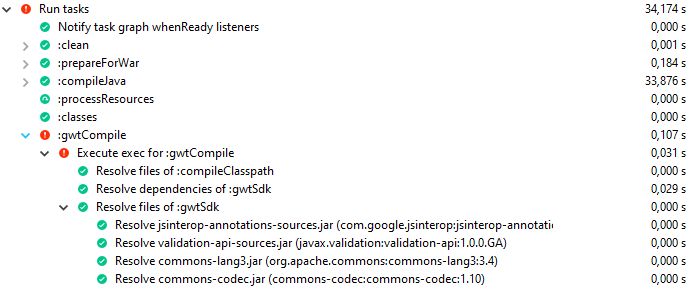
Eclipse Gradle Execution output:
Activity
esocode commentedon Oct 27, 2019
Thanks for the hint, I'll try to implement something similar. The steffenschaefer plugin uses a different execution method, so the solution there cannot be applied directly. But the approach using the environment should be feasible.
esocode commentedon Nov 7, 2019
From version 1.1.0 on there is a now configuration option
envClasspathin the compile options (see documentation). If set totrue(default is false) the classpath string will be set into the CLASSPATH environment variable instead of the command line. Please report if this fixes the problem as I don't have a project to reproduce it.henrikAlk commentedon Nov 12, 2019
Unfortunately, the fix does not solve the our issue. It does seem that the issue is spotted later for the GWT-compile though. It now throws the same exception after finishing with the code verification and is to start with the compilation of the permutations. See image for output from the eclipse console. Removing some of our dependencies resolves the issue, so it is still an issue with us having a too long classpath.

esocode commentedon Nov 15, 2019
According to the stacktrace the GWT compiler starts it's own child processes for building the permutations. Maybe the environment or the configuration to use the environment classpath isn't inherited by these processes. I don't know if this can be solved by the plugin,but I'll take a look at the code.
BTW, do you still need multiple permutations? The modern browsers all support HTML 5, so typically it should be sufficient to have a single version for this standard HTML.
henrikAlk commentedon Nov 18, 2019
Interesting, thank you for taking a second look.
Perhaps we do not. I shall take a look at it, thanks for the input!