#maxdeskstreamer
Max MSP tools to network stream a desktop capture and pipe through Syphon.
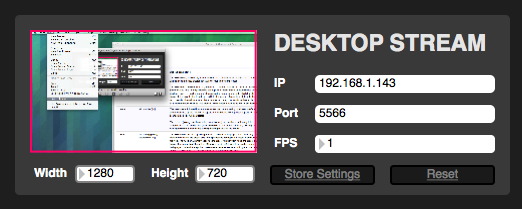
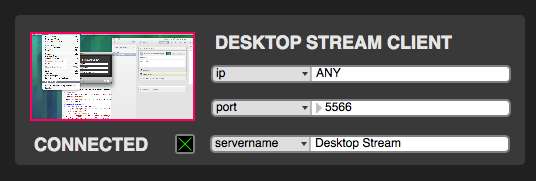
Uses jit.net.send and jit.net.receive to stream a jit.desktop matrix across local or remote network.
##Server Instructions
- Set your display Width and Height
- Setting Width and Height lower than your display resolution will stream a cropped section of the display.
- Set IP and Port
- Set Frames Per Second for stream
jit.net.sendis very high bandwidth so using a slow FPS (2-8) is more reliable. Using a fast FPS causes both dropped frames and substantial latency.
- You can keep settings by clicking
Store Settingsand recall them withReset. To save them for next time the patch is run, clickStore Settingsand then save the patch.
##Client Instructions
- Set incoming IP address or leave as "ANY"
- Set incoming Port Number
- Set
servernamefor Syphon server- It will show up as "Max - [servername]' in your Syphon client.