ESLint is The pluggable linting utility for JavaScript. see more here.
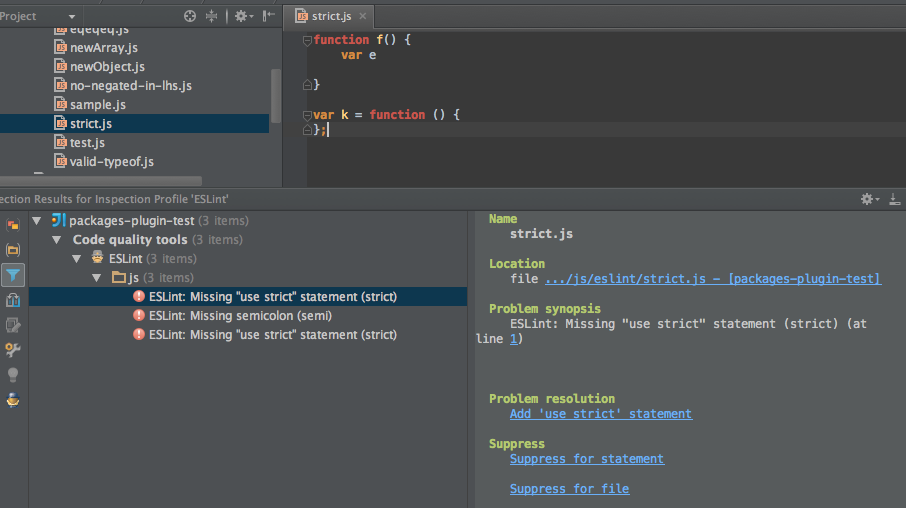
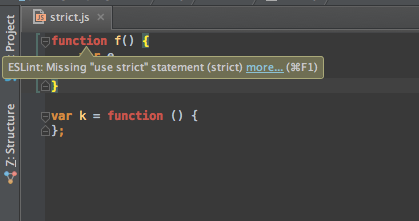
ESLint plugin for WebStorm, PHPStorm and other Idea family IDE with Javascript plugin, provides integration with ESLint and shows errors and warnings inside the editor.
- Support displaying eslint warnings as intellij inspections
- Quick fixes for several rules
- Support for custom eslint rules
If you do not have nodejs installed on your machine, download and install NodeJS.
Install eslint npm package eslint npm:
$ cd <project path>
$ npm install eslint
Or, install eslint globally:
$ npm install -g eslintTo get started, you need to set the ESLint plugin settings:
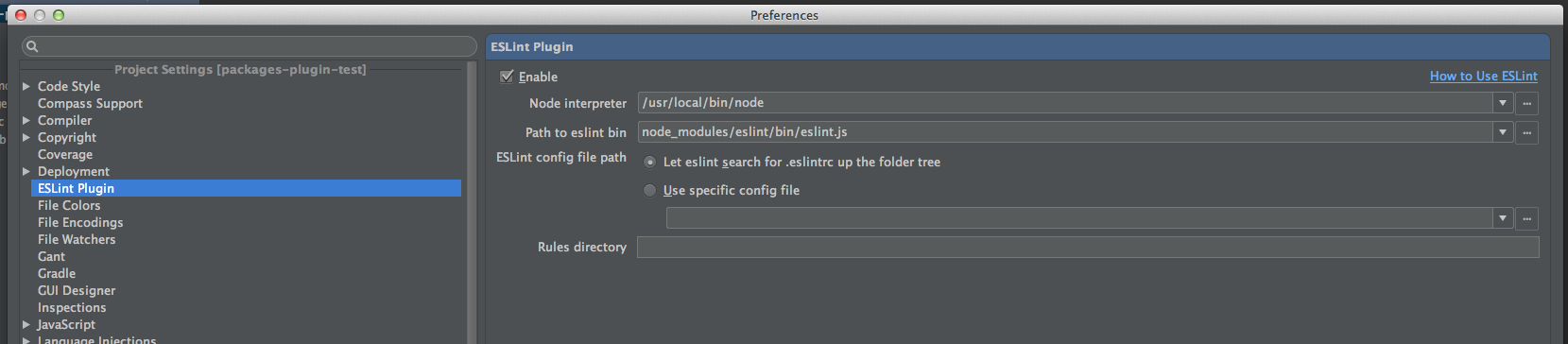
- Go to preferences, ESLint plugin page and check the Enable plugin.
- Set the path to the nodejs interpreter bin file.
- Select whether to let eslint search for .eslintrc file
- Set the path to the eslint bin file. should point to node_modules/eslint/bin/eslint.js if you installed locally or /usr/local/bin/eslint if you installed globally.
- Set the .eslintrc file, or eslint will use the default settings.
- You can also set a path to a custom rules directory.
- By default, eslint plugin annotate the editor with warning or error based on the eslint configuration, you can check the 'Treat all eslint issues as warnings' checkbox to display all issues from eslint as warnings.
Configuration:
Inspection:
Analyze Code: