

WiFi Doctor is a comprehensive Python-based desktop application designed to diagnose, optimize, and repair Wi-Fi connectivity issues on Windows systems. It provides a user-friendly GUI to perform deep analysis of network adapters, signal quality, and driver health.
- Deep Diagnostics: Analyzes signal strength, band interference, and gateway latency.
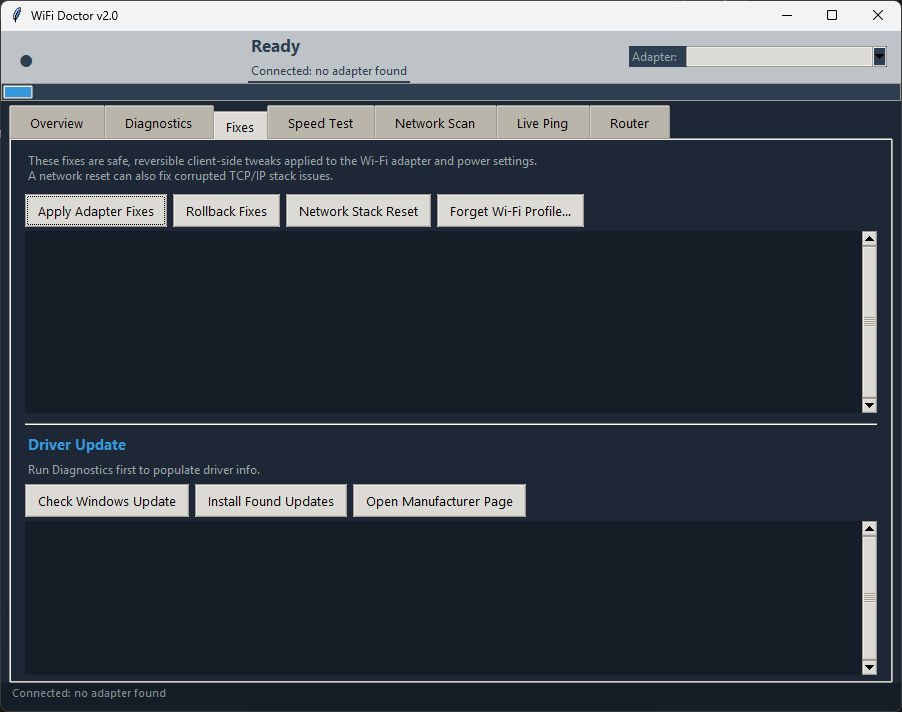
- Automated Fixes: Applies safe, reversible tweaks to adapter settings and power management to improve stability.
- Speed Testing: Integrated Ookla Speedtest CLI (with HTTP fallback) for accurate performance metrics.
- Network Scanning: Identifies nearby networks and recommends the best non-congested channels.
- Router Management: Connects to supported routers (TP-Link, ASUS) to automatically apply optimized channel settings.
- Driver Updates: Checks for and installs Wi-Fi driver updates via Windows Update.
- Live Ping: Real-time latency tracking to identify intermittent drops.
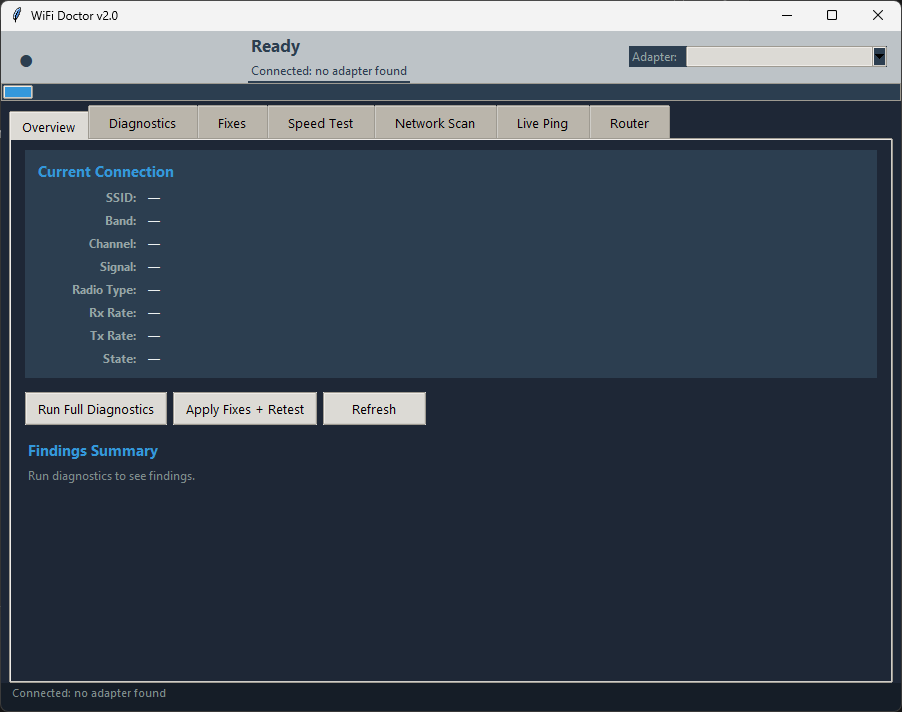
- Windows 10/11 (Required for PowerShell/Netsh commands)
- Python 3.10+
- Administrator Privileges (Required for many diagnostic and fix functions)
-
Clone the repository:
git clone https://github.com/yourusername/wifi-doctor.git cd wifi-doctor -
(Optional) Create a virtual environment:
python -m venv venv
venv\Scripts\activate
-
Run the application:
python wifi_doctor.py
If your Wi-Fi disconnects randomly, use the Apply Adapter Fixes feature. It disables power-saving modes on the Wi-Fi card that often cause the OS to shut down the radio prematurely.
Run a Live Ping to 8.8.8.8. If you see high spikes, use the Network Scan to see if you are on a congested channel. WiFi Doctor will recommend a cleaner channel (e.g., switching from channel 6 to 11).
Use the Network Stack Reset in the Fixes tab. This executes a series of commands (winsock reset, ipconfig /flushdns, etc.) to clear corrupted network configurations.
Distributed under the MIT License. See LICENSE for more information.
Contributions are welcome! Please feel free to submit a Pull Request.
Note: WiFi Doctor is a tool for diagnostic purposes. Always ensure you have backups of important data before performing network resets.