
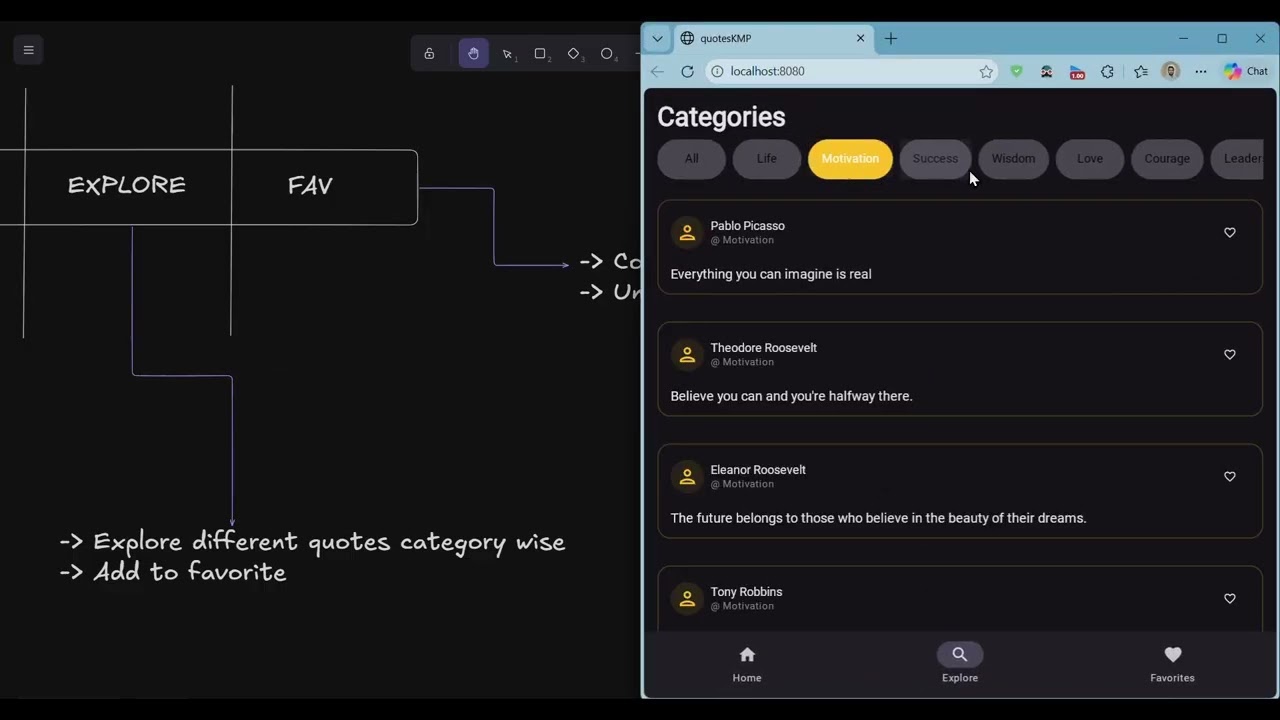
A Kotlin Multiplatform app built with Compose Multiplatform that runs on:
- Android
- Desktop (JVM, Compose for Desktop)
- Web (JavaScript, Compose for Web)
- WebAssembly (Wasm JS, experimental)
It showcases quotes browsing with Home, Explore, and Favorites, a bottom navigation bar, theming (light/dark), and a cross‑platform Share API.
composeApp/— Main multiplatform modulesrc/commonMain/— Shared UI, navigation, view models, modelssrc/androidMain/— Android actuals and Activitysrc/jvmMain/— Desktop actuals and entry pointsrc/jsMain/— Web JS actualssrc/wasmJsMain/— WebAssembly JS actuals (experimental)src/webMain/— Web application bootstrap (Compose for Web)
- Gradle setup: Kotlin Multiplatform + Compose Multiplatform, with tasks for each target
Key source files to explore:
App.kt— Root composable and theme wiringAppNavGraph.kt— Navigation graph between Home, Explore, Savedview/components/*.kt— Reusable composables (BottomNavigationBar, QuotesCard, SectionHeader, etc.)view/screens/*.kt— Screens (HomeScreen, ExploreScreen, SavedScreen)share/ShareManager.kt— expect/actual API for text sharing
- JDK 11 (Gradle config targets JVM 11)
- Android Studio (Hedgehog+ recommended) or IntelliJ IDEA with Kotlin and Compose plugins
- Android SDKs: minSdk, targetSdk defined in Gradle
- Node.js (optional, for local JS/Wasm dev tooling if needed)
On Windows, use PowerShell (default) with the commands below.
Clone and open the project, then run the target you want.
- Build and install debug APK on a connected device or emulator:
./gradlew :composeApp:installDebug ; adb shell am start -n tech.kaustubhdeshpande.quoteskmp/tech.kaustubhdeshpande.quoteskmp.MainActivity- Alternatively, from Android Studio: Run the
composeAppconfiguration (MainActivity).
Run the Desktop app with Compose for Desktop:
./gradlew :composeApp:runYou can also build native installers (MSI/Deb/DMG) defined under compose.desktop:
./gradlew :composeApp:packageDistributionForCurrentOSStart the browser target (Compose for Web JS):
./gradlew :composeApp:jsBrowserDevelopmentRunThis will start a dev server and open your default browser. If it doesn’t open automatically, check the terminal URL.
Run the experimental Wasm target:
./gradlew :composeApp:wasmJsBrowserDevelopmentRunNote: Wasm Compose is evolving; some features may be limited.
- Bottom navigation: Home, Explore, Saved
- Section headers in Home with navigation intents
- Favorites: Tap heart on a quote card to add/remove
- Share: Use the share action to share the quote text (platform‑specific behavior)
- Theme toggle: Switch between light and dark themes
- Build errors: Ensure JDK 11 and Android SDK versions match
composeApp/build.gradle.kts. - Compose previews: Use Android Studio with Compose tooling enabled; previews may require Android target.
- JS/Wasm tasks not found: Make sure you’re running the commands on the
composeAppmodule (:composeApp:jsBrowserRun,:composeApp:wasmJsBrowserRun).
- Lint/format:
./gradlew ktlintFormat ; ./gradlew ktlintCheck- Run unit tests:
./gradlew :composeApp:check- Clean build:
./gradlew clean ; ./gradlew buildInclude (or keep) entries like the following in .gitignore to avoid committing local/derived files:
# Gradle
.gradle/
build/
**/build/

# IDEs
.idea/
*.iml

# Android
local.properties
*.apk
*.keystore

# Kotlin JS/Wasm tooling caches
kotlin-js-store/
node_modules/

# OS
.DS_Store
Thumbs.db
If you package Desktop installers, don’t commit generated installer artifacts; keep only sources.
- JetBrains Compose Multiplatform
- Kotlin Multiplatform Mobile
- AndroidX Navigation Compose
- Material3 Compose