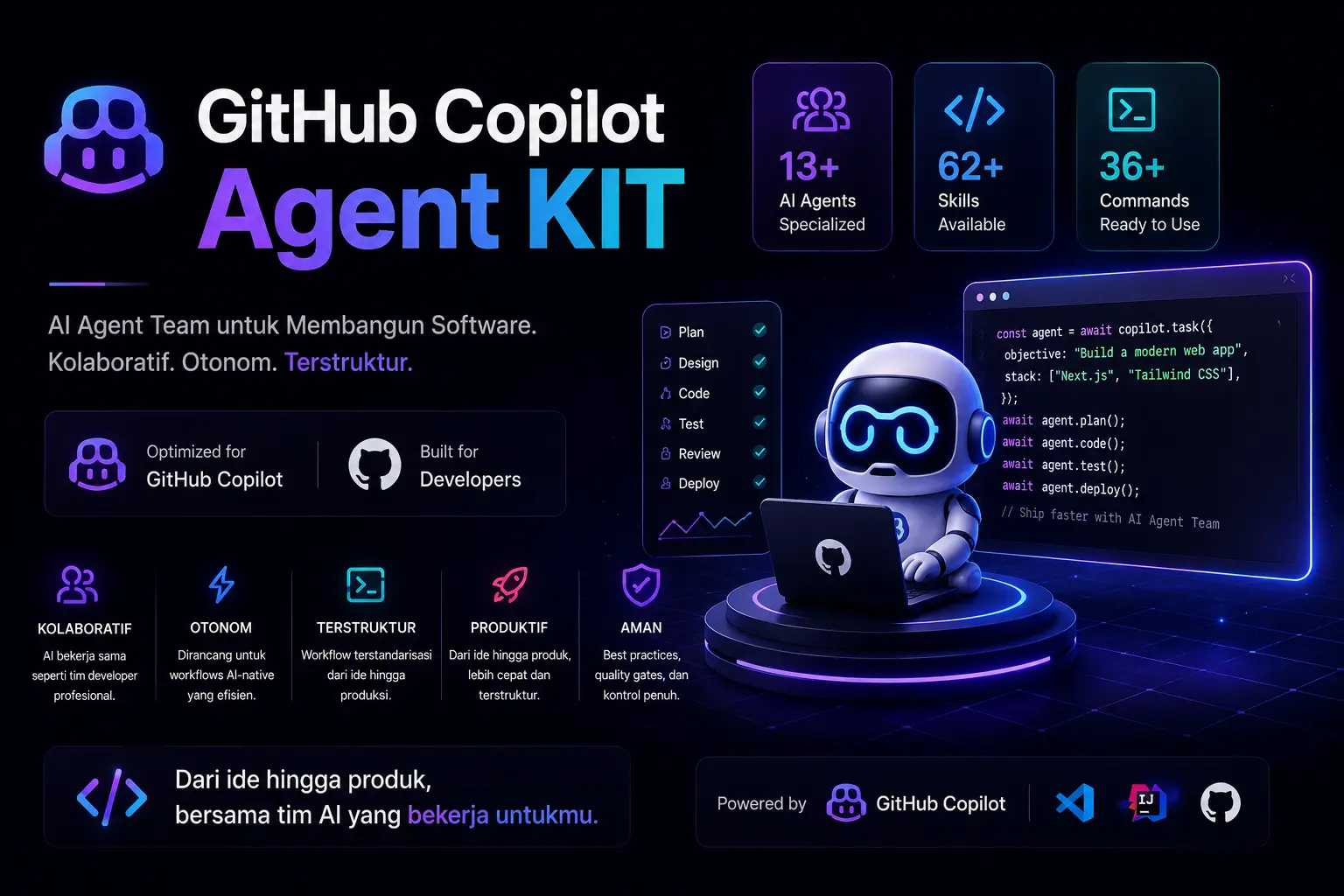
Complete setup guide for the Agent Kit — a portable multi-stack AI agent system for GitHub Copilot. Includes 13 specialized agents, 62 skill playbooks, 36 slash commands, and 6 MCP servers.
npx copilot-agent-kit initnpx copilot-agent-kit initThis copies the full agent configuration into your project's .github/agents/, .github/hooks/, and .github/workflows/ directories. Safe for existing projects — no overwrite.
Global install:
npm install -g copilot-agent-kit
cd /path/to/your-project
copilot-agent-kit initThink of Agent Kit as an AI development team you install into any GitHub Copilot project. An IT Leader orchestrates 12 specialized subagents — each one an expert in their stack. You describe what to build; the team handles the rest.
This repository contains a complete GitHub Copilot agent configuration with 13 Custom Agents (1 primary orchestrator + 12 subagents) for software development teams.
- Agent profiles:
.github/agents/it-leader.agent.md— IT Leader & Technical Project Manager (primary)frontend-nuxt.agent.md— Frontend Developer (Nuxt/Vue) —@frontend-nuxtfrontend-react.agent.md— Frontend Developer (React/Next.js) —@frontend-reactbackend.agent.md— Backend Developer (Node.js) —@backendlaravel.agent.md— Backend Developer (Laravel) —@laravelci3.agent.md— Fullstack Developer (CodeIgniter 3) —@ci3designer.agent.md— UI/UX Designer —@designerreviewer.agent.md— Code Reviewer / QA —@reviewerdatabase.agent.md— Database Specialist —@databasedevops.agent.md— DevOps / Infrastructure —@devopsseo.agent.md— SEO Specialist —@seoandroid.agent.md— Android Developer (Kotlin/Compose) —@androidflutter.agent.md— Flutter Developer (Dart) —@flutter
- Automation hooks:
.github/hooks/ - CI/CD workflows:
.github/workflows/
Designed for:
- Frontend (Vue): Nuxt 4 + Nuxt UI + Vue 3 Composition API + TypeScript
- Frontend (React): React 19 + Next.js 15 (App Router) + TypeScript + shadcn/ui
- Backend: Node.js + Express 5 + Prisma + PostgreSQL — or — Laravel 10+ / CodeIgniter 3
- Mobile: Android (Kotlin + Jetpack Compose) — or — Flutter (Dart)
cd /path/to/your-project
npx copilot-agent-kit init
This copies .github/agents/, .github/hooks/, and .github/workflows/ into your project. Existing files are preserved.
| File/Folder | Content | Required |
|---|---|---|
.github/agents/ |
13 agent profiles (.agent.md) |
Yes |
.github/hooks/ |
Automation hooks | Optional |
.github/workflows/ |
Copilot setup steps workflow | Optional |
cp -R .github/agents /path/to/your-project/.github/agents/After installation, go to github.com/copilot/agents and select your repository. Click the agent selector to choose from 13 specialized agents.
13 agents with Leader → Subagent architecture:
| Agent | File | Role |
|---|---|---|
| IT Leader | it-leader.agent.md |
Requirements analysis, architecture, task delegation |
| Frontend (Vue/Nuxt) | frontend-nuxt.agent.md |
Vue/Nuxt implementation (components, Nuxt UI) |
| Frontend (React/Next) | frontend-react.agent.md |
React/Next.js implementation (RSC, shadcn/ui) |
| Backend (Node.js) | backend.agent.md |
Node.js API (Express, Prisma, DTO) |
| Backend (Laravel) | laravel.agent.md |
Laravel (Blade, Livewire, REST API) |
| CodeIgniter 3 | ci3.agent.md |
CI3 MVC, REST API, JWT |
| UI/UX Designer | designer.agent.md |
Design system, Stitch, accessibility |
| Code Reviewer / QA | reviewer.agent.md |
Code quality, security audit, testing strategy |
| Database Specialist | database.agent.md |
PostgreSQL schema, query optimization, migrations |
| DevOps / Infra | devops.agent.md |
CI/CD, Docker, monitoring, infrastructure |
| SEO Specialist | seo.agent.md |
Meta tags, structured data, Core Web Vitals |
| Android Developer | android.agent.md |
Kotlin, Jetpack Compose, Gradle, Play Store |
| Flutter Developer | flutter.agent.md |
Dart, Flutter SDK, Material 3, Firebase |
User Request
    │
    ▼
┌─────────────────┐
│   IT Leader     │ ← Primary orchestrator
│ (Primary)      │
└────────┬────────┘
         │
    ┌────┴────┬──────┬──────┬──────┬──────┬──────┐
    ▼         ▼      ▼      ▼      ▼      ▼      ▼
┌────────┐ ┌──────┐ ┌───┐ ┌────┐ ┌────┐ ┌────┐ ┌──────┐
│Frontend│ │Backend│ │Des│ │Rev │ │DB  │ │Dev │ │Mobile│
│Nuxt/React│ │Node/La│ │ign│ │iew │ │Spec│ │Ops │ │And/Fl│
└───┬────┘ └──┬───┘ └───┘ └────┘ └────┘ └────┘ └──┬───┘
    │         │                                    │
    └─────────┴────────────────────────────────────┘
                      │
                      ▼
          ┌──────────────────────────┐
          │   Integration Report      │
          │ (IT Leader combines)     │
          └──────────────────────────┘
- You describe what you need — a feature, a bug fix, a full app
- The IT Leader analyzes requirements, designs architecture, and breaks the work into tasks
- Tasks are delegated to the right subagents — frontend, backend, mobile, designer, reviewer
- The IT Leader integrates results and reports back with verification status
For small tasks, mention subagents directly with @mention:
@frontend-nuxt Add a UButton "Save" in ProfileHeader.vue.
@frontend-react Create a server component ProductList with API fetch.
@backend Add endpoint POST /api/markets with DTO validation.
@laravel Build a CRUD product page with Blade + Livewire.
@ci3 Build a REST API for products with JWT auth.
@designer Review UX flow for checkout page.
@reviewer Audit security for the authentication module.
@database Optimize query for market listing with pagination.
@devops Setup CI/CD pipeline for Vercel deployment.
@seo Implement meta tags and structured data for product pages.
@android Build a login screen with Jetpack Compose + ViewModel.
@flutter Build a product list screen with Bloc pattern.
Skills provide specialized instructions and workflows for specific tasks.
| Agent | Key Skills |
|---|---|
| IT Leader | coding-standards, backend-patterns, frontend-patterns |
| Frontend Developer (Vue) | coding-standards, frontend-patterns, frontend-design, web-design-guidelines, nuxt-ui |
| Frontend Developer (React) | coding-standards, frontend-patterns, frontend-design, web-design-guidelines, vercel-react-best-practices, vercel-composition-patterns |
| Backend Developer | coding-standards, backend-patterns, postgres-patterns, security-review |
| UI/UX Designer | frontend-design, web-design-guidelines, building-components, nuxt-ui |
| Code Reviewer / QA | coding-standards, security-review, web-design-guidelines |
| Database Specialist | postgres-patterns, backend-patterns |
| DevOps / Infrastructure | backend-patterns, coding-standards |
| SEO Specialist | frontend-patterns, web-design-guidelines, nuxt-ui |
| Android Developer | coding-standards, android-jetpack-compose, edge-to-edge, navigation-3, firebase-basics, play-billing, camera1-to-camerax, r8-analyzer, migrate-xml-views-to-jetpack-compose, gpc-setup, gpc-release-flow, gpc-preflight, gpc-vitals-monitoring |
| Flutter Developer | coding-standards, flutter (patterns), 10 Flutter skills, 9 Dart skills, firebase-basics |
Skills are loaded from available locations. Quick verification:
ls ~/.agents/skillsIf skills are not yet on your machine, copy them from this repo:
# Core skills
mkdir -p ~/.agents/skills
cp -R ./.agents/skills/coding-standards ~/.agents/skills/
cp -R ./.agents/skills/frontend-patterns ~/.agents/skills/
cp -R ./.agents/skills/frontend-design ~/.agents/skills/
cp -R ./.agents/skills/web-design-guidelines ~/.agents/skills/
cp -R ./.agents/skills/nuxt-ui ~/.agents/skills/
cp -R ./.agents/skills/security-review ~/.agents/skills/# Flutter patterns & task skills
cp -R ./.agents/skills/flutter ~/.agents/skills/
cp -R ./.agents/skills/flutter-* ~/.agents/skills/
cp -R ./.agents/skills/dart-* ~/.agents/skills/
cp -R ./.agents/skills/jetpack-compose ~/.agents/skills/
cp -R ./.agents/skills/firebase-basics ~/.agents/skills/For Nuxt, Nuxt UI, Playwright, and Postman MCP support, add this to your repo Settings > Copilot > Cloud agent > MCP configuration:
{
  "mcpServers": {
    "nuxt": {
      "type": "remote",
      "url": "https://nuxt-mcp.vercel.app",
      "tools": ["*"]
    },
    "nuxt-ui": {
      "type": "remote",
      "url": "https://nuxt-ui-mcp.vercel.app",
      "tools": ["*"]
    },
    "playwright": {
      "type": "local",
      "command": "npx",
      "args": ["@playwright/mcp"],
      "tools": ["*"]
    },
    "postman": {
      "type": "remote",
      "url": "https://api.postman.com",
      "tools": ["*"]
    }
  }
}
To enable Figma MCP:
export FIGMA_ACCESS_TOKEN="your-token"To enable Google Stitch MCP:
export STITCH_API_KEY="your-api-key"# Planning & Architecture
/plan [feature description] # Detailed implementation plan
/orchestrate [complex task] # Multi-agent orchestration
# Review & Quality
/code-review [files] # Code quality review
/security [files] # Security audit
/refactor-clean [scope] # Dead code cleanup
# Testing
/tdd [feature] # TDD workflow
/e2e [user flow] # Generate & run E2E tests
/test-coverage [scope] # Analyze coverage
# Build & Errors
/build-fix [error message] # Fix TypeScript/build errors
# Documentation
/update-docs [files] # Update documentation
/update-codemaps # Update code references
# Mobile
/android-build [variant] # Build Android (debug/release/bundle)
/android-test [type] # Run Android tests (unit/instrumented)
/flutter-build [target] # Build Flutter (apk/appbundle/ios/web)
/flutter-test [type] # Run Flutter tests with coverage
/gpc-release [track] # Publish to Google PlayThe IT Leader is the primary agent — auto-activated when a session starts. Give it your requirements:
Build a marketplace feature with listing, detail, and create pages.
Backend API for CRUD markets with pagination and filters.
Setup CI/CD pipeline and SEO optimization.
The IT Leader will:
- Analyze requirements and define scope
- Design architecture (data flow, API contract, component structure)
- Break into tasks and delegate to the right subagents
- Integrate results and report status
For small tasks, mention subagents directly:
@frontend-nuxt Add a UButton "Save" in app/components/profile/ProfileHeader.vue.
Task tiny, minimal diff, don't touch other files.
@frontend-nuxt Implement status filters on the markets page.
Use the existing useApi pattern and report verification status.
@backend Add endpoint POST /api/markets with DTO validation.
@designer Create a design system for the product page with Nuxt UI.
@reviewer Audit security for the authentication module.
@database Optimize query for market listing with pagination.
@devops Setup CI/CD pipeline for Vercel deployment.
@seo Implement meta tags and structured data for product pages.
Agents are configured to always report:
- Changes made
- Files touched
- Verification status:
verified/partially_verified/not_verified - Manual commands if full verification cannot be run
- No commits unless requested by the user
- No PRs unless requested by the user
- No pushes unless requested by the user
- No touching files outside the request scope
- Agent profiles:
.github/agents/ - Automation hooks:
.github/hooks/ - CI/CD workflows:
.github/workflows/
| Agent | Command |
|---|---|
| IT Leader | @it-leader |
| Nuxt Frontend | @frontend-nuxt |
| React Frontend | @frontend-react |
| Node Backend | @backend |
| Laravel Backend | @laravel |
| CodeIgniter 3 | @ci3 |
| UI/UX Designer | @designer |
| Code Reviewer | @reviewer |
| Database Specialist | @database |
| DevOps Engineer | @devops |
| SEO Specialist | @seo |
| Android Developer | @android |
| Flutter Developer | @flutter |
Symptom: Custom agents don't appear in the agent selector at github.com/copilot/agents.
Fix:
- Ensure
.github/agents/directory exists in your project with.agent.mdfiles - Go to github.com/copilot/agents and select your repository
- If still not visible, run
npx copilot-agent-kit init --forceto reinstall
Symptom: skill name not visible when running ls ~/.agents/skills.
Fix:
echo $HOME
ls ~/.agents/skills
If missing, copy skills to that directory.
Symptom: agent doesn't load the expected skill.
Fix:
Call the skill explicitly in the prompt:
@frontend Load skill `nuxt-ui` then implement this form.
Symptom: Nuxt/Nuxt UI docs lookup fails.
Fix:
- Ensure MCP servers are configured in repo Settings > Copilot > Cloud agent > MCP configuration
- Ensure internet connection is active (remote MCP)
- For Figma MCP, set the token:
export FIGMA_ACCESS_TOKEN="your-token"Symptom: changes spill over or explanations are too long.
Fix: Add constraints directly in the prompt:
Task tiny. Minimal diff. Change 1 file only. Brief answer.
Symptom: style/patterns don't match existing code.
Fix:
- State conventions explicitly in the prompt (e.g., "use useApi", "don't change naming")
- Reference example files to follow
- Ask the agent to revise with a narrow scope on related files
For programmatic agent orchestration using the Copilot SDK:
import { CopilotClient } from "@github/copilot-sdk";
import { createAIAgentKitSession } from "copilot-agent-kit/copilot/sdk/kit.js";

const client = new CopilotClient();
await client.start();

const session = await createAIAgentKitSession(client);
// 13 agents auto-configured with sub-agent orchestration