


Blocks AI-hallucinated and typosquatted dependencies before they install — for npm, pip, uv, yarn and pnpm.
AI coding assistants invent package names that do not exist. Attackers register those exact names and fill them with malware, so the next developer who follows the same suggestion installs a real package containing someone else's code. This is called slopsquatting.
It is measurable, and it is not going away:
- Across 2.23M generated code samples, open-source models hallucinated packages 21.7% of the time and commercial models 5.2% (USENIX Security 2025).
- Frontier models released through early 2026 still hallucinate 4.6–6.1% of the time (arXiv:2605.17062).
- Five different frontier models invented the same fake names, leaving 53 unregistered on PyPI and npm — a ready-made target list (Socket).
Models converge on the same inventions, which makes the attack cheap and repeatable.
$ npm install lodahs

BLOCKED by slopguard: lodahs (npm) risk 70
  - name is nearly identical to "lodash", a far more popular package
  Try instead: lodash

Nothing was installed.
Override once:   SLOPGUARD_DISABLE=1 npm install lodahs
Always allow:    slopguard allow npm lodahs
It also catches names that were never real at all:
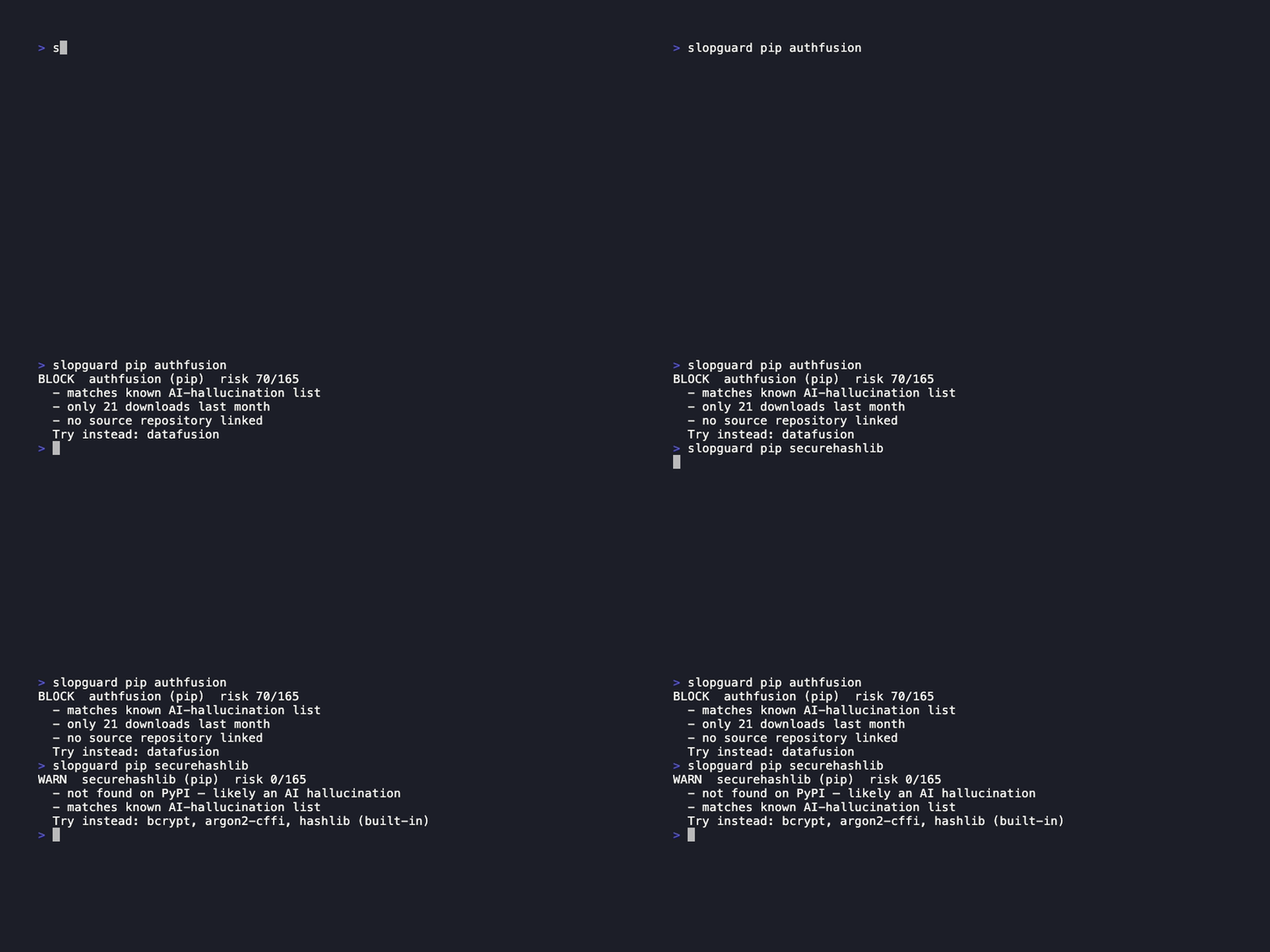
$ slopguard pip securehashlib

WARN  securehashlib (pip)  risk 0/165
  - not found on PyPI — likely an AI hallucination
  - matches known AI-hallucination list
  Try instead: bcrypt, argon2-cffi, hashlib (built-in)
Requires Node 20+.
npm install -g @daksh_dev_2003/slopguardThis installs slopguard once for your whole machine. It is not added as a dependency of any project, and you do not repeat it per repo. The command you type is slopguard, even though the package is scoped.
Or from source, if you want to change it:
git clone https://github.com/dakshgupta2003/slopguard
cd slopguard
npm install
npm link
npm link points back at the clone, so leave that directory where it is.
Then protect every install on your machine:
slopguard initOpen a new terminal. That is the whole setup — npm, pip, pip3, python, python3, uv, uvx, yarn, pnpm and bun are now checked before they run. python and python3 are included because python -m pip install is a real install path; anything else you ask them to do runs straight through.
For uv that covers every subcommand which installs from an index: uv pip install, uv pip sync, uv add, uv sync, uv tool install, uv tool run, uvx and uv run --with. Everything else runs untouched.
To undo all of it:
slopguard uninstallThat removes the shims and takes the PATH line back out of your shell config. Run it before npm rm -g @daksh_dev_2003/slopguard — once the command is gone there is nothing left to clean up the PATH line for you.
| Layer | Command | Use when |
|---|---|---|
| Install shim | slopguard init |
You want everything guarded, including tools you did not configure |
| Manifest scan | slopguard scan |
An agent edited package.json and ran a bare npm install |
| MCP server | slopguard mcp |
You want the AI to check before it suggests |
| Pre-commit | slopguard hook |
Stop a bad dependency entering the repo |
| CI | uses: dakshgupta2003/slopguard@v0 |
Stop it entering the repo from someone else's machine |
These overlap on purpose. The shim protects you; CI protects the repo from everyone else.
slopguard npm express
slopguard pip requests
Exit codes: 0 allow, 1 warn, 2 block.
slopguard scanChecked package.json — nothing suspicious.
Reads package.json, requirements*.txt and pyproject.toml (including Poetry and PEP 735 groups). Results are cached, so an unchanged project rescans in ~0.2s.
A virtualenv puts its own bin/ ahead of everything on PATH, so a global shim never sees it:
slopguard protect .venv # slopguard unprotect .venv to undoThis covers pip, pip3, pip3.13 and python -m pip. Venvs created through the shim are protected automatically.
Claude Code — --scope user registers it for every project, drop it to register only the current one:
claude mcp add --scope user slopguard -- slopguard mcpClaude Desktop — add to ~/Library/Application Support/Claude/claude_desktop_config.json and restart:
{
  "mcpServers": {
    "slopguard": { "command": "slopguard", "args": ["mcp"] }
  }
}
Cursor — the same block in ~/.cursor/mcp.json.
Desktop apps do not always inherit your shell PATH. If slopguard is not found, replace "slopguard" with the full path from which slopguard.
The agent then verifies packages while it is still deciding, instead of being blocked afterwards.
slopguard hookOr with the pre-commit framework — no Node knowledge needed, it installs its own:
repos:
  - repo: https://github.com/dakshgupta2003/slopguard
    rev: v0
    hooks:
- id: slopguard- uses: dakshgupta2003/slopguard@v0
with:
fail-on: block # or "warn"Signals add up. 70+ blocks, 35+ warns.
| Signal | Points |
|---|---|
| Nearly identical to a far more popular package | 70 |
| On the known AI-hallucination list | 40 |
| Registered less than 30 days ago | 25 |
| Under 100 downloads per month | 20 |
| No source repository | 10 |
No single signal is proof. A new package is not malware — everything is new once. But new, undownloaded, repo-less and one letter from express is not a coincidence.
Typosquats are found two ways: for PyPI, an offline edit-distance scan against the top 5,000 packages; for npm, generating the typos an attacker would register and asking the registry which are popular. A package is only flagged as an impostor if its lookalike has at least 100× its downloads — a successful typosquat is popular because it is fooling people.
slopguard allow pip your-packageIf slopguard cannot reach a registry it allows the install and says so. A security tool that breaks your installer is a security tool people uninstall.
slopguard checks the names you and your AI are about to install. It does not audit what is inside a package.
Three gaps are left open on purpose:
-
Direct dependencies only.
npm install expressalso installs dozens of packages you never named. slopguard checksexpress, not those dozens. A model can only put a fake name where you type it — rewriting express's own dependency list takes a compromised maintainer, which is a different attack thatnpm audit, OSV and Socket already handle. -
A Python script that runs pip itself slips past the shim.
Protecting a venv moves the real interpreter aside and stands a shim in front of it. But a script that is already running holds the real path in
sys.executable, sosubprocess.run([sys.executable, "-m", "pip", "install", "x"])walks around us. Catching it needs a.pthhook in site-packages — Python shipped inside a Node tool, re-tested against every pip release — to close a door only accidents open. -
The hallucination list covers Python much better than npm.
116 PyPI names against 2 for npm, because the published research we could licence is Python-only. It lives in
src/data/hallucinations.json— a flat JSON file, no code involved, and pull requests adding names are welcome.
npm install
npm testMIT. Bundled data keeps its own licence — see THIRD-PARTY.md.