You can access it here. https://ecomap-d8c09.firebaseapp.com/
This app is build with Firebase (hosting, firestore)
This is movie of this web app https://www.youtube.com/watch?v=-rH9OHnMgL8
The app displays all SDG data in maps, tables and graphs; the Map changes colour as the numerical value of an indicator changes, so you can visually see which areas have the largest indicators. You can select an indicator from the list box above and a country or year from the search box below it. The region to be displayed can easily be selected by clicking on the button below the map, and You can also move the slider to see how the data changes from year to year. The graphs below the Map are an Area Chart, a pie chart a bar chart and a table that visualises the data for the year, and you can also move the slider to see the year-by-year changes. Data can also be easily downloaded and shared to social networking sites. Click on Options to see current indicator targets and sources. You can also click on the quiz button above to take a quiz on the SDGs. Thus, congratulations if you pass the four questions, and even if you fail, you will gain new knowledge about the SDGs. You can also press the Learn button to learn about the 169 indicators corresponding to the 17 targets of each SDGs.
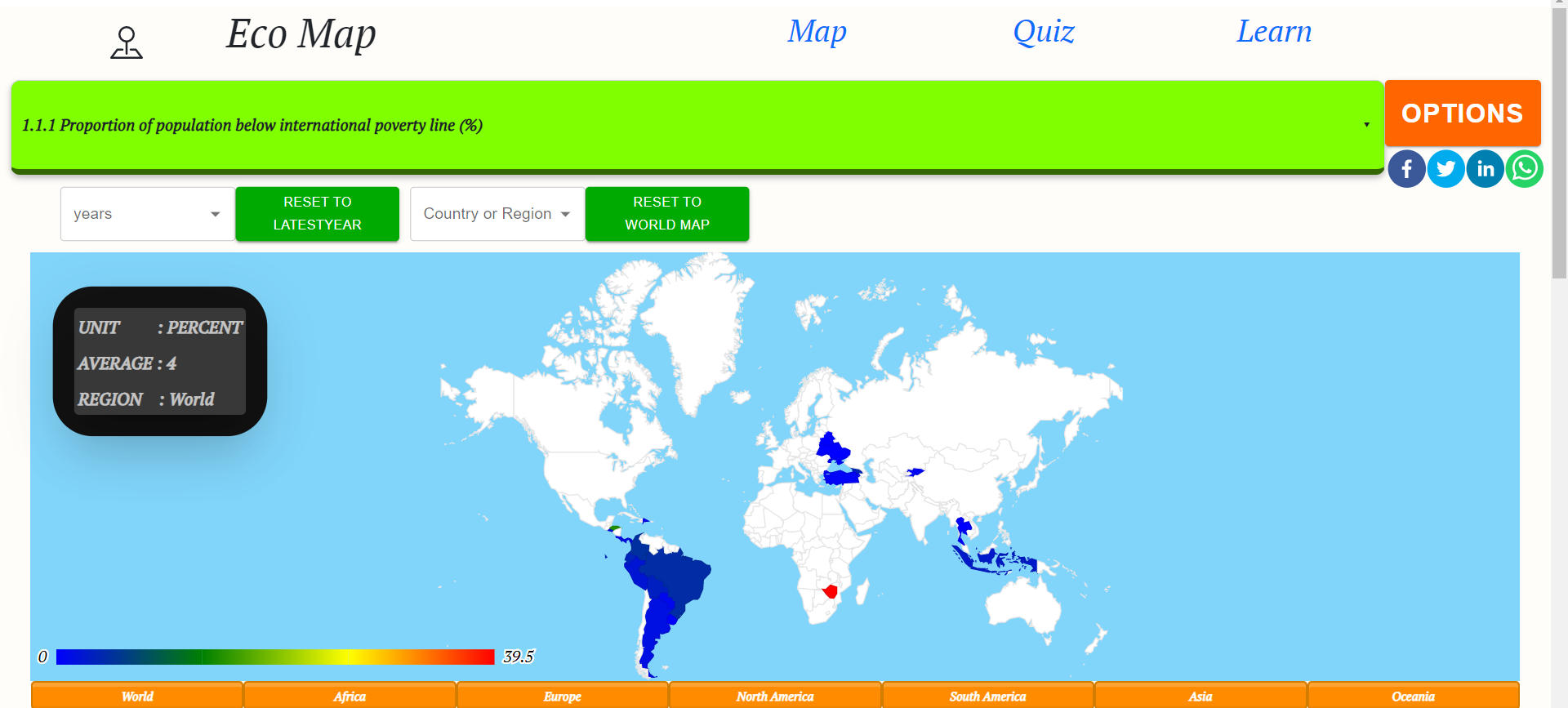
In this app. we use Google Charts(geochart,areachart,barchart),Firebase(hosting,firestore),react-typescript(mui,bootstrap),react-share(facebook,twitter,linkedin)
This project was bootstrapped with Create React App.
git clone 'https://github.com/daichi1207/Eco-Map.git'
In the project directory, you can run:
npm install --save react-google-charts npm install firebase npm install bootstrap npm install react-responsive --save npm install react-router-dom @types/react-router-dom npm install @mui/material @emotion/react @emotion/styled npm install @mui/icons-material npm install @mui/x-data-grid npm install react-share --save
Runs the app in the development mode.
Open http://localhost:3000 to view it in the browser.
The page will reload if you make edits.
You will also see any lint errors in the console.
Launches the test runner in the interactive watch mode.
See the section about running tests for more information.
Builds the app for production to the build folder.
It correctly bundles React in production mode and optimizes the build for the best performance.
The build is minified and the filenames include the hashes.
Your app is ready to be deployed!
See the section about deployment for more information.