

Utilities to operate vault.
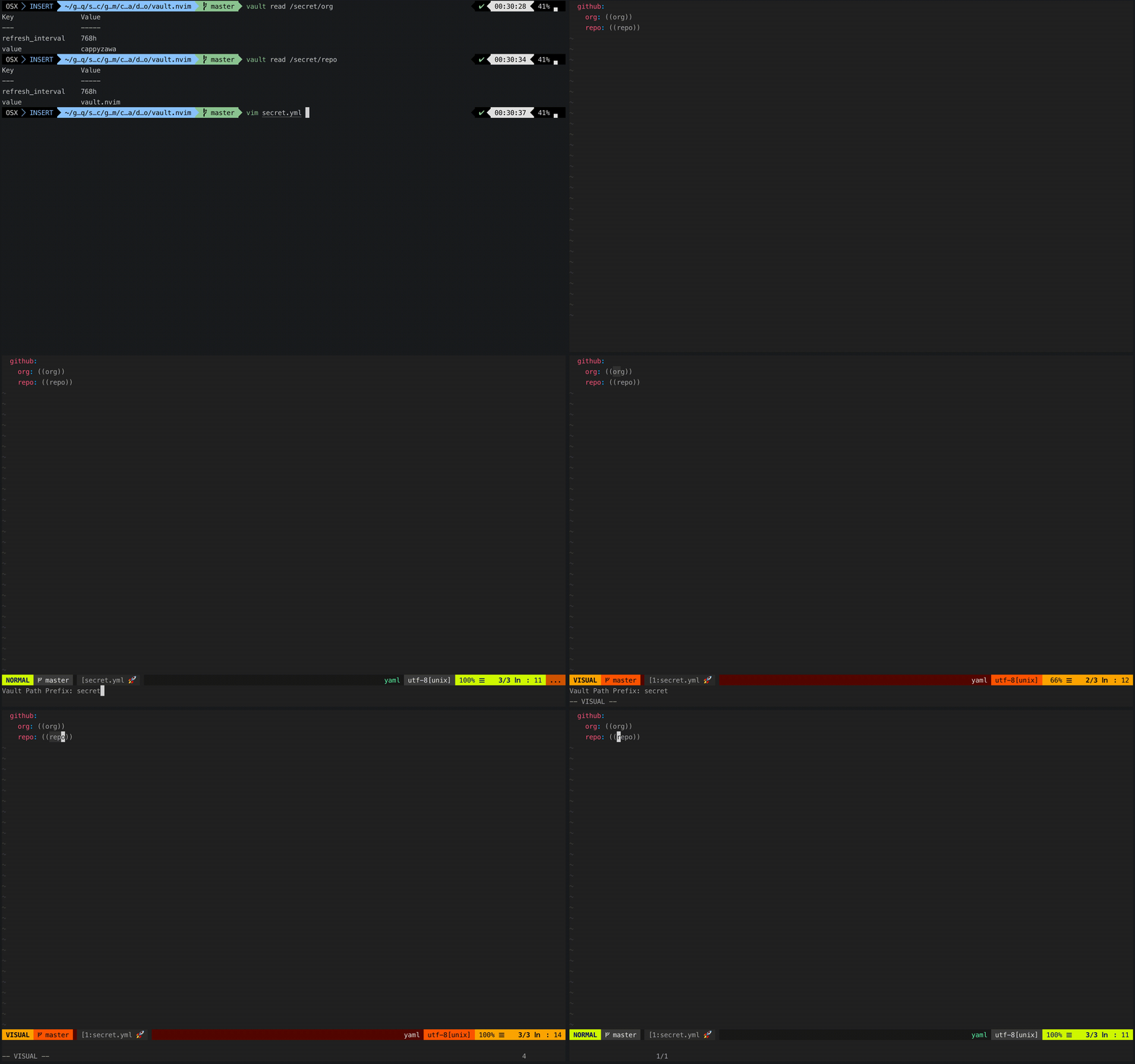
If you use neovim0.4.0+, you can read secrets with floating window.
To install using Vim-Plug:
" add this line to your .vimrc file
Plug 'cappyzawa/vault.nvim'
| Command | Description |
|---|---|
| VaultPathPrefix | set your secret path's prefix. |
| VaultField | set your secret's field. default:value. |
| VaultRead | vault read -field <field> <path_prefix>/<selected string> |
In order to execute VaultRead, it is necessary to be able to communicate with vault api.
$ export VAULT_ADDR=https://your.vault.com
$ export VAULT_TOKEN=XXXXXXXXXXIf g:vault_no_default_mappings is not set to v:true, this plugin also defines following default mapping.
| Map | Key | Command |
|---|---|---|
| nmap | <Leader>vpp | VaultPathPrefix |
| nmap | <Leader>vf | VaultField |
| xmap | <Leader>vr | VaultRead |
| nmap | <Leader>vr | VaultRead |
VaultRead reads the secret of the selected string and displays it in the popup window.(xmap)
When popup is open, execute VaultRead to close it.(nmap)