
Lightweight, self-contained Linux® server monitoring tool.





💾 Installation | 🌏 Website | 👀 Demo | 🐋 Docker Hub
Zero dependencies. No external databases. Single binary. Just deploy and go.
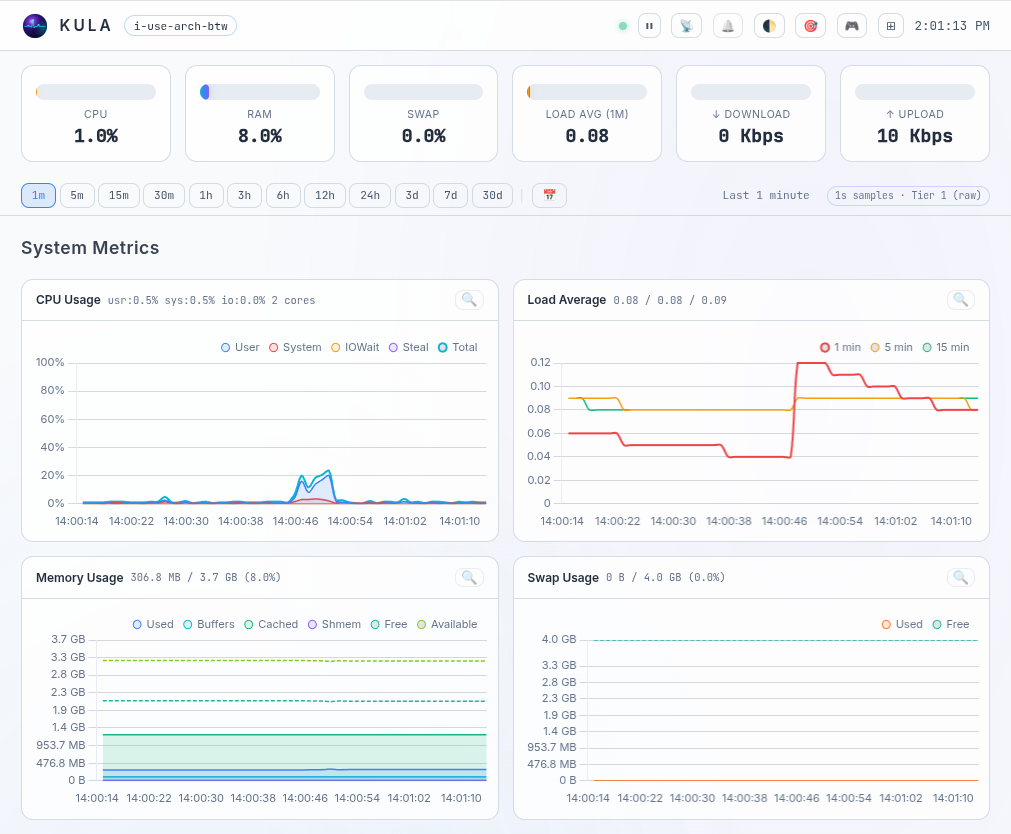
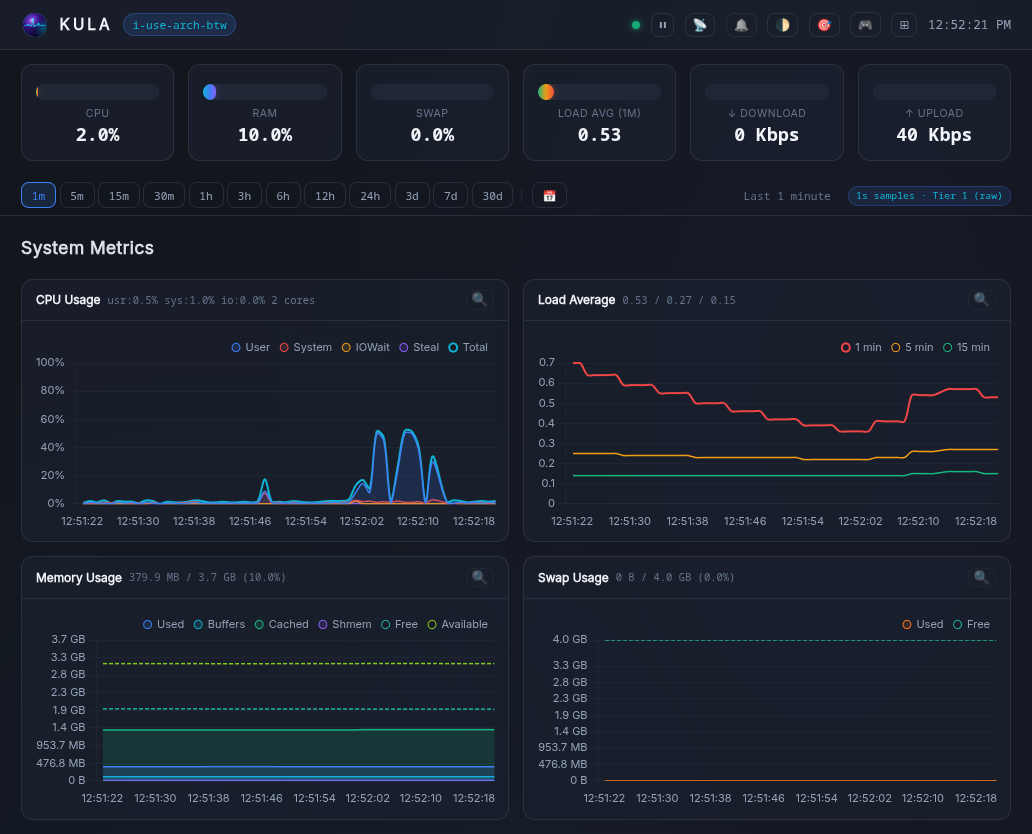
Kula reads system metrics every second directly from /proc and /sys, stores them in a
built-in tiered ring-buffer storage engine, and serves them through a real-time web dashboard,
a terminal UI and a Prometheus endpoint.
| Metric | What's Collected |
|---|---|
| CPU | Total usage (user, system, iowait, irq, softirq, steal) + core count |
| GPU | Load, Power consumption, VRAM |
| Load | 1 / 5 / 15 min averages, running & total tasks |
| Memory | Total, free, available, used, buffers, cached, shmem |
| Swap | Total, free, used |
| Network | Per-interface throughput (Mbps), packets/s, errors, drops; TCP errors/s, resets/s, retrans, established; sockets |
| Disks | Per-device I/O (read/write bytes/s, reads/s, writes/s IOPS); filesystem usage |
| System | Uptime, entropy, clock sync, hostname, logged-in user count |
| Processes | Running, sleeping, blocked, zombie counts |
| Self | Kula's own CPU%, RSS memory, open file descriptors |
| Thermal | CPU, GPU and Disk temperatures |
| Battery | /sys/class/power_supply - power supply / battery status |
| Containers | Docker, podman, raw cgroups |
| Applications | PostgreSQL, MySQL/MariaDB, nginx, apache2 |
| Custom | Monitor anything with custom metrics |
Monitoring NVIDIA GPUs might require additional setup — see GPU troubleshooting.
- Web dashboard — live charts, pan and zoom through history, Min–Max bands, Focus and TV modes, a System Info hardware page, and 26 languages.
- Terminal UI — a fast live read over SSH, including charts of stored history.
- Tiered storage — fixed-size ring-buffer files keep raw 1-second samples, then 1-minute and 5-minute rollups. No database to run.
- Application monitoring — nginx, Apache2, PostgreSQL, MySQL/MariaDB and containers, plus your own custom metrics.
- Prometheus exporter — scrape Kula into an existing observability stack.
- AI assistant — optional chat about your metrics, powered by a local Ollama model.
- Authentication — optional Argon2id login, with multiple users.
- Backups — scheduled snapshots of the storage tiers.
- Secure by default — strict headers, CSRF protection and rate limits, and a Landlock sandbox that confines file and network access. See the security model.
    ╭──────────────────────────────────────────────╮
    │                  Linux Kernel                │
    │      /proc/stat  /proc/meminfo  /sys/...     │
    ╰───────────────────────┬──────────────────────╯
                            │ Read every 1s
                            ▼
    ╭──────────────────────────────────────────────╮
    │                   Collectors                 │
    │        (CPU, Mem, Net, Disk, System)         │
    ╰───────────────────────┬──────────────────────╯
                            │ Live Data
         ╭──────────────────┼─────────────────────╮
         ▼                  ▼                     ▼
╭─────────────────╮  ╭────────────────╮  ╭─────────────────╮
│ Storage Engine  │  │   Web Server   │  │   TUI Terminal  │
╰───┬─────────┬───╯  ╰──────┬─────────╯  ╰─────────────────╯
    │         │             │
    │         ╰──(History)──┤              ╭───────────────╮
    │                       ╰──(HTTP/WS)─► |   Dashboard   |
    ▼                                      ╰───────────────╯
╭──────────┬──────────┬──────────╮
│  Tier 0  │  Tier 1  │  Tier 2  │
│    1s    │    1m    │    5m    │
│  250 MB  │  150 MB  │  50 MB   │
╰──────────┴──────────┴──────────╯
 Ring-buffer binary files
 with circular overwrites
Kula is powered by a custom-built, high-performance ring-buffer storage system that writes metrics directly into fixed-size binary files. Because the files have a strict maximum capacity, new data seamlessly wraps around to overwrite the oldest entries.
To maximize efficiency, Kula employs a multi-tiered architecture that intelligently downsamples older data:
- Tier 0 — Raw 1-second samples (default 250 MB)
- Tier 1 — 1-minute metric rollups (default 150 MB)
- Tier 2 — 5-minute metric rollups (default 50 MB)
Kula is a single binary with no dependencies: upload it to a server and run it. Release packages cover amd64, arm64 and riscv64 — see Releases.
Note: Never thoughtlessly paste commands into the terminal. Even checking the checksum is no substitute for reviewing the code.
bash -c "$(curl -fsSL https://raw.githubusercontent.com/c0m4r/kula/refs/heads/main/addons/install_v2.sh)"KULA_INSTALL=$(mktemp)
curl -o ${KULA_INSTALL} -fsSL https://raw.githubusercontent.com/c0m4r/kula/refs/heads/main/addons/install_v2.sh
echo "bad61ee9eed4595d20fa7e613bd27c3b8700c67f8a5fcac756d282a811705398 ${KULA_INSTALL}" | sha256sum -c || rm -f ${KULA_INSTALL}
bash ${KULA_INSTALL}
rm -f ${KULA_INSTALL}wget https://github.com/c0m4r/kula/releases/download/0.21.0/kula-0.21.0-amd64.tar.gz
echo "270f63ce70262f1c21c0c27ea599fa793c4e6b0a43d404644a551bcd6dafe106 kula-0.21.0-amd64.tar.gz" | sha256sum -c || rm -f kula-0.21.0-amd64.tar.gz
tar -xvf kula-0.21.0-amd64.tar.gz
cd kula
./kulaTemporary, no persistent storage:
docker run --rm -it --name kula --pid host --network host -v /proc:/proc:ro c0m4r/kula:latestWith persistent storage:
docker run -d --name kula --pid host --network host -v /proc:/proc:ro -v kula_data:/app/data c0m4r/kula:latest
docker logs -f kulawget https://github.com/c0m4r/kula/releases/download/0.21.0/kula-0.21.0-amd64.deb
echo "db84f205eb4e0d17a7d2863d83a4a1ea2f801f7b579bbb04a0929c4b5e606a58 kula-0.21.0-amd64.deb" | sha256sum -c || rm -f kula-0.21.0-amd64.deb
sudo dpkg -i kula-0.21.0-amd64.deb
journalctl -f -t kulawget https://github.com/c0m4r/kula/releases/download/0.21.0/kula-0.21.0-x86_64.rpm
echo "f244579293d35b185fec59eba3e5ae40073a1bc57061487fa1279ad7faf0bad4 kula-0.21.0-x86_64.rpm" | sha256sum -c || rm -f kula-0.21.0-x86_64.rpm
sudo rpm -i kula-0.21.0-x86_64.rpm
journalctl -f -t kulahttps://aur.archlinux.org/packages/kula
git clone https://aur.archlinux.org/kula.git
cd kula
makepkg -sisudo snap install kulaThe snap uses strict sandbox so by default Kula features will be limited to the basics, which can be extended with snap connect.
See Snap Wiki for the full guide.
Requires Go.
git clone https://github.com/c0m4r/kula.git
cd kula
./addons/build.shStarting Kula is as simple as running:
./kulaDashboard will be available at: http://localhost:27960
You can change default port and listen address in config.yaml or using environment variables:
export KULA_LISTEN="127.0.0.1"
export KULA_PORT="27960"
./kula
The default command is serve (./kula serve). Global flags are -config <path> to
select another configuration file and -version (or -v) to print the version.
Every command and flag: CLI reference.
./kula tuiSee: Prometheus metrics for more info.
# Generate password hash
./kula hash-password

# Add the output to config.yaml under web.authAll settings live in config.yaml. config.example.yaml lists every
option with its default, and the configuration reference explains each one along
with the environment variables that override them.
The documentation has a user guide and a developer guide:
- Get started: Introduction · Installation · Quick start · Configuration
- Use: Web dashboard · Terminal UI · CLI reference · Troubleshooting
- Integrate: Application monitoring · Custom metrics · Prometheus · AI assistant
- Operate: Authentication · Backups · Reverse proxy & TLS · Service management
- Develop: Architecture · Building · Testing · Adding a metric · Packaging · Contributing
More operational guides are on the wiki.
./addons/check.sh         # full gate: govulncheck, gofmt, vet, race tests, golangci-lint
./addons/build.sh         # build for the current architecture
./addons/build.sh cross   # cross-compile amd64, arm64, riscv64
Building & toolchain covers dependency updates and running the CI workflows locally; Packaging & release covers the .deb, .rpm, AUR, Snap and Docker builds.
Privacy is a core pillar, not an afterthought.
Kula is built for privacy-conscious infrastructure. It is a completely self-contained binary that requires no cloud connection and no third-party APIs. Designed to function perfectly in air-gapped networks, Kula never sends metadata to external servers, never serves advertisements, and requires no user registration. Your monitoring starts and ends on your infrastructure, exactly where it should be.