
2023 © Bikramaditya Meher


A versatile Flutter package for implementing advanced scrolling. Whether you're looking for infinite scrolling, responsive grid views, or customizable loaders, AdvancedInfiniteScroll has got you covered.
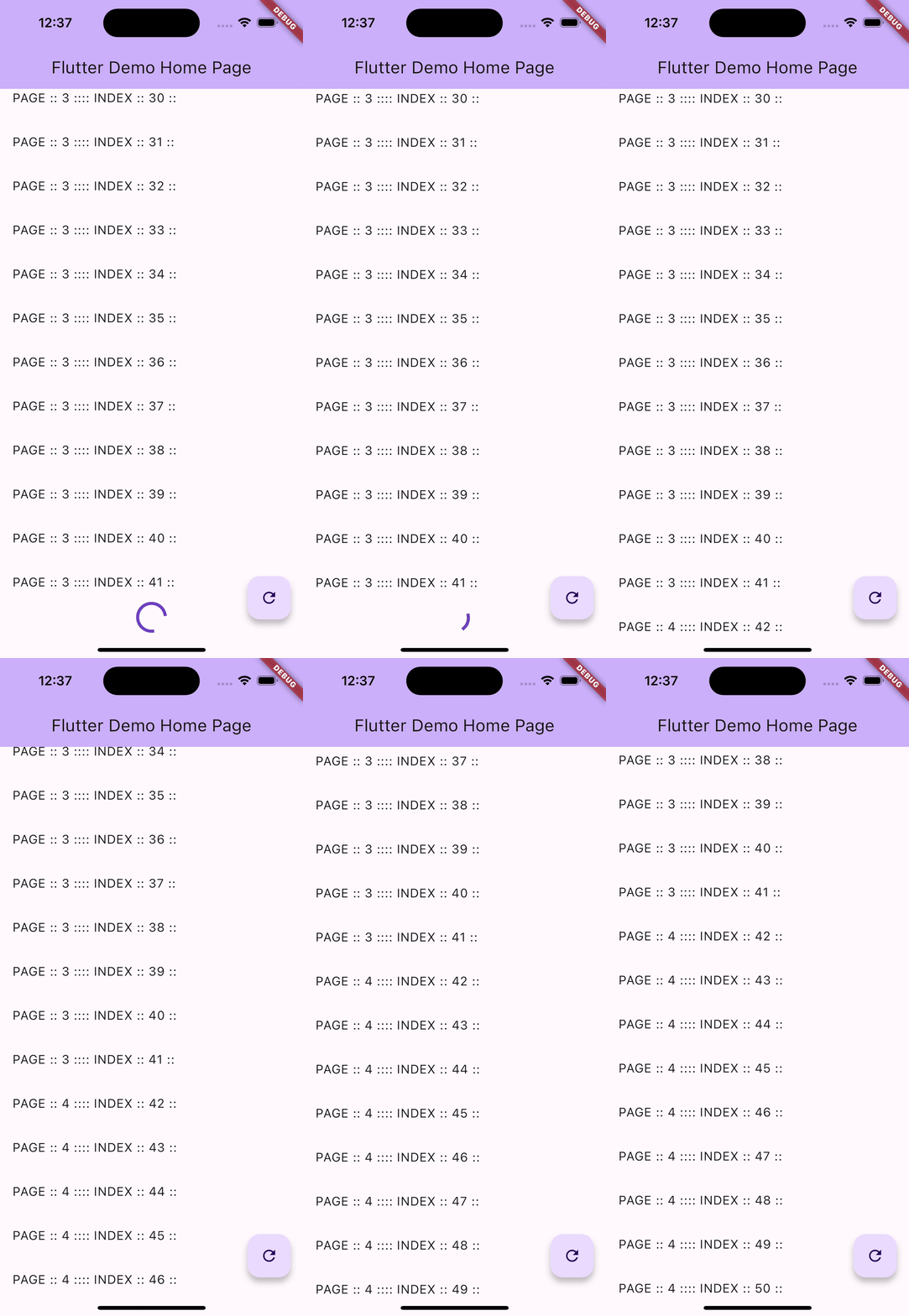
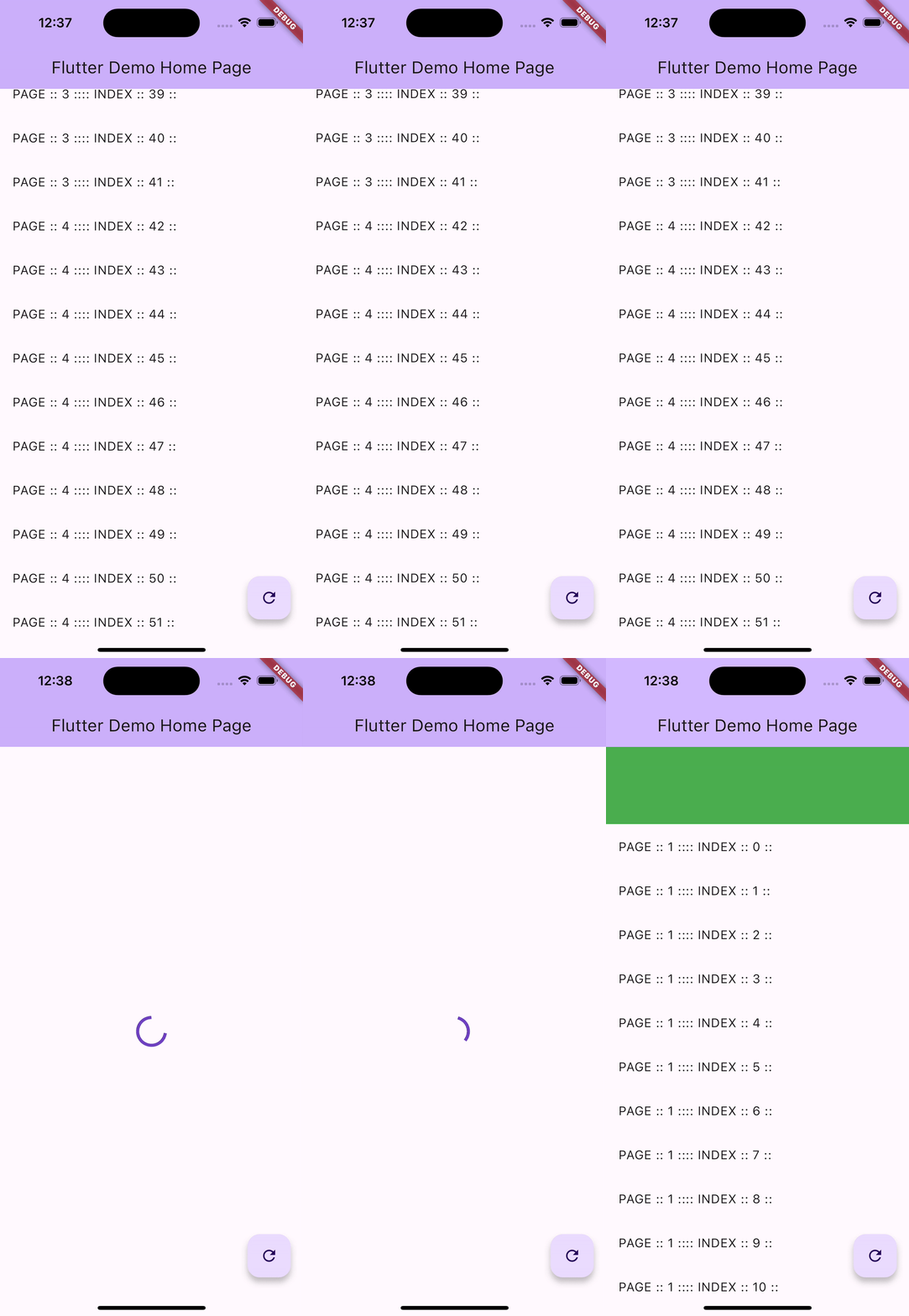
- Infinite Scrolling - Load more data as you scroll
- Responsive Grid/List Views - Adaptive layouts for different screen sizes
- Pull-to-Refresh Capability - Auto-detects app theme colors
- Customizable Loaders - Loading indicators for initial load and "load more"
- "No Data Found" Widget Handling - Custom empty state UI
- "ON ERROR" Widget Handling - Custom error state UI
- Optimized Rendering - Only renders visible items for better performance
- Header/Footer Widgets - Add custom header and footer widgets
- Empty Loader Size Configuration - Customize loader appearance
- Keep Alive Support - Perfect for use with TabView
- onInitView Callback - Execute custom logic when the widget initializes
- Manual List View Control - Extra parameters for advanced control
Add advanced_infinite_scroll as a dependency in your pubspec.yaml file:
dependencies:
advanced_infinite_scroll: ^0.0.3You can fetch data from your network or any source. For demonstration purposes, here's a dummy data-fetching function:
Future<List<String>> onListFutureDummy(int page, int perPage, Map? params) async {
  debugPrint("Loading page: $page");
  await Future.delayed(const Duration(seconds: 1));
  return List.generate(perPage, (index) => "Item $index - Page $page");
}Create an AdvancedInfiniteScrollController with your data fetching function and optional callbacks:
final controller = AdvancedInfiniteScrollController<String>(
  onFuture: onListFutureDummy,
  perPage: 10,
  onInitView: () {
    // Called when the widget initializes
    debugPrint("ListView initialized!");
  },
);Here's a complete example demonstrating the usage:
AdvancedInfiniteScroll<String>(
  minItemWidth: 120,
  minItemsPerRow: 1,
  maxItemsPerRow: 1,
  keepAlive: true,
  controller: controller,
  loaderSize: 1,
  pullRefresh: true,

  // Header and Footer
  headerWidget: Container(
    height: 50,
    color: Colors.blue,
    child: const Center(child: Text("Header")),
  ),
  footerWidget: Container(
    height: 50,
    color: Colors.orange,
    child: const Center(child: Text("Footer")),
  ),

  // Empty state
  noDataFoundWidget: (controller) {
    return Center(
      child: Column(
        mainAxisAlignment: MainAxisAlignment.center,
        children: [
          const Text("No Data Found"),
          ElevatedButton(
            onPressed: () => controller.refresh(),
            child: const Text("Refresh"),
          ),
        ],
      ),
    );
  },

  // Error state
  errorWidget: (controller) {
    return Center(
      child: Column(
        mainAxisAlignment: MainAxisAlignment.center,
        children: [
          const Text("Error Loading Data"),
          ElevatedButton(
            onPressed: () => controller.refresh(),
            child: const Text("Retry"),
          ),
        ],
      ),
    );
  },

  // Initial loading
  loadingWidget: const Center(
    child: CircularProgressIndicator(),
  ),

  // Load more widget
  loadingMoreWidget: Center(
    child: Padding(
      padding: const EdgeInsets.all(10),
      child: LinearProgressIndicator(
        minHeight: 60,
        valueColor: AlwaysStoppedAnimation<Color>(Colors.grey.shade300),
      ),
    ),
  ),

  // Item builder
  builder: (BuildContext context, listData, index) {
    return ListTile(
      title: Text(listData[index]),
      leading: CircleAvatar(child: Text("$index")),
    );
  },
),Here's a comprehensive overview of the key parameters:
| Parameter | Type | Description |
|---|---|---|
controller |
AdvancedInfiniteScrollController<T> |
The controller managing the infinite scroll logic |
builder |
Widget Function(BuildContext, List<T>, int) |
Builds each item in the list |
minItemWidth |
double |
Minimum width for grid items |
minItemsPerRow |
int |
Minimum items per row in grid layout |
maxItemsPerRow |
int |
Maximum items per row in grid layout |
keepAlive |
bool |
Keep widget alive (useful with TabView) |
pullRefresh |
bool |
Enable pull-to-refresh functionality |
loadingWidget |
Widget |
Widget shown during initial load |
loadingMoreWidget |
Widget |
Widget shown while loading more items |
noDataFoundWidget |
Widget Function(Controller) |
Widget shown when no data is available |
errorWidget |
Widget Function(Controller) |
Widget shown when an error occurs |
headerWidget |
Widget |
Fixed header widget above the list |
footerWidget |
Widget |
Fixed footer widget below the list |
loaderSize |
int |
Number of loader lines to show while loading |
The AdvancedInfiniteScrollController provides the following method:
refresh({Map? params})- Refresh the list and reload data
For more advanced examples and use cases, please check the example folder.
- Added
onInitViewcallback for initialization logic - Added extra parameter for manual list view control
- Improved pull-to-refresh color handling (auto-detects from app theme)
- Fixed pagination loading bug
- Added
keepAliveparameter for TabView support - Removed deprecated API usage
- Code formatting and cleanup
- Header/Footer widget support
- Optimized builder with index
- Empty loader lines size configuration
- Initial release
Feel free to submit issues or pull requests to enhance the package. Contributions are always welcome!
If you find this package helpful and would like to support my work, consider buying me a coffee:

I'm an innovator creating high-performance mobile apps with Flutter. Your support helps me continue building amazing packages and tools for the Flutter community!
This project is licensed under the MIT License - see the LICENSE file for details.