
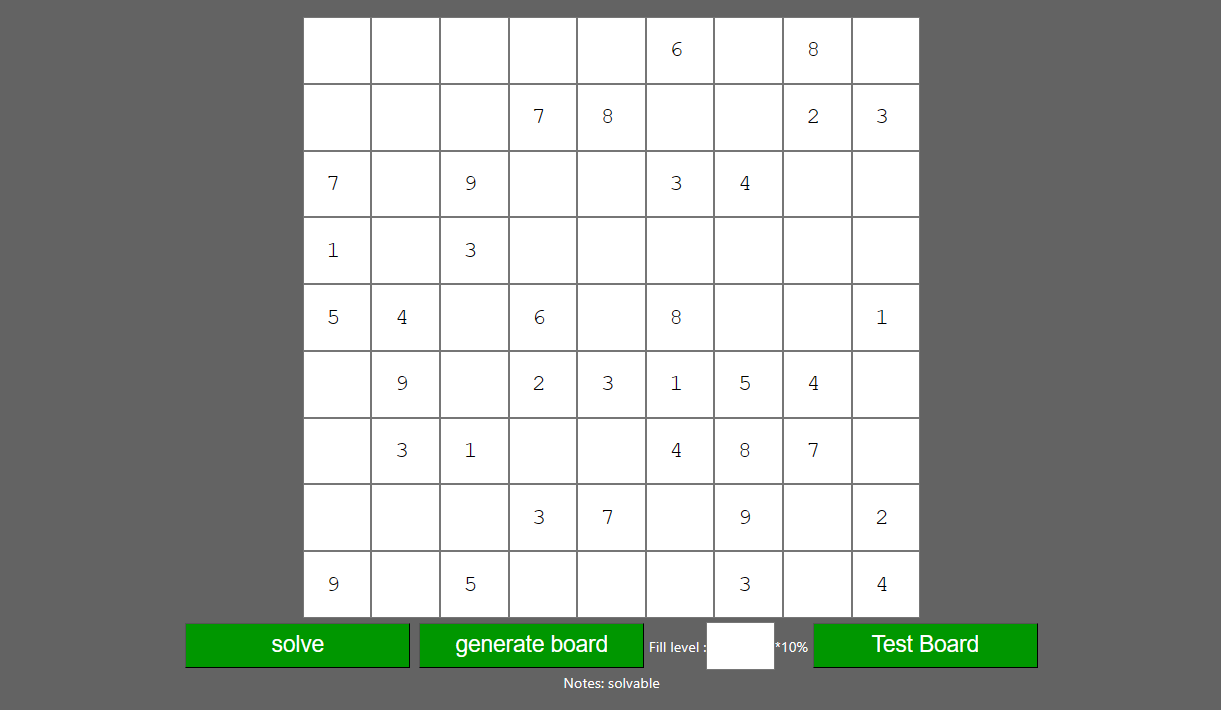
React Sudoku Game This is a simple Sudoku game built using React. You can play the game, generate random solvable boards, test if the current board is solvable, and solve the board.
How to Play To start playing the game, simply type a number (1-9) in an empty cell. The game will automatically check if it's a valid move. If it's not valid, the cell will turn red, and you won't be able to enter another number until you correct your mistake. If it's a valid move, the cell will turn green.
How to Generate Boards You can generate random solvable boards by clicking the "generate board" button. You can adjust the fill level of the board (the percentage of cells that are filled when the board is generated) by changing the value of the input field above the "generate board" button.
How to Test Boards You can test if the current board is solvable by clicking the "test board" button. If the board is solvable, a message saying "solvable" will appear. Otherwise, a message saying "unsolvable" will appear.
How to Solve Boards You can solve the board by clicking the "solve" button. Be aware that once you click "solve," the board will be solved automatically, and you will not be able to play or modify the cells.
Styling The game has a dark theme with white font color. The board, cells, and buttons have a distinctive green color. The cells are responsive, adapting to different screen sizes.
This project was bootstrapped with Create React App.
In the project directory, you can run:
Runs the app in the development mode.
Open http://localhost:3000 to view it in your browser.
The page will reload when you make changes.
You may also see any lint errors in the console.
Launches the test runner in the interactive watch mode.
See the section about running tests for more information.
Builds the app for production to the build folder.
It correctly bundles React in production mode and optimizes the build for the best performance.
The build is minified and the filenames include the hashes.
Your app is ready to be deployed!
See the section about deployment for more information.
Note: this is a one-way operation. Once you eject, you can't go back!
If you aren't satisfied with the build tool and configuration choices, you can eject at any time. This command will remove the single build dependency from your project.
Instead, it will copy all the configuration files and the transitive dependencies (webpack, Babel, ESLint, etc) right into your project so you have full control over them. All of the commands except eject will still work, but they will point to the copied scripts so you can tweak them. At this point you're on your own.
You don't have to ever use eject. The curated feature set is suitable for small and middle deployments, and you shouldn't feel obligated to use this feature. However we understand that this tool wouldn't be useful if you couldn't customize it when you are ready for it.
You can learn more in the Create React App documentation.
To learn React, check out the React documentation.
This section has moved here: https://facebook.github.io/create-react-app/docs/code-splitting
This section has moved here: https://facebook.github.io/create-react-app/docs/analyzing-the-bundle-size
This section has moved here: https://facebook.github.io/create-react-app/docs/making-a-progressive-web-app
This section has moved here: https://facebook.github.io/create-react-app/docs/advanced-configuration
This section has moved here: https://facebook.github.io/create-react-app/docs/deployment
This section has moved here: https://facebook.github.io/create-react-app/docs/troubleshooting#npm-run-build-fails-to-minify