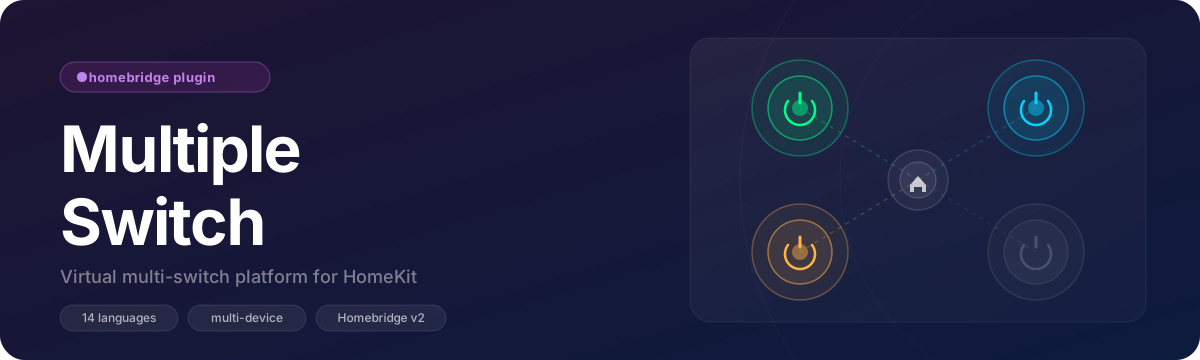
A lightweight Homebridge plugin that lets you create multiple customizable dummy switches in HomeKit. Supports multi-device, master switch, configurable default states, and 14 languages.






- Multi-device support — create multiple separate HomeKit accessories
- Device-level switch type — set
switchoroutletonce per device; all switches inherit it - Independent Mode — all switches operate separately
- Single Mode — only one switch can be active at a time
- Master Switch (Independent mode) — one switch controls all others, uses the device type
- Per-switch config: auto-off delay and flexible default state
- Default State per switch: Remember Last State / Always On / Always Off
- Collapsible config UI with dark mode support
- i18n localization (14 languages)
- Homebridge v2 compatible
- Compatible with HomeKit and Siri
Install via Homebridge UI:
- Open Plugins
- Search for
homebridge-multiple-switch - Click Install
Or install via terminal:
npm install -g homebridge-multiple-switchConfigure from the Homebridge UI or manually edit config.json:
{
  "platform": "MultipleSwitchPlatform",
  "name": "Multiple Switch Platform",
  "devices": [
    {
      "name": "Living Room",
      "switchBehavior": "independent",
      "switchType": "outlet",
      "masterSwitch": true,
      "switches": [
        {
          "name": "Lamp",
          "defaultState": "remember",
          "delayOff": 0
        },
        {
          "name": "Heater",
          "defaultState": "off",
          "delayOff": 10000
        }
      ]
    },
    {
      "name": "Bedroom",
      "switchBehavior": "single",
      "switchType": "switch",
      "switches": [
        { "name": "Scene 1", "defaultState": "remember" },
        { "name": "Scene 2", "defaultState": "remember" }
      ]
    }
  ]
}| Field | Type | Required | Description |
|---|---|---|---|
name |
string | Yes | Name of the platform instance |
devices |
array | Yes | List of devices to create |
| Field | Type | Required | Default | Description |
|---|---|---|---|---|
name |
string | Yes | — | Device name (becomes the HomeKit accessory name) |
switchBehavior |
string | No | independent |
independent or single |
switchType |
string | No | outlet |
switch or outlet — applies to all switches |
masterSwitch |
boolean | No | false |
Adds a master switch (Independent mode only) |
switches |
array | Yes | — | List of switches for this device |
| Field | Type | Required | Default | Description |
|---|---|---|---|---|
name |
string | Yes | — | Display name of the switch |
defaultState |
string | No | remember |
remember, on, or off (see below) |
delayOff |
number | No | 0 |
Auto turn off after N milliseconds (0 = disabled) |
| Value | Behaviour |
|---|---|
remember |
Keeps the last known state across Homebridge restarts |
on |
Always starts ON on every restart |
off |
Always starts OFF on every restart |
- Simulate smart plugs for automation testing
- Trigger HomeKit scenes manually
- Create virtual switches for non-HomeKit devices
- Group several virtual accessories under one device
If this plugin is useful to you, consider supporting its development:


MIT © Azad Aydınlı