Minimal & secure ERC20 dashboard/wallet. using lightwallet.js, ethereumjs & etherscan as node provider
Designed special for ERC20 projects. Just insert address of ERC20 smart contract and wallet ready to go.
All the logic of this panel working on the front-end (in the user's browser), the user himself keeps his keys, never sends to our or another server. Snx for lightwallet.js
You must have any ethereum wallet, we recommend Metamask. Metamask have connection to ethereum testnet - you will get 1 ETH on your address for testing. https://metamastk.io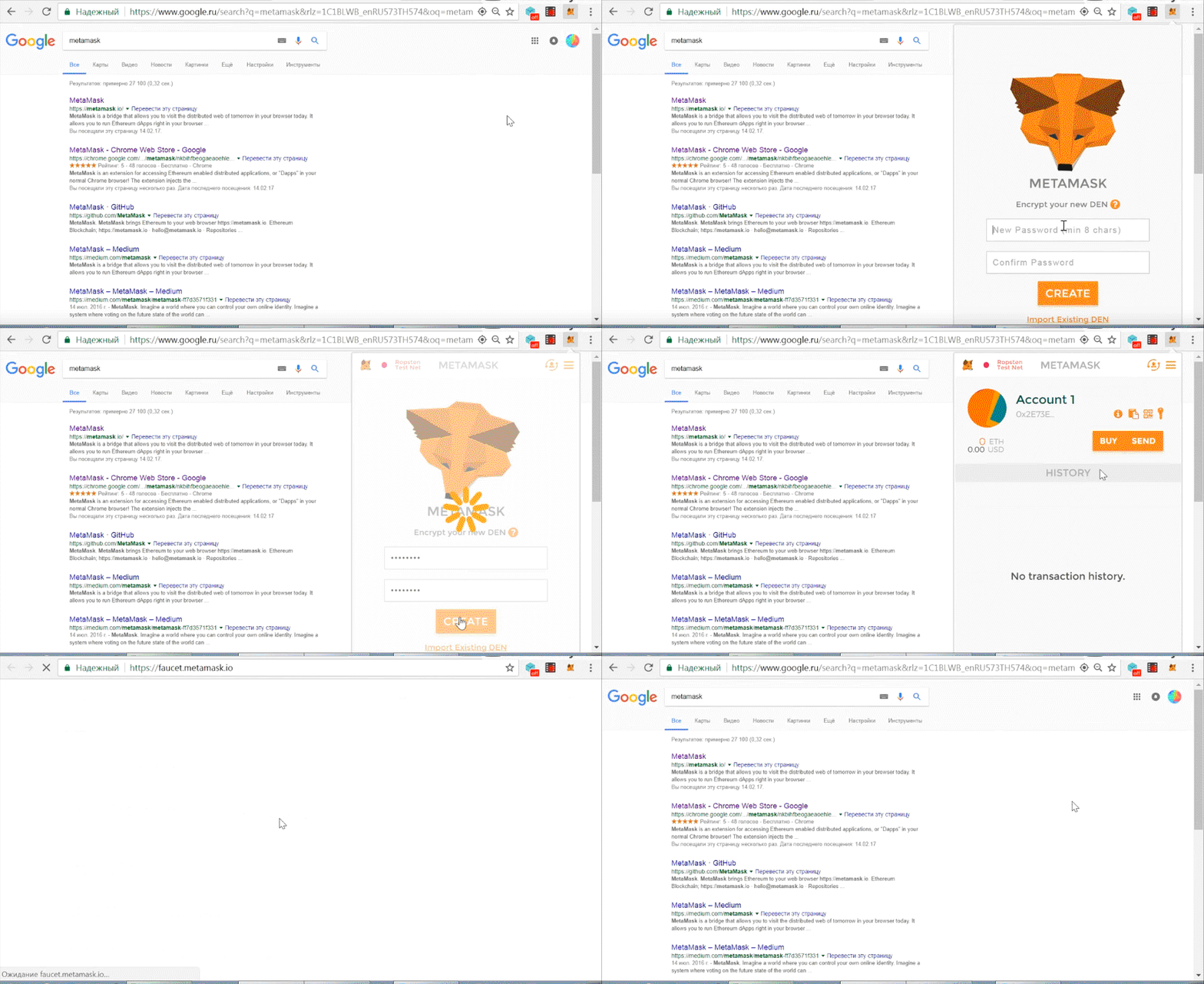
contract MyToken {
    /* This creates an array with all balances */
    mapping (address => uint256) public balanceOf;
/* Initializes contract with initial supply tokens to the creator of the contract */
function MyToken(
    uint256 initialSupply
    ) {
    balanceOf[msg.sender] = initialSupply;              // Give the creator all initial tokens
}

/* Send coins */
function transfer(address _to, uint256 _value) {
    if (balanceOf[msg.sender] < _value) throw;           // Check if the sender has enough
    if (balanceOf[_to] + _value < balanceOf[_to]) throw; // Check for overflows
    balanceOf[msg.sender] -= _value;                     // Subtract from the sender
    balanceOf[_to] += _value;                            // Add the same to the recipient
}

}
MINIMUM VIABLE TOKEN from https://ethereum.org/token

2.2 Go to Environment.
2.3 Select "Injected Web3"
2.4 set "initial suply" as you want (e.x. 10000 tokens)
2.5 click create
2.6 wait about 30 seconds and copy your contract address (0x....) to buffer.
Click FORK at bottom of this page 
4.1 Go to cloned repositary settings (1) and rename repositary to {yourgithublogin}.github.io (2,3)

4.2 Go to Code > erc2dashboard.js (1) > click Edit (2) and "ctrl + v" ERC20 contract from bufer to "erc20contract_address" var (3).
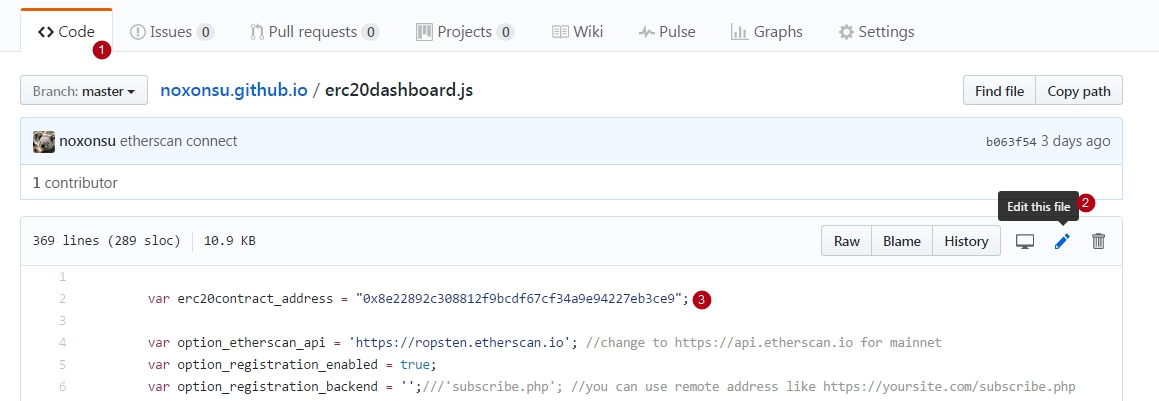
4.3 Done. Now you can see your dashboard at https://{yourgithublogin}.github.io
4.4 Now you can add custom domain. https://help.github.com/articles/quick-start-setting-up-a-custom-domain/