



If SwpilotCLI helps you, consider supporting its development:

I originally named it "Pilot" because I thought it would only assist with operating SolidWorks.
After finishing the project, I realized it can do far more than assistance. In some workflows, it can even replace a coworker.
It is more like:
A SolidWorks engineer that can complete work independently.
The SwpilotCLI workflow is simple:
- Describe your SolidWorks task, and SwpilotCLI creates a Tool automatically.
- After the task is complete, promote it to
sup_tools, and SwpilotCLI installs the Tool. - Reuse the learned Tool, and SwpilotCLI executes it directly.
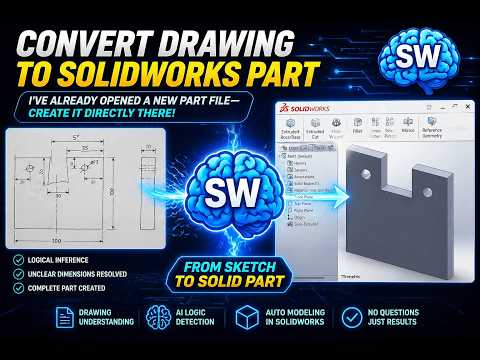
prompt:
Convert the engineering drawing in the image into a SolidWorks part.
I’ve already opened a new part file. Please create it directly there.
Use logical inference to determine any unclear dimensions,
and complete it without asking me further questions.
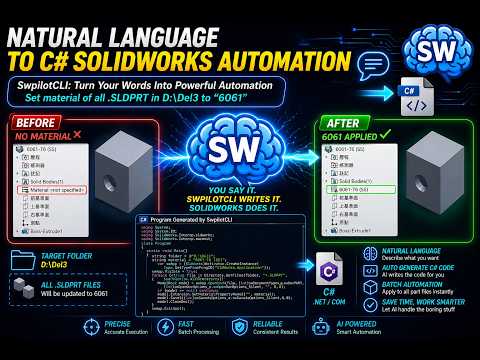
prompt:
Write a program that, when executed, sets the material of all SolidWorks part files in "D:\Del3" to "6061".
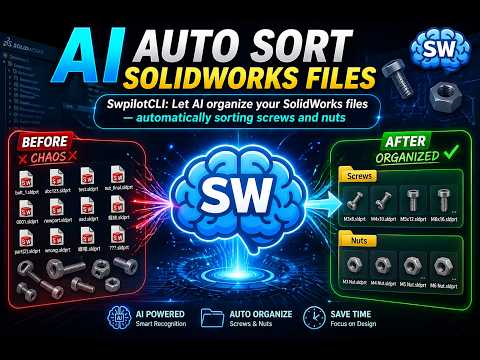
prompt:
Open the SolidWorks files in "D:\Del4" and classify them.
Move screws into the "Screws" folder and nuts into the "Nuts" folder.
Create the folders if they do not already exist.
- Your computer must have Claude Code CLI, Codex CLI, or another AI model for CLI that can run from CMD.
- I recommend turning off sandbox mode, because it can easily cause execution errors.
- Your computer must have SolidWorks installed.
In short:
- Claude Code Pro(pro$20)
- Codex Pro(pro$20)
- SolidWorks($?)
- Download SwpilotCLI.
- Put the SwpilotCLI folder in the path where you want to install it. I recommend
C:\SwpilotCLI. - Run the CLI inside the SwpilotCLI folder, then enter:
prompt:
Install SwpilotCLI following Install.md.
Do not ask questions; make reasonable assumptions and continue.
Use the newest installed SOLIDWORKS version.
Build, copy dependencies, register the add-in, configure Codex MCP, and verify the result.
- Wait for the installation to complete.
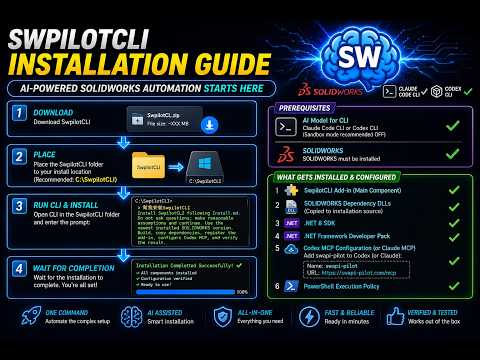
- SwpilotCLI add-in main component.
- Copies the local SolidWorks dependency DLLs to the installation source.
- .NET 8 SDK.
- .NET Framework Developer Pack.
- Codex MCP configuration, or Claude MCP configuration.
- PowerShell execution policy.
MCP configuration:
- Name:
swapi-pilot - URL:
https://swapi-pilot.com/mcp

The reason SwpilotCLI can control SolidWorks so well is that it uses swapi-pilot-solidworks-mcp to query the SolidWorks API.
When I first designed swapi-pilot-solidworks-mcp, I thought many people would use it. Later I realized that very few people write SolidWorks API code, so that MCP project only serves a small audience.
I did not want that work to stop there, so I used swapi-pilot-solidworks-mcp as the foundation and built SwpilotCLI for a broader audience.
That said, because Claude CLI and Codex CLI both require paid subscriptions, I do not expect SwpilotCLI to attract a huge audience either... Q_Q
swapi-pilot-solidworks-mcp project:
https://github.com/arthurle3210/swapi-pilot-solidworks-mcp
If you're using Codex CLI, make sure to set approvals to Full Access and permissions to Full Access.
Otherwise, it may run in sandbox mode, which can cause long delays or make the process hang.
prompt:
Draw a 40x40x10 cube.
Create a 10 mm hole at the center.
Automatically apply a 0.5 C x 45 degree chamfer to the center hole.
Then open "D:\Del3\part5.SLDPRT" and when you see the round hole, apply a 0.5 C x 45 degree chamfer.
Review SolidWorksConsole and identify which parts can be moved to sup_tools, and which parts can be deleted.
Do as you suggested: delete what should be deleted, and move what should be moved to sup_tools.

Confirm the following:
TOOLS.md has been regenerated by sync-tools.ps1.
Please remember:
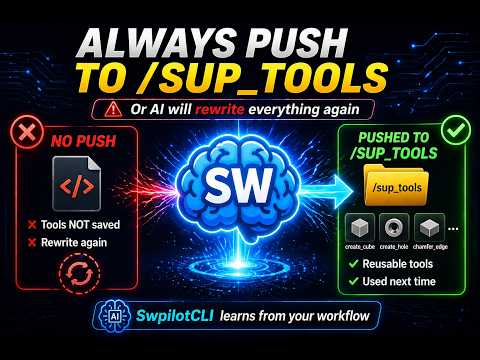
The skills you train will become the tools best suited to your own workflow. You must promote them to sup_tools.
That is how SwpilotCLI can find the right tool directly from sup_tools the next time you use it.
If you do not promote the result to sup_tools, SwpilotCLI may rewrite the same code again next time. That is not the intended way to use SwpilotCLI.
The sections below are for developers. General users can skip them.
All tools generated by SwpilotCLI are Open Code. The code is visible, controllable, and extensible.
SolidWorksConsole and sup_tools contain C# code. You can also use SwpilotCLI itself to help you write code.
SwpilotCLI can see the SolidWorks screen, so it can help inspect models and drawings.
From writing code to verifying results, the AI is not only operating SolidWorks. It can actually understand and validate the result.
swpilotcli-xxxx: general basic function.swpilotcli-ActionGroup-xxxx: custom workflow function, usually composed of multiple functions.
TOOLS.md lists the Tools that SwpilotCLI can call.
It is generated by scripts/sync-tools.ps1. Each time a tool is promoted to sup_tools, this file is regenerated.
The core SwpilotCLI workflow is: reuse existing tools first. Only when no suitable tool exists should SwpilotCLI create a draft project in SolidWorksConsole, validate it, decide whether it should be promoted to sup_tools, and then regenerate TOOLS.md. This lets similar future tasks directly reuse the existing tool.
flowchart TD
    A[User submits a SolidWorks task] --> B[SwpilotCLI checks TOOLS.md first]
    B --> C{Is there a matching tool?}
    C -- Yes --> D[Reuse the existing tool directly]
    C -- No --> E[Create a draft project in SolidWorksConsole]
    E --> F[Develop and verify the draft]
    F --> G{Is it worth reusing?}
    G -- No --> H[Keep it as a draft or reference]
    G -- Yes --> I[Promote it to sup_tools]
    I --> J[Run scripts/sync-tools.ps1]
    J --> K[Regenerate TOOLS.md]
    K --> L[Similar future tasks can reuse it directly]
- The user submits a SolidWorks task.
- SwpilotCLI checks
TOOLS.mdfirst. - If a matching tool already exists, SwpilotCLI reuses it directly instead of developing a new one.
- If no matching tool exists, SwpilotCLI creates a draft project in
SolidWorksConsole. - The draft is developed and verified in that directory.
- If the capability has long-term reuse value, it is promoted to
sup_tools. - After promotion, run
scripts/sync-tools.ps1to regenerateTOOLS.md. - When a similar task appears later, SwpilotCLI can find and reuse that tool from
TOOLS.md.
| Directory / File | Role |
|---|---|
SolidWorksConsole |
Draft development and verification area |
sup_tools |
Official reusable tools area |
TOOLS.md |
Automatically generated tool index |
TOOLS.mdshould not be edited manually.TOOLS.mdis regenerated by scanningmain_toolsandsup_tools.- Not every draft needs to be promoted to
sup_tools. - The value of this workflow is accumulation: each official tool makes similar future tasks faster.
See LICENSE.