

A nostalgic Windows 95-styled React web application for searching and downloading vintage icons from both Windows 98 and classic Mac OS systems with AI-powered semantic search using transformers.js running entirely in the browser.
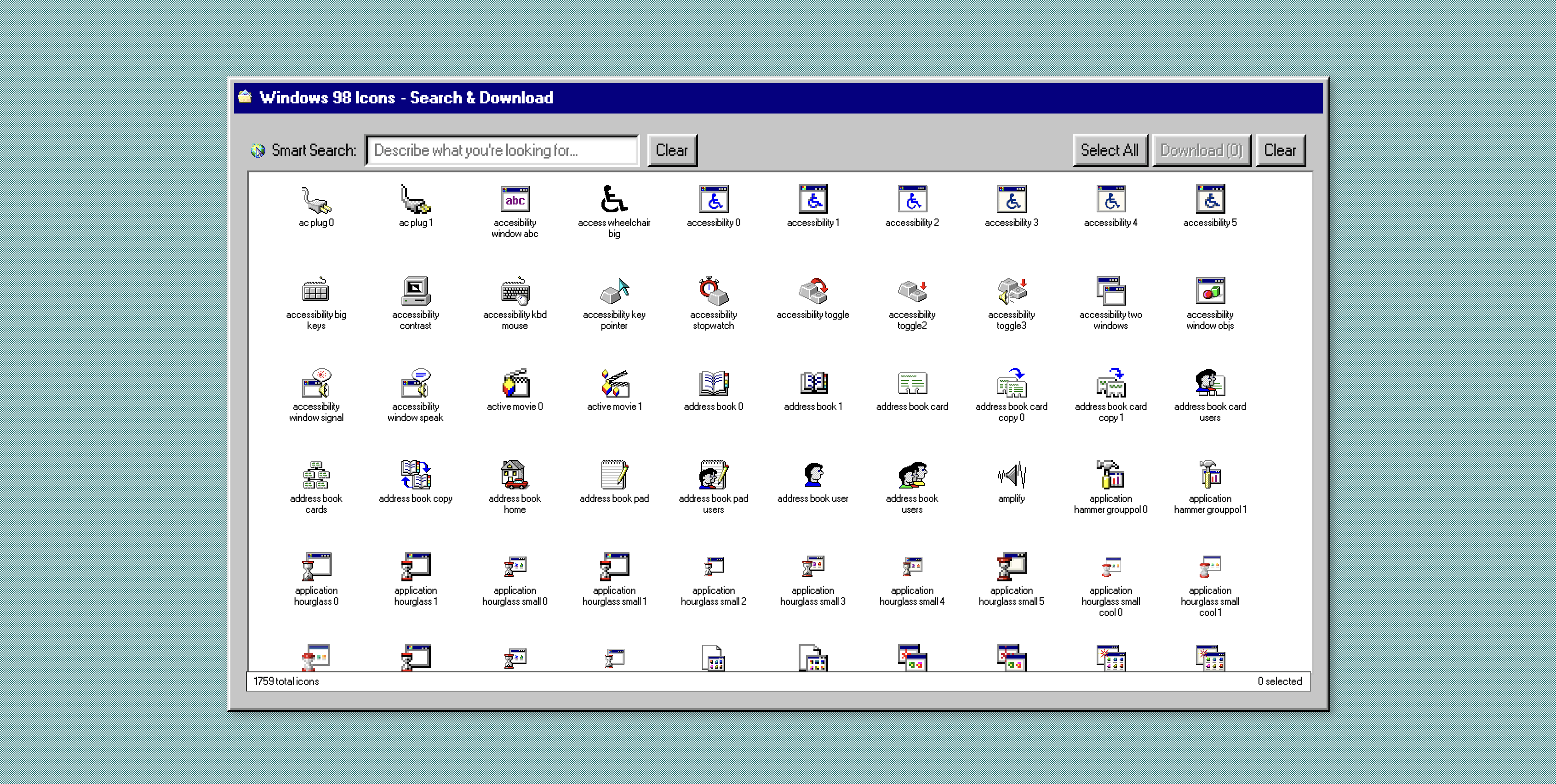
Authentic Windows 95 interface with pixel-perfect nostalgia - 6,000+ icons from Windows 98 & classic Mac OS!


🎯 6,000+ Authentic Vintage Icons Available!


4,277 authentic Mac OS 8/9 era icons from 700+ categories
- 🎨 Authentic Windows 95 UI - Built with react95 for pixel-perfect nostalgia
- 🍎 Dual Platform Support - Browse Windows 98 & classic Mac OS icons
- 🧠 AI-Powered Search - Semantic vector search using transformers.js (runs entirely in browser!)
- 📦 6,000+ Icons - Comprehensive collection from both platforms
- 💾 Easy Downloads - Download individual icons or select multiple
- 🚀 Static Site - No backend required, deploy anywhere
- 🔍 Smart Search - Find icons by describing what you're looking for
- ⚡ Fast Performance - ~4.5 embeddings/second processing speed
- 🏛️ Historical Archive - Preserve computing history from the 90s/2000s
# Clone and enter the project
git clone <your-repo>
cd windows_98_icons

# Run the complete build pipeline
uv run python build_complete_project.py
The script will guide you through building everything from scratch!
Prerequisites:
- Python 3.8+ with uv package manager
- Node.js 18+ with bun package manager
- SQLite3 (usually pre-installed)
- OpenAI API Key (only for processing step)
# Install package managers
curl -LsSf https://astral.sh/uv/install.sh | sh
curl -fsSL https://bun.sh/install | bash

# Set OpenAI API key for processing
export OPENAI_API_KEY="your-api-key-here"

# Run the complete pipeline
uv run python scraper.py                    # Scrape icons (~10 min)
uv run python process_icons.py              # Generate descriptions (requires OpenAI)
uv run python embed_single_process.py       # Create embeddings (~7 min)
bun install && bun run build                # Build React frontend

# Serve locally
bun run previewwindows_98_icons/
├── scraper.py # Scrapes icons from online sources
├── process_icons.py # Generates AI descriptions with OpenAI
├── embed_single_process.py # Creates vector embeddings with transformers.js
├── build_db.py # Builds SQLite database
├── build_complete_project.py # Master build script
├── src/ # React frontend source
│ ├── App.jsx # Main application
│ ├── components/ # React95 UI components
│ └── services/ # Database and embedding services
├── static/ # Static assets
│ ├── icons/ # Downloaded icon files (.ico)
│ ├── icons.db # SQLite database with embeddings
│ └── icons_metadata.json # Scraped metadata
└── dist/ # Built frontend (deploy this)
- Icon Scraping (
scraper.py) - Downloads ~1700 Windows 98 icons - AI Processing (
process_icons.py) - Generates descriptions using OpenAI Vision - Embedding Generation (
embed_single_process.py) - Creates vectors using transformers.js - Database Building (
build_db.py) - Combines everything into SQLite - Frontend Build (
bun run build) - Compiles React app to static files
- Frontend: React + react95 + styled-components + Vite
- AI: transformers.js (Xenova/all-MiniLM-L6-v2) running in browser
- Database: SQLite with sql.js for browser loading
- Styling: Windows 95 authentic UI with pixel-perfect components
-- Main icons table
CREATE TABLE icons (
    id INTEGER PRIMARY KEY,
    name TEXT NOT NULL,
    filename TEXT NOT NULL,
    description TEXT NOT NULL,
    width INTEGER,
    height INTEGER
);

-- Vector embeddings for semantic search
CREATE VIRTUAL TABLE icon_embeddings USING vec0(
    icon_id INTEGER PRIMARY KEY,
    embedding FLOAT[1536]
);

-- Full-text search for exact matches
CREATE VIRTUAL TABLE icons_fts USING fts5(
    name, description, searchable_text
);- Semantic Search - Vector similarity using OpenAI embeddings
- Text Search - Full-text search on names and descriptions
- Browse All - Grid view of all icons with infinite scroll
- Add icon files to
static/icons/ - Update
icons_metadata.jsonwith new entries - Re-run
process_icons.pyandbuild_db.py
- Edit
static/style.cssfor styling changes - Modify
static/app.jsfor search behavior - Update
static/index.htmlfor layout changes
The static/ directory can be deployed to any static hosting service:
- GitHub Pages - Enable GitHub Pages for the repository
- Netlify - Drag and drop the static folder
- Vercel - Connect repository and deploy
- Nginx - Copy static files to web root
- Database Size: ~10-15MB total (includes all icons + embeddings)
- Search Speed: < 100ms for most queries
- Browser Support: Modern browsers with WebAssembly support
Building the database requires OpenAI API calls:
- Vision API: ~$0.50 for 1700 icon descriptions
- Embeddings API: ~$0.10 for 1700 embeddings
- Total: ~$0.60 for complete database build
The database only needs to be built once and can be reused.
-
"OPENAI_API_KEY not set"
export OPENAI_API_KEY="your-key-here"
-
"sqlite-vec not found"
uv sync # Reinstall dependencies -
"No icons found"
- Check that
scraper.pycompleted successfully - Verify
static/icons/directory has image files
- Check that
-
Database won't load in browser
- Serve files via HTTP (not file:// protocol)
- Check browser console for errors
- Ensure all static files are present
- Reduce database size by processing fewer icons
- Use smaller embedding model (text-embedding-3-small)
- Optimize images before processing
MIT License - Feel free to use and modify!
- Fork the repository
- Make your changes
- Test the complete pipeline
- Submit a pull request
The Mac icons feature processes vintage Mac OS 8/9 icons using a custom pipeline:
- Extraction: Uses macOS tools (DeRez, iconutil) to extract ICNS from resource forks
- AI Descriptions: OpenAI Vision API generates contextual descriptions
- Database: Separate SQLite database with full-text search
- Integration: Seamless tab switching between Windows & Mac collections
# Process Mac icons from StuffIt archive
uv run python scripts/mac_icons_master_pipeline.py
This processes the complete collection and creates mac_icons.db with 4,277 icons across 700+ categories.
- Windows Icons: Windows 98 UI
- Mac Icons: Personal Collection of Over 15,000 Icons from Macintosh Repository
- Vector Search: sqlite-vec
- AI Processing: OpenAI Vision & Embedding APIs