
One menu bar app for every AI coding agent you run.
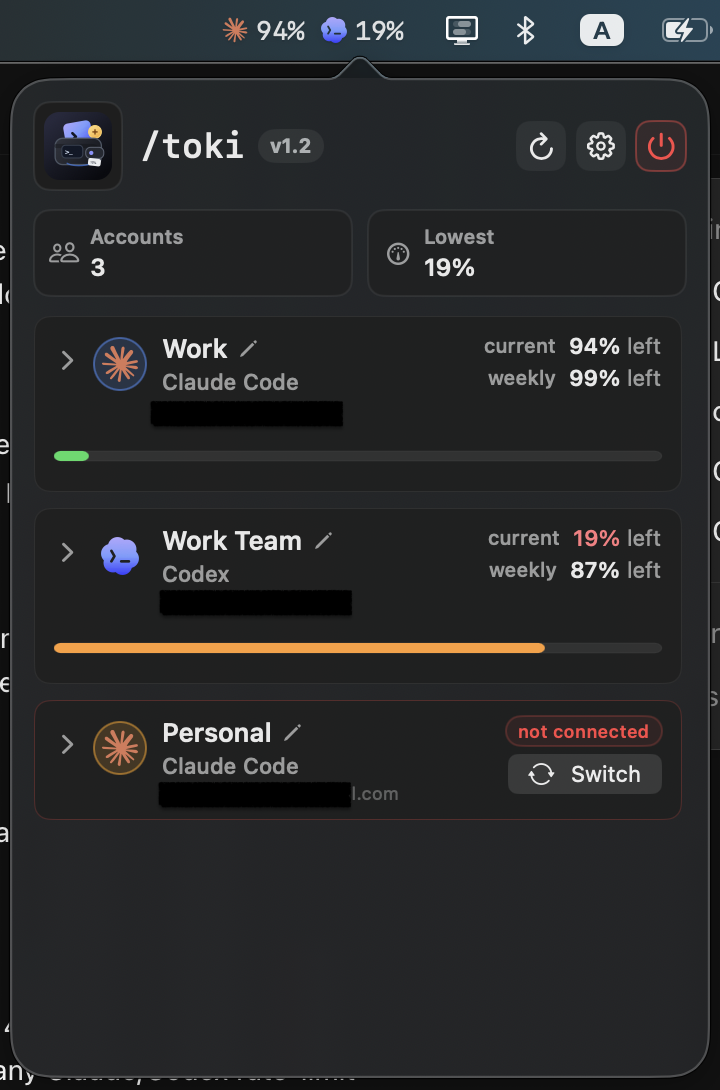
Track usage across all of them, see where the money goes, watch live sessions, and answer a waiting agent from your phone.





| Menu bar | Widget |
|---|---|
 |
 |
If you move between Claude Code, Codex, Cursor, and half a dozen others during the day, each one keeps its own quota, its own bill, and its own idea of what is running. Toki puts all of it in one place.
Usage across every harness. Live quota for Claude Code and Codex, a spend ring for Cursor, and local token and spend tracking for OpenCode, Pi, Sarvam Code, and Vercel's fx. Whichever provider you are actively running sorts to the top. Multiple Claude Code accounts are discovered and switchable in one click.
Analytics that go back further than the install. Spend and token counts across today, this week, this month, and all time, plus a thirty-day heatmap filterable by provider. Both are read from each tool's own session history, so they cover work you did before Toki existed. Reported currencies are preserved.
Live sessions, and the ones stuck waiting. Agent discovery across every supported tool, with navigation to the terminal tab or app hosting each one. A session parked on a permission prompt or a question gets a red dot and the question itself, on the card, the tab, and the menu bar, so you find out now rather than twenty minutes later. Discovery is not limited to processes: an agent that runs inside an editor, like Zed's agent panel, is read from that editor's own session store instead.
Remote Control, with no middleman. Follow a running agent's transcript from another room and answer it: send a message, approve or reject a prompt, pick an option, switch its model, or mirror its terminal and drive whatever is on screen. There is a server, but it is your Mac — no relay, no account, no service of ours in the path. Replies land in the session already running, delivered to the agent's own TTY, so the agent cannot tell the difference. Agents with no terminal behind them are shown but read-only. Off by default. See Remote Control.
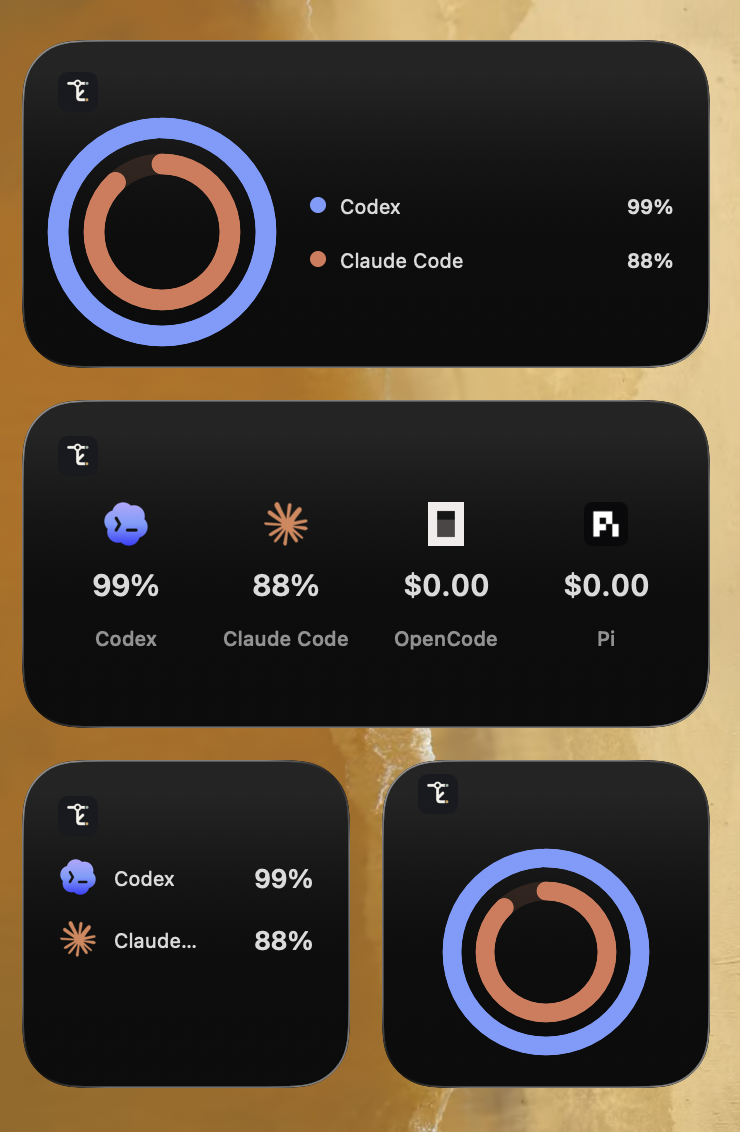
Also: on-device Apple Intelligence summaries on macOS 26+, low-quota and session notifications with cooldowns and DND, desktop widgets, provider-colored quota rings, and an experimental notch mode.
| Quota tracked | Claude Code (multi-account), Codex |
| Spend tracked | Cursor, OpenCode, Pi, Sarvam Code, Vercel's fx |
| Sessions detected | All of the above, plus Copilot CLI, Gemini CLI, Grok CLI, Google's Antigravity, Zed's agent panel, and ChatGPT-hosted Codex |
Toki works especially well with claude-swap: it reads the same Claude Code account registry, so accounts switch without either tool reimplementing the other's credential handling.
brew tap aashutoshrathi/tap
brew trust --cask aashutoshrathi/tap/toki
brew install --cask toki
Beta builds are available as a separate cask that tracks prereleases:
brew install --cask toki-betaThe two casks conflict — install one. A stable release bumps both, so brew upgrade carries beta installs onto the graduated stable build. When Toki was installed by a cask, its in-app updater routes updates through brew upgrade so brew's bookkeeping stays in sync, and switching channels in Settings > Updates moves the install onto the other cask for you. Switching casks with brew yourself works too — the app picks up the change and follows it. If brew answers Not upgrading toki, the latest version is already installed while Toki is offering a newer one, brew is reading a copy of the tap it refreshes only once a day: brew update && brew upgrade --cask aashutoshrathi/tap/toki settles it, and naming the tap keeps brew's copy fresh from then on.
Toki is ad-hoc signed and not notarized, so macOS quarantines it. Clear that with:
xattr -dr com.apple.quarantine /Applications/Toki.appThe -r matters. It also clears the bundled widget extension: right-clicking Toki and choosing Open unblocks the app but leaves the nested extension quarantined, so macOS refuses to load it and the widgets stay blank.
Grab the latest Toki_<version>_universal.dmg from the releases page, open it, and drag Toki to Applications. Updates install in-app once running.
swift run Toki                # run in place
scripts/install-app.sh # build a bundle and install to ~/Applications| Configuration | Config file, accounts, labels, refresh cadence, state |
| Providers | Claude Code, Codex, Cursor, Pi, Sarvam Code, OpenCode, fx, and the detection-only ones |
| Features | Agents, Remote Control, heatmap, widgets, quota rings, notch mode, insights, notifications, updates |
| Remote Control | Answering agents from your phone over Tailscale: setup, the three gates, paired devices, gotchas |
| Development | Building, concurrency checking, conventions, troubleshooting |
| Release signing | Apple secrets for signing and notarizing release builds |
Toki stays on your Mac. Credentials are read from your Keychain or the provider auth files already there. There is no cloud service and no telemetry. Session history is read for token counts, costs, timestamps, and titles, never message content. Diagnostics carry error categories and status codes only.
Remote Control is the one feature that reads message content, because showing you a transcript is the point of it. It is off by default. When on, the transcript goes from your Mac straight to your phone and nowhere else. Tailscale is the recommended route and keeps it off the public internet entirely; the host setting decides which networks the server answers at all. If you use the hosted companion interface, that host serves the page only and never receives agent data, and serving the page from your own Mac instead removes it from the picture completely, which is why that is the default.
Backwards-compatible fallbacks for the old TokenBar config paths are still honoured.
Toki is free software: you can redistribute it and/or modify it under the terms of the GNU General Public License as published by the Free Software Foundation, either version 3 of the License, or (at your option) any later version.
Toki is distributed in the hope that it will be useful, but WITHOUT ANY WARRANTY; without even the implied warranty of MERCHANTABILITY or FITNESS FOR A PARTICULAR PURPOSE. See the GNU General Public License for more details.
You should have received a copy of the GNU General Public License along with Toki. If not, see https://www.gnu.org/licenses/.