Custom Integration for Laifen Devices in Home Assistant
This custom integration adds support for Laifen BLE toothbrushes — the Laifen Wave and the Laifen Wave Pro — in Home Assistant.
Once configured, the integration provides the following entities. Entities marked (Wave Pro) are only created for the Wave Pro.
- Status – Shows the current device status (e.g., idle, brushing)
- Mode – Displays the active brushing mode
- Strength / Speed / Range – Active vibration strength, oscillation speed, and oscillation range of the current mode
- Battery Level – Current battery charge of the toothbrush
- Brushing Time – The configured duration for brushing before auto shutoff
- Timer – Displays how long the toothbrush has been running during a session
- Brushing Duration – Configured session length (Wave Pro)
- Over Pressure Level – Current pressure sensitivity setting (Wave Pro)
- Mode – Select the brushing mode (Mode 1–3, plus Mode 4 when High Frequency is enabled)
- Vibration Strength – 1–10 per mode (up to 20 in Mode 4)
- Oscillation Speed – 1–10 per mode
- Oscillation Range – 1–10 per mode
- Over Pressure Level – Pressure sensitivity: Light / Medium / Hard (Wave Pro)
- Brushing Duration Adjustment – Session length in minutes (Wave Pro)
- Power – Turn the brush motor on or off
- High Frequency – Enables Mode 4 and extends strength range
- Airplane – Locks the physical button for travel
- 30s Reminder – 30-second brushing pacer
- Deep Clean – Deep clean mode (must be off to use High Frequency) (Wave Pro)
- Anti-Splash (Wave Pro)
- 3s Power Ramp-Up – Gentle power ramp on start (Wave Pro)
- Bristle Protection (Wave Pro)
- Lift to Wake Reminder (Wave Pro)
- Connection – BLE connection status
- Pressing Too Hard – Real-time over-pressure warning while brushing (Wave Pro)
- Feature status – Read-only state of Deep Clean, Anti-Splash, 3s Power Ramp-Up, Quick Spin-dry Mode, Over Pressure, Bristle Protection, and Lift to Wake Reminder (Wave Pro)
There is an official companion Lovelace card for this integration: Laifen Card.
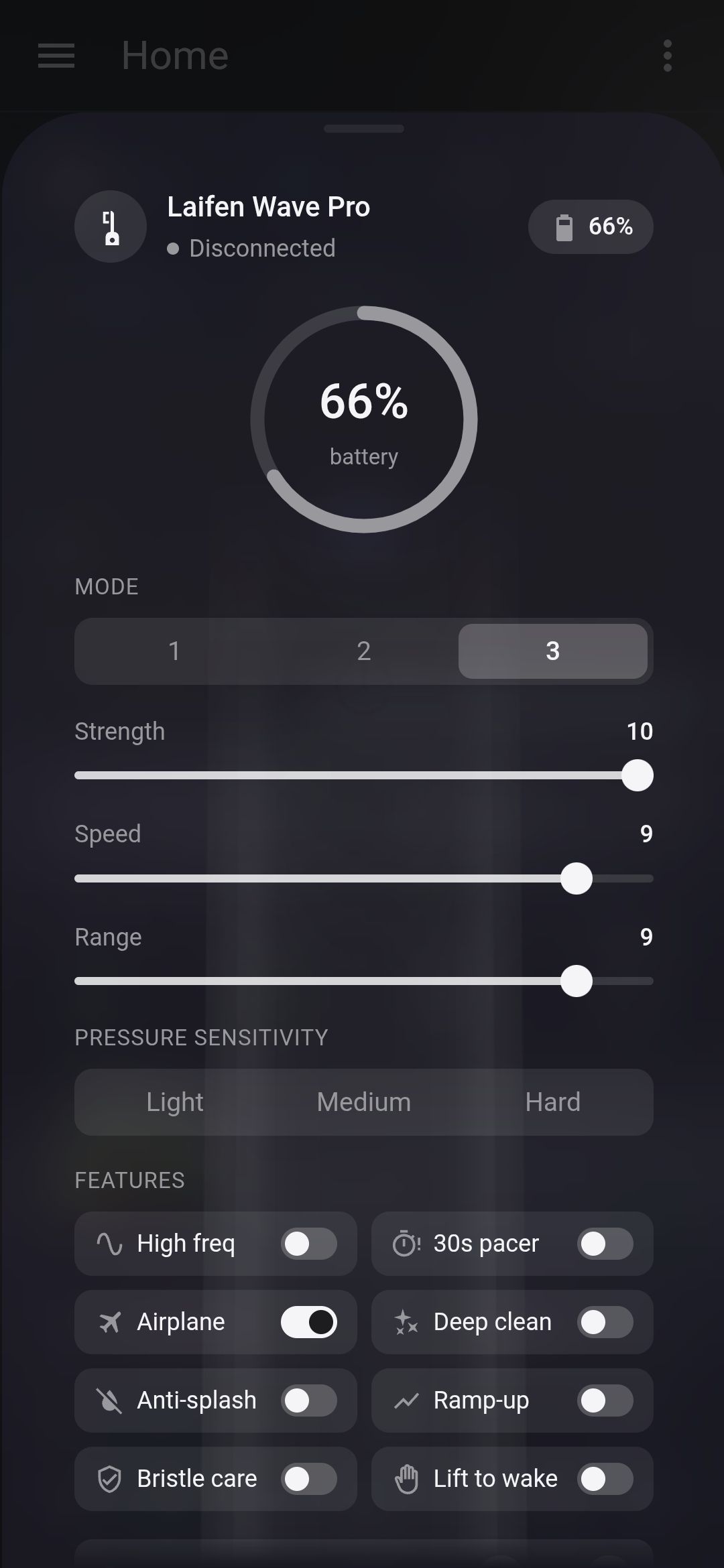
A frosted-glass card with a live brushing timer ring, mode/strength/speed/range controls, feature toggles, and Wave Pro extras (pressure sensitivity, duration, over-pressure warning) — with a full UI editor and automatic entity discovery. Install it via HACS by adding https://github.com/UrbanTechIO/laifen-card as a custom repository (category Dashboard).
The integration automatically scans for nearby Laifen devices over Bluetooth.
⚠️ Important: Ensure the Laifen Wave is awake during the initial pairing process, or it may not be detected.
- In Home Assistant, go to HACS.
- New custom repository.
- Add https://github.com/UrbanTechIO/Laifen
- Pick Integration.
- Install
- Restart Home Assistant.
Then, add the integration via:
Settings > Devices & Services > Add Integration > Laifen
- Download the contents of this repository.
- Copy the
laifen_blefolder into yourcustom_componentsdirectory: - Restart Home Assistant.
- Go to Settings > Devices & Services > Add Integration > Laifen
- The integration stores the last known state of the device.
- Entities will appear after reboot even if the brush is asleep or out of range.
- Full functionality resumes once the toothbrush is detected again via Bluetooth.
- GitHub: UrbanTechIO/Laifen


