
Digital rain for modern terminals. Written in Rust, no ncurses.


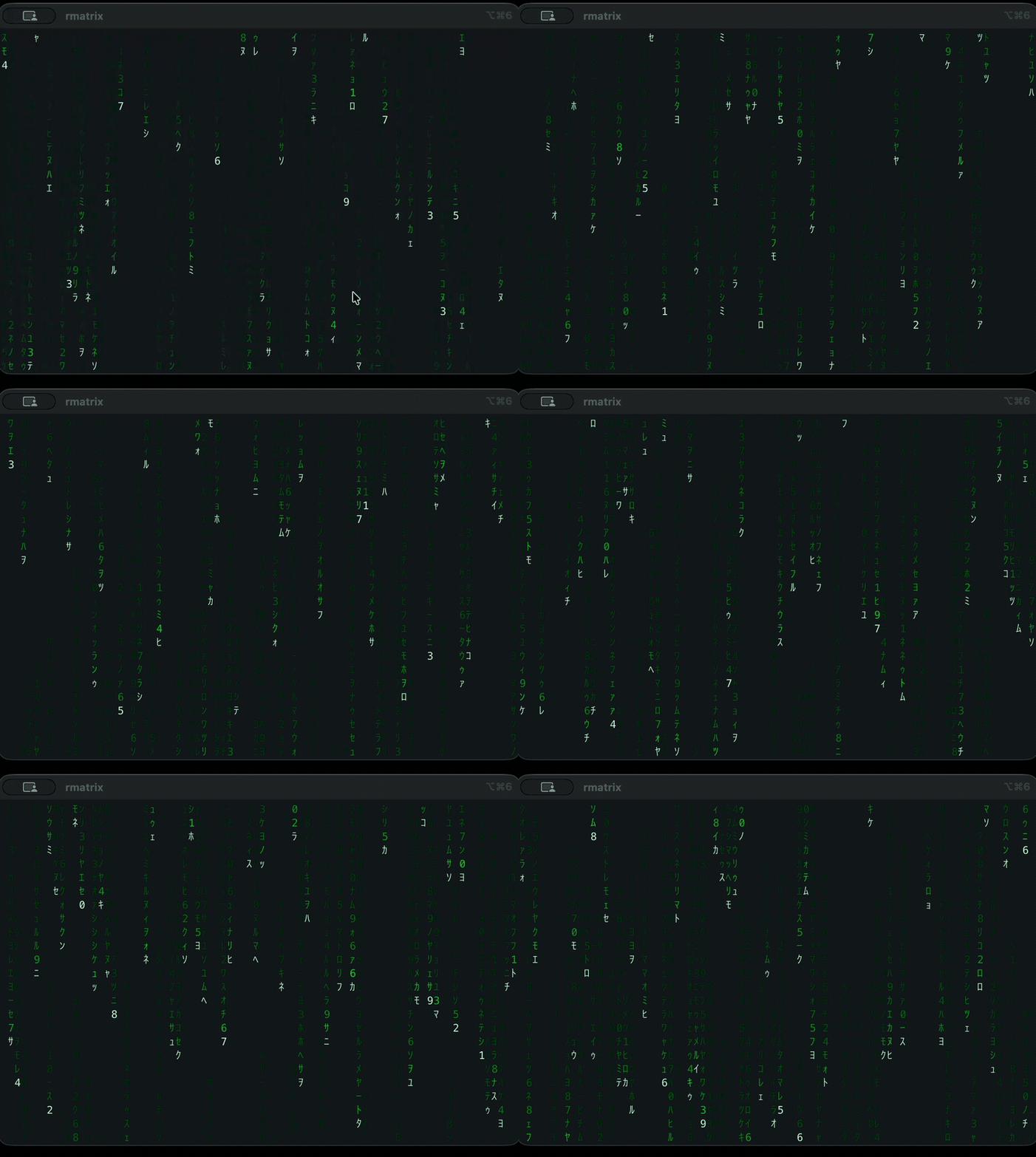
Defaults, no flags. (Sharper MP4 — GitHub will not play video inline in a README.)
rmatrixcmatrix is great and this owes it the
idea. But it was written against a 1999 terminal: it has three brightness levels
(white head / bold / normal), so its trails step rather than fade, and its
"original Matrix font" modes (-l, -x) depend on Linux console fonts or an X11
bitmap font and simply cannot work on macOS.
rmatrix targets what terminals can actually do now:
| cmatrix | rmatrix | |
|---|---|---|
| Trail shading | 3 brightness steps | a 24-bit ramp, 8–24 steps sized to your window (--levels 0 for a fully continuous fade) |
| Glyphs | ASCII, or katakana via -c |
halfwidth katakana by default, 8 built-in sets, --custom |
| Motion | fixed tick | rows/second, integrated against real time — same speed at any frame rate |
| Redraw | full screen | damage-tracked; an unchanged frame emits zero bytes |
| Under load | blocks the animation | writes are off the simulation thread; a slow terminal costs frames, never pacing |
| Terminal layer | ncurses | crossterm — no system library to install |
| Colour | 8 ANSI colours | any #RRGGBB, with automatic truecolor/256/16 fallback |
| Reproducibility | — | --seed replays an identical animation |
brew install Tripstack-Corp/tap/rmatrixPrebuilt binaries for macOS and Linux, arm64 and x86_64 — no toolchain, nothing
to compile. Upgrade with brew update && brew upgrade rmatrix.
To track main instead of the latest release (this one does build from source,
so it needs Rust):
brew install --HEAD Tripstack-Corp/tap/rmatrixGrab a tarball from Releases
and put rmatrix somewhere on your PATH. Each release ships SHA256SUMS:
shasum -a 256 -c SHA256SUMS --ignore-missingcargo install rmatrix-reloadedThe crate is
rmatrix-reloadedbecausermatrixon crates.io is an unrelated project — socargo install rmatrixgets you something else. The installed command is stillrmatrix.
For the rolling main rather than the latest release:
cargo install --git https://github.com/Tripstack-Corp/rmatrixcargo build --release && cp target/release/rmatrix ~/.local/bin/rmatrix [OPTIONS]
-C, --color <COLOR> Colour name, #RRGGBB, or "rainbow" [default: green]
-c, --charset <SET> classic | katakana | ascii | alnum | binary | hex |
greek | symbols | custom [default: classic]
--custom <GLYPHS> Glyphs to use with `--charset custom`
-S, --speed <MUL> Speed multiplier; <1 is slow motion [default: 1]
-d, --density <0..1> Fraction of columns raining [default: 0.55]
-m, --mutate <RATE> Glyph churn, screens/sec; 0 disables[default: 0.35]
--tail-min <ROWS> Shortest trail [default: 6]
--tail-max <ROWS> Longest trail [default: 26]
--fps <N> Frame rate cap [default: 30]
--levels <N|auto> Brightness steps, or size from the
terminal and re-pick on resize [default: auto]
--stats Start with the stats overlay shown
-b, --bold Bold glyphs
-s, --screensaver Exit on any keypress
--seed <N> Replay a specific animation
--color-depth <D> auto | truecolor | 256 | 16 [default: auto]
Keys while running: q/Esc/Ctrl-C quit, space pause, 1–9 speed
(3 is normal, so 1 and 2 are slower than default), r rainbow,
c cycle charset, b bold, f stats overlay.
Some combinations worth knowing:
# The one to start with on a big screen: dense and long-tailed. Brightness
# quantisation sizes itself to the window by default. See Performance.
rmatrix --tail-max 40 -d 0.75

rmatrix -C '#00ff41' --tail-max 40 -d 0.8   # dense, long, film-green
rmatrix -c binary -C cyan                   # ones and zeroes
rmatrix -S 0.4                              # slow motion; -S 0.05 is a crawl
rmatrix -s                                  # screensaver, exits on a keypress
rmatrix --seed 1337                         # same rain every time
Quality sizes itself to your terminal by default, including across resizes — see recommended settings. Density and tail length are left to you, since they are taste rather than cost.
Press f for a live readout: frame rate, the speed multiplier currently in
effect, bytes per frame, output rate, and the percentage of cells repainted. It
appears in two places — a bar across the top row, and the window title.
The title is not redundant. If you pair -c ascii with a font that remaps ASCII
to glyphs (see Fonts), anything drawn into the terminal grid is remapped
too, so the on-screen bar comes out as Matrix glyphs. The title is rendered by
the OS in the UI font, so it stays readable whatever the terminal font is doing.
The thing to understand about a full-screen terminal animation is that you are not the expensive process — the terminal is. Measured on an M4 Pro at 200×50, rmatrix's own simulation costs ~18 µs/frame; the terminal emulator meanwhile has to parse and re-render every escape sequence, and that showed up as 87% CPU in iTerm2 against 8% for rmatrix.
So the tuning knobs are all about emitting fewer bytes:
| Setting | Effect |
|---|---|
--levels <N|auto> |
Brightness steps; auto sizes them from the window. A cell only repaints when it crosses a step, so this is the biggest lever. 8 is ~2.6× less output than unquantised, and still nearly 3× cmatrix's three levels. |
--fps <N> |
A weak lever, despite appearances — see below. |
-d, --tail-max |
Fewer/shorter trails means fewer lit cells. |
Measured at 200×50, 600 frames per row:
--levels |
bytes/frame | at 30 fps | cells repainted | vs unquantised |
|---|---|---|---|---|
| none | 36,857 | 1.11 MB/s | 21.9% | 1.00× |
| 64 | 29,574 | 0.89 MB/s | 16.1% | 1.25× |
| 32 | 25,005 | 0.75 MB/s | 13.1% | 1.47× |
24 (auto on a small window) |
22,220 | 0.67 MB/s | 11.9% | 1.66× |
| 16 | 20,134 | 0.60 MB/s | 10.1% | 1.83× |
| 8 | 13,943 | 0.42 MB/s | 7.3% | 2.64× |
--levels defaults to auto, so mostly there is nothing to set. It sizes
the brightness steps from your terminal's cell count and re-picks whenever the
window is resized — go full screen and the quality drops to match; shrink back
and it returns.
The curve is 1500 / √cells, clamped to 6..24. That is fitted, not guessed: it
passes through the two points reached by measurement — 24 steps at a stock 80×24,
and 8 at a full-screen vertical 204×175.
| Window | auto picks |
Output |
|---|---|---|
| 80×24 | 24 | ~0.14 MB/s |
| 120×40 | 22 | ~0.33 MB/s |
| 200×50 | 15 | ~0.6 MB/s |
| 204×175 | 8 | ~1.8 MB/s |
Pass a number to pin it — --levels 16 — or --levels 0 to disable
quantisation entirely. Pin it higher if you see the tails step rather than fade;
long tails hide low level counts well, so at --tail-max 40, 8 levels puts a
step every five rows.
Density and tail length are not auto-scaled, because they are aesthetic choices
rather than quality/cost trade-offs. On a big screen --tail-max 40 -d 0.75
looks good and costs about twice the defaults.
If it still struggles, reach for density and tail length before --fps; see
frame rate is a weak lever.
Cost scales with cell count, and a full-screen vertical monitor is the worst case — 204×175 is 35,700 cells, nine times a stock 80×24. Measured there, over 600 frames at steady state:
| Settings | bytes/frame | at 30 fps |
|---|---|---|
-d 0.75 --tail-max 40 (dense, long) |
101,807 | 3.05 MB/s |
--levels 12 added |
76,063 | 2.28 MB/s |
--levels 8 added |
59,384 | 1.78 MB/s |
default density/tail, --levels 12 |
58,813 | 1.76 MB/s |
Density and tail length matter as much as --levels: they set how many cells are
lit at all, and dense-and-long roughly doubles it.
One measurement trap worth knowing if you benchmark this yourself: the slowest drops fall at 6 rows/sec, so a 175-row window needs ~29 seconds of simulated time before the screen is full. Warming up for two seconds measures a half-empty screen and flatters every number by about 2×.
--fps looks like it should scale output linearly. It does not, and this README
claimed it did until it was measured properly. Halving the frame rate roughly
doubles the bytes in each frame, because a longer frame means more cells
changed — so the product barely moves. At 204×175:
--fps |
bytes/frame | MB/s | if it were linear |
|---|---|---|---|
| 60 | 31,605 | 1.90 | — |
| 30 (default) | 60,070 | 1.80 | 1.80 |
| 24 | 72,835 | 1.75 | 1.44 |
| 15 | 102,913 | 1.54 | 0.90 |
| 10 | 130,480 | 1.30 | 0.60 |
Dropping 30 → 15 fps buys 14%, not 50%, and costs you half your frames. Going
the other way is nearly free: 60 fps costs only 5% more than 30. Spend your
budget on --levels, -d and --tail-max instead.
Measuring this also exposed a methodology bug worth repeating here: the harness used to step the simulation at 1/60 s while labelling its totals "at 30 fps". Every figure it produced was understated by roughly 1.7×. If you benchmark a frame-rate-dependent animation, the step you simulate and the rate you divide by have to be the same number.
Emitting fewer bytes is only half the problem. The other half is what happens when the emulator falls behind anyway — during a window reflow, a font reload, a Spaces switch, or just because the window is very large.
A terminal that is behind stops draining the pty, the kernel buffer fills, and
write(2) blocks. If that write is on the simulation thread, everything stops:
the clock, input, the rain. When it unblocks, the next dt covers the whole
stall, and rmatrix used to clamp dt at 0.1s — so the screen froze for 300 ms
and then advanced 100 ms worth of rain. Freeze, lurch, freeze, lurch. That is
what the jank was.
So the frame path never touches a file descriptor. The renderer draws into a
Vec<u8>, which cannot block, and a writer thread owns stdout. While that thread
is busy, the loop keeps simulating and simply doesn't draw. Nothing is lost:
the damage tracker diffs against what it last emitted, so the next frame
carries the union of everything that changed meanwhile, as one frame.
Two things follow, both measured against a pty drained at a fixed rate with periodic reader hitches (204×175, 30 fps, 400 ticks):
| before | after | |
|---|---|---|
| loop tick p50 | 33 ms | 33 ms |
| loop tick p95 | 114 ms | 34 ms |
| loop tick p99 | 291 ms | 34 ms |
| loop tick max | 489 ms | 34 ms |
| tick jitter | 22.5 ms | 0.5 ms |
| animation speed | 0.84× real time | 1.00× |
| bytes per second of animation | 2.04 MB | 1.88 MB |
Coalescing is the reason for that last row: a frame covering 200 ms of rain costs barely more than one covering 100 ms, because a cell that changed five times is still repainted once.
The --fps cap still bounds how often we draw. The terminal decides how many of
those draws it can actually take.
Kept here because they look obviously correct and aren't:
- Column-major scanning. A column is one drop's fade, so its colours are
coherent and the pen should be reusable. It measured ~11% worse: at ~7%
damage, lit cells are sparse in both axes, so neighbouring cells are rarely
both damaged, and scanning by column trades cheap same-row
MoveRighthops (4.7 bytes) for absolute moves (8.2 bytes). - Discarding whole frames under back-pressure. The obvious way to bound a
write queue, and it corrupts the screen: the damage tracker records every cell
it emitted, so a discarded frame leaves those cells permanently stale. Busy
rain usually scrubs the smear away within a second, which is what makes the bug
so easy to ship — but pause it and the smear is there for good. Skipping the
draw instead is free and exact. See
tests/coalescing.rs. - Raising the
dtclamp on its own. With writes still on the simulation thread, a bigger clamp means bigger steps, which means bigger frames, which means longer blocking writes: tick p95 got ~3.7× worse (39 ms → 145 ms). - Polling the writer faster than the frame clock (120 Hz instead of 30) to keep the pipe fed after a write completes. Worth ~10% more displayed frames against a steadily throttled reader, but ~10% fewer against a hitching one, and it makes the sim step at 120 Hz for no visible benefit. A wash; dropped.
- Dropping glyph churn (
-m 0) saves only ~4%. Churn rewrites glyphs but those cells are usually already being repainted for their colour.
Reusing the pen for imperceptible colour deltas did pay, but modestly — 6%.
Reproduce any of this with cargo run --release --example perf, which breaks
output down by escape-sequence type and runs the comparisons above.
The default classic charset emits halfwidth katakana (U+FF66–FF9D). Your
terminal font needs coverage for those, or it will substitute another font —
still fine, just not the film's glyphs. macOS falls back to Hiragino Sans
automatically.
For the actual mirrored glyphs from the movie, install the free Matrix Code NFI font, set it as your terminal's font, and run:
rmatrix -c ascii --tail-max 40 -d 0.75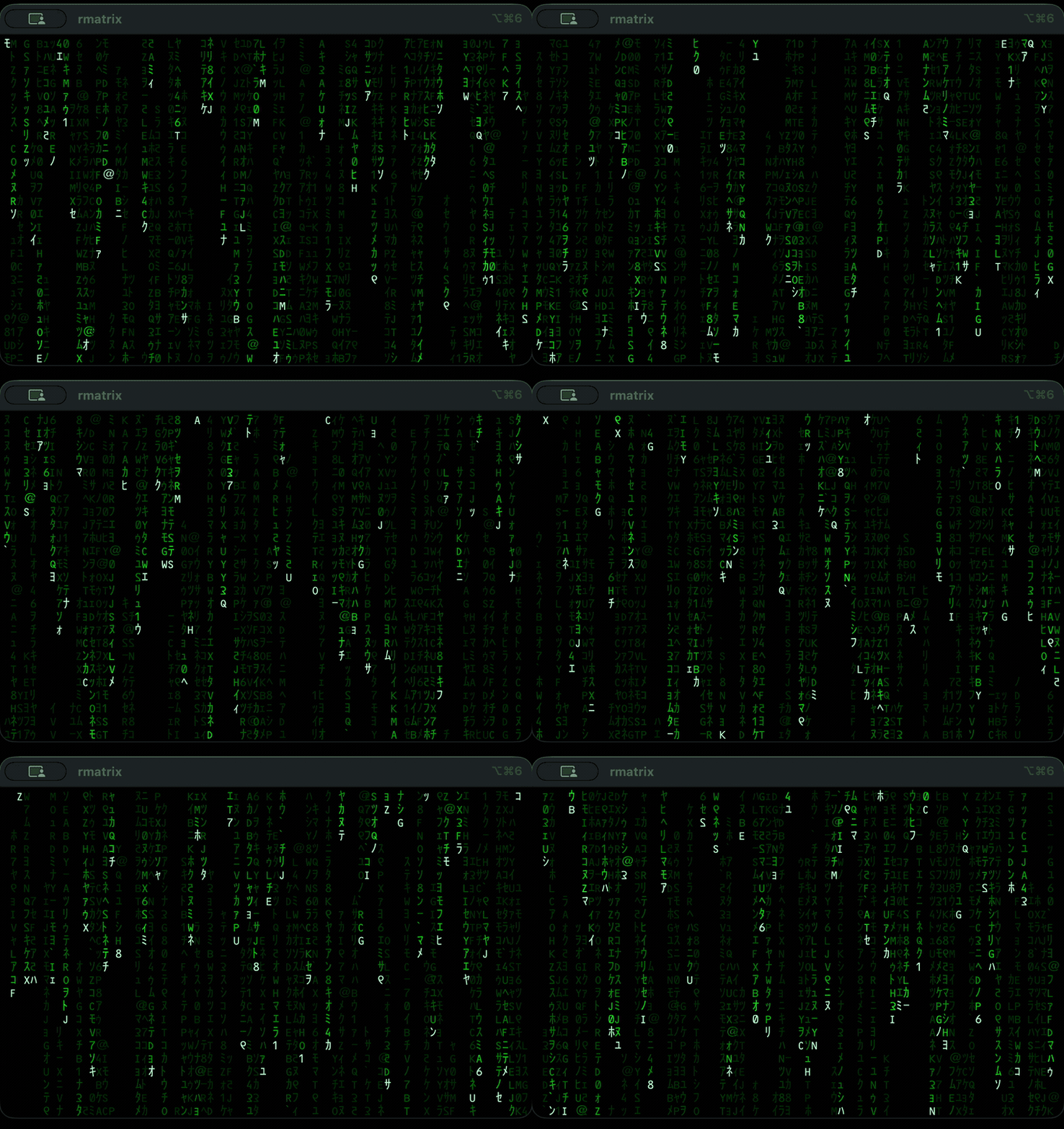
The same program as the clip at the top, in Matrix Code NFI. Note the mirrored letterforms — that is the font, not the charset. (MP4)
That font is Basic Latin only — it maps ASCII to Matrix glyphs and has no
katakana — which is why -c ascii is the right pairing. rmatrix's ASCII set is
0x21..=0x7A, entirely within the font's coverage, so no glyph falls back.
iTerm2 reads dynamic profiles from a folder and picks up changes live — no
restart, and nothing in your existing preferences is touched. Drop this in
~/Library/Application Support/iTerm2/DynamicProfiles/matrix.json:
{
  "Profiles": [
    {
      "Name": "Matrix",
      "Guid": "pick-any-stable-unique-string",

      "Custom Command": "Yes",
      "Command": "/absolute/path/to/rmatrix --tail-max 40 -d 0.75",

      "Has Hotkey": true,
      "HotKey Key Code": 46,
      "HotKey Modifier Flags": 1835008,
      "HotKey Window Reopens On Activation": true,
      "HotKey Window AutoHides": true,

      "Background Color": {
        "Color Space": "sRGB",
        "Red Component": 0.0, "Green Component": 0.0, "Blue Component": 0.0
      },
      "Minimum Contrast": 0,
      "Scrollback Lines": 0,
      "Silence Bell": true,
      "Close Sessions On End": true
    }
  ]
}
That binds ⌃⌥⌘M to a drop-down window running rmatrix; press it again to
hide. q quits, which closes the session.
To choose a different key: HotKey Key Code is the macOS virtual key code
(M is 46, Space is 49, J is 38), and HotKey Modifier Flags is the sum of
shift 131072, control 262144, option 524288, command 1048576 — so
⌃⌥⌘ is 1835008. The key names above are the ones iTerm2 actually reads; note
it is Has Hotkey, not "Has Hotkey Window".
iTerm2 has a second, unrelated binding — the per-profile Shortcut, which is
what fills the Shortcut column in the Profiles window:
"Shortcut": "R"That gives ⌃⌘R to open the profile in a new tab, and ⌃⌥⌘R to open it in a new window. Two things worth knowing:
- The base modifier is control-command, not option-command.
- A single
Shortcutclaims both chords, because option is what switches it from tab to window. So"Shortcut": "M"alongside a ⌃⌥⌘M hotkey window is a silent conflict — pick letters that don't overlap.
The difference in practice: Has Hotkey is global and toggles, and works when
iTerm2 isn't focused; Shortcut only fires when iTerm2 is frontmost and always
opens something new.
Pair it with the movie font by using an absolute path to the binary, setting
"Normal Font": "MatrixCodeNFI 14", and adding -c ascii to the command (see
Fonts for why).
Delete the JSON file to remove the profile and its hotkey.
cargo fmt --check
cargo clippy --all-targets -- -D warnings
cargo test
All three must pass; CI runs them on Linux and macOS. The simulation is seeded by
the caller rather than from a thread-local RNG, so tests pin every input and
assert on exact frames — see same_seed_replays_identically.
Layout: rain.rs is the model (glow-decay grid, no rendering), theme.rs the
colour ramp, charset.rs the glyph sets, render.rs the only module that writes
bytes. main.rs is a thin CLI and terminal-state wrapper, so everything else is
testable without a tty.
MIT — see LICENSE.
Not affiliated with "The Matrix" or Warner Bros. Just fans.