Maia Shell is a lightweight, modular graphical shell for Linux, built with C++ and QML. It features a unique split architecture, inspired by web technologies, separating the backend from the frontend. With Maia Shell, you can seamlessly switch between different frontend designs, such as Windows XP-inspired or GNOME-like layouts, all connected to a single, robust backend.
Maia Shell is an experimental proof-of-concept project. It supports basic functionality, including launching applications, managing a favorites list, session control (logout, reboot, shutdown), volume control, muting, and a functional taskbar. However, many features are not yet implemented, such as wallpaper settings, Wi-Fi and Bluetooth management. It currently supports only single-monitor setups and has been tested solely at FHD (1920x1080) resolution. This shell is ideal for enthusiasts who enjoy experimenting with early-stage software, but it is not a production-ready desktop environment.
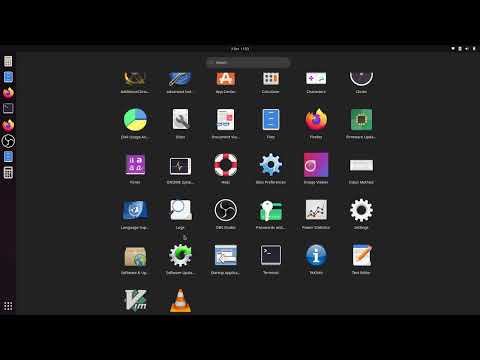
Maia Shell v0.1.0 has been tested on Ubuntu 22.04, 24.04, 25.04, but it may work on other Linux distributions as well.
To install Maia Shell on Ubuntu, follow these steps:
- Install dependencies:
sudo apt install --no-install-recommends --no-install-suggests kwin-x11
sudo apt install --no-install-recommends --no-install-suggests kwin-common
sudo apt install --no-install-recommends --no-install-suggests kwin-data
sudo apt install --no-install-recommends --no-install-suggests kwin-addons
sudo apt install --no-install-recommends --no-install-suggests libkf5globalaccel-bin breeze libkf5kcmutils5- Download and install:
- Download the latest release package from GitHub.
- Unzip the package and navigate to the extracted directory.
- Run the installation script:
chmod +x install_on_ubuntu.sh
sudo ./install_on_ubuntu.sh- Start Maia Shell:
- Log out of your current session.
- Select the "Maia" session from your login manager and log in.

- Install new Qt version
- Remove deploy dir: rm -r ~/Maia_deploy/
- Open CMakeLists.txt (from top level repository dir) in Qt Creator
- Configure project

- Setup Build & Run as following


