

The modern, hyper-fast, privacy-first download manager with intelligent acceleration and a seamless browser companion.




Note
🚧 Active Development: EDM is currently under active development. Features, speed improvements, and visual refinements are being shipped continuously. Feedback and suggestions are warmly welcomed!
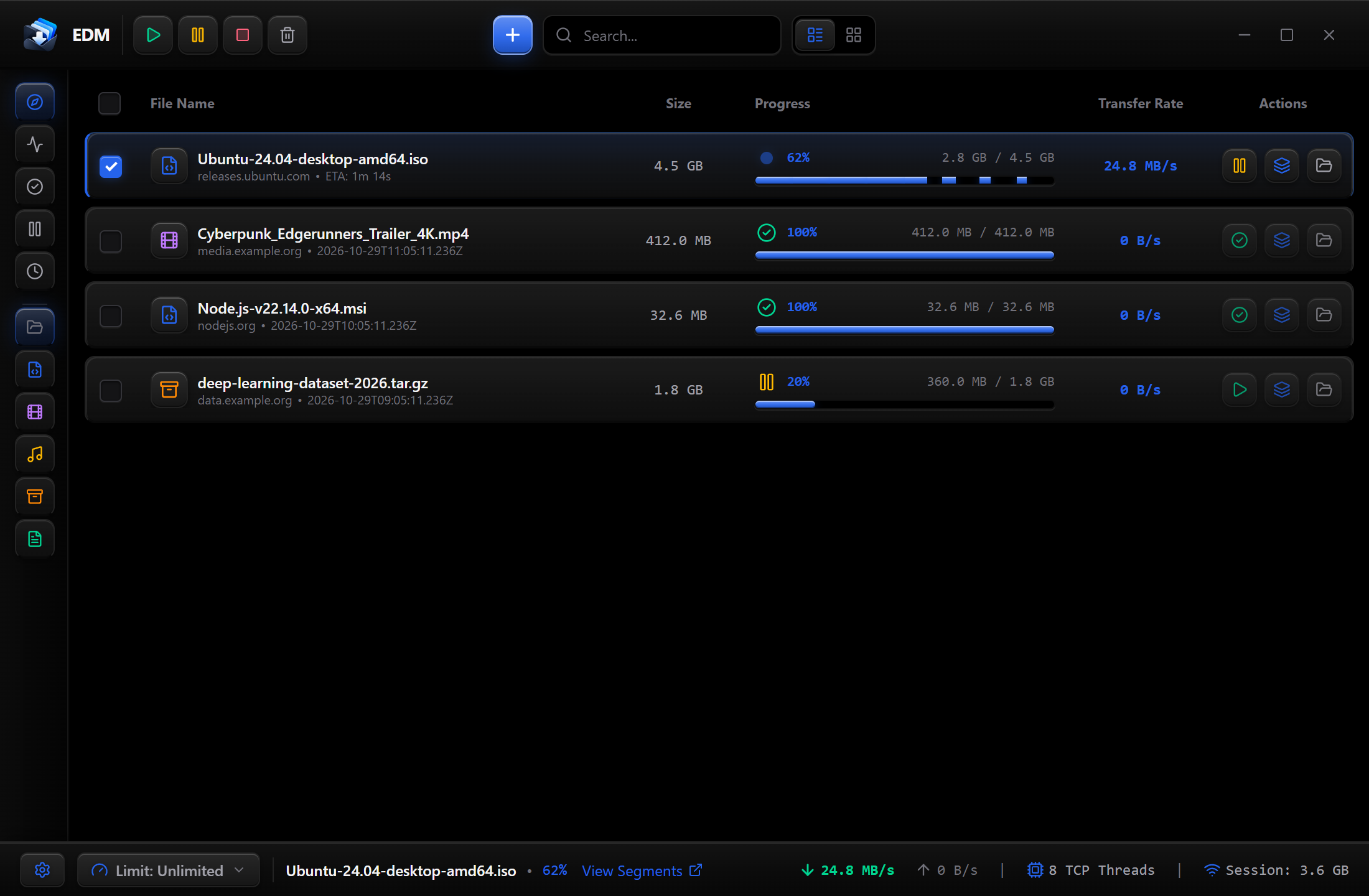
Organize, manage, and monitor all your downloads in a distraction-free, high-density interface with quick filtering by videos, music, archives, documents, and programs.
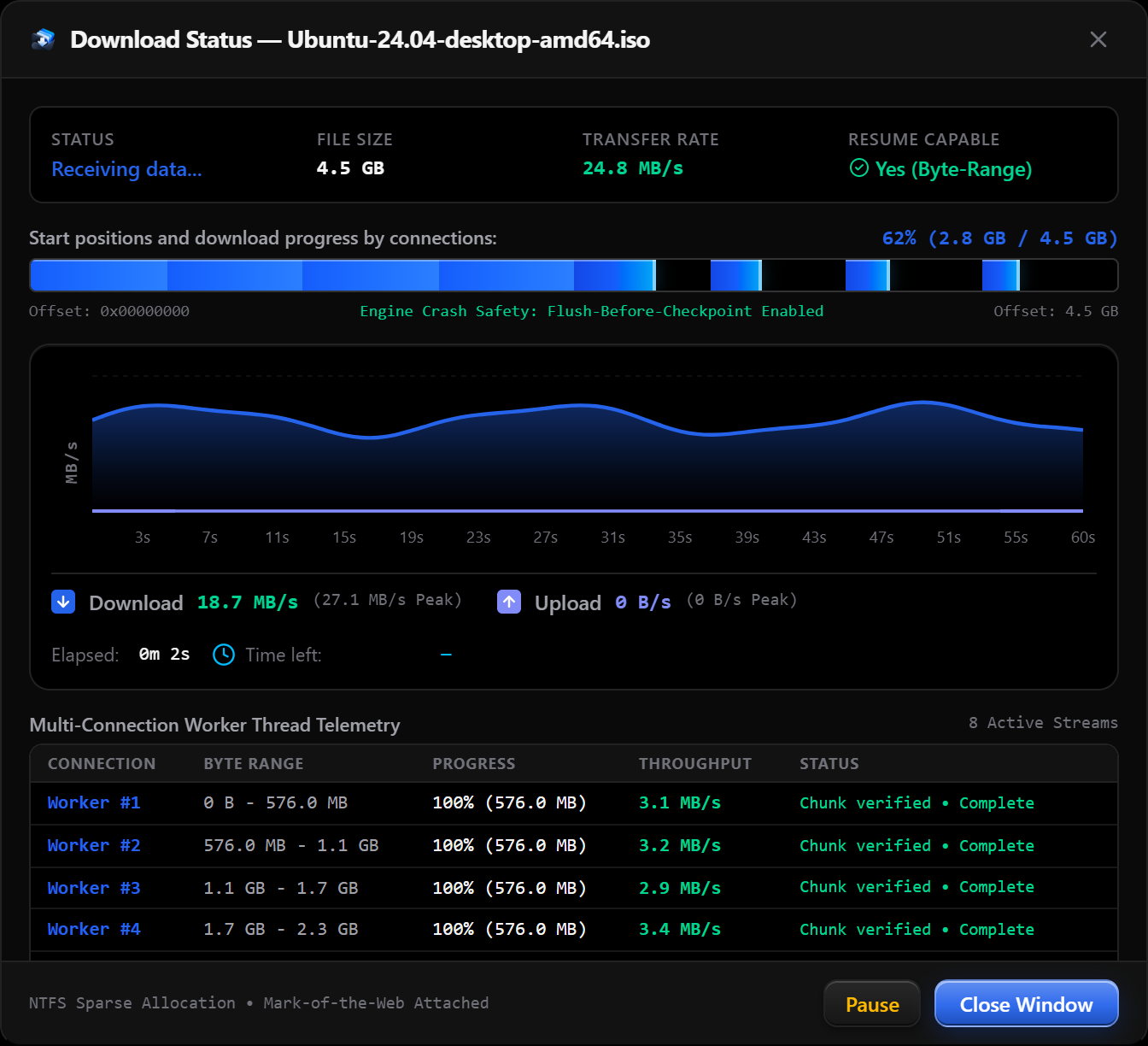
Inspect genuine transfer speeds, real-time throughput graphs, and per-connection worker progress with zero synthetic numbers or fake peaks.
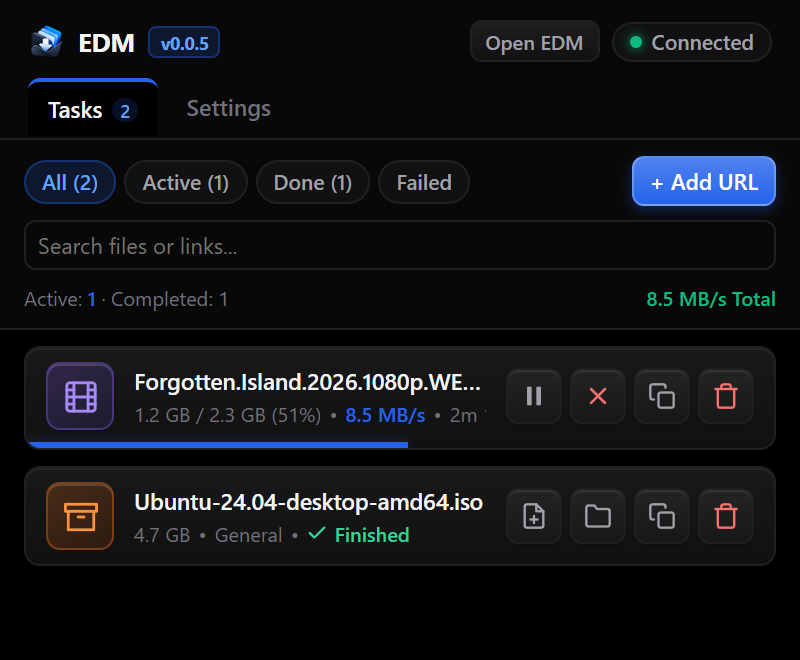
Catch downloads instantly from your favorite browser. Check live progress, pause, resume, or open files directly from the browser popup without switching windows.
- Bandwidth Maximization: Splits files into multiple concurrent streams to download large files at the absolute maximum speed your network can deliver.
- Dynamic Worker Balancing: Actively rebalances connections and redistributes unfinished chunks if a server connection stalls or slows down.
- Honest Telemetry: Real speed calculated from actual received bytes every 250 milliseconds—no artificial spikes, jitter, or misleading averages.
- Visual Speed Waveform: Live graph showing upload and download bandwidth over time.
- Multi-Worker Inspector: View exactly how many connections are active, how many bytes each thread has downloaded, and precise time remaining.
- Automatic Download Capture: Intercepts downloads automatically across Chromium-based browsers (Chrome, Edge, Brave, Opera).
- Zero-Configuration Connect: The browser extension detects EDM automatically with no complicated setup.
- Automatic Wake-on-Download: EDM stays completely asleep when not in use. When you start a download in your browser, EDM wakes up seamlessly to handle it.
- Fail-Safe Fallback: If EDM is closed, downloads fall back to your normal browser downloader so you never miss a file.
- One-Key Bypass: Simply hold
ShiftorAltwhile clicking any link to download directly through your browser instead.
- Direct Video & Audio Downloads: Download videos and audio streams directly without needing to install external converter programs.
- Torrent & Magnet Links: Native support for magnet links and torrent files right within the app.
- Smart Category Sorting: Automatically classifies files into Videos, Music, Documents, Compressed Archives, and Applications based on file types.
- Zero Idle Waste: When no downloads are running and the window is closed, EDM enters an ultra-lightweight sleep mode that uses virtually zero memory and zero CPU.
- Smooth System Tray: Runs quietly in your notification area with quick actions to pause all, resume all, open settings, or exit.
- 100% Local & Private: No cloud telemetry, no personal data collection, and no tracking. All tasks and history stay strictly on your computer.
- Execution Guard: EDM prevents accidental execution of downloaded executable scripts or installers, opening them safely in your file explorer instead.
- Crash Recovery: Never lose progress. If your computer reboots or your network drops, your downloads resume from the exact byte where they stopped.
| Capability | EDM (Edge Download Manager) | Traditional Download Managers | Default Browser Downloader |
|---|---|---|---|
| Interface & Design | Modern dark theme, 3D depth cards, clutter-free | 90s-era dialog boxes, cluttered toolbars, ads | Basic download shelf or tab |
| Download Acceleration | Dynamic multi-connection streaming & active balancing | Basic multi-threading (often rigid) | Single connection (slow on large files) |
| Speed Accuracy | Genuine live byte calculation & real-time telemetry graph | Often displays estimated, inflated, or smoothed numbers | Basic progress and rough estimates |
| Browser Integration | Automatic pairing, auto-wake, and fail-safe fallback | Requires manual extension setup or plugin helpers | Built-in |
| Resource Efficiency | Intelligent sleep state with near-zero idle RAM usage | Heavy background resident memory | Consumes browser memory |
| Media & Torrents | Built-in video and magnet handling with no external tools | Requires external tool downloads or separate plugins | Requires third-party software |
| Privacy & Cleanliness | 100% Free, Open Source, zero ads, zero bloatware | Often bundles adware, nag screens, or paid licenses | Tracks downloads with browser profile |
| Crash & Resume Safety | Resumes paused or dropped downloads with byte precision | Supported on most links | Unreliable on connection drops |
Get the latest installer from the Releases Page:
| Download | Description |
|---|---|
EDM_0.0.5_x64-setup.exe |
Official Standalone Windows Installer (Windows 10 / 11, 64-bit). |
edm-extension.tar.gz |
Browser extension package for Chrome, Edge, Brave, and Opera. |
- Download and unpack
edm-extension.tar.gz. - Open your browser's extension page (
chrome://extensions,edge://extensions, orbrave://extensions). - Turn on Developer mode (top-right toggle).
- Click Load unpacked and select the extension folder.
- The extension will automatically link to EDM and start capturing downloads!
All new features and autonomous agent workflows must adhere to our Agent Rules and pass the Feature Quality Checklist.
Have ideas, questions, or encountered a bug?
- Open an Issue on GitHub.
- Submit suggestions for new features or user interface improvements.
EDM is proudly free and open source software released under the GNU General Public License v3.0 (GPL-3.0).