An automated email processing system that monitors Gmail and processes incoming emails through a complete AI-powered OOP pipeline.
- Gmail Monitoring: Real-time monitoring for new emails
- Smart Categorization: AI-powered email classification (Promotion, Spam, Work, Personal, Finance, Other)
- Intelligent Summarization: Extracts only essential information from emails
- 5-Level Importance Rating: Rates emails on scale:
low→medium→high→urgent→critical - Dual Storage System: Raw emails in
mails/and evaluated emails organized inevaluated/category/priority/ - OOP Architecture: Clean, maintainable code following DRY principles
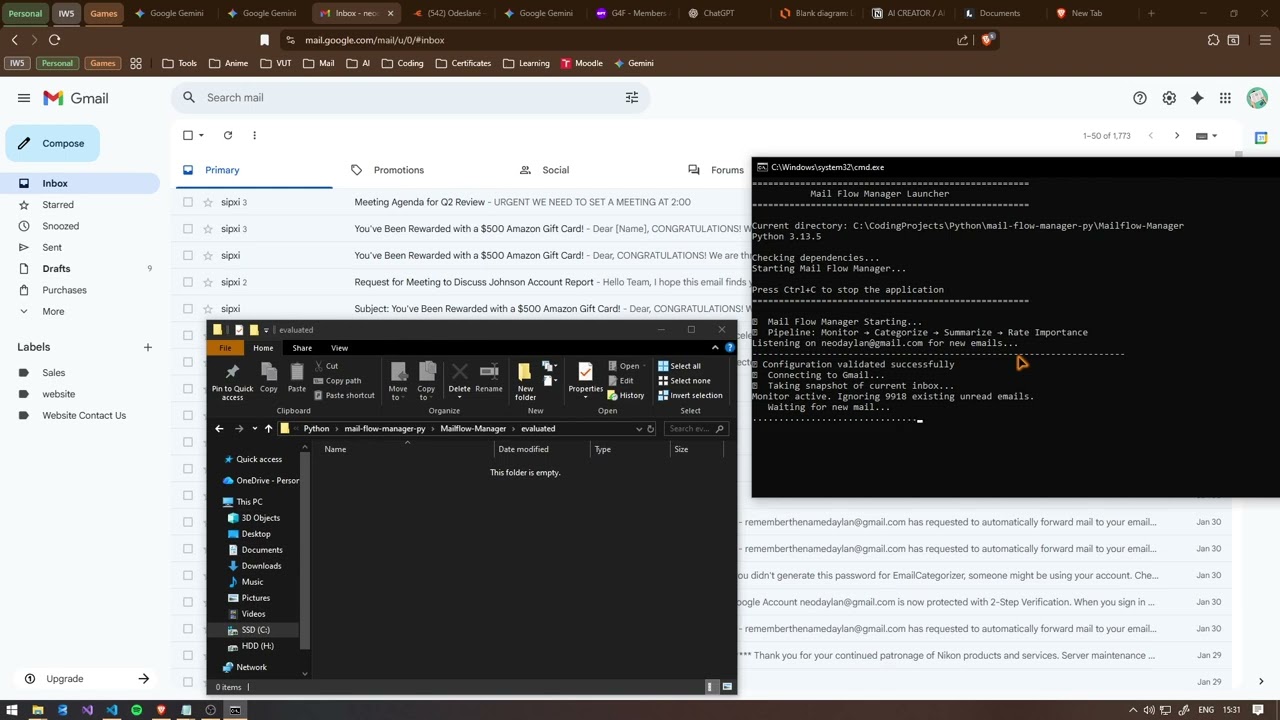
Click the image above to watch the Mail Flow Manager in action! See how it automatically processes emails through the complete AI pipeline.
Mailflow-Manager/
├── config.py              # Configuration settings
├── main.py                # Main application entry point
├── test.py                # Component testing script
├── requirements.txt       # Dependencies
├── mails/                 # Raw email storage (original content only)
├── evaluated/             # Processed emails organized by category and priority
│   ├── work/
│   │   ├── high/
│   │   ├── medium/
│   │   └── low/
│   └── personal/
│       ├── urgent/
│       └── medium/
└── modules/
    ├── base_ai_processor.py   # Base class for AI processors (DRY principle)
    ├── ai_prompts.py          # Centralized AI prompts for all processors
    ├── gmailmonitor.py       # Gmail monitoring & main pipeline
    ├── categorizer.py        # Email categorization
    ├── summarizer.py         # Email summarization
    └── importance.py         # 5-level importance rating
- BaseAIProcessor: Abstract base class eliminating code duplication across AI modules
- AIPrompts: Centralized prompt management for all AI processors
- Inheritance: All AI processors inherit common API handling and error management
- Polymorphism: Consistent
process()method interface across all modules - Encapsulation: Clean separation of concerns between monitoring and processing
-
Install Dependencies
pip install -r requirements.txt
-
Environment Configuration Create a
.envfile in the root directory:API_KEY_OPENAI=your_g4f_api_key_here MAIL_USERNAME=your_gmail@gmail.com MAIL_APP_PASSWORD=your_gmail_app_password
-
Gmail App Password Setup
- Enable 2-factor authentication on your Google account
- Generate an app password for this application
- Use the app password (not your regular password) in the
.envfile
python main.pyOr just run bash script
run_mailflow.batpython test.pyWhen a new email arrives, it goes through this OOP-based pipeline:
- 📧 Gmail Monitor - Detects new email and extracts content
- 💾 Raw Storage - Saves original email to
mails/folder - 📂 Categorizer - Classifies the email into categories
- 📝 Summarizer - Creates a concise summary of essential information
- ⭐ Importance Rater - Rates importance on 5-level scale
- 📊 Evaluated Storage - Saves processed email to
evaluated/category/priority/folders
Format: YYYY-MM-DD_Subject.txt
Subject: Meeting Request - Project Review
From: manager@company.com
Date: 2026-01-30 14:30:15

============================================================
Content:
[Original email content only...]
Format: YYYY-MM-DD_Subject.txt
Subject: Meeting Request - Project Review
From: manager@company.com
Date: 2026-01-30 14:30:15
Category: Work
Importance: medium
Summary: Meeting request for project review. Action required: respond with availability.

============================================================
Original Message:
[Original email content...]
The config.py file handles all configuration:
- API keys for AI processing
- Gmail credentials
- Validation of required settings
Use test.py to verify individual components:
- Categorizer functionality
- Summarizer performance
- 5-level importance rating accuracy
- Complete pipeline testing
- Uses Gmail App Passwords (secure authentication)
- API keys stored in environment variables
- No credentials stored in code
- LOW: Routine emails, newsletters, non-urgent notifications, social updates
- MEDIUM: Regular work communications, meeting requests, follow-ups, planned tasks
- HIGH: Important business matters, time-sensitive requests, deadline reminders
- URGENT: Critical deadlines (24-48 hours), client issues, system problems
- CRITICAL: Emergency situations, security alerts, system failures, legal issues
The OOP structure makes customization easy:
- AI Prompts: All prompts centralized in
ai_prompts.pyfor easy modification - Email categories: Update categories in
categorizer.py - Summary style: Modify prompt in
ai_prompts.py - Importance levels: Adjust scale in
importance.py - File naming: Change format in
gmailmonitor.py - Add new processors: Extend
BaseAIProcessorand add prompts toAIPrompts
See LICENSE file for details.