Serial Terminal Setup guide
a Serial terminal software is generic name for a software that is used to send and receive characters from a connected device. It dates back to the era of parallel ports, but it's still in use today in a more modernized way (no parallel ports anymore). In this use case, the USB-drivers in the BMS' firmware presents itself on the on the PC as a COM port
The FlexiBMS provides a simple serial terminal monitoring and configuring interface that can be accessed by connecting the BMS to a PC via the USB-connection.
If you have already connected a VESC to your PC via USB-connection then you likely have installed the required STM's VCP (Virtual Com Port) driver's for the STM32-USB CDC. If you haven't and the BMS is not detected as the correct USB-device, then you can get the VCP drivers from here ( https://www.st.com/en/development-tools/stsw-stm32102.html )
https://www.arduino.cc/en/Main/Software
Arduino IDE provides a built-in serial terminal/monitor that can be used to interface with the BMS. Once you have the VCP drivers installed for the BMS' USB-connection, boot-up the IDE, check the COM ports and the BMS should show up as on the list, if it doesn't, check that the BMS COM port shows up in the device manager. Otherwise select the BMS' COM port and then open up the serial terminal/monitor
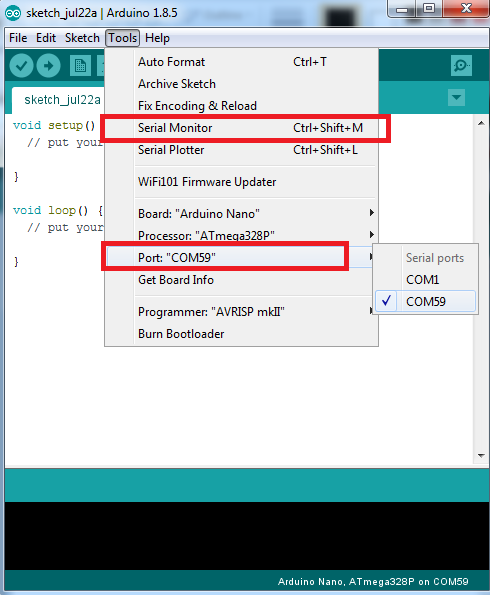
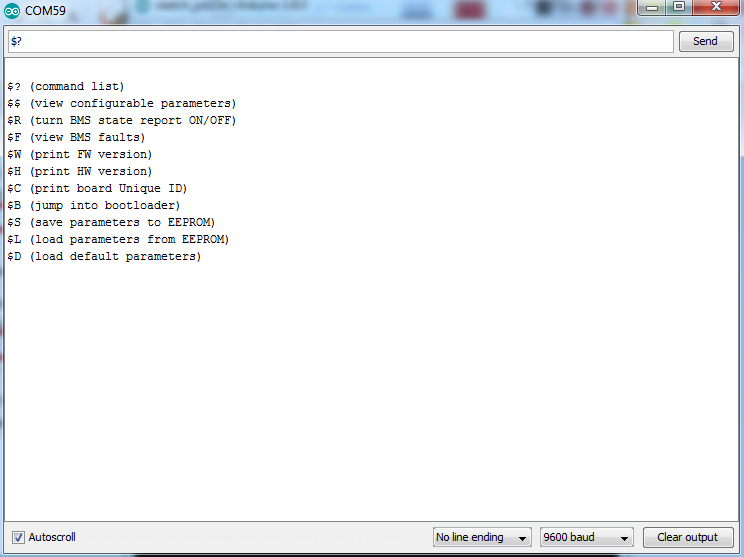
The default settings should work in the monitor, so try typing "$?" (without the quotes) and it should print the command menu.
http://www.der-hammer.info/pages/terminal.html
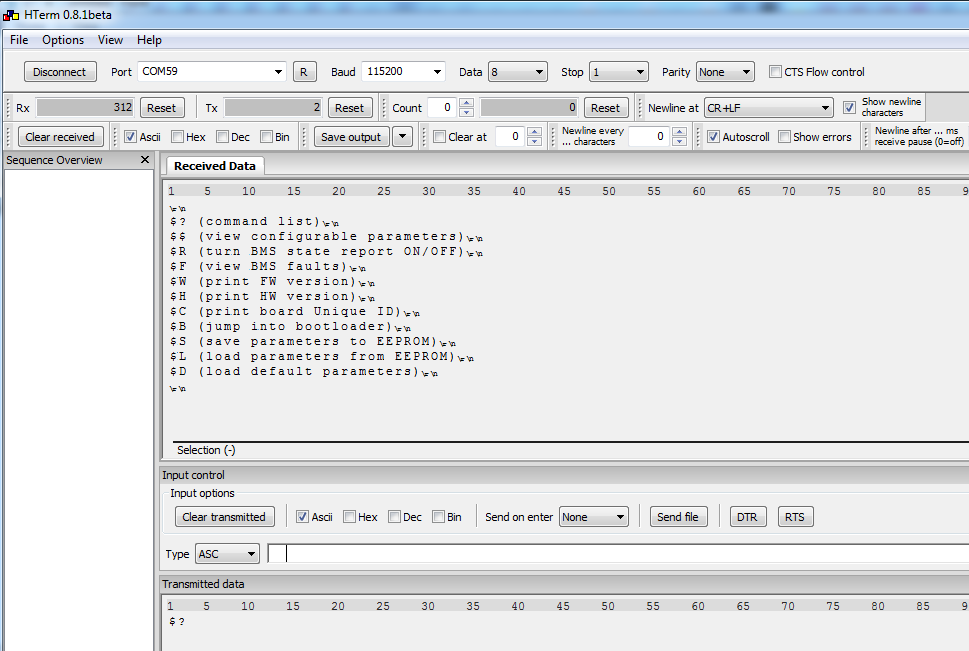
A standalone terminal software that doesn't need installing (can be run directly from the .exe) and has a better set of features for display and logging then in comparison to the Arduino IDE terminal. Open up the terminal and select the BMS' COM port and connect.
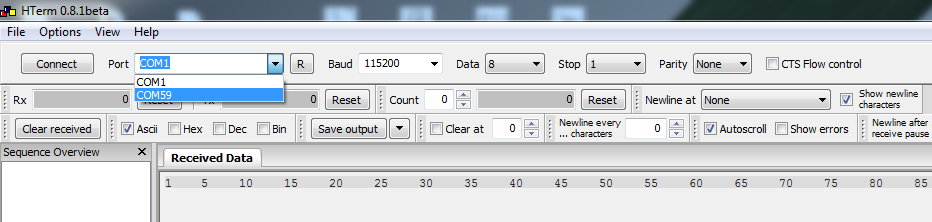
I recommend then setting the "Newline at" to "CR+LF", so the terminal interprets the line switching correctly.
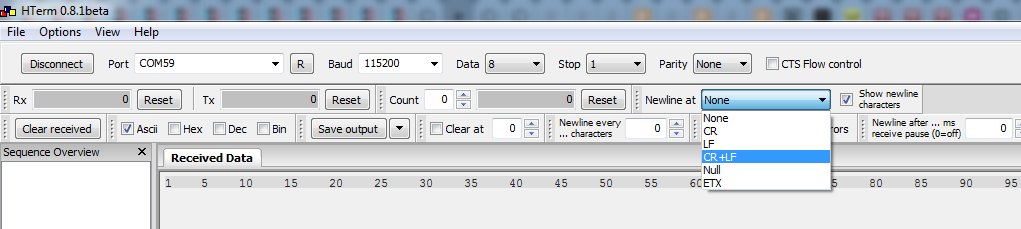
At the bottom is the TX input, so write "$?" (without the quotes) and it should print the command menu.