
This repository contains a Streamlit-based application that fetches news, generates blog posts, creates relevant images, and publishes them to Hashnode. The application supports multiple Indian languages and allows users to input a city and topic to generate a blog post automatically.
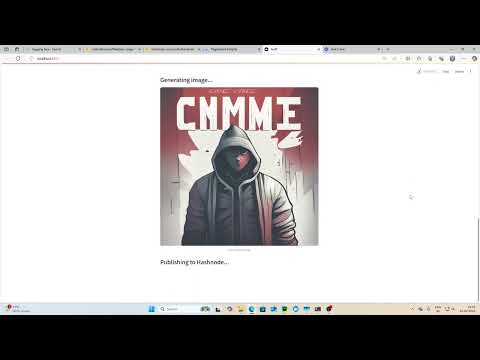
Click the image above to watch the demo video!
.
├── Dockerfile                # Configuration for containerization
├── LICENSE                   # License file
├── README.md                # Project documentation (this file)
├── app.py                    # Alternative entry point for the application
├── logs/                      # Stores log files
│   ├── continuous_logs.log    # Log file for debugging and tracking
├── main.py                   # Main script to run the Streamlit app
├── requirements.txt           # List of dependencies
├── src/                       # Source code directory
│   ├── **init**.py            # Marks src as a package
│   ├── project/               # Core project module
│   │   ├── **init**.py        # Marks project as a package
│   │   ├── components/        # Contains all major components of the app
│   │   │   ├── **init**.py    # Marks components as a package
│   │   │   ├── agents.py      # News agent and Blog writer agent
│   │   │   ├── config/        # Configuration files
│   │   │   │   ├── **init**.py
│   │   │   ├── fetch_news.py  # Functionality for fetching news
│   │   │   ├── generate_blog.py # Generates blog posts using fetched news
│   │   │   ├── generate_image.py # Generates images for blogs
│   │   │   ├── logging/       # Logging utility
│   │   │   │   ├── **init**.py
│   │   │   ├── publish_blog.py # Publishes the blog to Hashnode
│   │   ├── **pycache**/       # Cached compiled Python files
│   ├── **pycache**/          # Cached compiled Python files
├── template.py               # Template script (possibly unused)
git clone https://github.com/SiddharthKarmokar/Flipr.git
cd your-repopython -m venv venv
source venv/bin/activate # On macOS/Linux
venv\Scripts\activate # On Windowspip install -r requirements.txtBefore running the application, ensure PostgreSQL with pgvector is running:
docker run -d \
  -e POSTGRES_DB=ai \
  -e POSTGRES_USER=ai \
  -e POSTGRES_PASSWORD=ai \
  -e PGDATA=/var/lib/postgresql/data/pgdata \
  -v pgvolume:/var/lib/postgresql/data \
  -p 5532:5432 \
  --name pgvector \
phidata/pgvector:16Ensure you have the necessary API keys under the name "GROQ_API_KEY", "POSTGRES_URL", "HASHNODE_API_KEY", "BLOG_ID". Store them in a .env file or configure them in your environment.
streamlit run main.py- Open the Streamlit app in your browser.
- Enter a region (city) and topic for news.
- Select a language from the dropdown.
- Click "Generate & Publish Blog" to fetch news, generate a blog post, and publish it.
- The generated blog will be displayed with an AI-generated image.
- A success message will provide a link to the published blog on Hashnode.
If you want to containerize and run the app using Docker:
docker build -t ai-news-blog .
docker run -p 8501:8501 ai-news-blogFeel free to open issues or create pull requests to improve the project!
- Siddharth Karmokar
- Nilesh Sharma