This is a real-time chat application built with Django, React, and WebSockets, enabling users to log in, send friend requests, chat, create/manage groups, and receive real-time notifications. The app supports asynchronous views for efficient concurrent handling of requests.
Click the image below to watch the demo video.
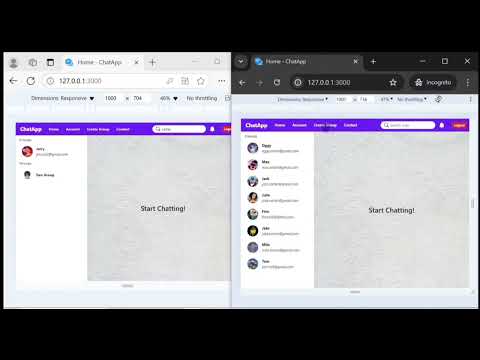
-
User Authentication
• Login
• Signup (create account) functionality. -
Friend Management
• Send, receive, and manage friend requests.
• Accept or reject friend requests.
• Unfriend users. -
Group Management
• Create and manage groups.
• Send group join requests.
• Add members to groups (only by admin from friends list).
• Remove members from groups (by admin).
• Real-time group updates (e.g., when a user is added or removed, changes are reflected immediately).
• Group chat functionality, with messages stored in the database. -
Search Functionality
• Search for users and groups based on specific criteria. -
Real-time Notifications
• Real-time notifications for friend requests, group requests, and membership changes.
• Immediate reflection of updates such as friend request status and group member changes, without needing to refresh the page. -
Account Section
• Update user details, including profile information. -
Backend Features
• Asynchronous views to handle concurrent requests efficiently.
• Storing chat messages in the database for later retrieval.
• Custom middleware for WebSocket connections, ensuring only authenticated users can establish a WebSocket connection. -
Responsive Design
• Fully responsive design, optimized for both mobile and desktop views.
-
Frontend:
- React
- React Router DOM
- Axios
- WebSockets
- React Toastify (for notifications)
- SweetAlert2 (for alerts)
-
Backend:
- Django
- Django Channels
- WebSockets
- Daphne
- PyJWT (for authentication tokens)
To run this project, you need to have Python and Node.js installed on your system.
Open your terminal (or command prompt), and then run the following commands.
-
Clone the project
git clone https://github.com/Shivakumar1V/Django-React-Chat-Application
-
Creating a Python virtual environment
For Windows:
python -m venv venv
For macOS/Linux:
python3 -m venv venv
-
Activating virtual environment
For Windows:
.\venv\Scripts\activate
For macOS/Linux:
source venv/bin/activate -
Navigate to the root directory of the project where
manage.pyis locatedcd Django-React-Chat-Application -
Install dependencies
pip install -r requirements.txt
-
Run Migrations
python manage.py makemigrations
python manage.py migrate
-
Start the server
python manage.py runserver
The backend server is now running at 127.0.0.1:8000
Now open another terminal (or command prompt) in the root directory of the project where manage.py is located.
-
Navigate to the React frontend project
cd chat_react -
Install the dependencies for the React frontend
npm install
-
Run the React frontend server
npm start
The frontend server is now running at 127.0.0.1:3000
Now the application is ready to use
Open your browser and go to http://127.0.0.1:3000/
NOTE: Open the frontend server at 127.0.0.1:3000 instead of localhost:3000 due to the browser's same-origin policy for cookies. If you open the frontend server as localhost:3000, the browser will consider the backend server at 127.0.0.1:8000 as a third party, and the application may not work properly. So, open the frontend server at 127.0.0.1:3000.
SQLite3 and the default channel layer are used for development purposes only. Use a Redis channel layer and a production-ready database (like PostgreSQL or MySQL) in production.
More about using Channel Layers visit Channel Layers.