

A desktop & Android Matrix client written in kotlin / Jetpack Compose, based on the Matrix Rust SDK.
Currently still in its beta phase, so you should still expect some missing functionality, but feel free to open issues if you're
noticing/missing something particular that's not already tracked in an existing issue.
- Desktop: GitHub releases
- Android: SpiritCroc F-Droid repo
- Known third-party packages:
- Fully controllable via keyboard, including command mode and highly configurable key-bindings
- Native multi-account from the start, not as an afterthought
- Allows a merged inbox
- But also allow filtering by account if desired
- Hierarchical spaces
- Including mutli-account space merging if it's the same space with a shared parent spaces
- Faster than the old web-based client
- Multi-window
- For individual chats
- To have multiple inbox views open to allow viewing separate filters at once
- Should work fine for both big desktop screens and small phone screens
- Primarily targeted at power users initially, in that it doesn't try to hide Matrix internals too much but tries to give great dev tools instead. But in the long run hopefully also intuitive enough to recommend to "normal" users.
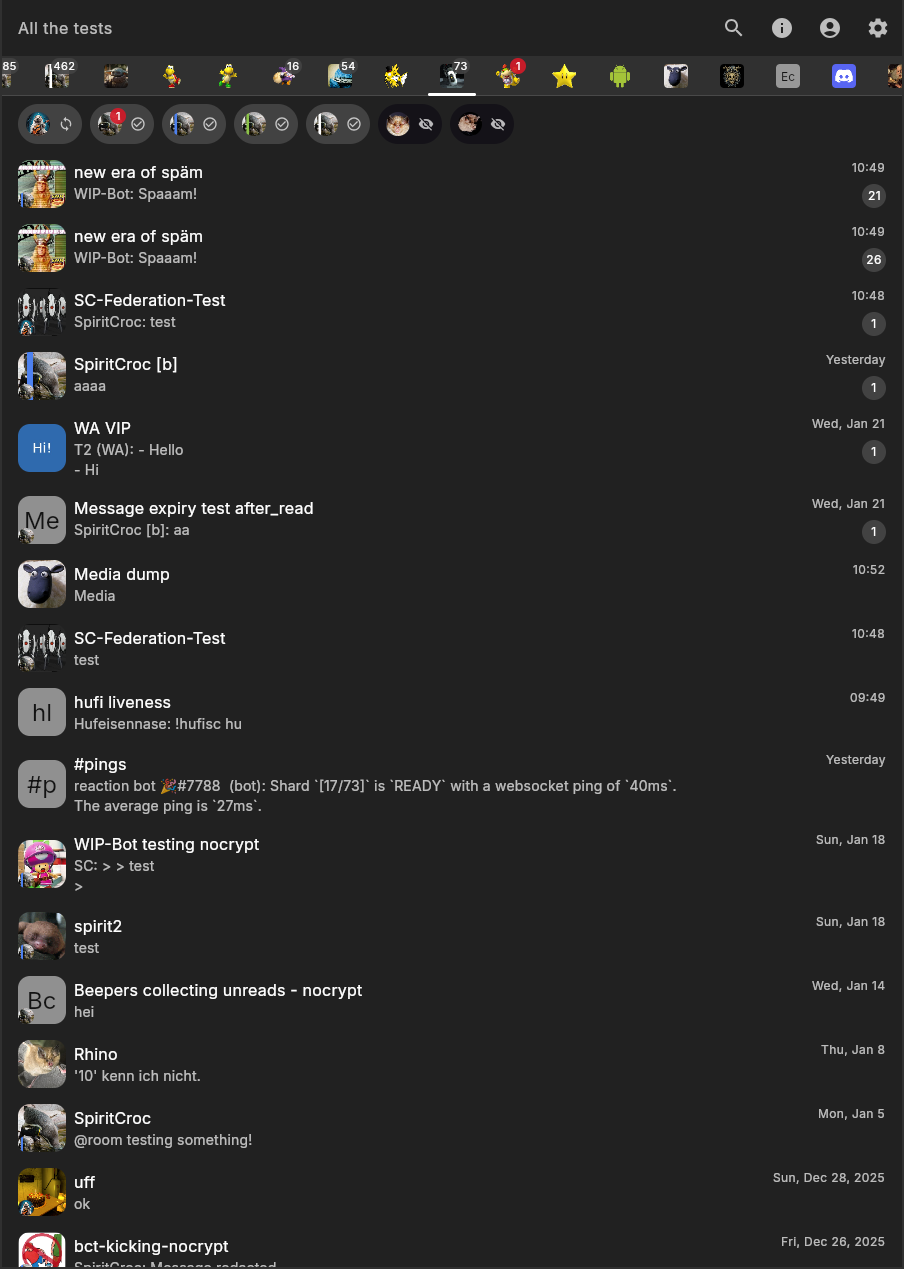
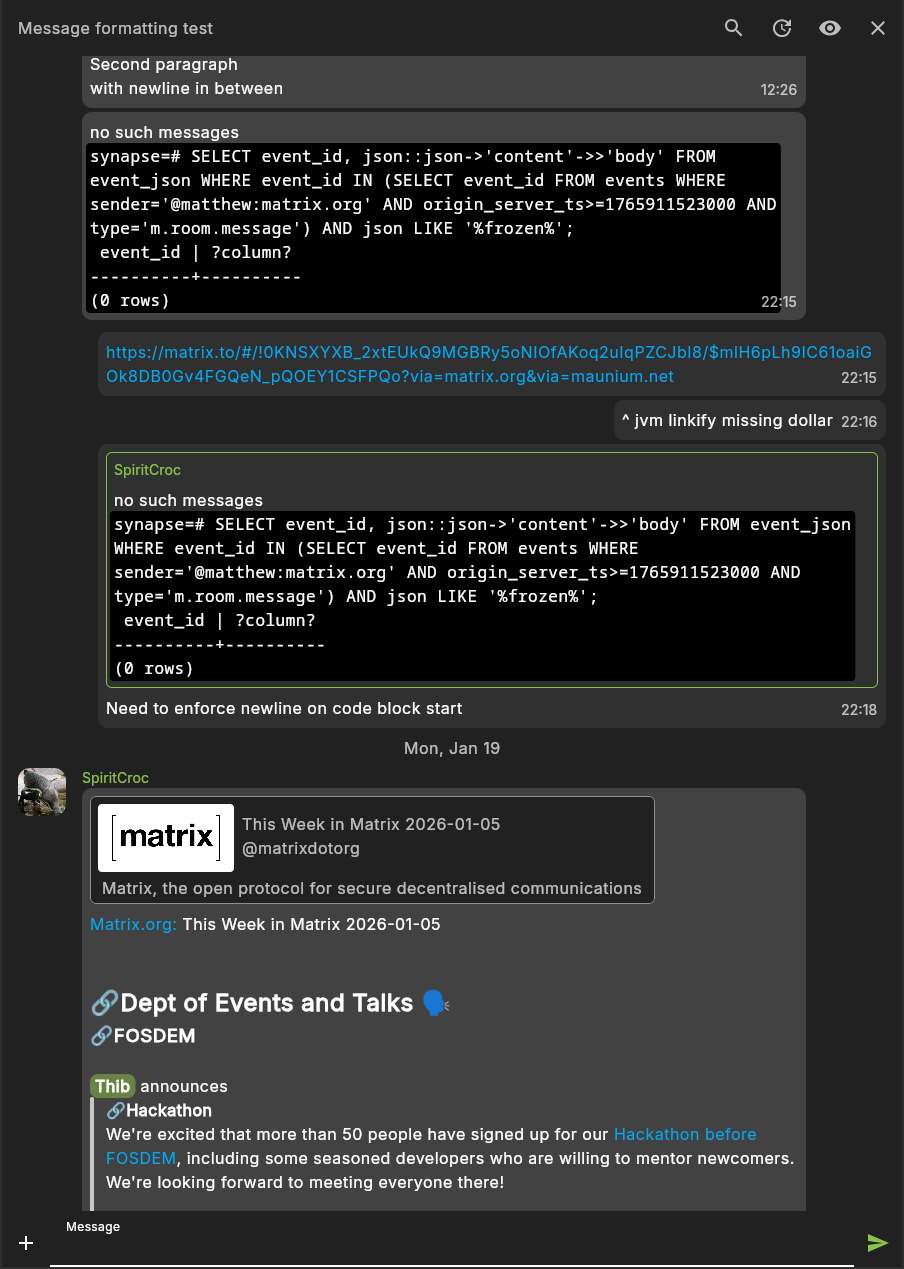
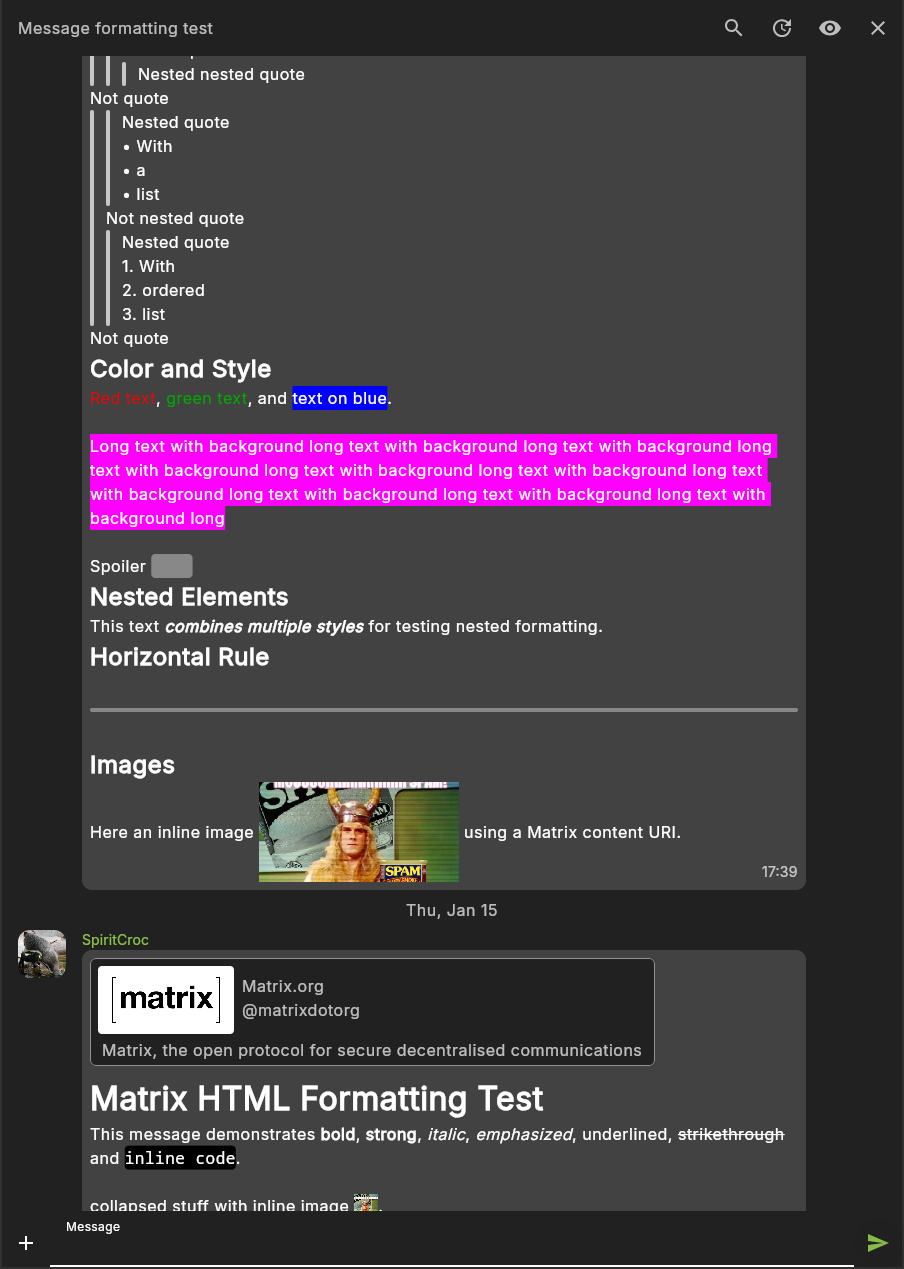
- Complete formatted message rendering support
- Configurable key bindings
- Send formatted text messages and attachment captions as Markdown, HTML or plaintext
- Hierarchical space navigation
- Send sticker packs & custom emotes (assuming you configured them on another client using stable spec identifier)
- Intentional mentions
- Threads
- Dev tools for room state & account data
- Encryption
- Cheap message search (just the ones loaded in memory, not proper indexed search)
- Lots more
Following features are expected to be still missing:
- Automatically marking chats read on open / while scrolling (you can still manually mark them as read)
- Notifications on Windows & Android
- Lots of settings
- User profile settings
- UI to start direct chats
- UI to invite/kick/kan users from chats
- UI to configure power levers
- Allow setting room avatars
- Sticker packs
- Location messages
- Polls
Schildi Revenge has highly customizable keyboard actions (that I still need to properly document at some point).
To customize them, copy either
keybindings-default.toml
(the default config if not customized) or
the more opinionated example config
to ~/.config/SchildiChatRevenge/keybindings.toml (on typical Linux systems)
or AppData/Local/SchildiChatRevenge/keybindings.toml (on Windows).
Once the config exists, SchildiChat will reload its settings automatically whenever you edit the file even while SchildiChat is running, to make it easier trying out different settings without having to restart.
The config is structured in multiple sections that are applicable in different contexts in the app. The sections include:
global: Applicable everywhere.appMessage: Actions related to app prompts at the bottom of the screen, like error messages or confirmation prompts.inbox: Your room list.room: Anything related to a room, e.g. while in the conversation screen viewing the message timeline, but also applicable in inbox when focusing a certain roonm.conversation: While viewing a room's message timeline.event: Actions specific to messages and other timeline content, when focused in the conversation screen.navigation: Similar toglobalactions but specific to navigating the app.navigationItem: Related to UI elements which can navigate you to other parts of the app on interaction, such as room list entries in your inbox.focus: Similar toglobalbut specific to moving the keyboard-based focus to other items.list: Applicable if your current focus is within a list of some kind (like a room list, or a list of messages in your timeline).split: Actions related to an experimental split screen mode.
Until I properly document all available actions, you can find them defined
here.
Note that as long as you have a keybinding for Command in the global section, you can also type in any of these
action into the command mode to play around with them before defining key bindings for them.
Each key binding needs to hold at least a key and an action value.
Additional arguments may be optional or mandatory depending on the selected action, and include:
shift,ctrl,alt: set totrueif you want to require certain modifier keys for your keybinding.args: An array of arguments to pass to theaction.destinations: An array of destinations that you want to restrict this key binding to. Useful e.g. if you want to be able to toggle certain settings but only on a specific screen. Possible values include e.g.InboxandConversation. A complete list of destination names can be found here.
For Android, check ANDROID.md.
- JDK 25, Jetbrains JDK recommended - vanilla OpenJDK can cause some launcher crashes
- Rust toolchain /
cargo
Windows-specific hints for my own notes:
- the normal Oracle JDK seems to be automatically picked up by git bash
- Rust prompts to install some Visual Studio dependencies - selecting the "Quick install" seems to work fine
- Need to also install C++ tools via Visual Studio installer for Rust dependencies to work
- If it didn't install automatically the first time, can start the installer again from the Downloads directory
- Select "Desktop Development with C++" from the workloads tab
To build and run the development version of the desktop app, use the run configuration from the run widget in your IDE’s toolbar or run it directly from the terminal:
- on macOS/Linux
./gradlew :composeApp:run
- on Windows
.\gradlew.bat :composeApp:run
SchildiChat uses the Matrix Rust SDK via FFI bindings. If you properly cloned the repository with the required
submodules, and you have a working Rust toolchain installed, the bindings should be generated automatically for you.
This additional SDK compiles will significantly slow down your first build time, but after that will only be needed once
the SDK changed. Usually the build process will pick up automatically whether to rebuild the SDK based on checking if
Cargo.toml changed. If you do some SDK changes, you may need to manually force a rebuild the SDK. To clean up previous
SDK compiles, run cargo clean in the matrix-rust-sdk directory. ./gradlew clean will not clean a previous SDK
build (which is intended).
For now, no cross-compilation for Windows targets from Linux.
For Linux releases (requires to have nfpm and appimagetool installed):
./package_linux_releases.sh
For Windows releases:
./gradlew packageReleaseMsi
While there is no plan to release SchildiChat on Flathub for the moment, if you prefer to run it as a Flatpak you can use the
install_flatpak.sh script:
sudo apt install magick flatpak-builder # or your distro equivalent
flatpak install flathub org.freedesktop.Sdk//25.08 org.freedesktop.Platform//25.08 org.freedesktop.Sdk.Extension.openjdk//25.08
./install_flatpak.sh
This will build the Flatpak and install it locally. Note this is mode of operation is not officially supported, so when running into issues please check against an official build first, and include your findings in the bug report.
For the Rust SDK itself, we can almost use the upstream SchildiChat Next repo, except that we need to disable the
android_cleaner feature for UniFFI generation.
Code in the matrix module is based on Element X Android.
This module makes interacting with the FFI bindings of the Matrix Rust SDK a lot nicer, e.g. by translating listeners
into kotlin flows, and freeing memory after copying data structures from the FFI-managed counterparts in order to avoid
memory leaks.
Whenever we update the Rust SDK, we thus also want to merge the related changes from Element X into our code. We cannot use the upstream code as is, since it contains Android-specific code rather than being ready for Kotlin multiplatform. Furthermore we do not want all of the Element X code, and we do not want to keep Element's very fine-grained module structure.
So in order to do an upstream merge:
- Choose a working version of SchildiChat Next with the desired new changes
- Merge the appropriate SchildiChat Rust SDK revision into Revenge's
matrix-rust-sdkgit submodule - Generate a cleaned version of SchildiChat Next:
git clone https://github.com/SchildiChat/schildichat-android-next.git schildichat-next-revenge-skeletoncd schildichat-next-to-revenge-skeletongit filter-repo --paths-from-file /path/to/schildichat-revenge/elex_imports.txt
- Merge the new cleaned version into a clone of the previous cleaned version
- This is only necessary to support updating
elex_imports.txt, as changing that will change cleaned commit history - If you need to update the upstream cleaning rules (e.g. add new modules), modify
bump_matrix_imports.shand then use it to re-generateelex_imports.txt.
- This is only necessary to support updating
- Merge the cleaned version of Next into Revenge using
git subtree: cleaned Next repo:git remote add skeleton /path/to/schildichat-next-revenge-skeletongit fetch skeletongit subtree merge --prefix=matrix skeleton/main
pushd scripts
./cleaned_upstream.sh
popd
git fetch skeleton
git stash
git subtree merge --prefix=matrix skeleton/main
git stash pop
pushd matrix-rust-sdk
git fetch origin
git checkout origin/main
License information to view in the about screen requires manual collection.
For libraries pulled in via maven, running ./gradlew persistDependencyLicenseReport should be enough for the about
screen to pick it up.
To view a list of currently outdated dependencies, use ./gradlew dependencyUpdate.
When using some desktop environment or window manager that is not supported out of the box by
Platform-Tools,
but the way you toggle dark mode affects GTK applications, you can trick it by launching Revenge with an environment
variable of XDG_CURRENT_DESKTOP=gnome.
Until compose multiplatform supports wayland natively, the best solution depends (I have not found a fully satisfying solution yet).
If your window manager / desktop environment supports disabling scaling for xwayland applications, that's probably the
best. You can then scale Revenge via the RENDER_SCALE setting. If you read this before I built a preferences UI for
it, put RENDER_SCALE=2.0 (or the scale of your choice) in $HOME/.config/SchildiChatRevenge/preferences.toml.
- hyprland support this out of the box via
force_zero_scaling.
If you can configure your WM to use a custom xwayland implementation, you may have luck with wlroots-hidpi-xprop. E.g. for sway on Arch Linux:
- Install
xorg-xwayland-hidpi-xprop,wlroots-hidpi-xprop-git,sway-git - Run
xprop -root -format _XWAYLAND_GLOBAL_OUTPUT_SCALE 32c -set _XWAYLAND_GLOBAL_OUTPUT_SCALE 2
Here you ideally should enter the correct scale that also your wayland desktop environment uses (or maybe it even picks
it automatically?).
However it only supports full integer scaling. If you're using fractional scaling, you may have luck by choosing a
higher scale for xwayland (which will make xwayland apps even smaller), but then compensating that by choosing a higher
application-side scaling - for SchildiChat Revenge via the RENDER_SCALE setting.
If you read this before I built a preferences UI for it, put RENDER_SCALE=2.0 (or the scale of your choice) in $HOME/.config/SchildiChatRevenge/preferences.toml.
- Install this sommelier fork. You probably need to compile it yourself.
- Launch Revenge via sommelier with the same scale setting that you use for HiDPI, e.g.
sommelier -X --scale=1.5 --data-driver=noop --shm-driver=noop --display=wayland-1 --socket=wayland-1 ./gradlew :compose:run - I found it to have some issues with mouse input towards the edges that I haven't figured out how to resolve yet, so if you prefer to use your mouse over your keyboard this may not be a good solution for you.
It seems to be somewhat possible to use a different rendering backend for jetpack compose, like LWJGL another link, which could in theory support wayland natively? But may introduce other bugs? Outcome unclear.