Graphy was developed for a game called War which is a part of FIC (Finance and Investment Cell) Society Fest in ARSD College. The points are given on the basis of selection of Weapon and Defences selected by the team. There overall score is compared and the winning team is announced.
- Python-Django
- Chart.js
- JavaScript
- HTML-5
- Bootstrap-5
To run this project, you will need to write the following commands in the terminal:
python manage.py createsuperuser- The above command has to be used to create the admin name and password.
python manage.py runserver- The above command has to be used to start the Django server and the link generated should be used to start the webpage.
- After starting the project open the link http://127.0.0.1:8000/admin for going to the admin section.
- Enter the username and password created using superuser.
- After this the below screen will appear.
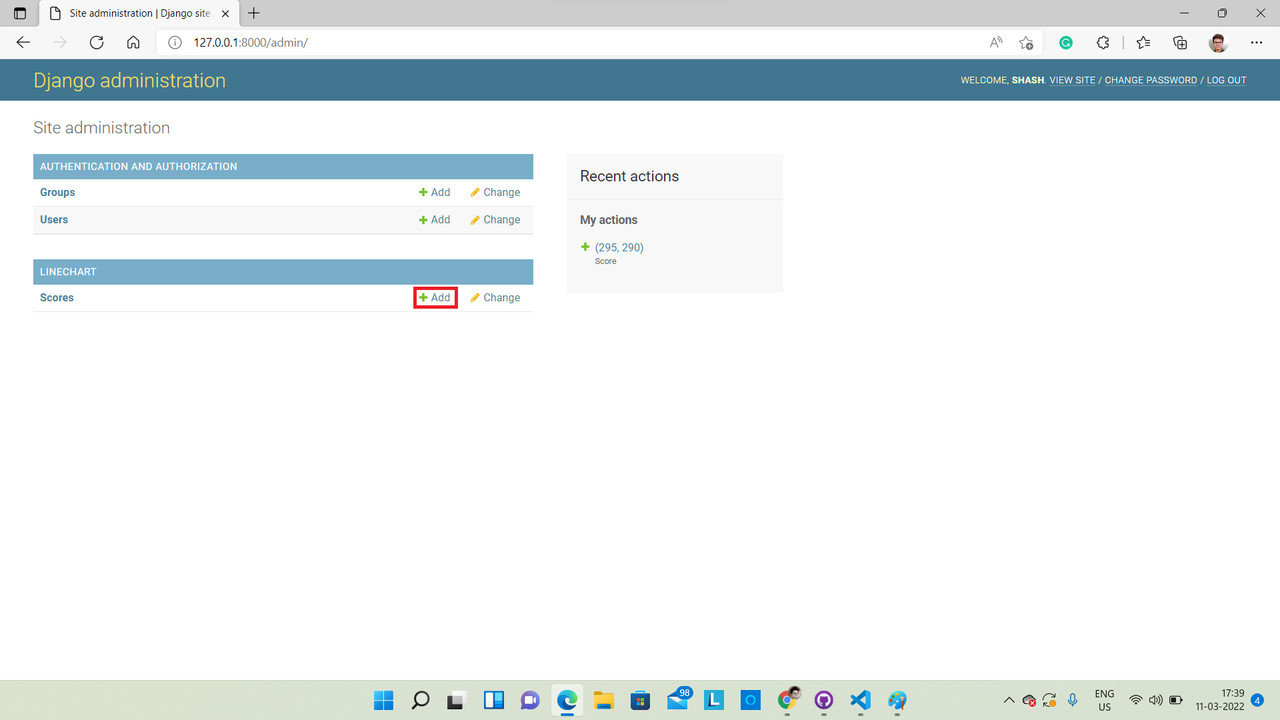
- On this new screen click on Add button which is on the right side of scores.
- After this the below screen will appear.
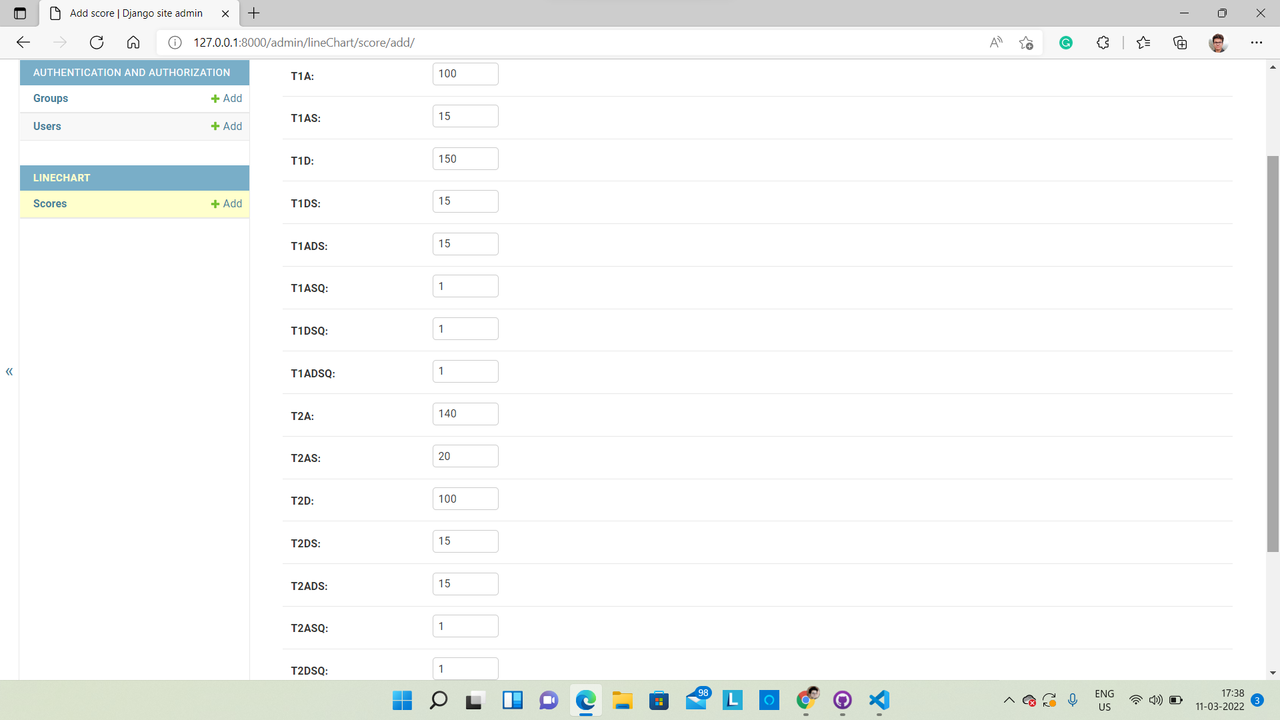
- On this screen there are few abbreviation and the meaning to them shold be understood in the following way: 'T1' and 'T2' stands for Team 1 and Team 2 respectively. 'A' stands for Attacks, 'D' stands for Defences, 'S' stands for Spells, 'Q' stands for Quantity.
- It should be clear that all the values should be integer.
- After this return to the main link of webpage http://127.0.0.1:8000/ and let the random graph do its work.
- Check out this link for getting the idea that how the random generator graph looks in action: https://vimeo.com/687132974 .
The project can be further developed into more dynamic and user-friendly web application.