Version: 1.0.2
A visual composer for Power Automate Trigger Condition and Filter Array advanced-mode expressions. Instead of hand-writing @and(...) / @or(...) predicates, you build conditions in a UI and the app emits valid Power Automate expression syntax — with live preview and real-time diagnostics.
Ships two ways from one shared codebase: a standalone web app and a Power Platform Toolbox (PPTB) plugin.
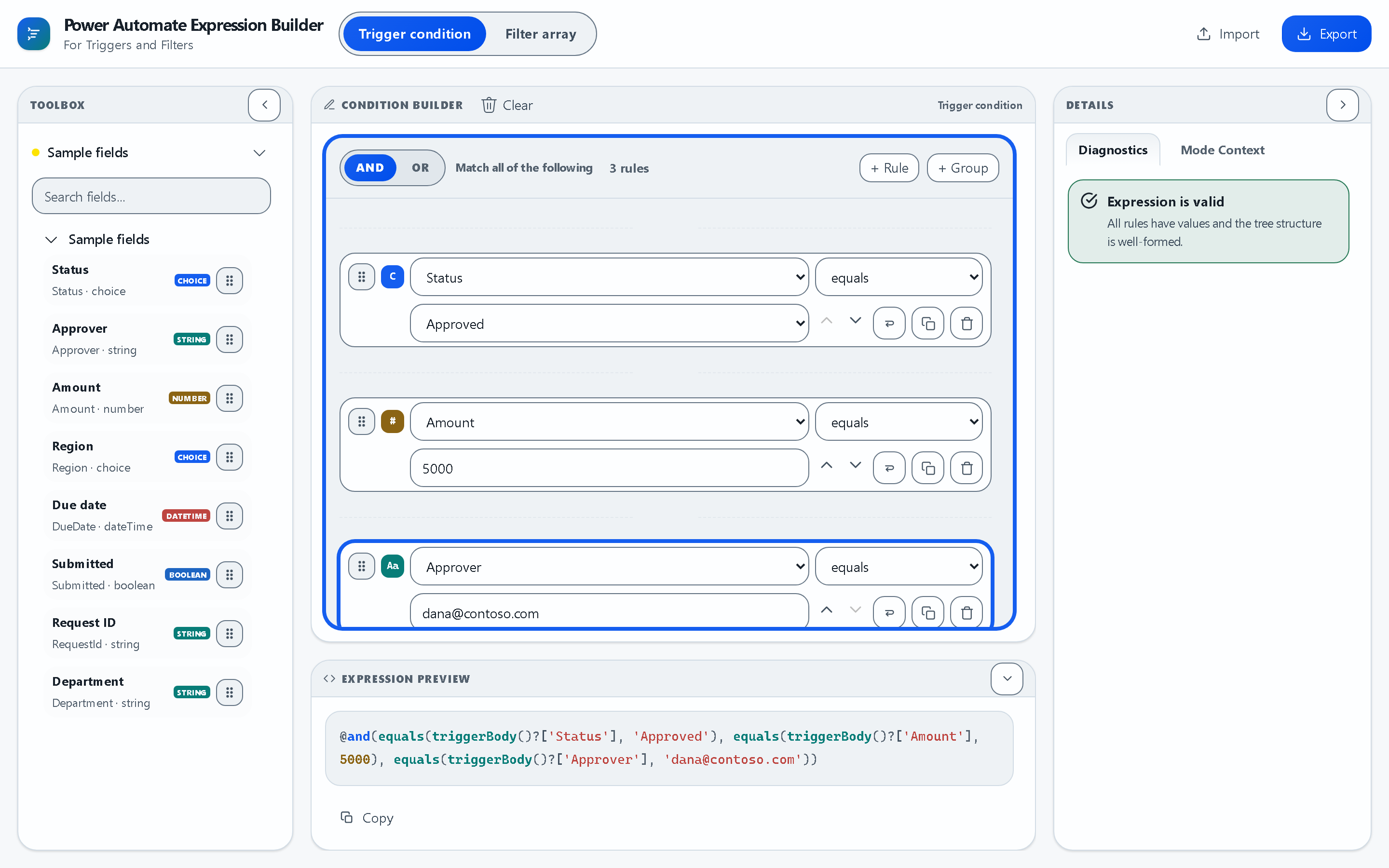
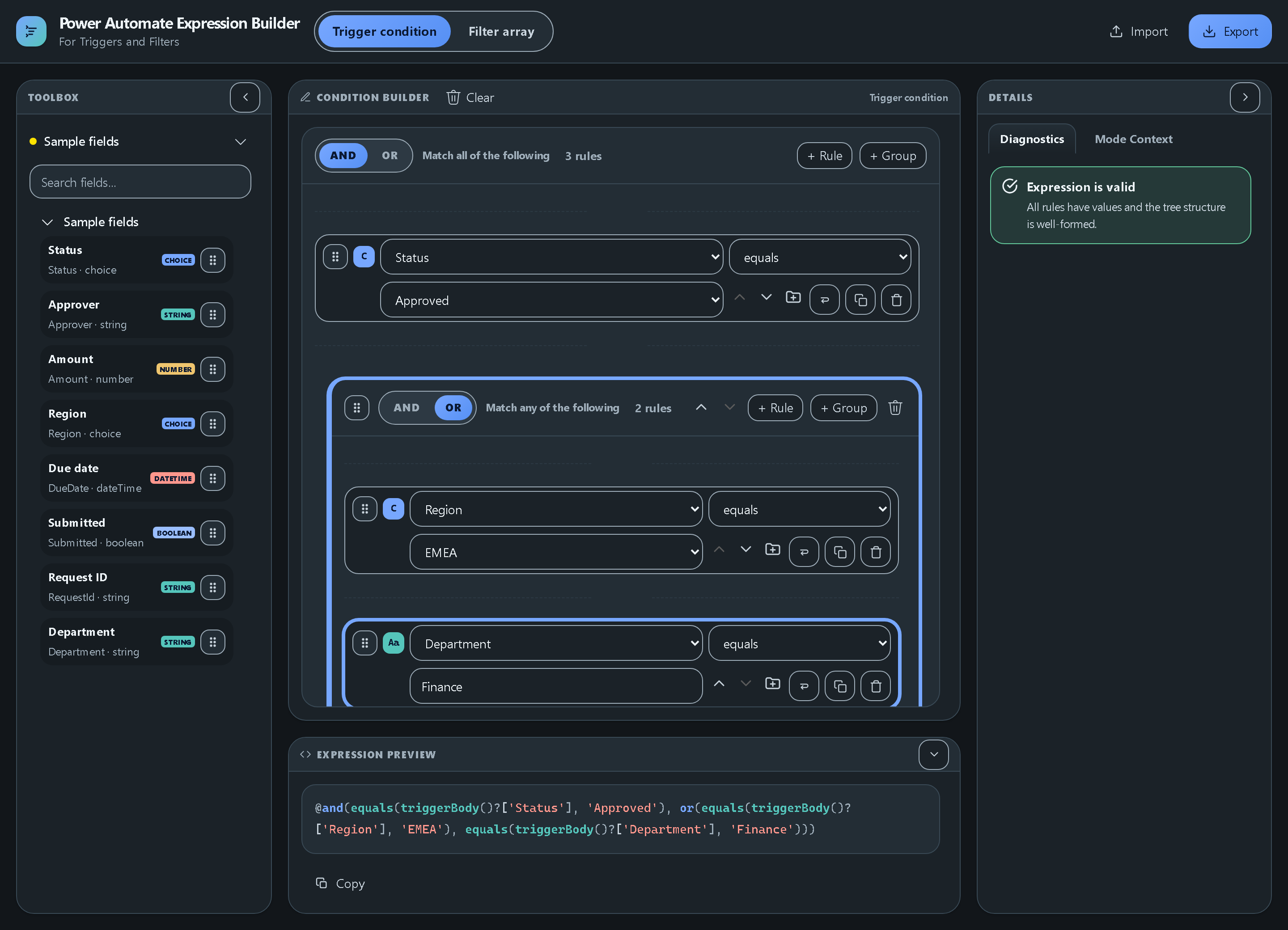
More screenshots
Nested AND/OR groups in the dark theme:
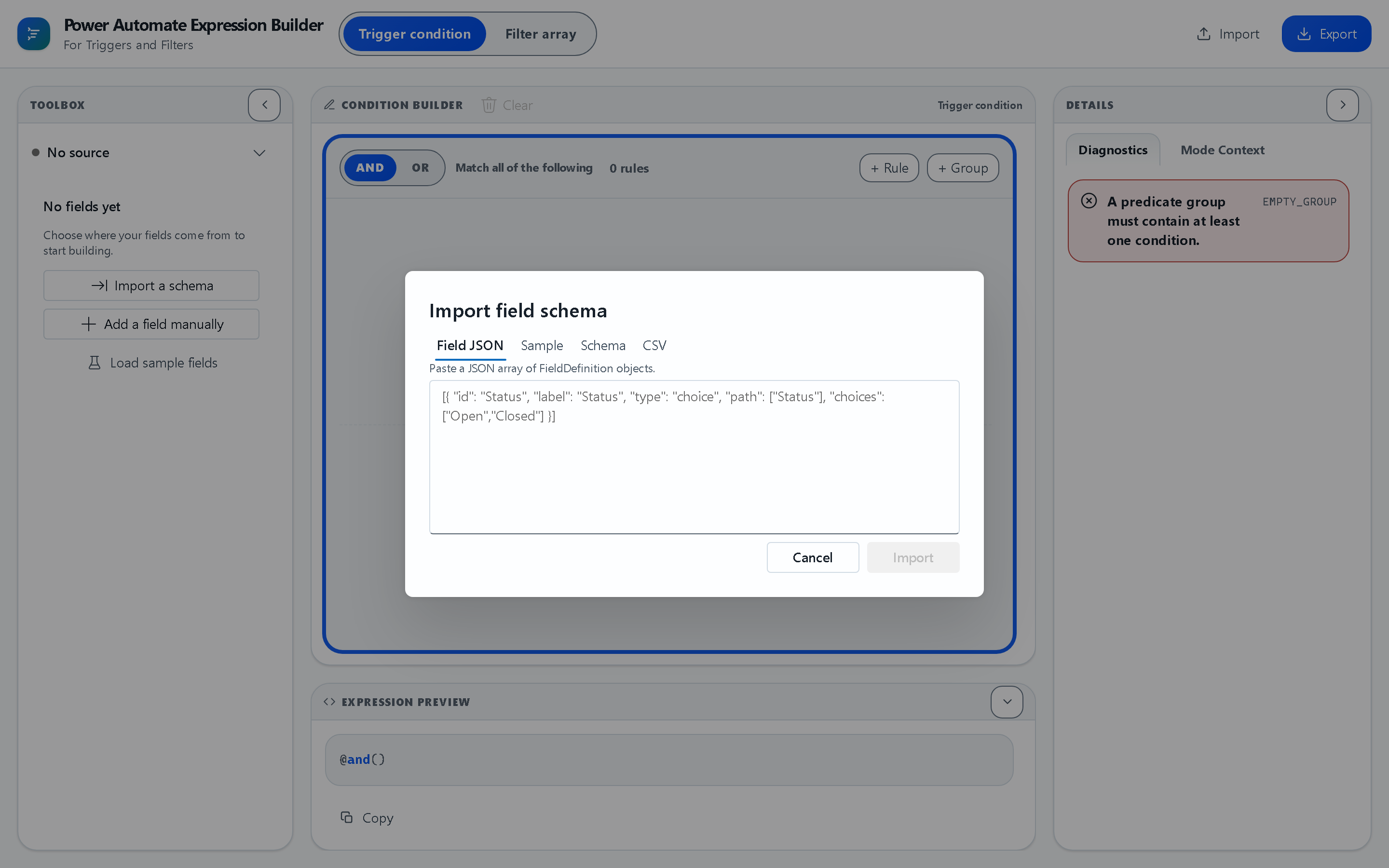
Schema import — Field JSON, a sample payload, JSON Schema, or CSV:
- Visual condition composer — groups (AND/OR), rules, and nested logic, reorderable via drag handle or keyboard-accessible move buttons
- Live expression preview — see the generated expression as you build
- Field discovery — connect to Dataverse tables to auto-discover fields and types
- Schema import — load fields from CSV, JSON, or JSON Schema without a live connection
- Field profiles — save and reload field sets across sessions
- Diagnostics — real-time validation (type mismatches, unknown fields, unsupported operators)
- Graphite theme system — accessible light/dark semantic tokens on Fluent UI v9
- Dockable workspace — collapsible toolbox/support panes around the central canvas
| Target | Purpose | Run | Build |
|---|---|---|---|
Web (apps/web) |
Standalone browser app — try it with no Power Platform context | npm run dev:web |
npm run build:web |
PPTB (apps/pptb) |
Power Platform Toolbox package, published to the PPTB marketplace | npm run dev:pptb |
npm run build:pptb |
The web build deploys automatically to GitHub Pages on every push to main — see .github/workflows/deploy-pages.yml.
Two shared packages, two thin host apps:
┌─────────────────────────────────────────────────────────────┐
│  apps/web          │  apps/pptb                              │
│  Browser host       │  Power Platform Toolbox host            │
│  (createWebAdapter) │  (createPptbAdapter)                    │
└─────────┬───────────┴──────────┬───────────────────────────────┘
          │                      │
          └──────────┬───────────┘
                      │
┌─────────────────────┴─────────────────────────────────────┐
│  packages/builder-ui                                       │
│  Shared Fluent UI v9 composer + workbench + theme system   │
│  Exports: ExpressionBuilderShell + query document types    │
│  (QueryGroup, QueryRule, ...) and actions (addRule, ...)    │
└─────────────────────┬───────────────────────────────────────┘
                       │
              ┌────────┴────────┐
              │                 │
       ┌──────┴─────┐    ┌──────┴────┐
       │ packages/  │    │ packages/ │
       │ engine     │    │ platform  │
       │ Pure TS    │    │ Platform  │
       │ expression │    │ adapters  │
       │ formatter  │    │ (web/pptb)│
       └────────────┘    └───────────┘
Design principles
- Pure engine —
packages/enginehas zero UI dependencies; it only knows expression AST nodes, field definitions, and formatting rules. - Platform abstraction —
packages/platformdefines aPlatformAdapterinterface; web and PPTB implement it differently (clipboard, notifications, Dataverse API access). - Shared UI —
packages/builder-uiholds all visual components; the apps are thin bootstraps that inject the right adapter. - Type safety — every package is TypeScript with
type: "module"; types flowengine→builder-ui→apps.
This workspace requires Node 24.17.0 on the active 24.x LTS line, matching the workspace engines fields and the root-owned Vite 8 / @vitejs/plugin-react 6 toolchain.
If you use nvm, the repo root includes .nvmrc:
nvm useInstall dependencies from the repo root:
npm installThe app workspaces inherit Vite, TypeScript, and the React plugin from the repo root. Do not add duplicate toolchain entries to apps/web or apps/pptb unless the workspace layout changes.
Theme edits belong in packages/builder-ui/src/theme/workbenchTokens.ts. fluentTheme.ts only mirrors that runtime source for compatibility exports.
Run the browser host:
npm run dev:webRun the Power Platform Toolbox host:
npm run dev:pptbWhen loading the Power Platform Toolbox package, rebuild first so the emitted dist artifacts include the latest builder-ui theme changes:
npm run build:pptbRun the fast checks from the repo root:
npm run lint
npm run typecheck
npm test
Run end-to-end smoke tests:
npm run test:e2eBuild both packages and apps:
npm run buildBuild individual static hosts:
npm run build:web
npm run build:pptb
Preview a build:
npm run preview:web
npm run preview:pptb
preview:web rebuilds the web host before serving apps/web/dist, so it reflects the current workspace package output instead of stale preview assets.