


Build C++ GUIs with OpenCV using ASCII art layouts — no Qt, no GTK, no extra dependencies.
Define your entire window layout in a text string. Event-driven, cross-platform, and fully modern C++.
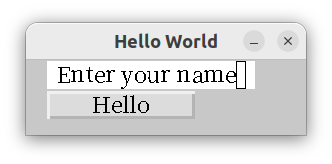
struct Win : z::AsciiWindow {
  Win() : z::AsciiWindow{R"(
    WHello World----------------
    | T0-------------------
    | |Enter your name|
    | B0-------------
    | |Hello|
    |)"} {
    start();
    B[0]->click([this]() {
      cout << "Hello " << T[0]->value() << endl;
    });
  }
};Most OpenCV projects already link against OpenCV. This library gives you a complete GUI toolkit on top of what you already have — no additional framework needed.
- Zero extra dependencies beyond OpenCV (and optionally libhangul for Korean/CJK input)
- ASCII art layout — declare your UI as a text diagram, positions computed automatically
- Event-driven — no polling loop eating your CPU
- Cross-platform — anywhere OpenCV builds, this builds
- Modern C++ — lambdas, composition, type-safe widget access
All common widgets are included out of the box:
| Widget | Access | Description |
|---|---|---|
| Button | B[n] |
Clickable button with lambda callback |
| TextInput | T[n] |
Single-line text field |
| TextBox | E[n] |
Multi-line text area |
| Label | L[n] |
Static text label |
| Checkbox | C[n] |
Toggle with checked state |
| RadioButton | Grouped C[] |
Mutually exclusive selection |
| Slider | S[n] |
Range input with configurable min/max/step |
| ProgressBar | P[n] |
Progress indicator |
| Image | I[n] |
Display cv::Mat inline |
| ComboBox | tie(T, B, vector) |
TextInput + Button + list |
| NumberSpinner | tie(T, B, B) |
TextInput + up/down buttons |
| Tabs | tabs(...) |
Switchable tabbed panels |
| ScrolledWindow | scroll_to() |
Scrollable content area |
| Popup | popup(...) |
Modal sub-window with return value |
Custom (Z[n]) |
Any cv::Mat |
Draw your own widget |
Each character in the ASCII string maps to a widget:
WHello World----------------    ← Window title
| T0-------------------         ← TextInput, index 0, width from dashes
| |Enter your name|             ← Default text
| B0-------------               ← Button, index 0, width from dashes
| |Hello|                       ← Button label
|
Capital letters are widget types. The number after is the index (accessed as B[0], T[0], etc.). Dashes set width; vertical bars set height.
Combine primitives into compound controls with tie():
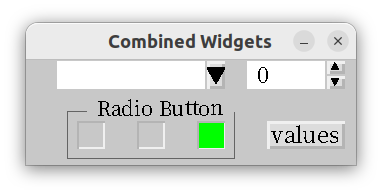
// ComboBox = TextInput + dropdown Button + list
tie(*T[0], *B[0], v, 30);

// NumberSpinner = TextInput + up/down Buttons
auto f1 = tie(*T[1], *B[1], *B[2], 0, 1);

// RadioButton group = multiple Checkboxes
auto f2 = tie(*C[0], *C[1], *C[2]);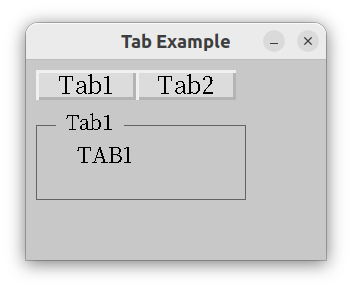
tabs(10, 10, tab1, tab2);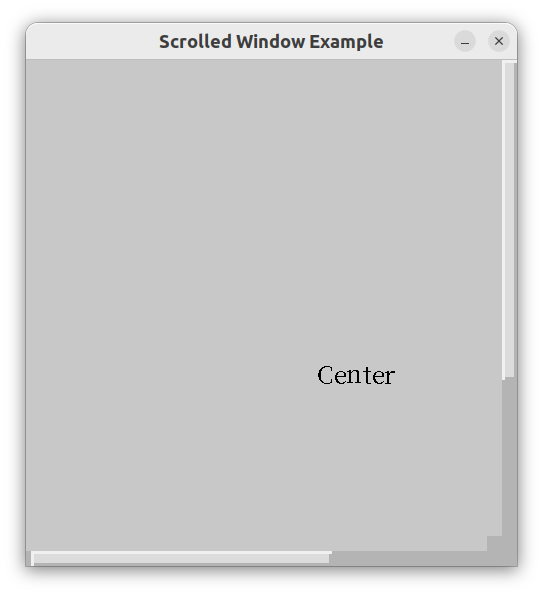
scroll_to({0, 0, 400, 400});
*this + label + handle;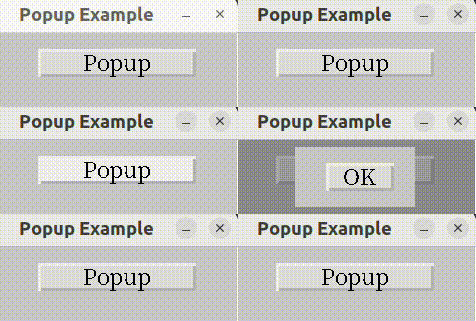
// Pop up a sub-window and get its return value
B[0]->click([this]() {
  pop.popup(*this, [](int i) { cout << i << endl; });
});

// Inside the popup, close with a return value
B[0]->click([this]() { popdown(7); });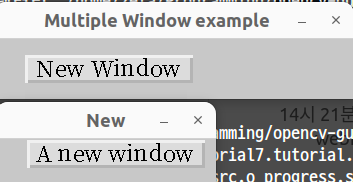
B[0]->click([this]() {
  if(w.open() == 7) cout << "closed" << endl;
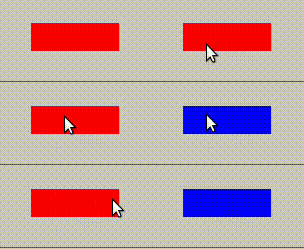
});Any cv::Mat drawing is a valid widget. Inherit Widget, draw into mat_, call update():
struct WButton : Widget {
  WButton(cv::Rect2i r) : z::Widget{r} {
    mat_ = widget_color_;
    gui_callback_[cv::EVENT_LBUTTONUP] = [this](int xpos, int) {
      if(xpos - x < width / 2) mat_ = cv::Vec3b{0,0,255};
      else mat_ = cv::Vec3b{255,0,0};
      update();
    };
  }
};
Place custom widgets inside ASCII layouts using Z:
W----------------------------------------------
|
|   Z0-------
|   ||
|
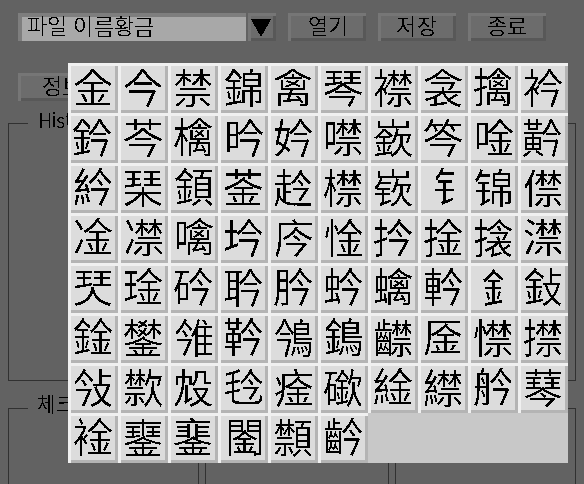
TextInput supports Korean → Hanja conversion via libhangul. Set the CJK font path in the first line of font.dat.
Embed scientific plots directly into your GUI using CvPlot:
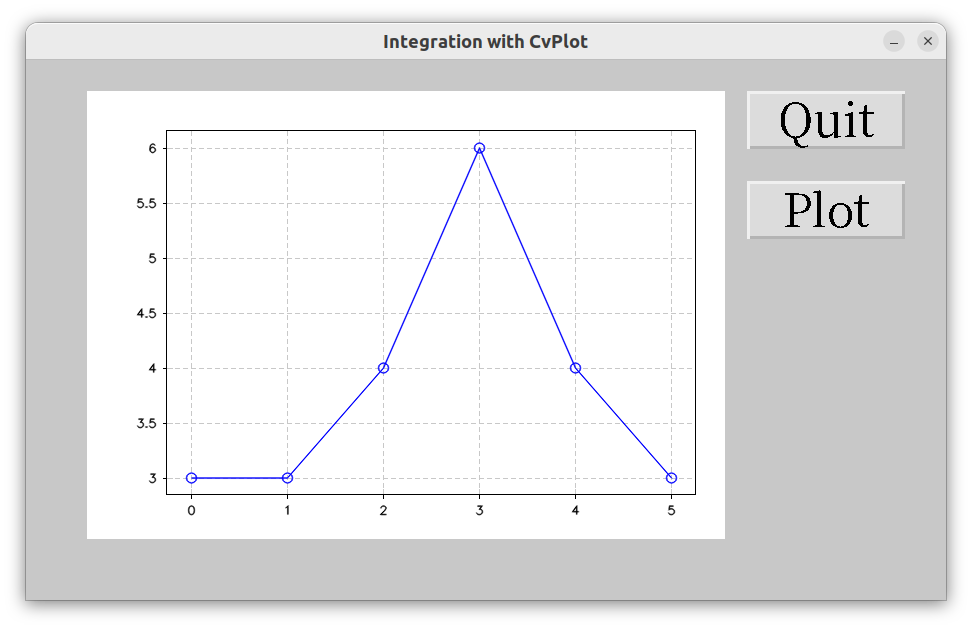
B[1]->click([this]() {
  auto axes = CvPlot::plot(std::vector<double>{3, 3, 4, 6, 4, 3}, "-o");
  *I[0] = axes.render(I[0]->height, I[0]->width);
  I[0]->update();
});
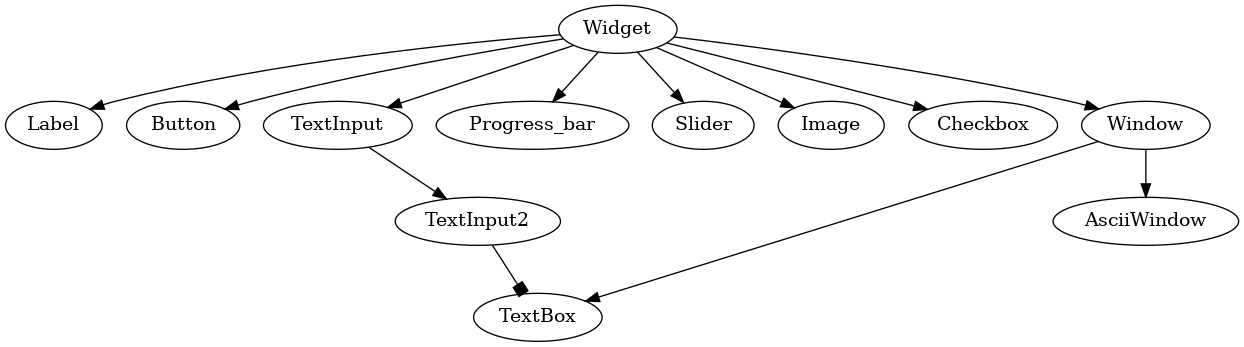
Widgets inherit cv::Rect2i{x, y, width, height}. Positions are relative to their parent window. Scrolling is handled by the parent — child widgets are unaffected.
sudo apt install libhangul-dev libopencv-dev xclip
git clone --depth=1 https://github.com/ParkSeungwon/opencv-gui
cd opencv-gui
make
Set the CJK font path in the first line of font.dat.
- Rapid prototyping — get a GUI up in minutes, not hours
- OpenCV parameter tuning — sliders, live image display, buttons, all in one window
- Cross-platform tools — one codebase, everywhere OpenCV runs
- Embedding plots — CvPlot integration for scientific/data apps
Full API documentation: gui.zeta2374.com
License: LGPL v2