Point it at a codebase. Get back a map you can check.
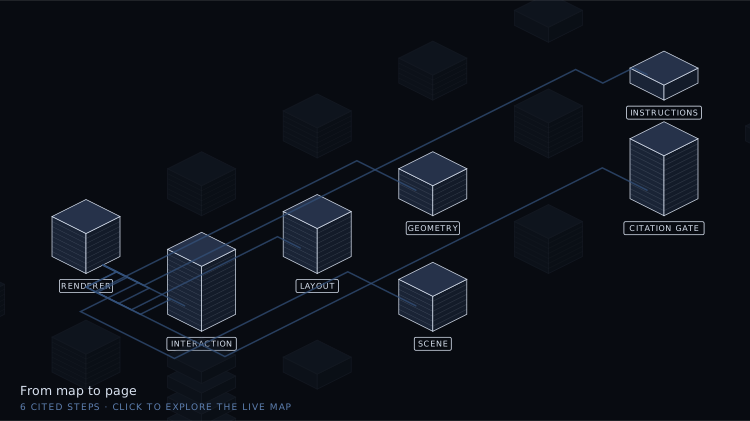
That is Show me, mapped by Show me — real geometry, not a mock-up. Walk the chapters, click a building to read what it does, watch a payload travel a real path. The same map as text is SYSTEM.md.
A skill for coding agents. It reads a repository and draws it: buildings sized from the real source, connections traced through actual call and data paths, each part explained in plain English — and every claim citing a file, a line, and the text found at that line.
Diagrams go stale, and a stale one is worse than none: people plan against it. An AI will also happily draw a dependency that does not exist.
So before anything renders, a script opens every cited file and confirms the quotation is really there. A map does not get to be pretty unless it is checkable.
It catches fabrication, not misreading — a wrong reading with a real citation still passes. That is exactly why the reading stays with the agent and is never handed to a pattern.
npx @ofori_01/show-me install          # for every project
npx @ofori_01/show-me install --here   # for this one only
Then ask for what you want:
Show me how authentication works in this repo.
Run the same command again to upgrade. Node 18 or newer, no dependencies, no
build step. If you would rather not use npm, copy skills/show-me into
~/.claude/skills/ yourself — that is all install does.
The one example that ships is the map of the skill itself, and its citations are relative to the skill directory — so it resolves here, and anywhere you install it.
cd skills/show-me
node scripts/validate.mjs examples/show-me.system-map.json --repo .
node scripts/render.mjs   examples/show-me.system-map.json --repo . --out /tmp/map.html --standalone
node scripts/twin.mjs     examples/show-me.system-map.json --repo . --out /tmp/SYSTEM.md
Break a citation on purpose and run the gate again. That is the whole idea in one command.
SKILL.md is what the agent follows; references/ explains the data contract,
how to read a codebase, and what every shape means.
MIT