
This document provides an overview and code details for the Django-based YouTube comments scraper and analyzer application. The system facilitates:
- Fetching YouTube comments using the Google API.
- Cleaning and processing comments.
- Visualizing data in a Django web application.
- Multi-video analysis and insights.
Handles multiple actions:
- Fetch leaderboard data: Handles single video analysis by fetching leaderboard (
lrbd) and repetitive comments (rep_cnt) data. - Multi-video scraping: Allows analysis of multiple videos and aggregates user comment data.
def index(request):
    # Handles POST and GET requests to render templates and pass data.
...Processes multiple videos to fetch comment data and visualize comment count per user.
def get_multi_data(vid):
    # Fetch comments using YouTube API and clean them.
...Uses re and emoji libraries to clean text by removing emojis and unwanted characters.
def clean_text(text):
    text = re.sub(r'["]', '', text)  # Remove inverted commas
    text = emoji.replace_emoji(text, replace="")  # Remove emojis
return textPrepares data for visualizations, such as user names and their respective comment counts.
graph_data = {
    'labels': user_names,
    'data': comment_counts,
}Utilizes YouTube Data API to fetch comments, with pagination for complete retrieval.
def get_comment(client, video_id, token=None):
    try:
        response = client.commentThreads().list(
            part="snippet",
            videoId=video_id,
            textFormat="plainText",
            maxResults=3000,
            pageToken=token,
        ).execute()
        return response
    except HttpError as e:
        print(e.resp.status)
return NoneUses an API key (api_key) from the YouTube Data API for secure access.
Renders a leaderboard showing top users based on comment activity.
return render(request, 'yt_leader_brd.html', {"lrbd": lrbd, "rep_cnt": rep_cnt})Displays graphs and video thumbnails for analyzed data.
return render(request, "multi_scraper_view.html", {
    "u_info": u_info,
    "graph_data": json.dumps(graph_data),
    "video_data": video_data,
    "total_cmts": total_cmts
})Provide detailed statistics and category-based breakdowns.
def top_analy(request):
    # Displays top categories and their comment statistics.
...Logs errors from the YouTube API and exceptions during data fetching.
except HttpError as e:
    print(e.resp.status)
except Exception as e:
print(e)Logs fetched comments and summaries for verification.
print(f"Total cmts fetched: {len(comments)}")Ensure graceful handling of edge cases like invalid video IDs.
Enhance graph interactivity using libraries like Chart.js or D3.js.
Optimize API calls to handle larger datasets efficiently.
- Add user authentication for personalized data storage.
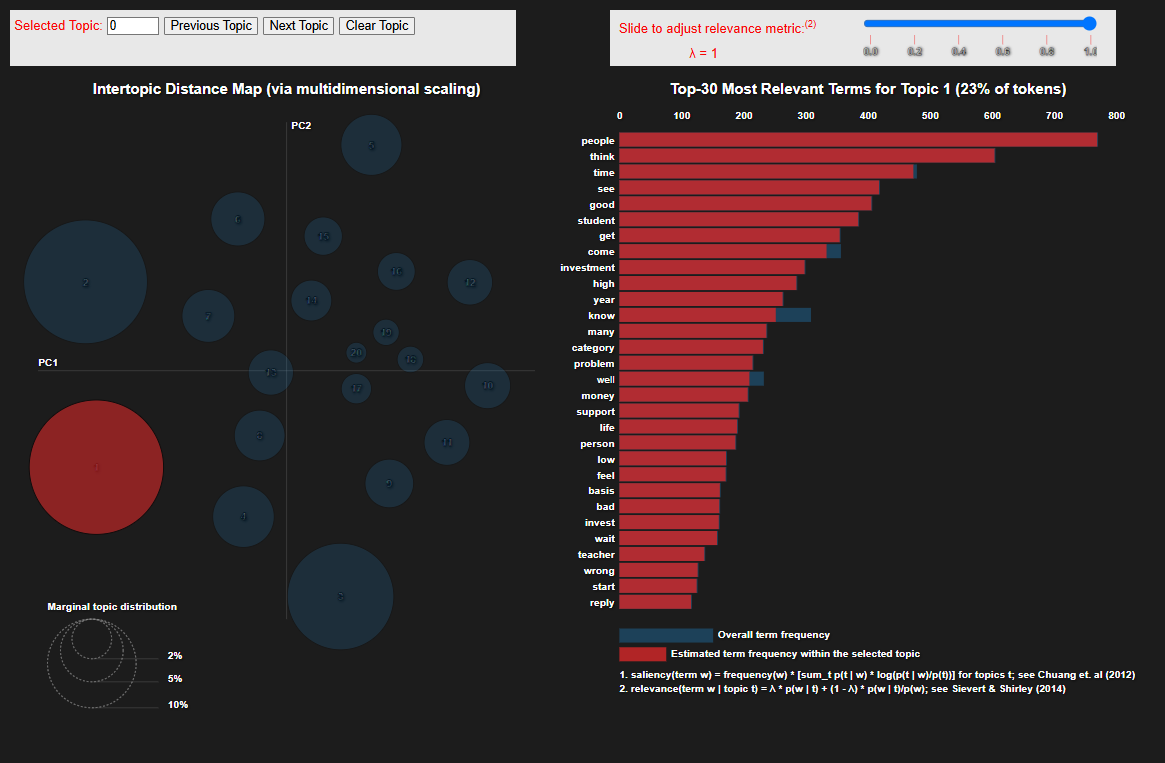
- Expand analytics for sentiment analysis and topic modeling.