

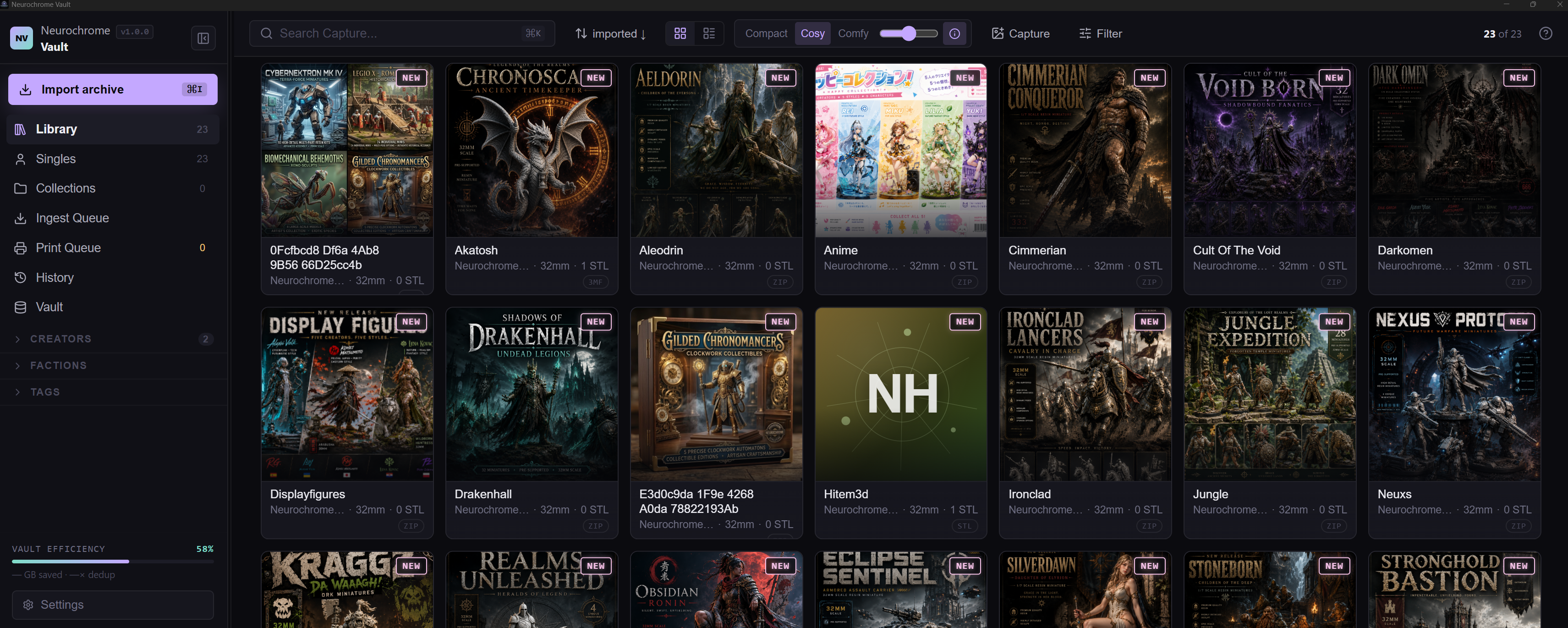
Import messy archives, browse with instant 3D previews, reclaim disk space, and keep everything local.
Download Free Trial · Buy on Gumroad · Affiliate program
~15 MB installer · signed auto-updates · Windows 10/11 x64
Note: This public repository hosts the product landing page, screenshots, documentation, and OTA release downloads. The Neurochrome Vault core source code is proprietary.
Most 3D-print libraries are trapped in the slow path: extract an archive, write temporary files, read a raw STL, parse the geometry, then finally discover whether it was even the model you wanted.
Neurochrome Vault avoids that workflow once your files are imported. It separates visual feedback from full-resolution delivery:
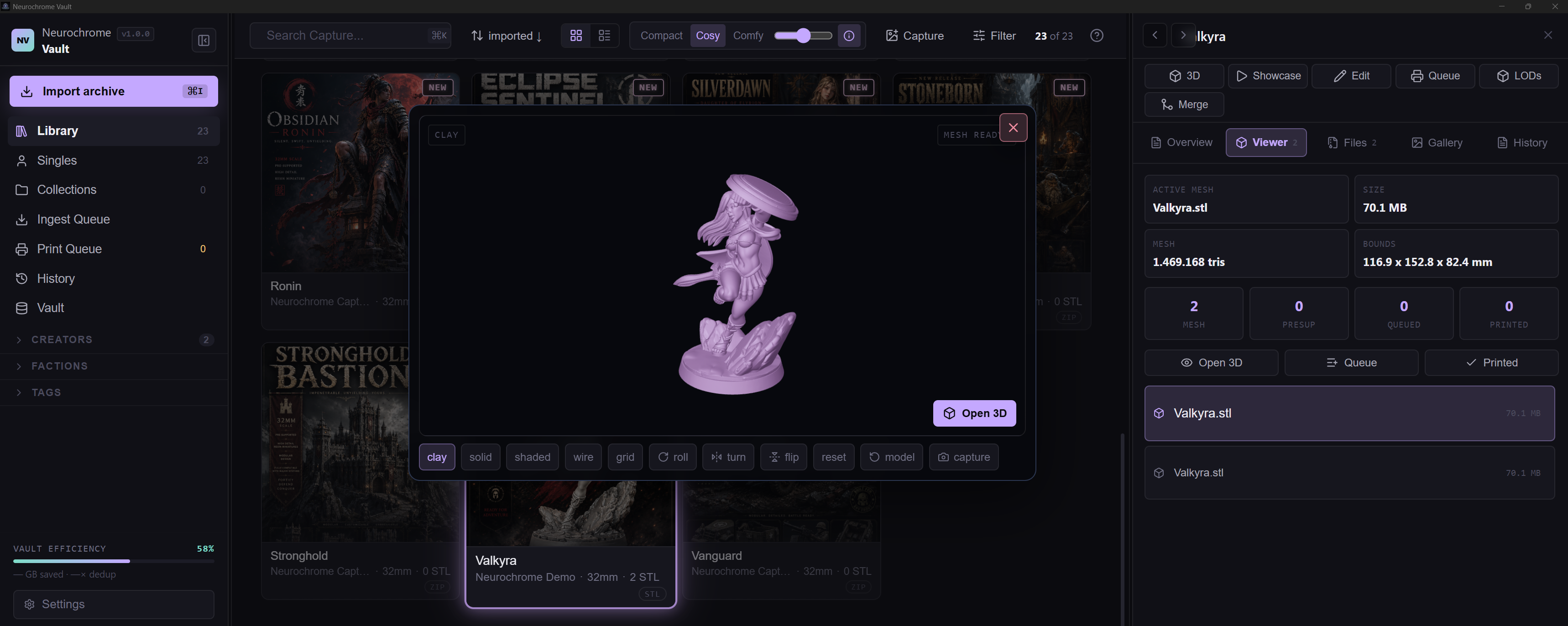
- Instant LOD preview — open a model immediately from a precomputed low-poly representation.
- Full mesh in the background — the Rust backend streams the high-resolution STL into the viewer while you inspect, rotate, queue, or send it to your slicer.
- No “extract just to check” loop — once a release lives in the vault, you browse it as a library item, not as a pile of compressed files.
- Inspector built in — file size, triangle count, bounds, and manifold status stay visible where decisions happen.
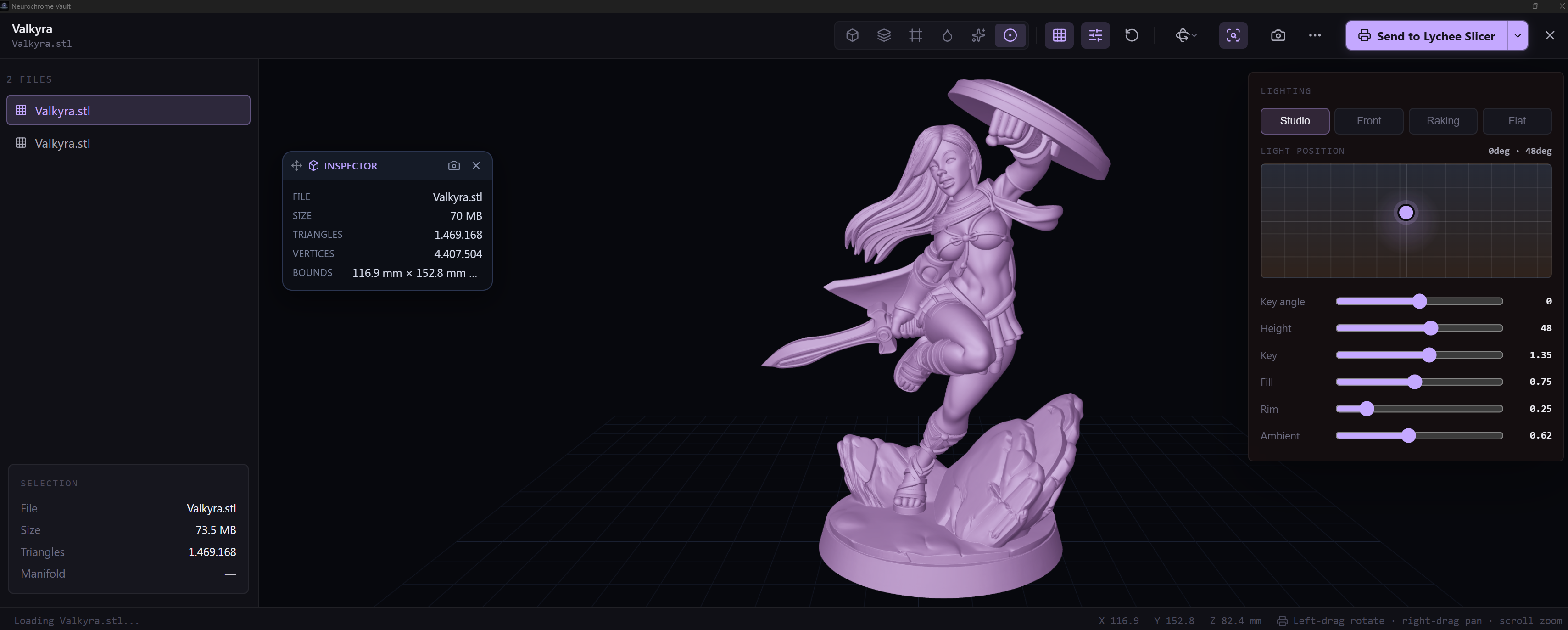
Open the full-resolution STL when you need to make the final call. Rotate the model, inspect mesh properties, adjust lighting, switch presentation modes, and send the file directly to your slicer without losing context.
STL collections inevitably grow into hundreds of gigabytes of ZIP/RAR/7z folders with cryptic names like final_v2_supported(3).zip. Finding a model usually means extracting archives until you give up.
Vault ingests everything once, understands what it is, and gives you a searchable, previewable, compressed library without taking ownership away from you: no cloud, no account, files stay on your disk.
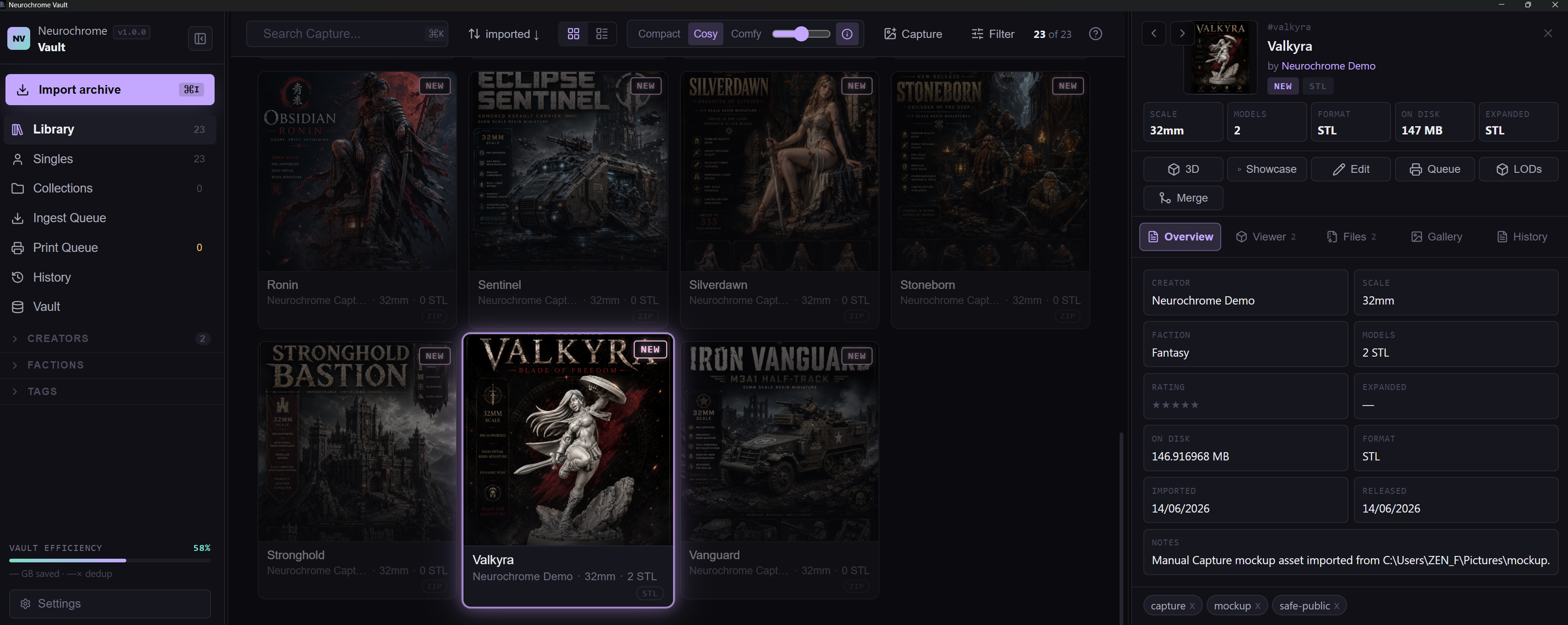
- Import messy collections: ZIP / RAR / 7z / multipart archives, folders, and loose files. Creator detection (200+ known studios), release splitting, supported/unsupported variant detection, cover extraction, and subject tagging.
- Preview before you commit: Instant LOD preview, full mesh loading in the background, solid / wire / resin / neon modes, and one-click handoff to your slicer.
- The NCV Storage Engine:
- FastCDC Content-Defined Chunking: Identifies and shares identical physical chunks of geometry across completely different files.
- Delta Encoding & Zstd Compression: Stores only the binary differences for 3D variants and utilizes adaptive dictionary training for meshes.
- Security: BLAKE3 integrity checks and an encrypted index (SQLCipher / ChaCha20-Poly1305). Typical global storage savings range from 30% to 60%.
- Portable Exports (NCV & ZIP): Export any release as a standalone
.ncvcontainer with embedded metadata and write-time integrity checks, or as a standard.zipfor maximum compatibility. - Data Safety as Policy: Rotating backups, verified restores, user-driven orphan resolution, and background jobs that never silently delete files.
- Library Intelligence: Collections, favorites, ratings, print queue and history, wishlist, faction/scale taxonomy, full-text search, and vault statistics.
- MCP Server Integration (Optional): Query your local library directly from your AI tools via the Model Context Protocol (localhost, Bearer-token authenticated).
NCV is built on a Rust core (chunk store, dedup registry, STL parsing, decimation), paired with a Tauri 2 shell, and a React/TypeScript UI.
The performance-critical paths—STL parsing, mesh streaming, and the chunk codec—are pure Rust. The 3D viewport rides Three.js over a zero-copy custom protocol. Over 115 core tests guard the storage invariants, guaranteeing deduplication correctness, standalone export viability, and robust data-loss prevention.
We believe your collection belongs to you.
- Vault Location: You choose where it lives. The database is local, encrypted, and machine-bound.
- No Lock-In: Export everything at any time in NCV, ZIP, or original archive formats.
- Absolute Privacy: No telemetry (unless manually opted-in). Zero network calls except for update checks and license validation.
Neurochrome Vault is proprietary software. Available as a one-time purchase on Gumroad — includes free updates through the entire 0.x/1.x lifecycle. A free trial is also available.
Earn with us: Love NCV? Join the Affiliate Program and earn a percentage for every new collector you bring into the Vault.
final_v2_supported(3).zip.