Place multi-cursors or selections on CSS numeric values within your selected text — no more manual clicking through each value.
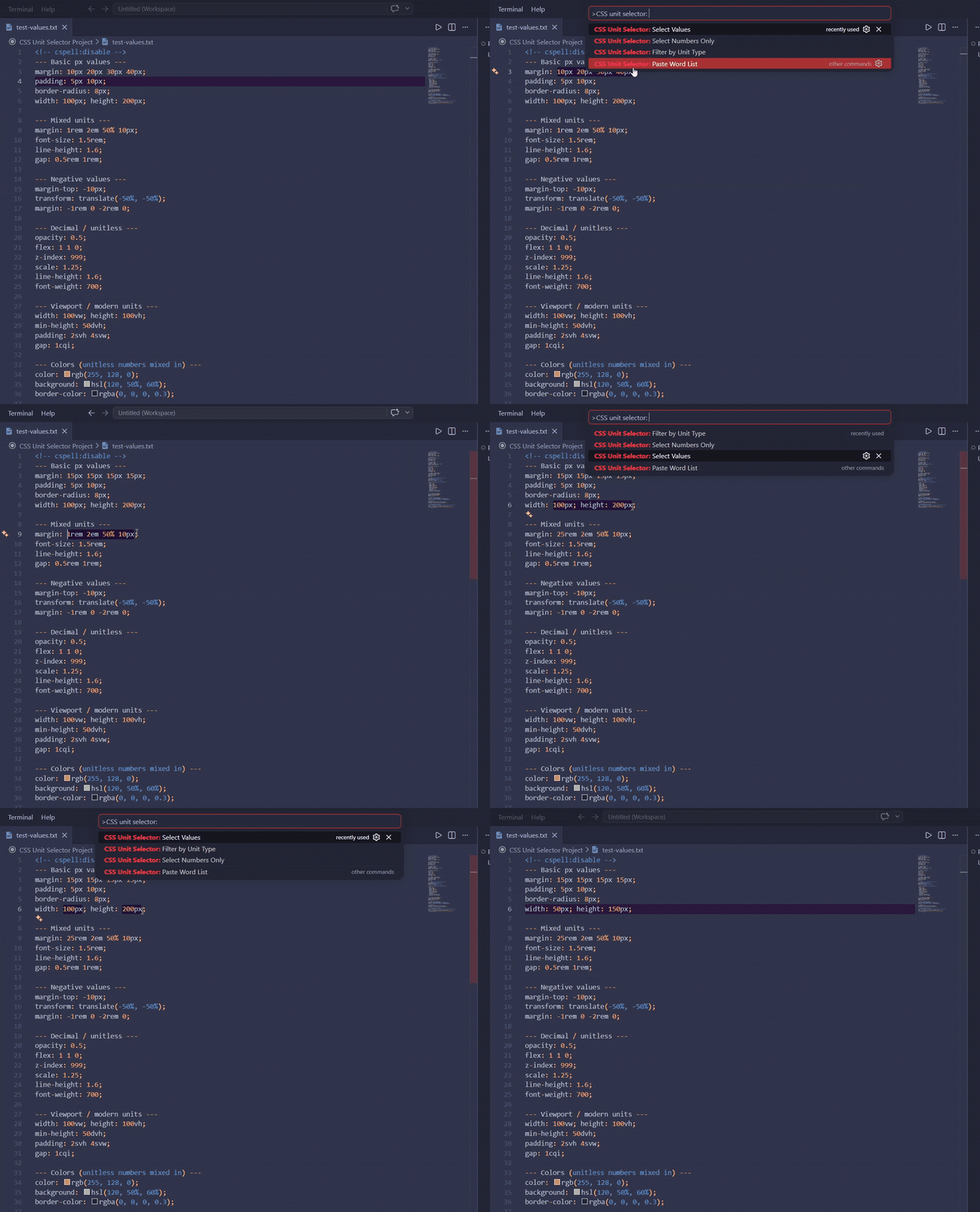
All commands operate on the currently selected text in the editor. Works in any file type: .css, .scss, .jsx, .tsx, .html, .vue, .svelte, inline styles, and more.
| Command | Description |
|---|---|
| Select Values | Multi-select each full value+unit ([10px]) |
| Select Numbers Only | Multi-select the number part only ([10]px) |
| Filter by Unit Type | QuickPick a unit type → select only matching values |
| Paste Word List | Type a space-separated word list → replace each active cursor in order |
- Select a range of text containing CSS values (e.g.
10px 20rem 0.5) - Open the Command Palette (
Ctrl+Shift+P/Cmd+Shift+P) - Run any CSS Unit Selector command
- Use any of the above commands (or other means) to create multiple cursors
- Run CSS Unit Selector: Paste Word List
- Type your words separated by spaces in the input box (e.g.
3px 4px 5px) - Each word replaces the corresponding cursor in order — excess words are ignored, excess cursors are removed
Input selection: margin: 10px 20rem 0.5;
| Command | Result |
|---|---|
| Select Values | margin: [10px] [20rem] [0.5]; |
| Select Numbers Only | margin: [10]px [20]rem [0.5]; |
Paste Word List with 3 cursors + input 3px 4px 5px:
Before: █ █ █   (3 cursors at different positions)
After:  3px 4px 5px
- No selection → shows an error notification
- Unitless numbers (
0,0.5,255) are included in all commands - Filter by Unit Type populates the QuickPick from units actually found in your selection
- Paste Word List works with any number of cursors (1+); unused trailing cursors are removed
This extension has no configurable settings.
VS Code ^1.85.0
MIT