


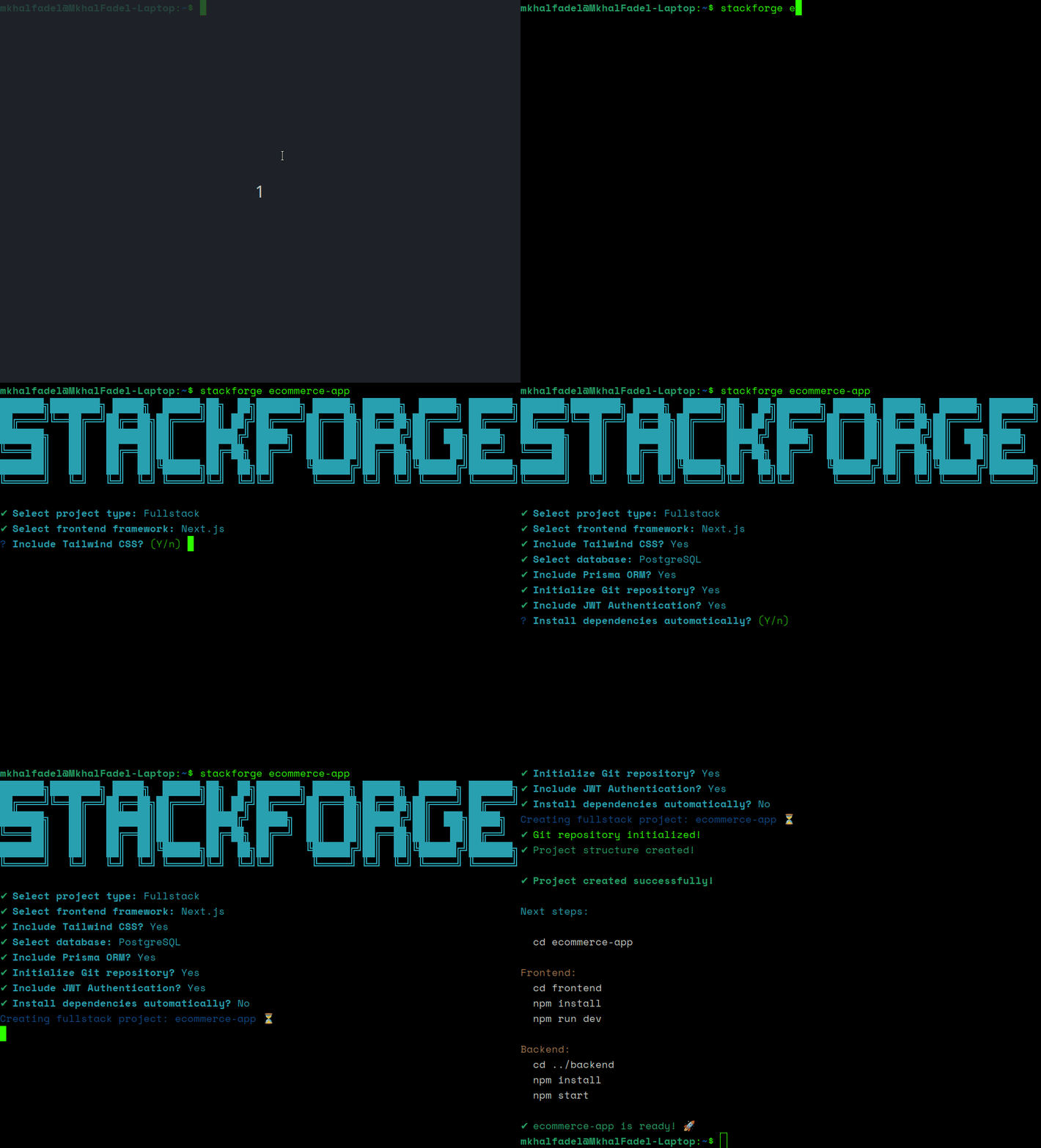
A modern fullstack project scaffolding CLI built with Node.js.
StackForge automates the setup of frontend, backend, and fullstack applications by generating production-ready project structures with optional features like authentication, database support, Tailwind CSS, Prisma ORM, and more.
Designed to improve developer workflow and eliminate repetitive project setup tasks.
- Vanilla HTML/CSS/JS
- React
- Next.js
- Express.js
- Environment configuration
- Modular architecture
Generate:
frontend/
backend/
with independent setups.
- JWT Authentication
- Prisma ORM
- Swagger/OpenAPI documentation setup for backend and fullstack projects
- MySQL Support
- PostgreSQL Support
- Tailwind CSS
- Docker support for backend and fullstack projects
- Git initialization
- ESLint setup
- Prettier setup
- Automatic dependency installation
StackForge uses a modular feature-based architecture:
src/
├── config/
├── features/
├── templates/
├── utils/
This makes the project scalable and easy to extend with future integrations.
npm install -g create-stackforge-cliVerify installation:
stackforge --helpClone the repository:
git clone https://github.com/MkhalFadel/stackforge.gitEnter the project directory:
cd stackforgeInstall dependencies:
npm installLink the CLI globally:
npm linkRun:
stackforge my-appYou will then be prompted to select:
- project type
- frontend framework
- database
- authentication
- Tailwind CSS
- Prisma ORM
- dependency installation
my-app/
├── frontend/
│   ├── src/
│   ├── public/
│   └── package.json
│
└── backend/
    ├── src/
    ├── controllers/
    ├── routes/
    ├── middleware/
    ├── .env
    ├── package.json
    ├── Dockerfile
    ├── docker-compose.yml
└── .dockerignoreWhen enabled, StackForge automatically generates:
POST /api/auth/register
POST /api/auth/login
GET  /api/auth/profile
using:
- JWT
- bcrypt
- Express middleware
Tailwind CSS can be automatically configured for:
- React
- Next.js
StackForge installs and configures Tailwind automatically during project generation.
Supported databases:
- PostgreSQL
- MySQL
Optional Prisma ORM support is also available.
StackForge can automatically generate Docker configuration files for backend and fullstack projects.
Generated files:
backend/
├── Dockerfile
├── .dockerignore
└── docker-compose.yml
Start your application with:
docker compose up --buildThe backend will be available at:
http://localhost:5000
Make sure Docker and Docker Compose are installed on your system.
Linux users may need to add themselves to the Docker group:
sudo usermod -aG docker $USER
newgrp docker
Verify the installation:
docker ps- Node.js
- Express.js
- Inquirer
- Chalk
- Ora
- Execa
- fs-extra
StackForge was built to:
- speed up project initialization
- improve developer experience
- reduce repetitive setup work
- provide scalable starter architectures
Planned features include:
- Docker support
- Swagger integration
- Testing setup
- ESLint/Prettier automation
- Socket.IO integration
- Next.js standalone fullstack mode
- Authentication improvements
- Additional frontend frameworks
Contributions, issues, and feature requests are welcome.
Feel free to fork the project and submit pull requests.
This project is licensed under the MIT License. See the LICENSE file for details.
Built by Mkhal Fadel. GitHub: https://github.com/MkhalFadel