Mermaid Preview is focused on free, local diagram previewing. Account login, cloud sync, and AI features now live in the Mermaid Chart extension.
We are the same team behind Mermaid.js, and our official extension works with the latest Mermaid version to provide support for new diagrams, enhancements and bug fixes.
Currently supported diagrams and charts:
- Flowchart
- Sequence
- Block
- Class
- Entity Relationship
- Gantt
- Mindmap
- State
- Timeline
- Gitgraph
- C4
- Sankey
- Pie chart
- Quadrant
- Requirement
- User Journey
- Sankey
- XY chart
- Kanban
- Architecture
- Packet
- Radar
Now you get a side-by-side real time preview of the mermaid diagram while editing the diagram locally. This helps the user to see the true power of a mermaid's text-based diagram, where each change in text is reflected immediately on the diagram.
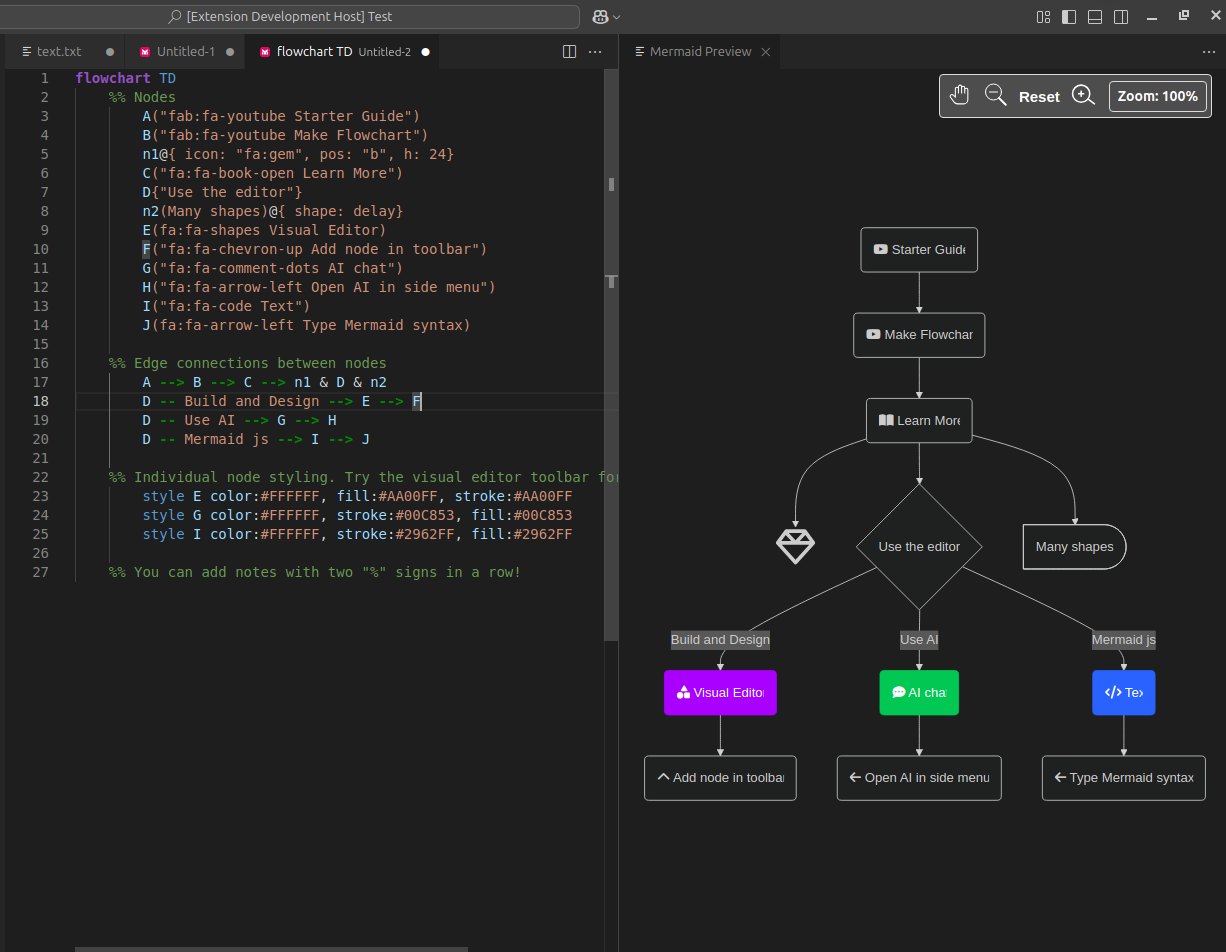
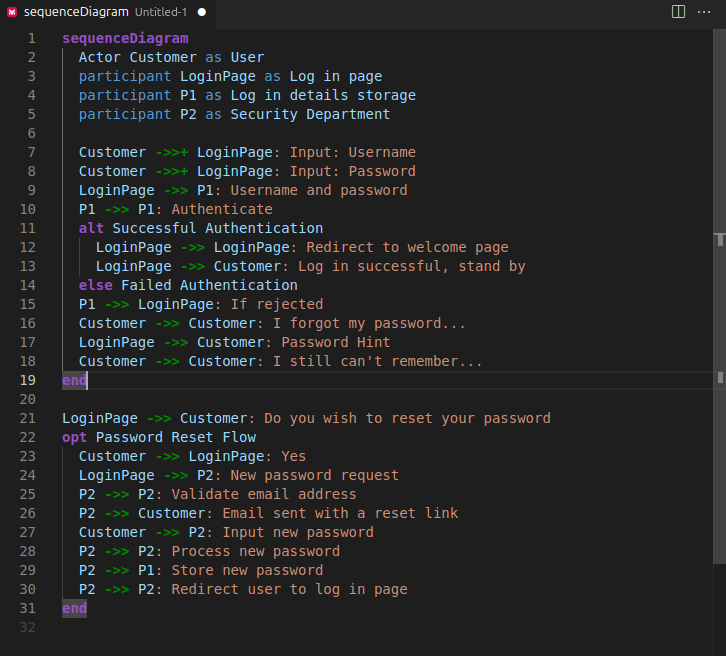
We now support syntax highlighting for all Mermaid diagrams when writing the Mermaid code. The syntax highlighting works well with the developer selected theme for VS Code.
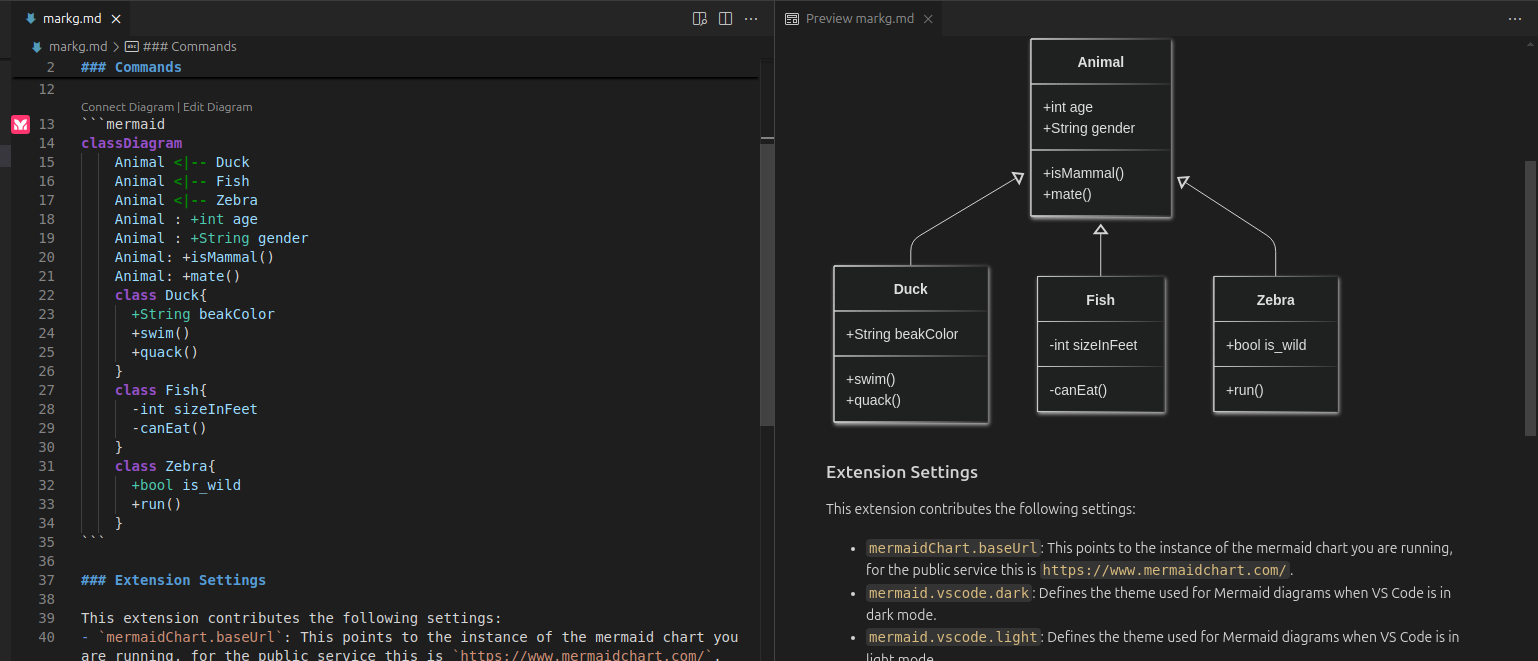
The extension also provides syntax highlighting for Mermaid diagrams embedded in Markdown files, with specific highlighting based on diagram types.
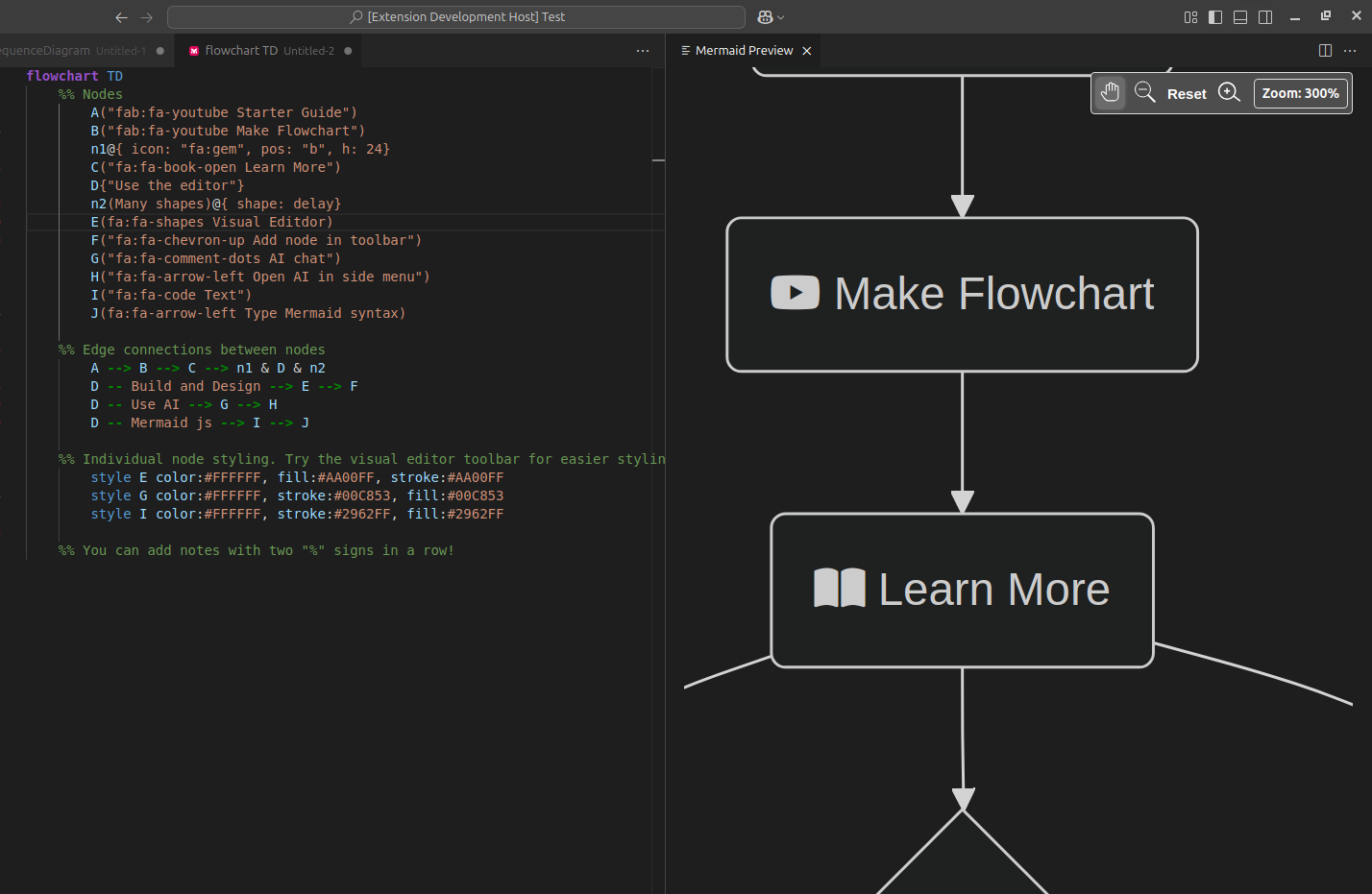
We now support Pan and Zoom for the diagram preview, where the user pan to a specific part of a large diagram, and also set different levels of zoom based on his preference. We implemented the zoom with stickiness, so that zoom levels are not changed when you edit your diagram
Users can of course use the reset option to resize the preview diagram to fit the screen.
Export your diagrams easily in both SVG and PNG formats. This makes it simple to:
- Include diagrams in documentation
- Share with team members
- Use in presentations
- Version control your diagram assets
The exported files maintain high quality and can be used across different platforms and tools.

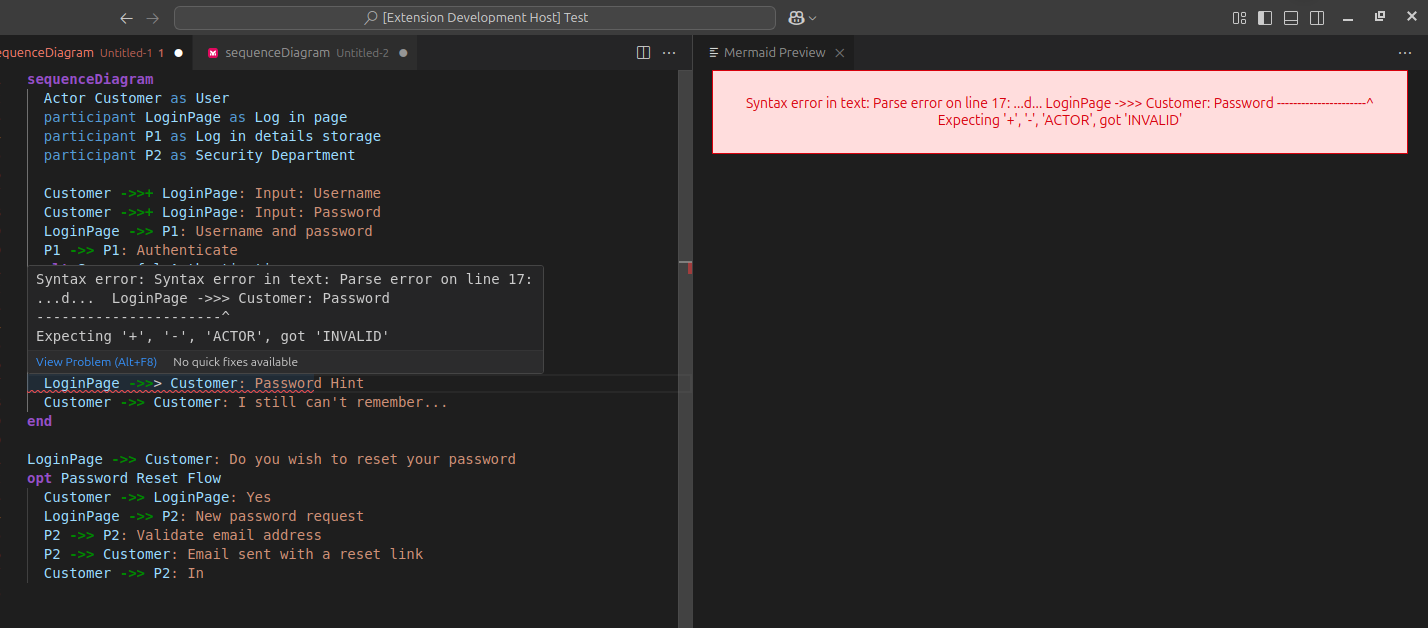
While writing the mermaid code, if you encounter syntax errors, the extension highlights the syntax error with an error message, and also indicates which line in the code might be causing the error. This helps the user to locate and fix the error.
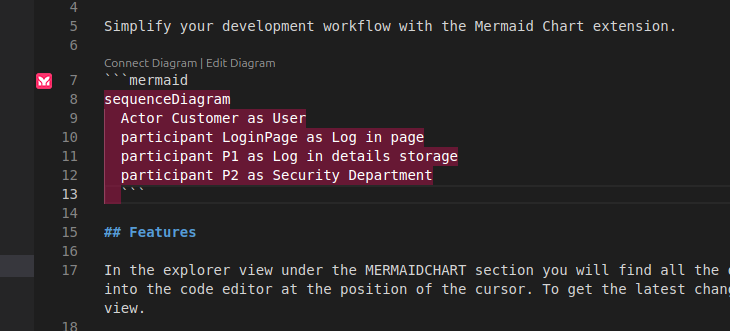
The extension automatically detects mermaid diagrams in the markdown files using the mermaid code block.
This gives a unique opportunity for the users, they can now preview and edit the diagrams by clicking the edit diagram link directly from within the markdown file.
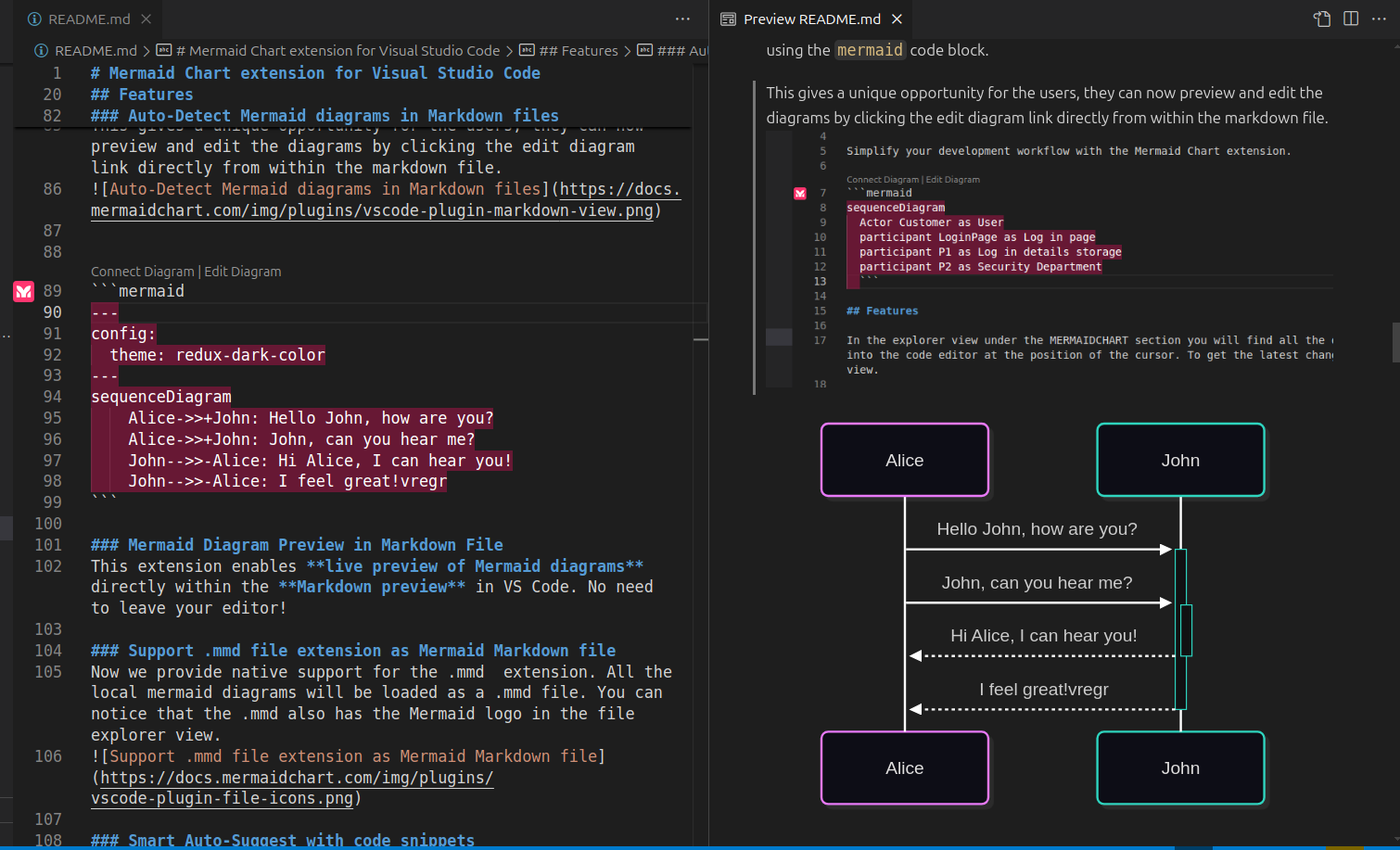
This extension enables live preview of Mermaid diagrams directly within the Markdown preview in VS Code. No need to leave your editor!
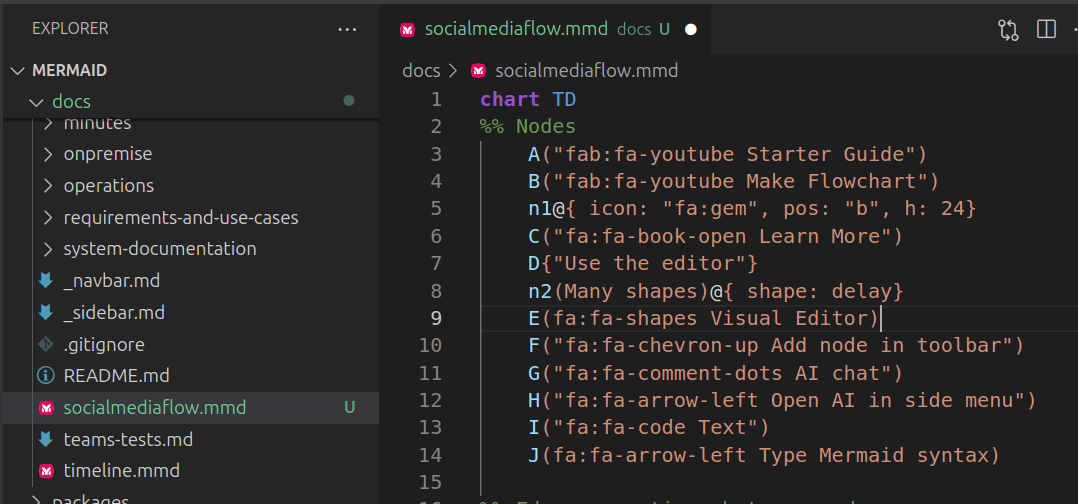
Now we provide native support for the .mmd extension. All the local mermaid diagrams will be loaded as a .mmd file. You can notice that the .mmd also has the Mermaid logo in the file explorer view.
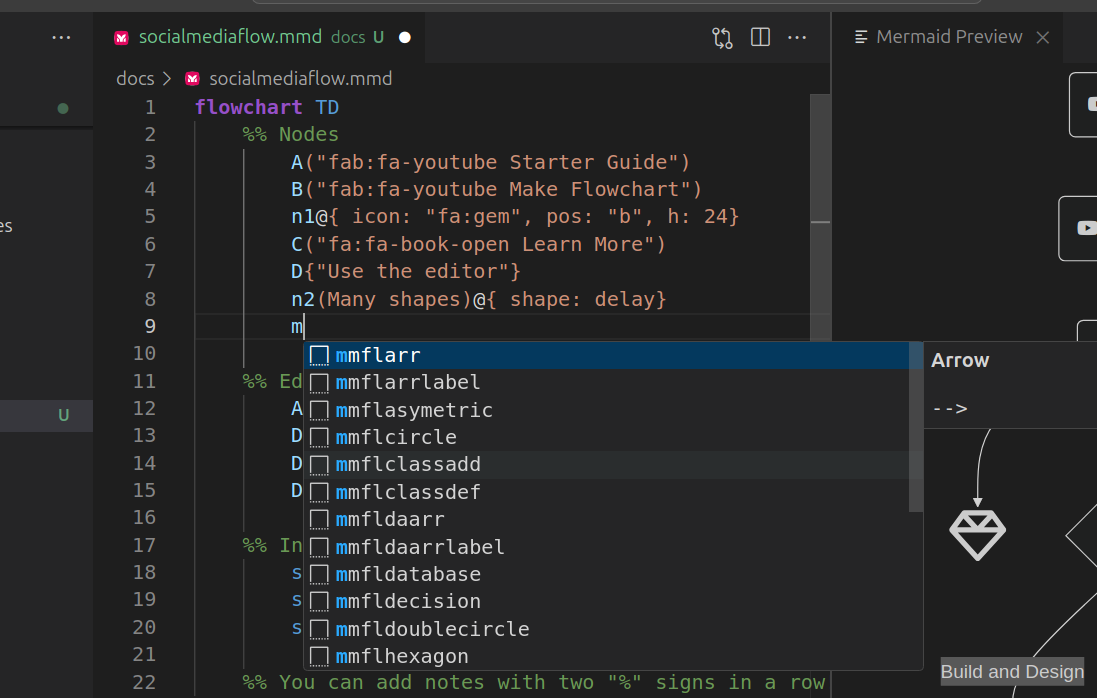
Now based on the diagram type auto suggestions for code snippets will be triggered on type of "m", and it will start showing relevant code snippets shorthand, that once selected, will expand to the proper code snippet.
If you get stuck with a diagram's syntax or want to learn about other features for a given diagram, now you can directly access the respective diagram's detailed documentation on the official mermaid.js docs.

| Command | Description |
|---|---|
| Mermaid Preview: Create Diagram | Creates a new Mermaid diagram in the editor. |
| Mermaid Preview: Preview Diagram | Opens a preview of the selected Mermaid diagram within the editor. |
| Mermaid Preview: Diagram help | Opens the official Mermaid documentation for the current diagram type. |
| Mermaid Preview: Settings | Opens the settings section in the Mermaid Preview sidebar. |
| Mermaid Preview: Reload | Reloads the Mermaid Preview sidebar. |
This extension contributes the following settings:
mermaid.vscode.dark_theme: Defines the theme used for Mermaid diagrams when VS Code is in dark mode.mermaid.vscode.light_theme: Defines the theme used for Mermaid diagrams when VS Code is in light mode.mermaid.vscode.max_Zoom: Maximum zoom level for diagrams, as a multiple of 100%. A value of5means 500%.mermaid.vscode.max_CharLength: Maximum number of characters allowed in a diagram's source.mermaid.vscode.max_Edges: Maximum number of edges allowed in a diagram's source.preview.mermaid.enableTelemetry: Allow Mermaid Preview to send anonymous preview failure analytics. Turn this off to stop all analytics. VS Code's own telemetry setting must also be enabled.preview.mermaid.showFeaturePopups: Show notifications when a feature has moved to the Mermaid Chart extension.preview.mermaid.baseUrl: Base URL used for extension usage analytics.
Mermaid Preview is now focused on free, local diagram previewing.
- Live Mermaid preview with pan, zoom, and reset
- PNG and SVG export
- Mermaid rendering in Markdown preview
- Syntax highlighting, snippets, diagram templates, and Diagram help
- Local sidebar home and settings
- Login and logout
- Cloud Sync, Connect, and Link Diagram workflows
- Mermaid Chart project and diagram browsing
- AI chat and diagram regeneration
The removed commands now show a notice instead of running their old cloud flows. Users who need account, cloud, or AI features can install the Mermaid Chart extension.
- Enhanced Sidebar Layout to Improve User Guidance
- Added export functionality for SVG and PNG formats
- Added support for additional icon packs:
- Logos (from iconify-json/logos)
- Material Design Icons (MDI)
- Added syntax highlighting for markdown mermaid blocks based on diagram types
- Performance improvements and bug fixes
- Added configurable maximum zoom level setting
- Added settings for maximum text size and edges in diagrams
- Refined authentication behavior to remove unnecessary login prompts and Account badge indicators, ensuring a less intrusive experience.
New General Features
- Real-Time Local Edit & Preview
- Syntax Highlight for all Mermaid diagrams
- Pan & Zoom for diagram preview
- Error Highlighting
- Auto-detech
.mmdfile extension - Handle Mermaid diagram in Markdown files
- Support for Code Snippets
- Diagram Help to link directly to official documentation
- New features for LoggedIn Users
- Smart sync & Save
- Refresh diagram
- Dependency Update
- Upgraded to latest Mermaid version
v11.4.1 - Added OAuth support for the MermaidChart.
- Added AI-powered diagramming capabilities
- Introduced AI chat participant with
@mermaid-chartcommand - Added smart diagram regeneration based on source file changes
- Added three specialized AI tools for improved Mermaid diagramming:
- Syntax Documentation Tool: Provides instant access to detailed diagram syntax guides
- Diagram Validation Tool: Ensures correct syntax before rendering diagrams
- Diagram Preview Tool: Streamlined visualization of Mermaid diagrams
- Enhanced VS Code Agent Mode with dedicated Mermaid tools for improved accuracy
- Improved AI chat participant capabilities with documentation-powered responses
- Better integration with GitHub Copilot Chat for more reliable diagram generation
- Added support to render Mermaid diagrams directly in the VS Code Markdown preview, replacing the raw Mermaid code blocks
- Added support for redux-color & redux-dark-color theme
- upgraded mermaid to version
9.1.2
- upgraded mermaid to version
8.10.2
- pinned parcel-bundler
- updated publish workflow
- support for mermaid metadata in structured field values format
- upgraded mermaid version
8.9.1
- upgraded mermaid version
8.8.3
- added
minimapsetting documentation - upgraded mermaid version
8.8.0
- removed
lodashdependency
- switched from using hardcoded
vscode-resourcescheme toWebview.asWebviewUri
- updated mermaid
- fixed the fixed azure devops regex
- fixed azure devops regex
- added configuration for controlling minimap visibility
- added support for azure devops
- fixed parse crash #91
- added support form state diagrams and pie charts via mermaid@8.4
- publish workflow with actions
- bring font-awesome icon handling on par with mermaid online editor
- improved rendering customization/theme handling
- added configuration options
- new preview app running in webview
- added preview app to publishing pipeline
- removed travis
- remove mermaid processing in builtin markdown previewer
- updated mermaid (8.2.2)
- updated mermaid
- added pipeline for publish on tag
- added zoom and pan
- center vertically graph diagrams
- added extension pack containing: syntax highlighting
- fixed peer dependencies
- transitioned from htmlPreview to webview
- rerender on configuration change
- apply user provided custom theme
- added link to mermaid website.
- fixed loop text style in sequence diagrams
- updated mermaid 8.0.0-rc8
- added sphinx directive support
- added hugo shortcodes support
- added Mermaid language contribution
- added a minimap of the diagram
- flowcharts can be scrolled horisontally if diagram wider than pane
- reverted pan and zoom as is not working well on retina displays
- added pan and zoom support for the rendered diagram
- Support for standalone Mermaid files .mmd iiska
- added preliminary support for previewing mermaid diagrams into default markdown previewer
- fixed theme selection using new mermaid api
- updated mermaid dependency v7.1.0
- updated mermaid dependency v7.0.17
- updated mermaid dependency v7.0.4
- Added FontAwesome (4.7) support
- Convert mermaid resource path to a file URL for OS compatibility FrodgE
- update dependencies to mermaid 7.0.0
- made arrowhead fix a configuration extension.
- fixed #13
- render arrowheads (#2)
- added support for dark theme
- throttle preview update
- added support for diagrams inside markdown fenced block
- added diagram customization
- preview diagram (light theme)