Enforce modern web standards before they hit production.
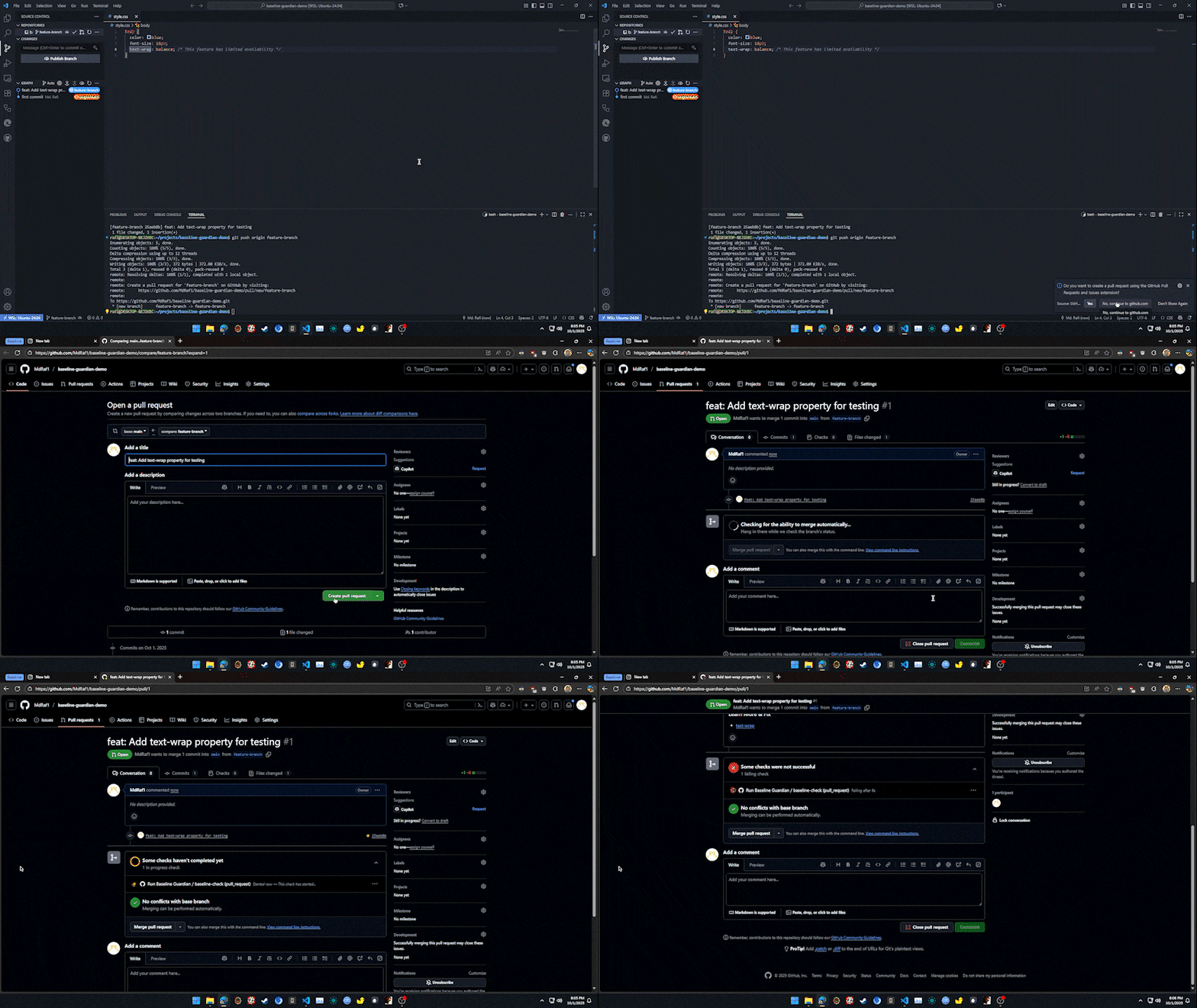
Linters and IDE extensions do a decent job of flagging cutting-edge web features, but they are optional nudges that disappear the moment a developer is on a tight deadline. Without an enforceable check, it's easy for an unsupported CSS or JavaScript feature to slip into a pull request. When that happens, teams ship regressions that manifest as broken layouts, missing interactions, and a degraded experience for anyone on the wrong browser. Baseline Guardian turns compatibility awareness into a fail-safe. By plugging straight into your CI/CD pipeline, it promotes compatibility from a best-effort suggestion to a strict team policy that every pull request must satisfy.
- Scans Pull Requests: Automatically triggers on every pull request to scan changed CSS files.
- Checks Baseline Data: Cross-references all CSS properties found against the official
web-featuresdataset to determine their Baseline status (widely available,newly available, orlimited availability). - Enforces Team Policy: Validates these statuses against a simple
.baseline-guardian.ymlpolicy file located in the root of your repository. - Reports in the PR: If any violations are found, it posts a clear, actionable comment directly on the pull request, listing the non-compliant features with direct links to their MDN documentation.
Create .github/workflows/baseline-guardian.yml with the workflow below.
# .github/workflows/baseline-guardian.yml
name: 'Baseline Guardian'

on:
  pull_request:
    types: [opened, synchronize]

permissions:
  contents: read
  pull-requests: write
  checks: write

jobs:
  run-guardian:
    name: Run Baseline Guardian
    runs-on: ubuntu-latest
    steps:
      - name: Checkout code
        uses: actions/checkout@v4

      - name: Run Baseline Guardian
        uses: MdRaf1/baseline-guardian@v1.0.0
        with:
token: ${{ secrets.GITHUB_TOKEN }}Add a .baseline-guardian.yml file to the root of your repository.
# .baseline-guardian.yml
# Fail the check if any 'newly available' features are used.
# Warn about any 'limited availability' features.
policy:
  newly_available: fail
limited_availability: warnTweak Baseline Guardian by editing .baseline-guardian.yml. Use the commented template below as a guide.
# .baseline-guardian.yml

# Define the action to take for each Baseline status level.
# Options are:
# 'fail': Exits with a failure code, blocking the PR (if branch protection is enabled).
# 'warn': Exits with a success code but still posts a comment listing the features.
# 'ignore': Takes no action for features with this status.
policy:
  newly_available: fail
  limited_availability: warn

# A list of specific web features to ignore during scans.
# This is useful for features you are polyfilling or have otherwise approved for use.
# Feature IDs must match the format used by the 'web-features' package.
ignore_features:
  - 'css.properties.view-transition-name'
- 'css.selectors.:has'To set up the development environment, clone the repository and run npm install. You can then run npm run build to compile the TypeScript source.
Contributions are welcome! Please feel free to open an issue or submit a pull request.
This project is licensed under the MIT License — see the LICENSE file for details.