
A drop-in React single-page admin for any Django 5+ project. Same
pip install, same INSTALLED_APPS, same urls.py include() — and
your ModelAdmin classes drive everything. No React code on your side.
# settings.py
INSTALLED_APPS = [
    # ...
    "django.contrib.admin",
    "django_admin_react",   # the React SPA — includes the JSON API for you
]

# urls.py
urlpatterns = [
    path("admin/",       admin.site.urls),
    path("admin-react/", include("django_admin_react.urls")),  # SPA + API in one include
]
One INSTALLED_APPS line + one URL include is the entire integration. pip install django-admin-react transitively pulls in the JSON API and the MCP adapter; django_admin_react.urls includes the API endpoints at <mount>/api/v1/…, so the SPA finds its wire surface with zero configuration. (Mount the API a second time at your own prefix only if a non-SPA client also needs it.)
Production / Stable. Available on PyPI; the SPA + the API (
django-admin-rest-api)
- the MCP adapter (
django-admin-mcp-api) all share the v1 wire contract. Track progress on the Project board and the Issues list.
The project is split into three independently-published, cross-referenced repos so each piece can be consumed on its own merits:
| Repo | PyPI | Role |
|---|---|---|
django-admin-rest-api |
django-admin-rest-api |
The JSON REST API for the Django admin — same permissions, same ModelAdmin, no new features. The wire surface. |
django-admin-react (this repo) |
django-admin-react |
The React SPA frontend. A super-layer that depends on django-admin-rest-api for every wire call. |
django-admin-mcp-api |
django-admin-mcp-api |
Wire-protocol-only MCP adapter (call, manifest, …) over django-admin-rest-api — lets agents reach the same ModelAdmin-driven REST surface, no new functionality / permissions / validation. |
The wire contract itself lives in the API repo (docs/api-contract.md there). This README is about the SPA. The migration from "self-contained" to the 3-repo split is tracked in META #544.
The Django admin is a 20-year-old hypertext app: full-page reloads,
mid-2000s aesthetics, no real mobile support, no client-side state.
It is also the most powerful piece of Django: ModelAdmin already
encodes your permissions, querysets, forms, fieldsets, search,
ordering, and inlines.
django-admin-react keeps every line of ModelAdmin you already
have and replaces only the UI:
| What you write | What the React SPA does with it |
|---|---|
list_display |
Renders columns in a virtualised, sortable, mobile-collapsing table. |
search_fields |
Renders a search bar that hits get_search_results verbatim. |
list_filter |
Renders a sidebar drawer (desktop) / bottom-sheet (mobile) + filter chips. |
date_hierarchy |
Renders a year → month → day drill-down strip. |
list_editable / list_per_page |
Renders inline-editable cells + paginated list with deep links. |
actions |
Renders a bulk-actions menu wired to the same ModelAdmin.actions. |
fieldsets / readonly_fields |
Renders the detail form respecting groups + read-only rules. |
autocomplete_fields |
Renders type-ahead pickers that hit <model>/autocomplete/?q=…. |
inlines = [TabularInline, ...] |
Renders inlines as tables / card stacks alongside the parent. |
has_*_permission |
Hides Add / Save / Delete buttons accordingly; never invents a permission. |
get_queryset(request) |
Every list, search, and detail lookup starts here. Never Model.objects.all(). |
The SPA is metadata-driven — it learns your models, fields, and
permissions at runtime from GET /api/v1/registry/. Add a new
ModelAdmin and refresh; no rebuild, no codegen.
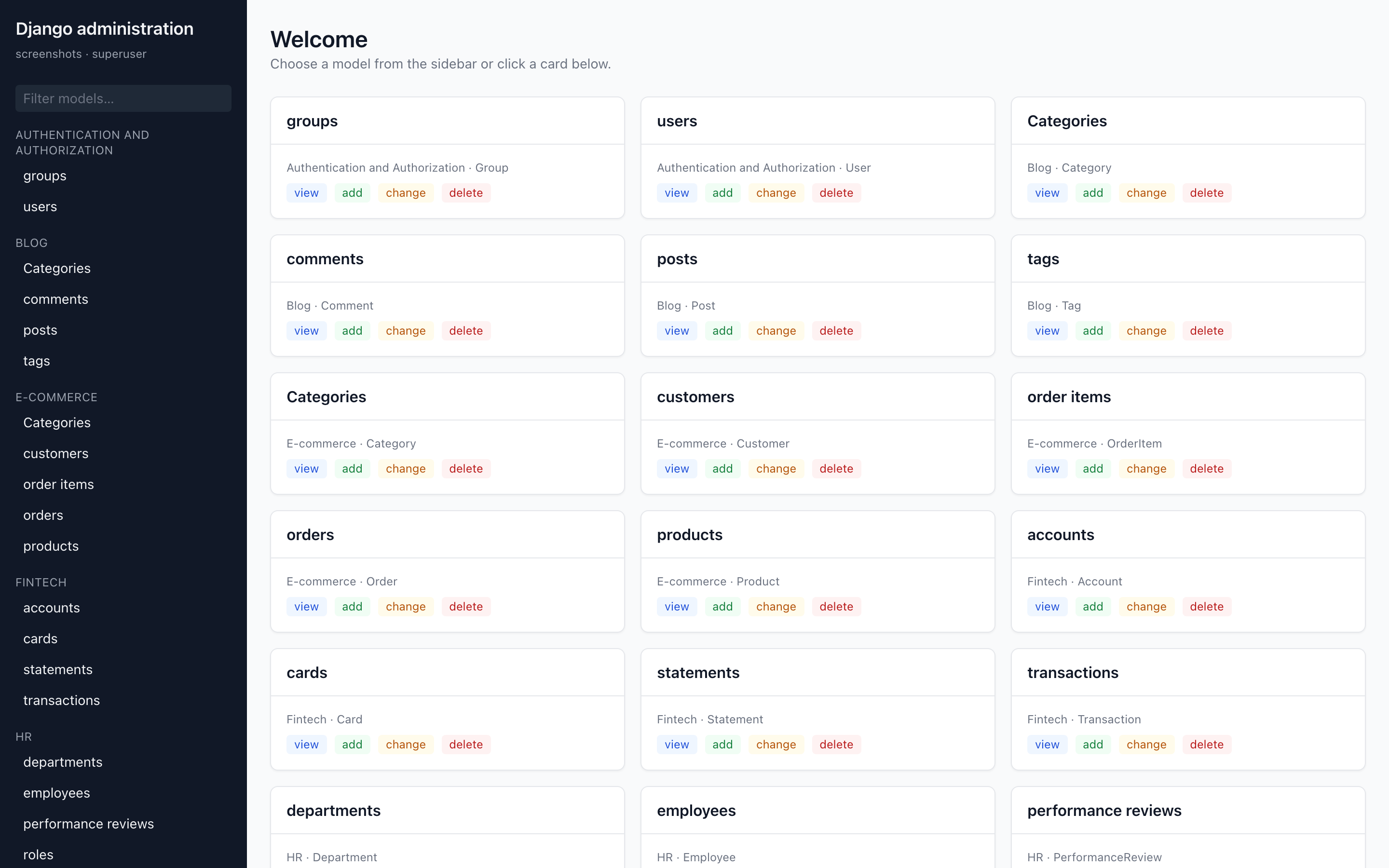
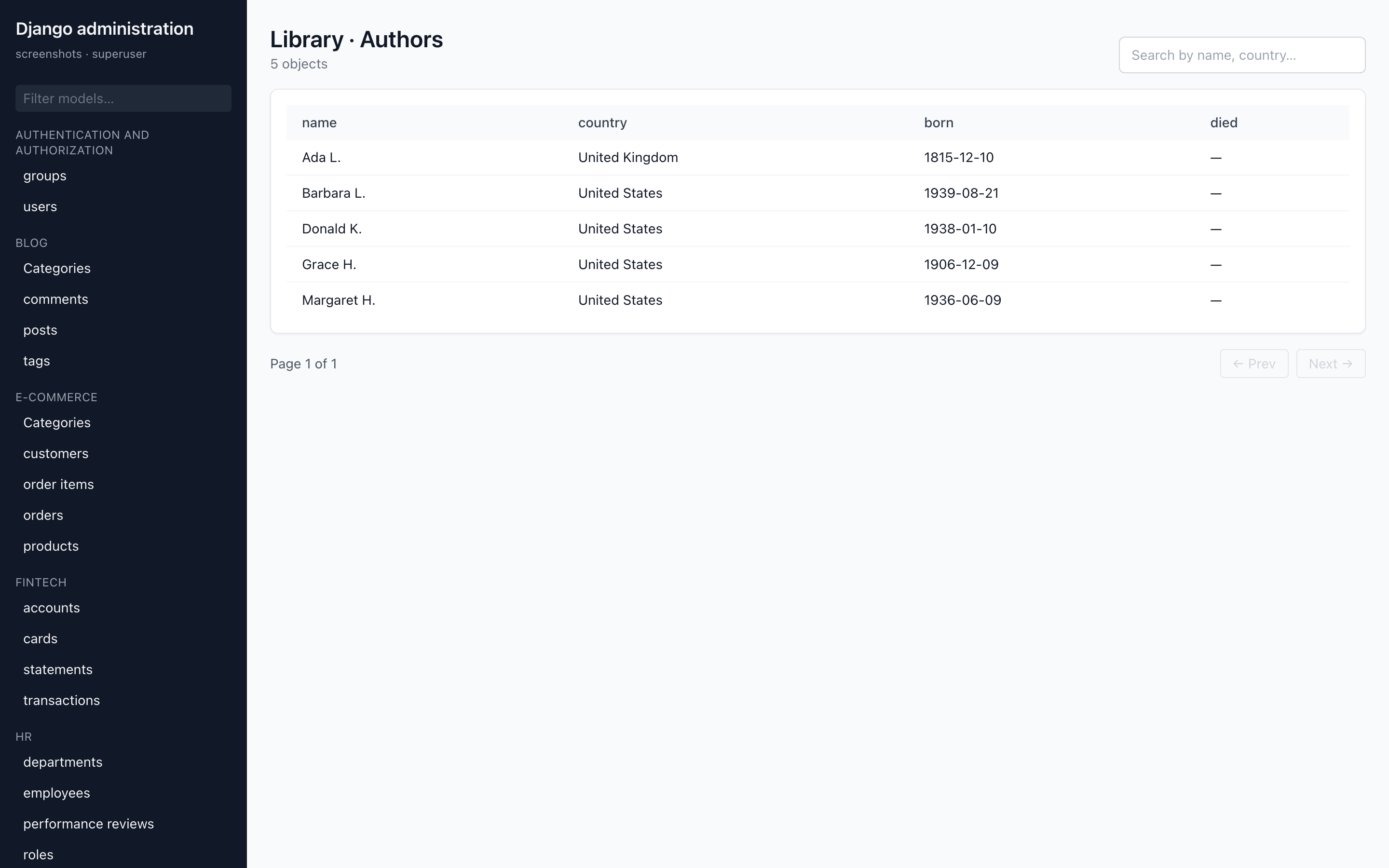
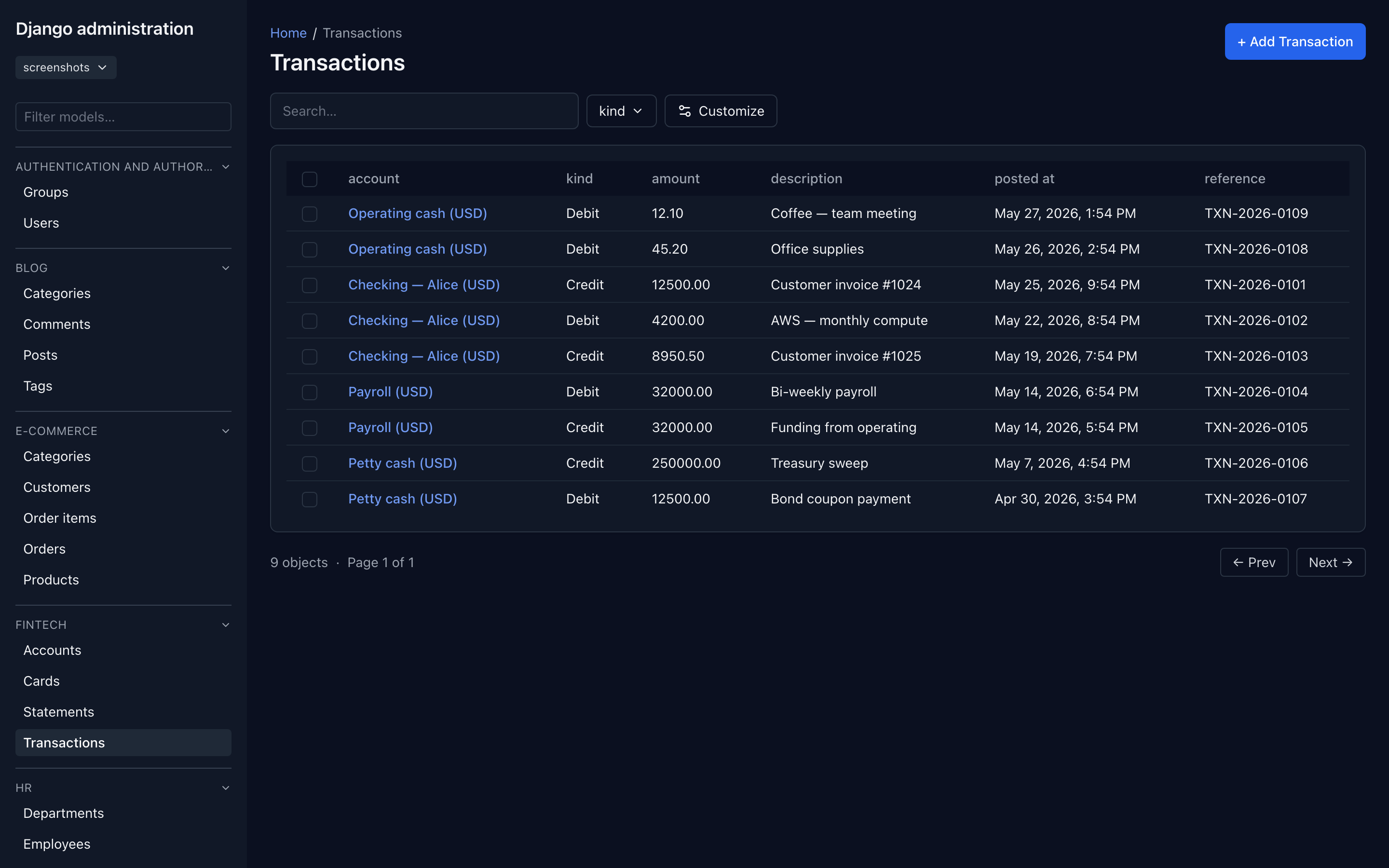
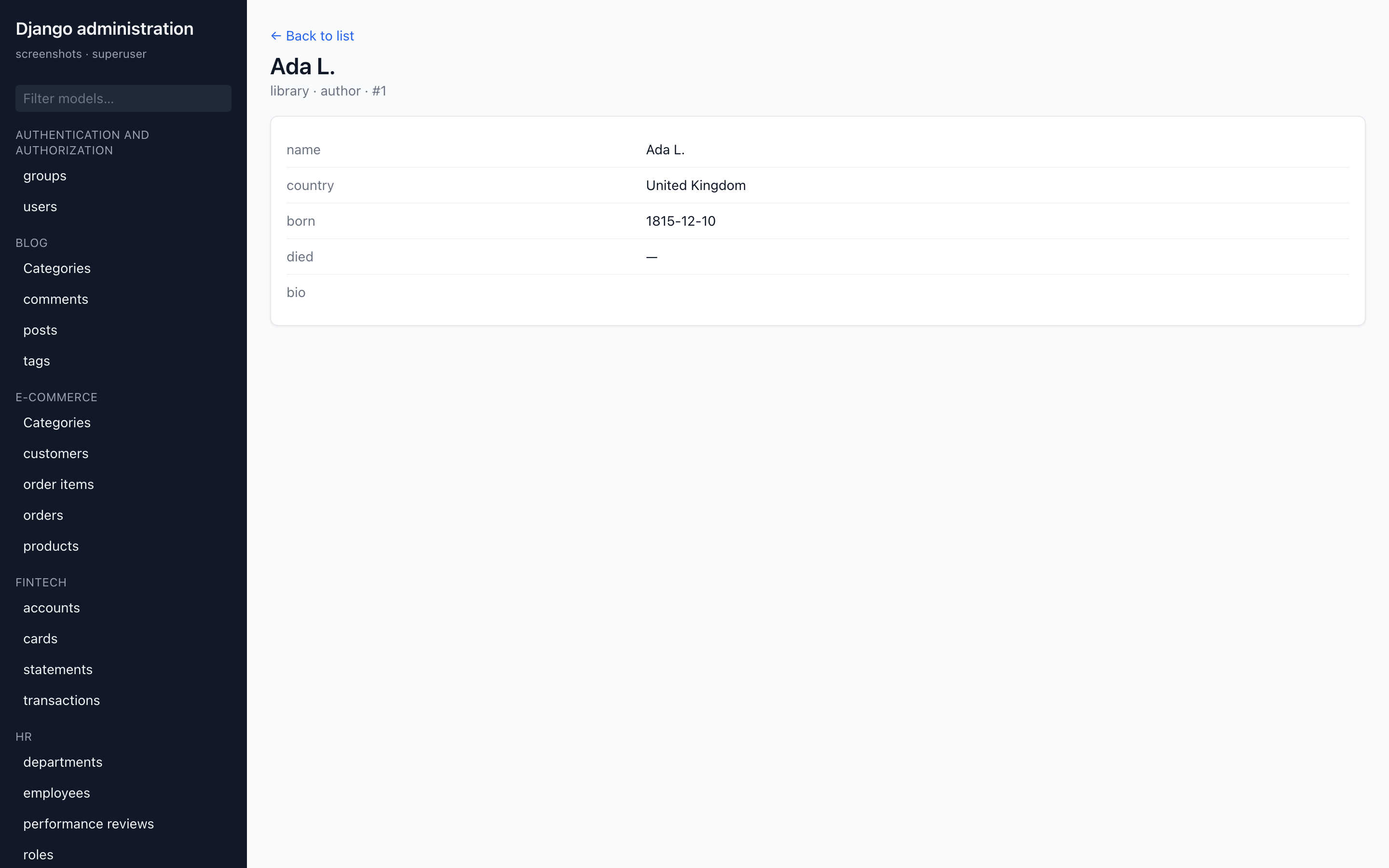
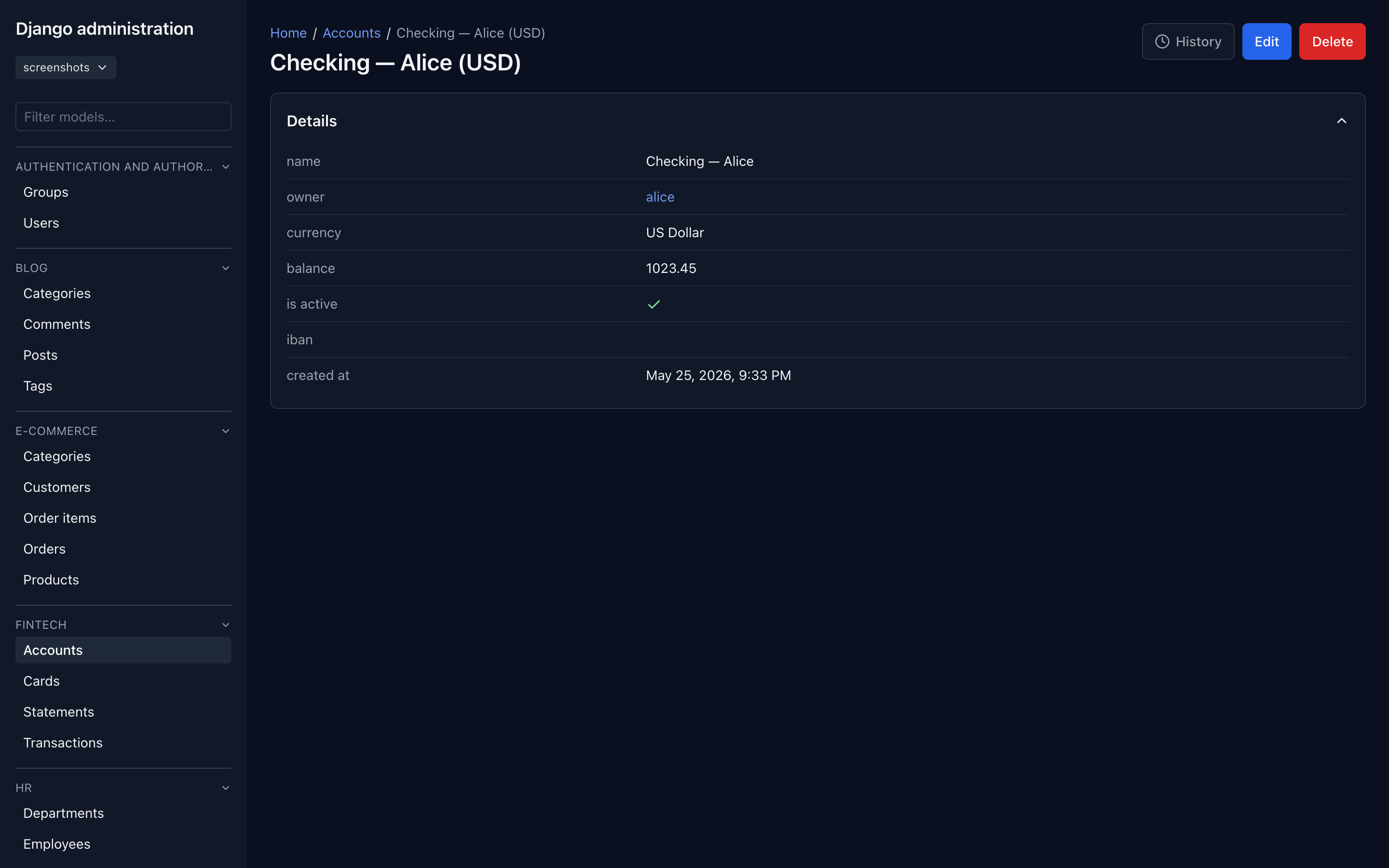
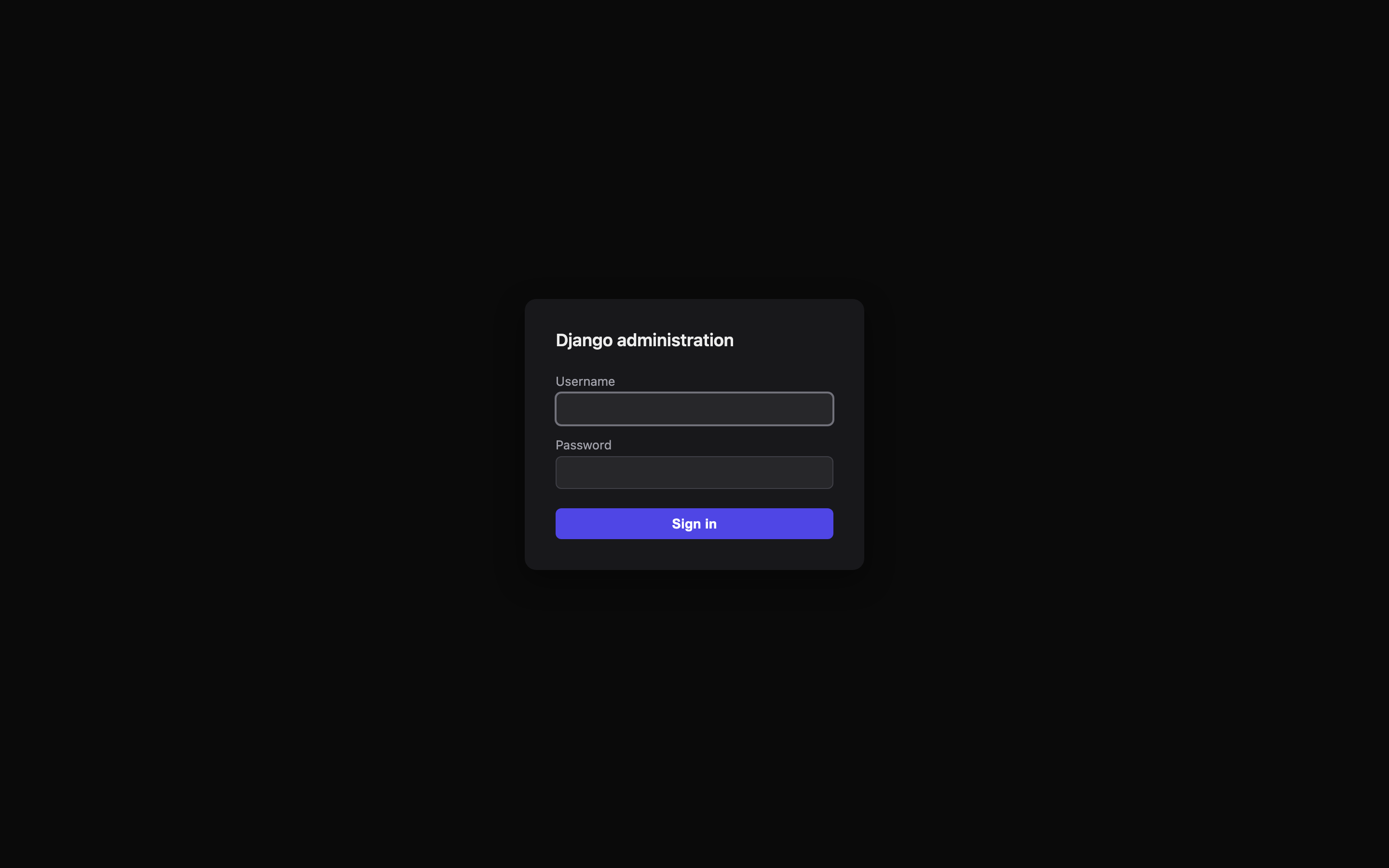
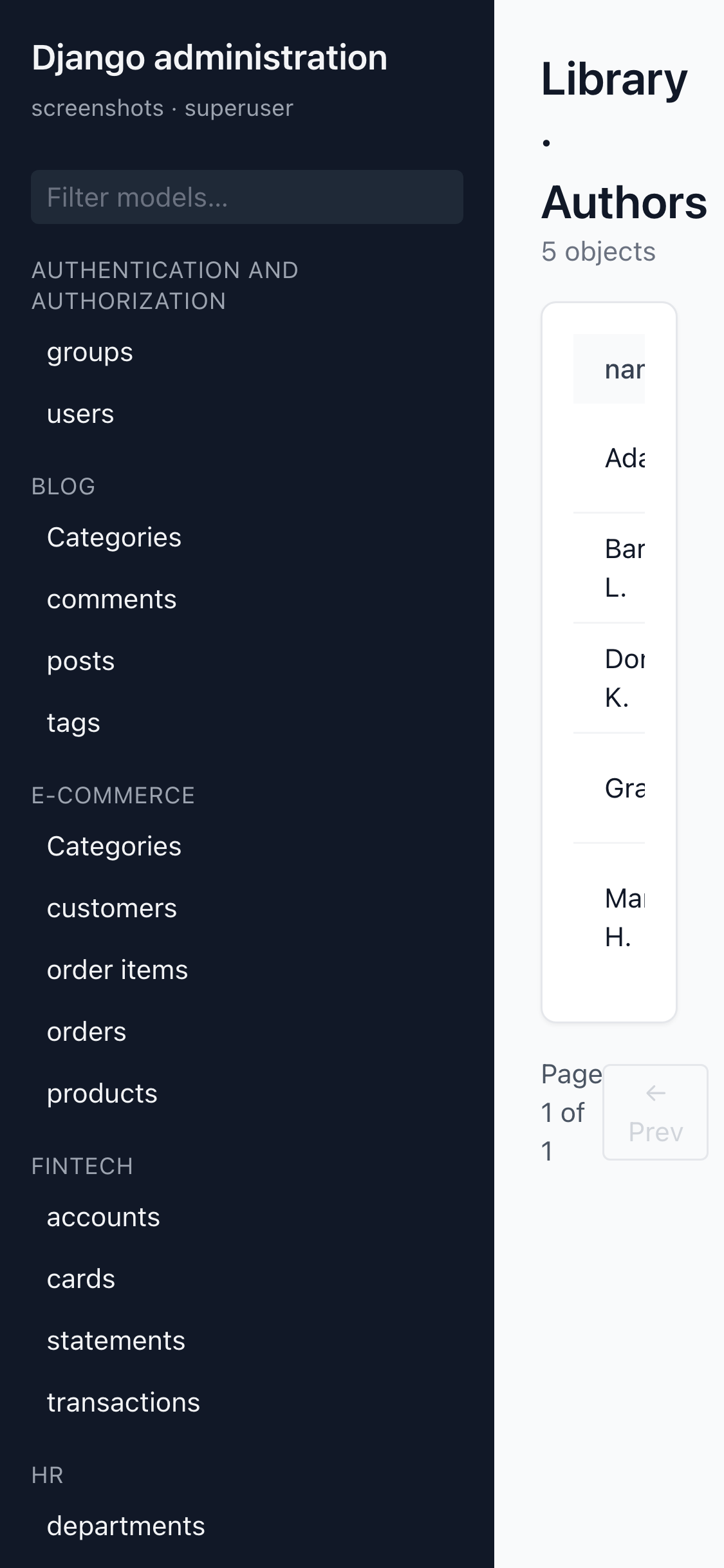
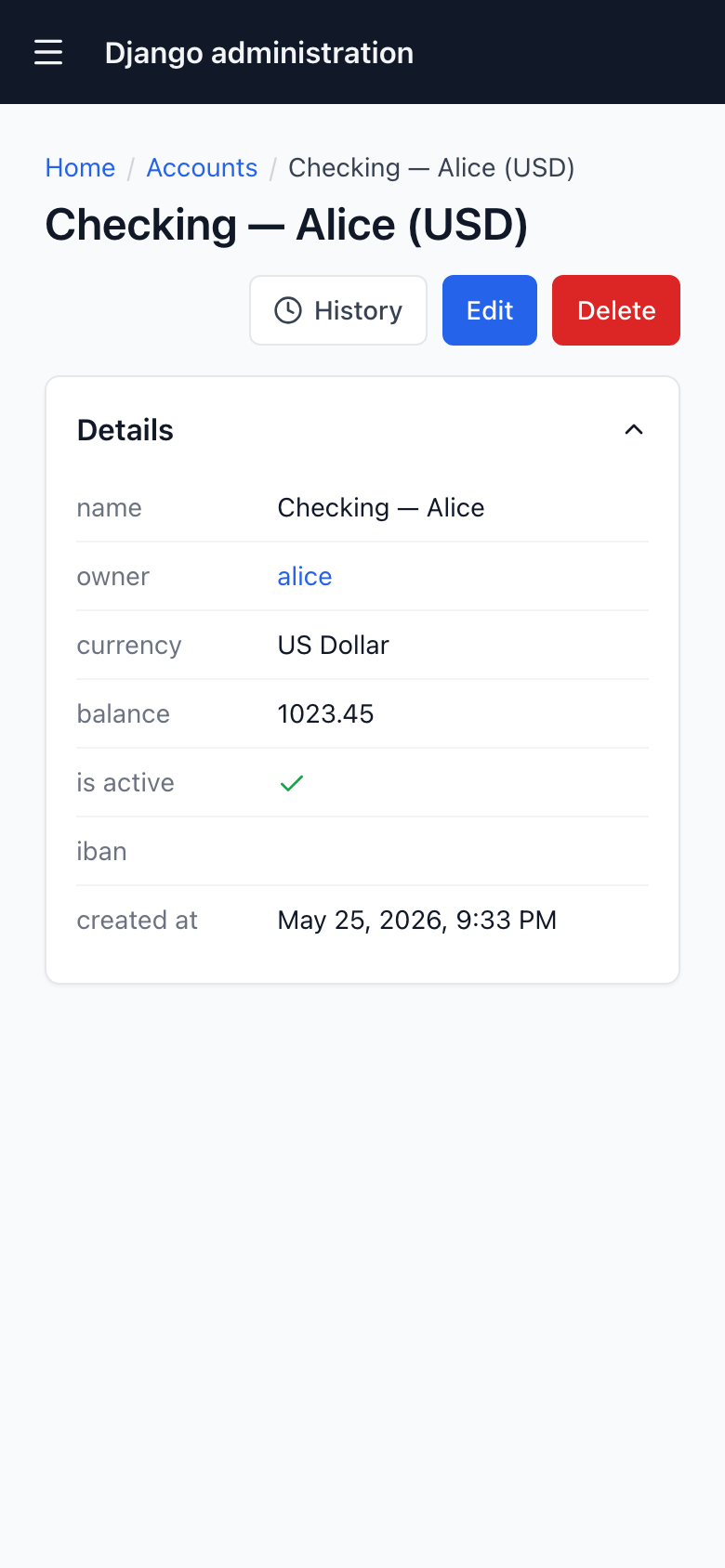
Real captures of the django-admin-react SPA rendering the bundled
examples/ apps — driven entirely by each app's ModelAdmin.
| Registry / home (dark) | List view — list_display + filters + actions |
|---|---|
 |
 |
| List view (dark) | Detail view |
|---|---|
 |
 |
| Detail view (dark) | Sign in (package login) |
|---|---|
 |
 |
| Mobile list (cards) | Mobile detail (stacked fieldsets) |
|---|---|
 |
 |
The SPA is one consumer of the wire format. The same JSON powers the React app, the MCP layer, and any client you write:
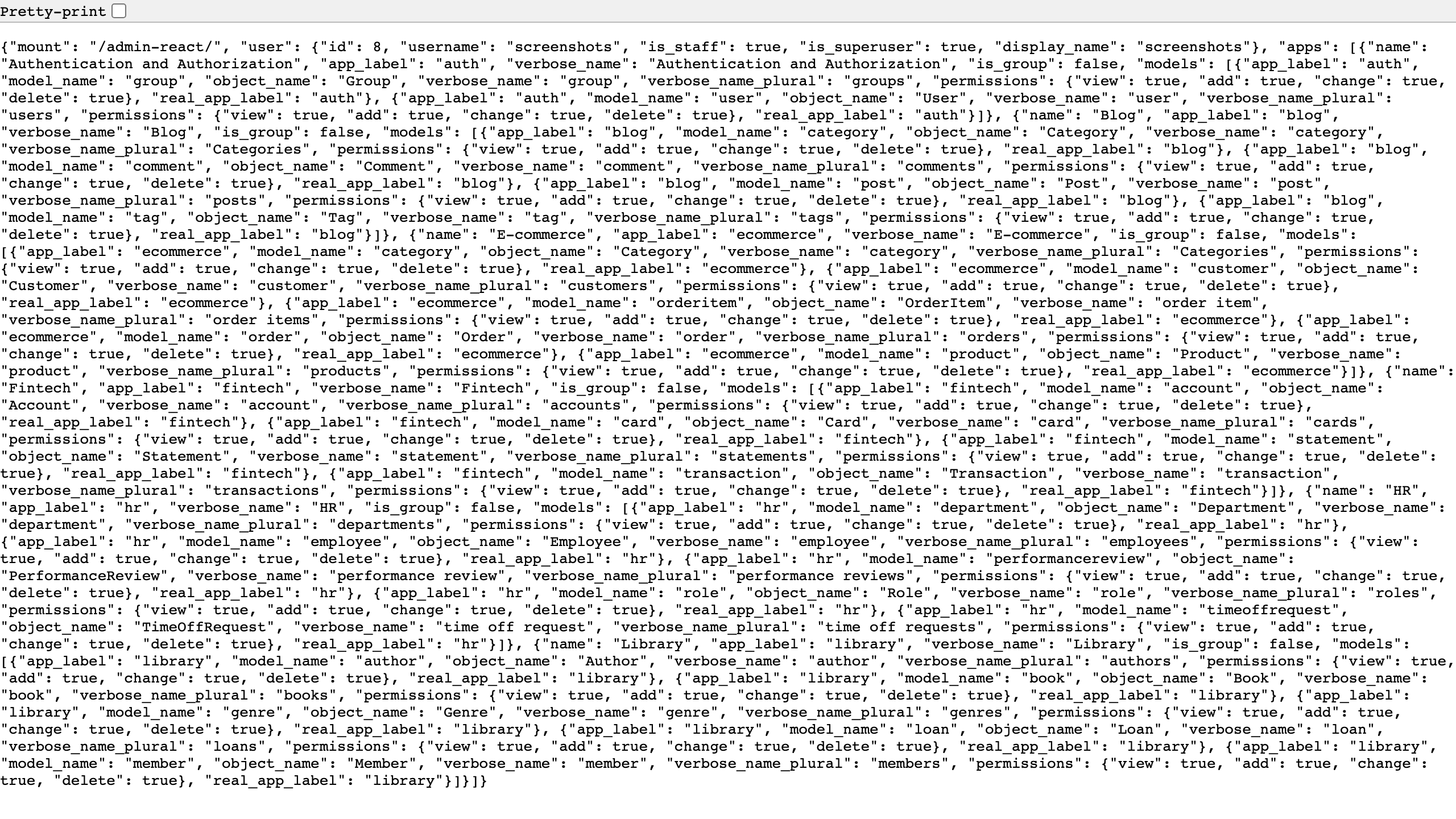
Screenshots are captured deterministically against the
examples/ apps' fixtures — no real names, emails,
account numbers, or PII.
pip install django-admin-reactThis pulls in the JSON API (django-admin-rest-api)
and the MCP adapter (django-admin-mcp-api)
as transitive dependencies. The two-line INSTALLED_APPS + one-line
URL include at the top of this README is the entire integration.
Mount at any prefix you like — /admin-react/, /staff/,
/back-office/ — just don't collide with django.contrib.admin's
own mount.
Log in as a staff user → modern, Tailwind-styled SPA driven by your
existing ModelAdmin classes.
The wheel ships the pre-built React bundle. You do not need Node, pnpm, or any frontend toolchain to install or run.
All settings are optional. Defaults shown:
DJANGO_ADMIN_REACT = {
    "ADMIN_SITE": "django.contrib.admin.site",   # dotted path to AdminSite instance
    "DEFAULT_PAGE_SIZE": 25,    # fallback only; the list page size derives
                                # from ModelAdmin.list_per_page (Django parity).
    "MAX_PAGE_SIZE": 200,
    "ENABLE_PROFILING": False,

    # Branding — all optional. The defaults derive from your AdminSite
    # (site_header / site_title / site_logo), so if you already branded
    # the HTML admin you need nothing here. Rendered server-side into the
    # SPA shell, so title + favicon are present on first paint (no FOUC).
    "BRAND_TITLE": None,        # str | None — override for BOTH brand strings.
    "BRAND_LOGO_URL": None,     # str | None — favicon + sidebar logo;
                                # falls back to AdminSite.site_logo. Absolute
                                # URL or a path under your STATIC_URL.
    "PRIMARY_COLOR": None,      # accent for primary buttons, links, and
                                # active states (#437 / #631). Hex only
                                # (validated). None → reads
                                # `site_primary_color` off your AdminSite;
                                # fallback default is "#2563eb". Injected
                                # as the --dar-primary CSS var, so
                                # rebranding needs no React rebuild.

    # Auth + API mount
    "REACT_LOGIN": True,        # bool — React-rendered login is the default;
                                # the SPA shell is served to anonymous users
                                # and posts to /api/v1/login/. Set False to
                                # opt back into the legacy admin HTML login.
    "API_URL_PREFIX": None,     # str | None — point the SPA at a separately-
                                # mounted django-admin-rest-api (e.g.
                                # "/api/api/v1/"). Default None keeps the
                                # inline include the package ships today.
}Both default to None and derive from your AdminSite, mirroring
Django admin — so if you already customised the HTML admin's branding,
you need no settings here at all.
Sidebar header resolution:
DJANGO_ADMIN_REACT["BRAND_TITLE"]— explicit override.<your AdminSite>.site_header— reused automatically."Django Admin"— last-resort fallback.
Browser-tab <title> resolution (Django uses site_title for the
tab, site_header for the on-page header):
DJANGO_ADMIN_REACT["BRAND_TITLE"]— explicit override.<your AdminSite>.site_title— Django's tab-title source.<your AdminSite>.site_header— fallback."Django Admin"— last-resort fallback.
BRAND_LOGO_URL accepts either an absolute URL or a path the browser
can resolve under your STATIC_URL. When unset, a site_logo attribute
on your AdminSite is used (Django has no logo by default, so set it as
a constant on your custom site). It is used both as the favicon
(<link rel="icon"> in the SPA shell) and as the small logo next to
the brand title in the sidebar.
# settings.py
DJANGO_ADMIN_REACT = {
    "BRAND_TITLE":    "Acme",
    "BRAND_LOGO_URL": "/static/acme/logo.svg",
}
Both values are written into the SPA index template as standard
<meta> tags (dar-brand-title, dar-brand-logo); the React shell
reads them at boot, so the first paint already carries the consumer's
brand. No flash of the package's defaults.
PRIMARY_COLOR defaults to None so a custom AdminSite subclass can
own the brand colour the same way it owns site_header / site_logo
(#631). Resolution order — explicit setting wins, AdminSite is the
structural default, built-in fallback last:
DJANGO_ADMIN_REACT["PRIMARY_COLOR"]— explicit per-deployment override.<your AdminSite>.site_primary_color— convention attribute on your customAdminSitesubclass (Django has no such attribute by default; add it as a constant alongsidesite_header/site_logo)."#2563eb"— the package's last-resort fallback.
Every layer runs through a strict hex-colour regex (#rgb / #rgba /
#rrggbb / #rrggbbaa) before being injected into the SPA's <style>
block, so a non-hex value at any layer falls through to the next — CSS
injection is impossible at any source.
# myproject/admin.py
from django.contrib.admin import AdminSite

class AcmeAdminSite(AdminSite):
    site_header = "Acme"
    site_title = "Acme Admin"
    site_logo = "/static/acme/logo.svg"
site_primary_color = "#10b981" # emerald — used by legacy admin AND the SPA- Python: 3.10+
- Django: 4.2 LTS, 5.0, 5.1, 5.2 LTS, 6.0 (and any later 6.x)
- Database: anything Django supports — the package is ORM-only, no direct SQL.
- Auth: Django's built-in session + CSRF. Works with custom
AUTH_USER_MODEL, customAUTHENTICATION_BACKENDS, and customAdminSite.has_permission.
The wheel ships the pre-built bundle under the package's static/ and
serves it through {% static %}. With DEBUG = True, Django's
staticfiles app serves it automatically — nothing to do. In
production you collect + serve static files like any Django app:
# settings.py
STATIC_URL = "/static/"
STATIC_ROOT = BASE_DIR / "staticfiles"   # where collectstatic gathers files
python manage.py collectstatic --no-inputThen serve STATIC_ROOT from your web server / CDN — or let
WhiteNoise do it:
MIDDLEWARE = [
    "django.middleware.security.SecurityMiddleware",
    "whitenoise.middleware.WhiteNoiseMiddleware",   # right after SecurityMiddleware
    # ...
]
If the SPA shell loads but its JS/CSS 404 (blank page, console errors), this
collectstaticstep is what's missing.
File / image fields. Editing FileField / ImageField needs
Django's media settings:
# settings.py
MEDIA_URL = "/media/"
MEDIA_ROOT = BASE_DIR / "media"
Uploads go through your configured file storage
(STORAGES["default"] / DEFAULT_FILE_STORAGE); in production serve
MEDIA_ROOT from your web server or object storage as usual.
⚠️ Serving user-uploaded media has security implications (access-gating, stored-file XSS). SeeSECURITY.md§9 before exposingMEDIA_URLin production —FileField/ImageFieldare writable.
A common rollout: keep /admin/ on the legacy HTML admin, mount the
React SPA at /admin-react/, and migrate users at your own pace.
Both run off the same ModelAdmin registrations — there is no
duplicate state.
urlpatterns = [
    path("admin/",        admin.site.urls),                          # legacy, unchanged
    path("admin-react/",  include("django_admin_react.urls")),       # SPA
]During the rollout, show a thin persistent strip at the top of every page on both admins that links to the same page on the other admin. Users can switch surfaces in one click, regardless of which one they're on:
# settings.py
DJANGO_ADMIN_REACT = {
    "LEGACY_ADMIN_URL_PREFIX": "admin/",     # the legacy admin's mount
    "REACT_ADMIN_URL_PREFIX":  "admin2/",    # this package's mount
}
Both values must match the prefixes you used in urls.py. When set:
- The React SPA renders a strip linking the same path under the
legacy admin's mount (with
?query=stringpreserved and a trailing slash, since Django admin URLs require one). - The legacy Django admin renders the mirror strip linking the matching React URL.
Set LEGACY_ADMIN_URL_PREFIX alone if you only want the SPA → legacy
direction (reverse direction stays off).
For the legacy-side strip, list django_admin_react before
django.contrib.admin. Django's template loader resolves
admin/base_site.html left-to-right and the first match wins —
the package's override of that template injects the strip:
INSTALLED_APPS = [
    "django_admin_react",            # ← BEFORE django.contrib.admin
    "django.contrib.admin",
    # ...
]
If you don't enable the legacy-side strip (REACT_ADMIN_URL_PREFIX
unset) the ordering doesn't matter — the override is a no-op for
consumers who haven't opted in.
The strip is subtle and persistent: one line tall, neutral
chrome, no dismiss control. Operators turn it on/off via the
settings; end-users do not. When you remove the settings (or set
them to None), the strips disappear on the next page load —
completing the migration.
Everything below is just ModelAdmin. No JavaScript. No new
classes. The UI follows whatever your admin declares.
@admin.register(Invoice)
class InvoiceAdmin(admin.ModelAdmin):
list_display = ("number", "customer", "status", "total", "issued_at")class InvoiceAdmin(admin.ModelAdmin):
list_display = ("number", "customer", "status", "total", "issued_at")
sortable_by = ("issued_at", "total") # everything else is fixedclass InvoiceAdmin(admin.ModelAdmin):
search_fields = ("number", "customer__name", "notes__icontains")
# The SPA wires `?q=<term>` to `ModelAdmin.get_search_results` verbatim.class InvoiceAdmin(admin.ModelAdmin):
ordering = ("-issued_at",)class InvoiceAdmin(admin.ModelAdmin):
exclude = ("internal_audit_hash",) # never reaches the SPA
readonly_fields = ("total",) # rendered as read-onlyThe SPA respects exclude and readonly_fields exactly the way the
legacy admin does. Sensitive-named fields (password, secret,
token, api_key, hash, private_key, session, nonce, salt)
are filtered on top of those rules as defense-in-depth.
class InvoiceAdmin(admin.ModelAdmin):
    fieldsets = (
        ("Identity",  {"fields": ("number", "customer")}),
        ("Money",     {"fields": ("subtotal", "tax", "total")}),
        ("Lifecycle", {"fields": ("status", "issued_at", "paid_at")}),
        ("Internal",  {"fields": ("notes",), "classes": ("collapse",)}),
)class InvoiceAdmin(admin.ModelAdmin):
list_filter = ("status", "issued_at", "customer")
# Boolean / choices / FK / date / SimpleListFilter all supported.class InvoiceAdmin(admin.ModelAdmin):
date_hierarchy = "issued_at"
# SPA renders a year → month → day strip wired to ?year=&month=&day=class InvoiceAdmin(admin.ModelAdmin):
list_editable = ("status",)
# SPA: click cell → input swap → blur/Enter saves via PATCH /<app>/<model>/bulk/Declare actions the stock-Django way; the SPA surfaces them in both places automatically. One @admin.action declaration → two surfaces: the changelist multi-select dropdown and a per-object button on the detail page. No django-object-actions, no change_actions = (...) redeclaration, no parameter-name gymnastics:
class InvoiceAdmin(admin.ModelAdmin):
    actions = ("mark_paid",)

    @admin.action(description="Mark selected as paid")
    def mark_paid(self, request, queryset):
        queryset.update(status="paid", paid_at=timezone.now())
That single declaration shows up in the changelist's bulk-actions dropdown (operating on every selected row) and as a button on the detail page (operating on the single visible row, dispatched as a one-row queryset).
If you want an action to render only on the detail page (not in the changelist dropdown), give its third parameter a single-object shape — name it obj_id / object_id / pk / id / object_pk, or annotate it str / int / a Model subclass. The API's signature classifier (api 1.0.6+) marks those as target: "detail":
class InvoiceAdmin(admin.ModelAdmin):
    actions = ("mark_paid", "regenerate_pdf")

    @admin.action(description="Mark selected as paid")
    def mark_paid(self, request, queryset):
        ...  # changelist + detail (batch shape)

    @admin.action(description="Regenerate PDF")
    def regenerate_pdf(self, request, obj_id: str):
        invoice = self.model.objects.get(pk=obj_id)
        invoice.regenerate_pdf()
        # detail page only — the stock Django changelist runner
        # expects a queryset, so this shape won't run from there.
Classifier rules (api 1.0.6+):
| Third parameter | Target | Where it renders |
|---|---|---|
name queryset / qs, or QuerySet annotation |
batch (default) |
Changelist multi-select and detail page |
name obj_id / object_id / pk / id / object_pk |
detail |
Detail page only |
annotation str / int / Model subclass |
detail |
Detail page only |
| anything else | batch (default, preserves stock Django) |
Changelist multi-select and detail page |
Same @admin.action decorator regardless. Same ModelAdmin.actions tuple. Same audit trail. The signature picks the surface; the default surfaces on both.
class InvoiceAdmin(admin.ModelAdmin):
    def has_add_permission(self, request):
        return request.user.has_perm("billing.create_invoice")

    def has_change_permission(self, request, obj=None):
        if obj is None:
            return request.user.has_perm("billing.change_invoice")
        return obj.owner_id == request.user.id   # row-level rule

    def has_delete_permission(self, request, obj=None):
        return False    # nobody deletes invoices

    def has_view_permission(self, request, obj=None):
        return request.user.has_perm("billing.view_invoice")
The SPA hides the Add / Save / Delete buttons automatically
based on these. UI never invents a permission; it asks ModelAdmin.
class InvoiceAdmin(admin.ModelAdmin):
    def get_queryset(self, request):
        qs = super().get_queryset(request)
        if request.user.is_superuser:
            return qs
        return qs.filter(owner=request.user)
The list view never sees rows the queryset excludes. No
Model.objects.all() in the package — every list, search, and
detail lookup starts at ModelAdmin.get_queryset(request).
class InvoiceAdmin(admin.ModelAdmin):
    def save_model(self, request, obj, form, change):
        obj.last_edited_by = request.user
        super().save_model(request, obj, form, change)
Writes always go through ModelAdmin.get_form() → form.is_valid()
→ save_model(). Signals, audit logs, and post-save hooks all fire
exactly like they do in /admin/.
# myproject/admin.py
from django.contrib.admin import AdminSite

class StaffAdminSite(AdminSite):
    site_header = "Operations Console"
    site_title  = "Ops"
    index_title = "Welcome"

    def has_permission(self, request):
        return request.user.is_active and request.user.is_staff and \
               request.user.groups.filter(name="ops").exists()

staff_admin = StaffAdminSite(name="staff")

# myproject/settings.py
DJANGO_ADMIN_REACT = {
    "ADMIN_SITE": "myproject.admin.staff_admin",
}
The SPA inherits the custom site's permission gate and the
ModelAdmin registrations on that site — no parallel registry.
# yourapp/admin_react.py
from django_admin_react.api.serializers import register_field_type
from yourapp.fields import MoneyField

register_field_type(MoneyField, vocab_type="decimal")
# SPA renders MoneyField with the built-in decimal widget; no React
# code required.
Coining a brand-new vocab_type (with a matching SPA widget) is an
API-repo concern — open the issue at
MartinCastroAlvarez/django-admin-api.
get_form, get_fieldsets, get_fields, get_exclude,
get_readonly_fields, get_search_results, get_list_display,
get_sortable_by, get_list_filter, get_actions — all of them
are called by the SPA the same way the HTML admin calls them. If
you customised them for /admin/, the SPA already honours those
customisations.
All three packages are Production / Stable on PyPI. The
ModelAdmin-driven REST API + the React SPA + the MCP adapter
all share the v1 wire contract. Per-feature live status below.
ModelAdmin surface |
Backend (REST API) |
|---|---|
| Registry / list / detail / create / update / delete | ✅ |
list_display, sortable_by, search_fields |
✅ |
list_filter (boolean / choice / FK / date / Simple) |
✅ |
date_hierarchy |
✅ |
list_editable + bulk PATCH |
✅ |
actions — batch + detail (signature-classified) |
✅ |
autocomplete_fields |
✅ |
raw_id_fields (pk text input + lookup popup) |
🟡 #626 (API emits the hint; SPA still renders autocomplete) |
radio_fields (inline radio buttons vs <select>) |
🟡 #626 (API emits the hint; SPA still renders dropdown) |
ManyToManyField read + write |
✅ |
inlines (TabularInline / StackedInline) — read + write |
✅ |
FileField / ImageField — read |
✅ |
FileField / ImageField — multipart upload |
🟡 #241 |
JSONField / ArrayField / range — read |
✅ |
| range fields — write coercion | 🟡 #238 |
register_field_type + per-model extension hook |
✅ |
| React login / logout (Django session + CSRF) | ✅ |
Password set / change (UserAdmin parity) |
✅ |
| Session-expiry re-login contract | ✅ |
OpenAPI 3.1 schema at /api/v1/schema/ |
✅ |
| PWA manifest + service worker (cache-purge on logout) | ✅ |
✅ = shipped. 🟡 = not yet built (tracked).
The SPA renders from the JSON wire — it never sees the consumer's
Django HTML templates, custom widgets, or get_urls() views. The
hooks below are stock-Django extension points the SPA cannot honour
today; if your admin uses any of them, the surface behaves
differently on the SPA than on the legacy /admin/. Tracking
issues link the work to close each gap.
| Stock-Django hook | SPA behaviour | Tracked |
|---|---|---|
change_form_template / change_list_template / add_form_template / change_password_template / object_history_template overrides |
Silently ignored — the SPA renders entirely from the JSON wire. | #624 |
formfield_overrides = {Field: {"widget": CustomWidget}} |
Custom widget invisible — the SPA picks its own control from the field's type. No React-side widget-registration API yet. |
#625 |
raw_id_fields |
Falls back to the autocomplete picker (same as autocomplete_fields). Defeats the purpose for FKs with 10M+ rows where autocomplete get_search_results is too expensive. |
#626 |
radio_fields = {"status": admin.HORIZONTAL} |
Renders a <select> (default choice control) instead of inline radio buttons. |
#626 |
filter_horizontal / filter_vertical (M2M shuttle widget) |
Renders the generic multi-select checkbox list, not Django's two-pane shuttle. Switch the field to autocomplete_fields for a workable SPA UX. |
#627 |
GenericForeignKey / GenericInlineModelAdmin |
Support gap — verify per-model before relying on the SPA. | #628 |
LANGUAGE_CODE / gettext / Accept-Language |
The SPA chrome stays English; translated verbose_name / help_text / @admin.action(description=_("...")) are not surfaced per-request. |
#630 |
ModelAdmin.get_urls() custom views |
Opens as a popout (<a target="_blank">) into the Django-rendered HTML page — no SPA chrome, no breadcrumb. The link IS surfaced; the UX is just outside the SPA. |
#623 |
| Django 4.2 LTS support | Not yet — the package pins django >= 5.0,<7.0. |
#622 |
If your admin relies on any "silently ignored" hook above, the
typical workaround is to keep that model on the legacy
/admin/ surface via the
experience-toggle strip — the
SPA + legacy admin happily coexist.
This applies on both the legacy /admin/ and the SPA — but the
SPA renders any format_html / mark_safe value via React's
dangerouslySetInnerHTML, so misuse is reflected XSS the same way
the legacy admin would be.
Do not interpolate user-controlled data into a mark_safe(...)
string. The whole point of mark_safe is "I have already escaped
this," and f"<span>{obj.user_input}</span>" has not — so a
user_input of <script>alert(1)</script> runs.
# WRONG — copy-paste-from-StackOverflow XSS hazard.
@admin.display(description="Status")
def status_badge(self, obj):
    return mark_safe(f'<span class="badge">{obj.user_input}</span>')

# RIGHT — format_html auto-escapes every interpolated arg.
@admin.display(description="Status")
def status_badge(self, obj):
    return format_html('<span class="badge">{}</span>', obj.user_input)
Same rule for readonly_fields callables. See
#633
for the optional defense-in-depth STRICT_HTML setting tracking
issue (bleach-clean every rendered HTML value with a tight allow-list).
The package's React login endpoint (<mount>/api/v1/login/) reuses
Django's session auth, so the canonical brute-force defenses work
unchanged. The recommended layer is
django-axes:
# settings.py
INSTALLED_APPS = [..., "axes", "django_admin_react", "django_admin_rest_api"]

AUTHENTICATION_BACKENDS = [
    "axes.backends.AxesStandaloneBackend",
    "django.contrib.auth.backends.ModelBackend",
]
MIDDLEWARE = [..., "axes.middleware.AxesMiddleware"]

AXES_FAILURE_LIMIT = 5
AXES_COOLOFF_TIME = 1  # hour
Axes intercepts via AUTHENTICATION_BACKENDS, not URL middleware, so
lockouts apply to both the legacy admin login and the SPA's JSON
login automatically. Tracked: #634.
DJANGO_ADMIN_REACT["API_URL_PREFIX"] lets the SPA point at a
separately-mounted REST API — e.g. SPA at admin.example.com
talking to an API at api.example.com. The session-cookie auth
across origins needs three settings configured together; if any
one is missing, every API call silently 401s after login.
# settings.py — required when SPA and API are on different origins.
SESSION_COOKIE_SAMESITE = "None"   # default "Lax" drops cookies cross-origin
SESSION_COOKIE_SECURE = True       # required by browsers when SameSite=None
CSRF_COOKIE_SAMESITE = "None"
CSRF_COOKIE_SECURE = True

# pip install django-cors-headers
INSTALLED_APPS = [..., "corsheaders", ...]
MIDDLEWARE = ["corsheaders.middleware.CorsMiddleware", ...]

CORS_ALLOW_CREDENTIALS = True
CORS_ALLOWED_ORIGINS = ["https://admin.example.com"]   # NEVER "*" with credentials
CSRF_TRUSTED_ORIGINS = ["https://admin.example.com"]
The SPA's HTTP client already sends credentials: "include", so no
frontend change is needed — only the Django-side cookie + CORS
config above. Tracked: #635.
The API package surfaces whatever your ModelAdmin declares —
including gettext_lazy-wrapped strings on verbose_name,
help_text, @admin.action(description=…), etc. For those proxies
to resolve to the active request's language, you need Django's
LocaleMiddleware in your stack. It's not enabled by default
in django-admin startproject, and the package has no
ModelAdmin-level workaround:
# settings.py
USE_I18N = True
LANGUAGE_CODE = "en-us"   # or your default
LANGUAGES = [             # the locales your translations cover
    ("en", "English"),
    ("es", "Español"),
    # …
]

MIDDLEWARE = [
    "django.middleware.security.SecurityMiddleware",
    "django.contrib.sessions.middleware.SessionMiddleware",
    "django.middleware.locale.LocaleMiddleware",   # ← REQUIRED for i18n
    "django.middleware.common.CommonMiddleware",
    "django.middleware.csrf.CsrfViewMiddleware",
    "django.contrib.auth.middleware.AuthenticationMiddleware",
    "django.contrib.messages.middleware.MessageMiddleware",
    "django.middleware.clickjacking.XFrameOptionsMiddleware",
]
With LocaleMiddleware in place, the API payload's
verbose_name / help_text / description strings come back
translated per the request's Accept-Language header (or the
user's stored preference if you wire one), the same as Django's
HTML admin. The wire shape is identical regardless of locale —
only the human-readable strings change.
The SPA's own chrome strings ("Add", "Search", "Save and
continue editing", "Loading…") flow through the same locale (#630,
since 1.7.0). Shipped catalogs: English (source-as-key), Spanish,
Portuguese / pt-BR, French. Adding a new language: drop a JSON file
under frontend/packages/ui/src/i18n/, import it in
frontend/packages/ui/src/i18n.ts, ship.
When your ModelAdmin routes a field through a custom widget —
formfield_overrides = {MyJSONField: {"widget": MyCustomWidget}},
or a custom Form class declaring widgets directly, or a
third-party widget library — the API surfaces it as
widget: "custom" + widget_class: "<dotted.Python.Path>"
(django-admin-rest-api 1.3.0+). The SPA dispatches the render to
a consumer-registered widget via a small plugin protocol (#625).
Register your widget BEFORE the SPA bundle runs — in your custom
change_form_template, a shared base template, or any <script>
tag that loads ahead of the SPA's bundle:
<!-- in your Django template -->
<script>
  window.darFieldWidgets = window.darFieldWidgets ?? {};
  window.darFieldWidgets['mypkg.widgets.MarkdownEditor'] = {
    mount(container, props) {
      // Read `props.value` for the current value.
      // Call `props.onChange(next)` when the operator edits.
      // Render whatever — vanilla JS, jQuery, mini-React, …
      const textarea = document.createElement('textarea');
      textarea.value = props.value ?? '';
      textarea.addEventListener('input', (e) => props.onChange(e.target.value));
      container.appendChild(textarea);
      // (Optional) return a cleanup fn called on SPA unmount.
      return () => textarea.remove();
    },
  };
</script>
The props object passed to mount has:
| Prop | Type | Description |
|---|---|---|
value |
WriteValue |
Current draft value (live — read each access via getter). |
onChange |
(next) => void |
Call to emit a new value; the SPA re-renders. |
error |
string[] | undefined |
Per-field validation errors from the last save attempt. |
widgetClass |
string |
The dotted class path (handy if a single mount fn handles related widgets). |
When no registration matches the widget_class on the wire, the
SPA falls back to a default text input + a small amber note
(Custom widget <class> is not registered; using the default text input.). The operator can still complete the form; the gap is
explicit and recoverable, not a silent break.
If you'd rather skip the consumer-side widget for a model and keep
it on the legacy /admin/, the
experience-toggle strip +
LEGACY_ADMIN_URL_PREFIX give consumers a one-click hop back.
The SPA is a thin client over a small, closed REST surface. You can also use these endpoints from any HTTP client (curl, your own frontend, a script).
| Method | Path | Purpose |
|---|---|---|
GET |
/api/v1/registry/ |
All apps + models the current user can see, with their permissions. |
GET |
/api/v1/schema/ |
OpenAPI 3.1 schema for the envelopes + closed type vocabulary. |
GET |
/api/v1/<app>/<model>/ |
Paginated list. Honours ?search=, ?ordering=, ?page=, list_filter. |
POST |
/api/v1/<app>/<model>/ |
Create. Runs ModelAdmin.get_form() + form.is_valid() + save_model(). |
GET |
/api/v1/<app>/<model>/<pk>/ |
Detail with serialised fields, permissions, inlines, panels. |
PATCH |
/api/v1/<app>/<model>/<pk>/ |
Partial update. Same form pipeline as POST. |
DELETE |
/api/v1/<app>/<model>/<pk>/ |
Hard delete via ModelAdmin.delete_model(). |
PATCH |
/api/v1/<app>/<model>/bulk/ |
list_editable round-trip for multiple rows. |
POST |
/api/v1/<app>/<model>/<action>/ |
Invoke a registered ModelAdmin.actions entry on a queryset. |
GET |
/api/v1/<app>/<model>/autocomplete/?q=… |
autocomplete_fields lookup. Permission-gated on the target model. |
Every endpoint is staff-only by default (or whatever
AdminSite.has_permission returns), CSRF-required on unsafe
methods, and emits Cache-Control: no-store. Full wire contract
lives in the API repo:
MartinCastroAlvarez/django-admin-api.
Six runnable example projects ship with the repo under
examples/:
| Project | What it exercises |
|---|---|
library/ |
Author, Book, Genre — basic CRUD, FKs, M2M, search_fields, list_filter. |
fintech/ |
Account, Transaction — permissions, queryset narrowing, custom actions. |
blog/ |
Post, Tag, Comment — list_editable, inlines, date_hierarchy. |
ecommerce/ |
Product, Order, LineItem — fieldsets, readonly, register_field_type for MoneyField. |
hr/ |
Employee, Department — autocomplete_fields, raw_id_fields, organisational filters. |
project/ |
Glue project that mounts every example app for an end-to-end demo. |
Boot any of them with:
cd examples/project
python manage.py migrate
python manage.py loaddata seed
python manage.py runserver
# → http://127.0.0.1:8000/admin/    (legacy admin)
# → http://127.0.0.1:8000/admin-react/ (the React SPA)- Plug-and-play: works with any
ModelAdminyou already have. - Shared auth: Django sessions, CSRF, staff permissions. No new user model, no parallel permission system.
- Responsive, modern UI: React + Tailwind + React Query, served
as a single bundle from
django_admin_react/static/admin_react/. - Extensible by editing
ModelAdmin, not React. Per-model SPA extension hooks for the cases that genuinely need them. - Configurable URL prefix —
/admin/,/admin-react/, anywhere. - Conservative & secure-by-default — never exposes models the
admin doesn't already expose; never writes fields the admin form
excludes; CSRF on every unsafe method;
Cache-Control: no-storeon every API response; sensitive-name denylist on top of the admin's ownexcluderules. - Boring + auditable — no parallel permission system, no
client-side workarounds for backend permissions, conservative
serializer with
str()fallback.
MIT — see LICENSE.
Please report security issues privately through GitHub's Private
Vulnerability Reporting on the repository (Security → Advisories).
See SECURITY.md. Do not open a public issue.
Open an Issue
or a Discussion
before sending a PR for anything non-trivial. API-side contributions (any
/api/v1/... endpoint, the wire contract, permission gates, serializer
denylist) go to MartinCastroAlvarez/django-admin-api
— this repo owns only the React SPA super-layer on top.