Home
Welcome to the TTU Project Lab 1 Resources Wiki! Drop down "pages" on the right of this page to access the rest of the Wiki pages.
Here you will find resources about how to start Lab 1 using the Basys 3 and materials given to you at the start of each semester. While your project will be different than the one showcased here, there are still commonalities among each year that are highlighted as tutorials in this wiki. This tutorial series should stay relevant as long as the ECE Department continues the use of the Digilent Basys 3 FPGA as the central controller for this class.
Our group utilized this repository in Spring 2023 as the base for all Verilog code for Dr. Clark Section 306, Group 5. Navigate the "Pages" bar on the right for specific tutorials as well as a full code breakdown of our project so that you can determine what parts of our code fit your project and needs.
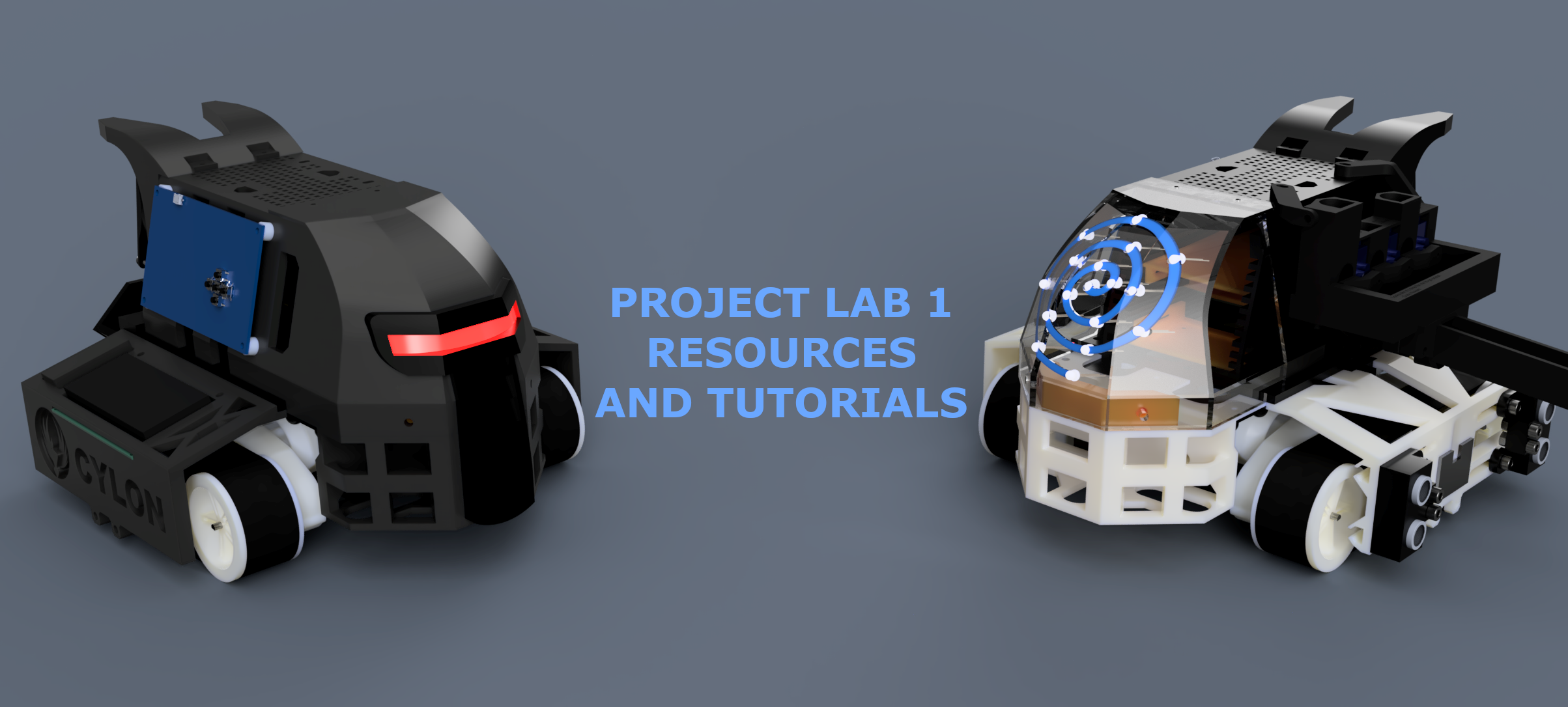
This wiki contains a few sections that you may find useful. Most notably, there are several direct tutorials with links to outside sources on the topics of Project Management, Vivado (For Programming the Basys 3), and Verilog specific tutorials. Getting started as a new Project Lab student is hard, and it can take a couple of weeks before you and your group get the hang of this process. Read this section on why you should use Microsoft Teams for file management and task delegation between your team members. If you need guidance on setting up your software to start writing HDL (Hardware Description Language), are interested in how the hardware that you have been given works, or need to write Verilog code for said hardware, then there should be plenty in these specific tutorials to get you started.
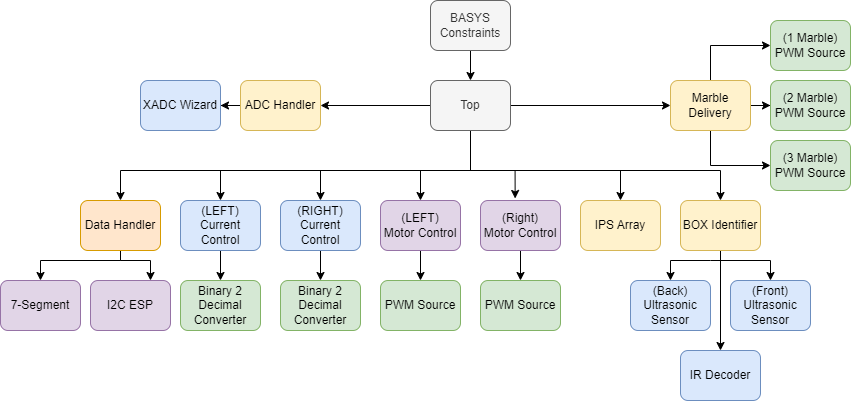
The Nautilus team, Specifically Mark Dannemiller, developed a complex Verilog project that is modular for the expansion of the platform and for your use. Your Verilog project does not to be as thorough as the one here, but I (Mark) always knew that I wanted to share these resources at the conclusion of the semester and to do so needed the modules to be almost drag and drop. While the specific tutorials cover use cases of Verilog code to accomplish task on a module-by-module base, you might want to understand how I wrote our code and structure it in a similar way. Or, maybe you see the code and decide that simpler is better. Either way, the "Code Breakdown" section will explain each module written for the Spring 2023 project and should offer a great example of how to "black box" out your entire project and take advantage of the object-oriented nature of Verilog.
Finally, we have also included two valuable CAD resources for your project. The first is a 2D AutoCAD .dwg of the Basys3. This CAD file is dimensionally accurate and can be exported as a .png (included) for a graphic of the device. You will be making a lot of presentations and writing a few papers. We found that there are no renders of the Basys board out there, only photographs even on Digilent's main website. For this reason, we cross referenced a few mechanical drawings and measured the components on the board to create a 2D graphic that is interactive. See the section on Basys3 CAD usage for more details.

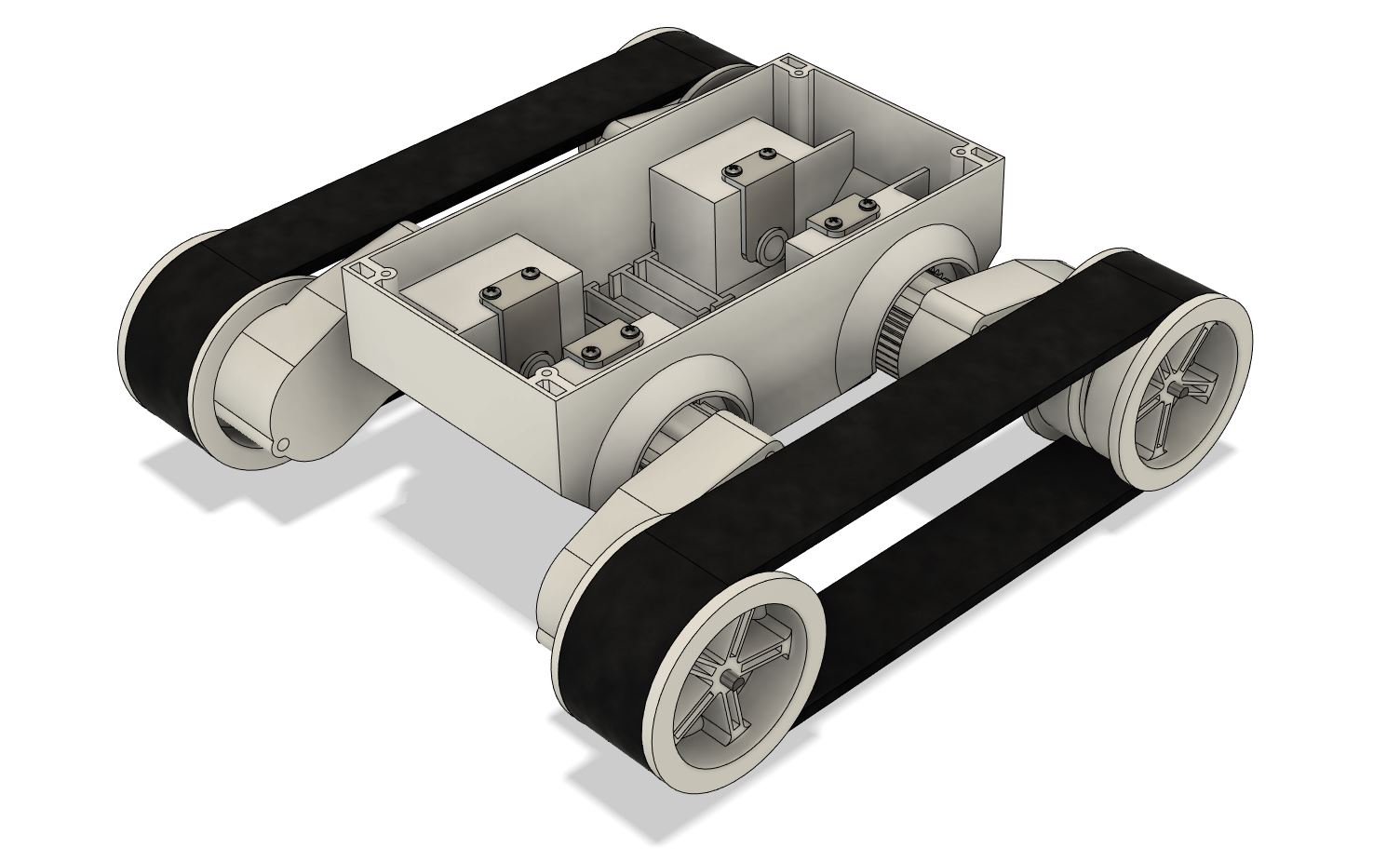
The second provided CAD resource is the Dagu 5 rover chassis, in a 3D format for Fusion 360 or any other CAD software through a .step file. This chassis has been used for this lab for a while now, and there are very little resources on its dimensions online. To avoid you having to measure the chassis and recreate a representation of it yourself, you can use the one that we have provided in this repository. Happy tinkering!
If you have a question about this repository, the best way to ask would be through the discussions section on the top of the page. There, we can answer your question in a format where others can also see it in a stack overflow style discussion. You can also form an issue if you wish to bring up an issue with the code, CAD files, or Wiki (for example, tutorials are outdated or picture references are gone). If you have a more personal question, you can email Mark at mdannemi@ttu.edu
This repository will not have everything that you need, but hopefully it offers some helpful tips for starting out in project lab 1 and for programming the Basys 3 board. If you find any other useful resources online that you believe will help other/future students build their projects faster and without unnecessary difficulty, please reach out with either information about those resources or with a Word Document detailing the subject! If you want to hold a special place in my heart, write the page in Markdown (.md) format so that it can be directly uploaded to this repository. We are looking for more students to help grow this repository and resources it contains, and anything that can be reused by others should be added to this repository. All it takes is either cloning the repository and submitting a pull request OR emailing me the materials to add (mdannemi@ttu.edu).
Additionally, drop a line to me via email if you wish to be added to this repository as a contributor to directly make modifications to the Wiki and add to the Team Resources.
There are several ways to suggest or create your own tutorial if you think that you have useful knowledge to share with other lab students or are seeking something that you cannot find on the internet. We want this space to be collaborative and offer the best resources to TTU ECE Lab 1 students. You can email mdannemi@ttu.edu your concept for the tutorial in email/word format OR by creating an issue at the top of this repo. Alternatively, if you create the tutorial using markdown or html, then that would be the best and easiest way for us to add your content to this page.
Also, please create an issue or email me about ANY useful resources/links that you find and I will add them to the quick references below. Do not let others travel the same path you did to find the answer to a difficult question! The purpose of this space is for information sharing, and I would be willing to open repo permissions up to other likeminded people who are interested in the success of project lab students.
https://digilent.com/reference/programmable-logic/BASYS-3/reference-manual
https://digilent.com/reference/_media/reference/programmable-logic/basys-3/basys3_rm.pdf
https://www.sparkfun.com/datasheets/Robotics/L298_H_Bridge.pdf
https://www.st.com/en/motor-drivers/l298.html
https://www.amazon.com/Dagu-Rover-5-Tracked-Chassis/dp/B012NNLW5I
https://digilent.com/reference/programmable-logic/basys-3/demos/xadc
https://sites.google.com/a/umn.edu/mxp-fpga/home/vivado-notes/basys3-analog-to-digital-converter-xadc?authuser=0
https://www.mouser.com/ProductDetail/Texas-Instruments/LM339AN?qs=1K8%2FAQHn5WSCSHd9i2YBEw%3D%3D
https://www.mouser.com/datasheet/2/414/OP793-798-30653.pdf
https://github.com/AdriaanSwan/Verilog-I2C-Slave/blob/master/Verilog/I2CTest.v
https://marcteyssier.com/uduino/
Darkon Design, a small company founded by members of this repository, offers 3D printing to the Lubbock and TTU community. Check out our website, darkon.design, for competitive prices on 3D printing services and for other products. We offer high quality prints and will print for prices cheaper than you can find on Texas Tech campus! TTU Students and ECE Project Lab students are eligible for a substantial discount. We are also looking to expand our small community of 3D Printer owners to better serve the Lubbock community! Reach out to us on our website for any inquiries that you may have.