
Lint and score any MCP server in one command: token bloat, vague tool descriptions, and a concrete fix list.


Every MCP tool you connect is sent to the model on every request: its name, description, and
full JSON schema. A few heavy servers can quietly eat thousands of context tokens, and vague or
near-duplicate descriptions make the model pick the wrong tool. mcpgrader connects to a server,
reads what it advertises, and tells you exactly what to fix.
No install needed, with uv:
uvx mcpgrader scan --stdio "npx -y @modelcontextprotocol/server-filesystem /tmp"Or install it:
pipx install mcpgrader      # or: uv tool install mcpgrader / pip install mcpgrader
mcpgrader scan --url https://example.com/mcp# A local server, launched over stdio
mcpgrader scan --stdio "npx -y @modelcontextprotocol/server-memory"
# A remote server over streamable HTTP
mcpgrader scan --url http://localhost:8000/mcp
# Every server in your Claude Desktop / Cursor / VS Code config
mcpgrader scan --config ~/Library/Application\ Support/Claude/claude_desktop_config.json
# Machine-readable output, and fail CI below a score
mcpgrader scan --config .cursor/mcp.json --json --fail-under 80| Option | Description |
|---|---|
--stdio "<command>" |
Launch a server as a subprocess and talk to it over stdio. |
--url <url> |
Connect to a streamable HTTP server. |
--config <path> |
Scan every server in a JSON config with an mcpServers (or servers) block. Disabled servers are skipped; headers and env are honored. |
--json |
Print the full report as JSON instead of the terminal view. |
--fail-under <score> |
Exit with code 1 if any server scores below this. |
--timeout <seconds> |
Per-server timeout for connecting and listing (default 30). |
mcpgrader runs initialize, tools/list, and (when the server supports them) prompts/list
and resources/list, then disconnects. It never calls a tool.
Exit codes: 0 scan finished, 1 a score is below --fail-under, 2 a server could not be
scanned or the input was invalid. Connection failures are reported as one readable line, never a
traceback.
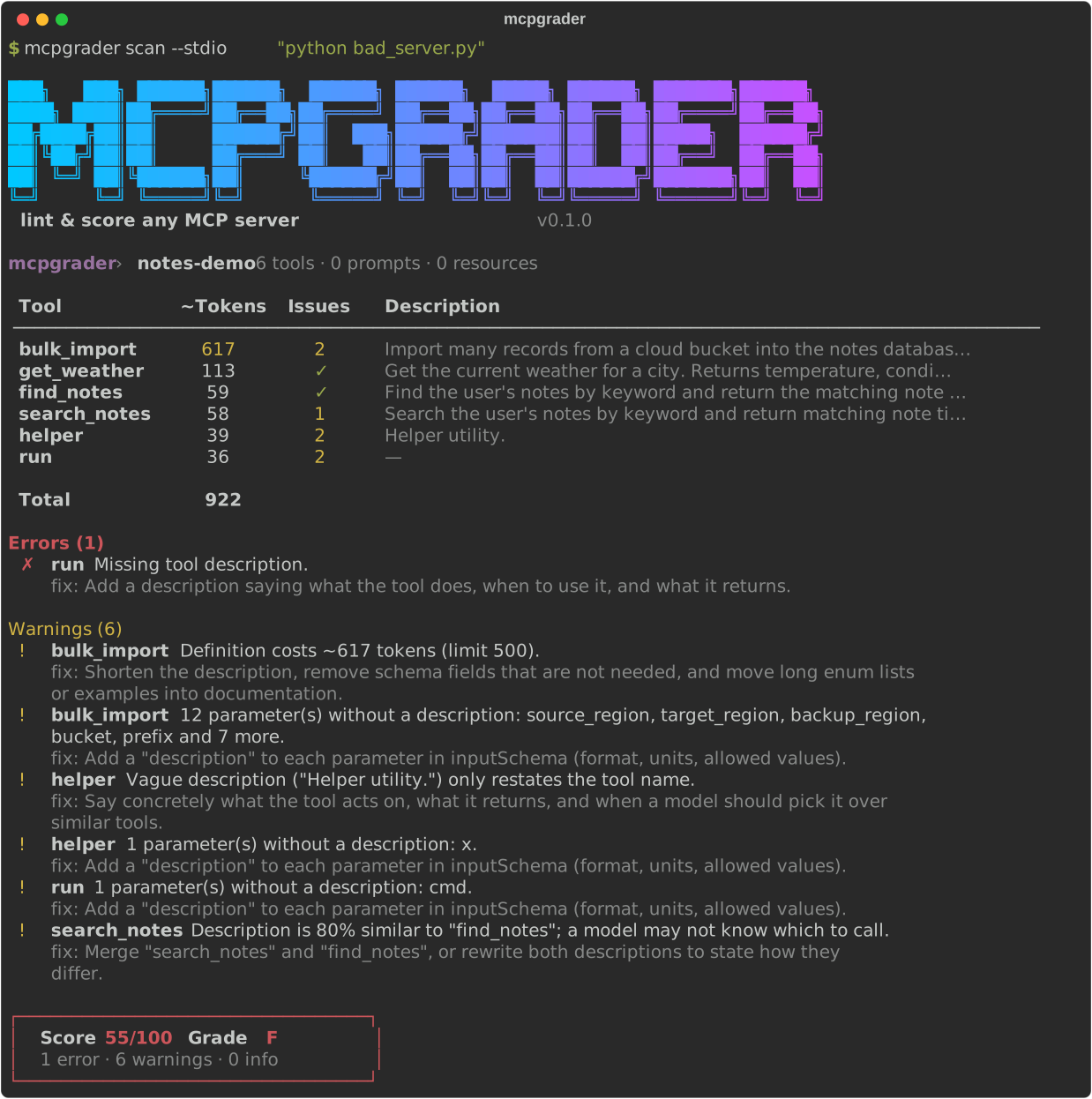
Real output from scanning the deliberately flawed fixture server:
mcpgrader › notes-demo  6 tools · 0 prompts · 0 resources

 Tool           ~Tokens   Issues   Description
 ────────────────────────────────────────────────────────────────────────────────────────────
 bulk_import        617        2   Import many records from a cloud bucket into the notes da…
 get_weather        113        ✓   Get the current weather for a city. Returns temperature, …
 find_notes          59        ✓   Find the user's notes by keyword and return the matching …
 search_notes        58        1   Search the user's notes by keyword and return matching no…
 helper              39        2   Helper utility.
 run                 36        2   —

 Total              922

Errors (1)
  ✗ run  Missing tool description.
    fix: Add a description saying what the tool does, when to use it, and what it returns.

Warnings (6)
  ! bulk_import  Definition costs ~617 tokens (limit 500).
    fix: Shorten the description, remove schema fields that are not needed, and move long enum
    lists or examples into documentation.
  ! bulk_import  12 parameter(s) without a description: source_region, target_region,
    backup_region, bucket, prefix and 7 more.
    fix: Add a "description" to each parameter in inputSchema (format, units, allowed values).
  ! helper  Vague description ("Helper utility.") only restates the tool name.
    fix: Say concretely what the tool acts on, what it returns, and when a model should pick it
    over similar tools.
  ! helper  1 parameter(s) without a description: x.
    fix: Add a "description" to each parameter in inputSchema (format, units, allowed values).
  ! run  1 parameter(s) without a description: cmd.
    fix: Add a "description" to each parameter in inputSchema (format, units, allowed values).
  ! search_notes  Description is 80% similar to "find_notes"; a model may not know which to
    call.
    fix: Merge "search_notes" and "find_notes", or rewrite both descriptions to state how they
    differ.

┌─────────────────────────────────┐
│  Score 55/100   Grade F         │
│  1 error · 6 warnings · 0 info  │
└─────────────────────────────────┘
Each tool is serialized the way clients send it to a model (name, description, and
inputSchema as compact JSON) and counted with tiktoken's cl100k_base encoding. Counts are
approximate: every model family tokenizes a little differently, but the relative sizes hold.
| Finding | Severity |
|---|---|
| All tools together exceed 2,000 tokens | warn |
| All tools together exceed 5,000 tokens | error |
| A single tool exceeds 500 tokens | warn |
The report includes per-tool counts, the total, and the five heaviest tools. Thresholds live in
one dict, THRESHOLDS, in token_cost.py.
Rule-based, deterministic, and offline: no LLM calls.
| Finding | Severity |
|---|---|
| Tool has no description, or it is blank | error |
| Description shorter than 20 characters | warn |
| Description longer than 1,000 characters | warn |
| Vague description: only generic words ("helper", "utility", "does stuff"), placeholders ("TODO"), or just restating the tool name | warn |
Parameters in inputSchema without a description (nested objects included) |
warn |
| Two tools with near-duplicate descriptions (Jaccard word similarity ≥ 0.7) | warn |
Every server starts at 100. Each finding deducts points by severity, and the score never goes below 0:
| Severity | Deduction |
|---|---|
| error | −15 |
| warn | −5 |
| info | 0 |
| Score | Grade |
|---|---|
| 90–100 | A |
| 80–89 | B |
| 70–79 | C |
| 60–69 | D |
| 0–59 | F |
The fixture above has 1 error and 6 warnings: 100 − 15 − 6 × 5 = 55, grade F. The formula
lives in scoring.py.
Fail a pull request when your server's tool definitions get worse:
# .github/workflows/mcpgrader.yml
name: mcpgrader
on: [pull_request]
jobs:
  audit:
    runs-on: ubuntu-latest
    steps:
      - uses: actions/checkout@v4
      - uses: astral-sh/setup-uv@v6
- run: uvx mcpgrader scan --stdio "python server.py" --fail-under 80--json prints the whole report: every server, its tools and schemas, each check's findings
and metrics (per-tool token counts included), the score, and the grade.
mcpgrader scan --stdio "python server.py" --json | jq '.servers[0] | {score, grade}'- Token cost and description lint, score, terminal and JSON output
- Injection-pattern check: flag tool descriptions that contain instructions aimed at the model ("ignore previous instructions", hidden Unicode, exfiltration prompts)
- Schema check: invalid JSON Schema, missing
required, overly permissiveanytypes, unbounded strings - Public server leaderboard: scan popular public MCP servers and publish their scores
- SARIF output for GitHub code scanning
Have an idea for a check? Open an issue.
Contributions are welcome, especially new checks. A check is one file: see CONTRIBUTING.md for the five-minute guide.
git clone https://github.com/Manoj-Gujare/mcpgrader.git
cd mcpgrader
uv sync
uv run pytest