This project creates a smart contract and then deploys it to Rinkeby public testnet. NFT's can then be minted by sending transaction to the deployed smart contract.
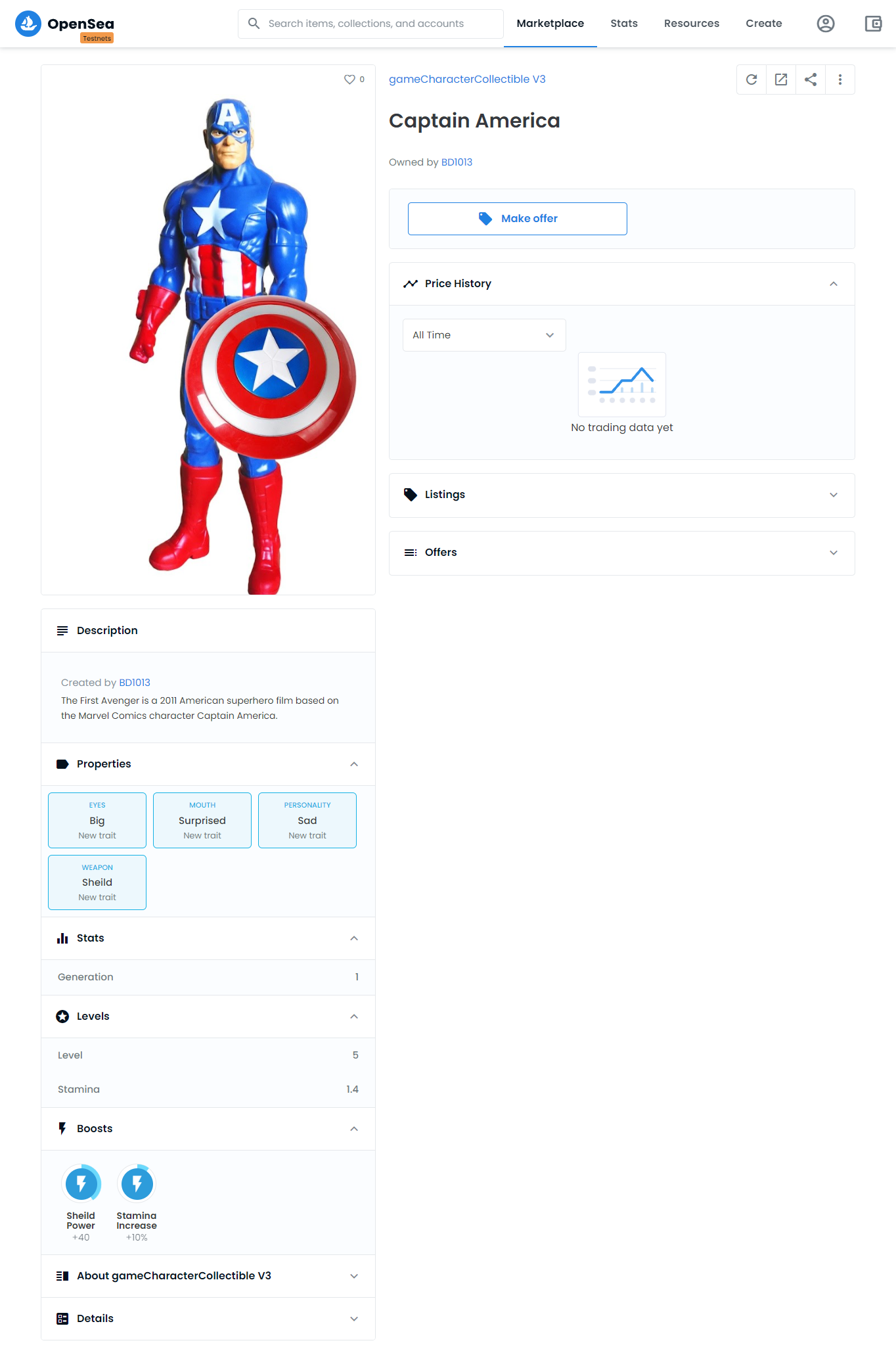
Find the NFT's on Opensea testnet:
https://testnets.opensea.io/assets/0x74aC699a51711558f58a4fe630B7704D55d7d995/1
NodeJS
https://nodejs.org/en/download/Ganache UI
https://www.trufflesuite.com/ganache
(Ganache UI is not required in case you want to work with ganache-cli)
-
Clone the repo and run npm install.
git clone https://github.com/neha01/nft-demo.git && cd nft-demo && npm install -
Put image file that you want to convert into an NFT under assets folder.
-
Create a account in Pinata (https://www.pinata.cloud/) and create an API Key.
Click on top right profile picture -> API Keys -> New Key
Note down The API Key and API Key Secret and update in .env file. -
Update the name of your image file in
assetsfolder.
UpdatefilePathwith your image filepath.
Runnode scripts/runScriptcommand.
This will call Pinata API's and will upload file to IPFS and a new file will be created indatafolderipfsHash.jsonand the Pinata response containing theipfsHashwill be populated in that file. -
Now create a metadata.json file with the details about your NFT. For Reference checkout data/metadata.json file . Update
filePathwith your metadata filepath. Again Runnode scripts/runScriptcommand. This will call Pinata API's and will upload metadata file to IPFS and the Pinata response containing theipfsHashwill be again populated inipfsHash.jsonfile. -
Install latest solidity version by running
npm install solcand Dont forget to update this solidity version in truffle-config. -
Update Rinkeby test network details in
truffle-config.js.
Update your account mnemonic in.envfile.
Now runtruffle migrate --network rinkebycommand to deploy the contract on Rinkeby testnet. And runtruffle console --network rinkebyto connect to Rinkeby Public test network.
Runlet hero = await GameCharacterCollectible.deployed().
Runawait hero.claimItem('https://ipfs.io/ipfs/Qmc7VbWR9rdceZpdMeQz4PzQUhbkojNht2RV3JgEg4eRpA')
Pass the correct metadata file IPFS address to claimItem.
Runhero.addressto get contract address. -
Checkout your NFT on
https://testnets.opensea.io/assets/contract_address/tokenId.
You can also verify your metadata using on https://testnets.opensea.io/asset/contract_address/tokenId/validate
eg: https://testnets.opensea.io/assets/0x74aC699a51711558f58a4fe630B7704D55d7d995/1