


Achieve pixel-perfect scaling for your Flutter UI with ease.
🎯 Ensure your designs look consistent and accurate across devices, whether on phones or tablets, in portrait or landscape orientation.
Flutter’s MediaQuery scaling is not design-accurate.
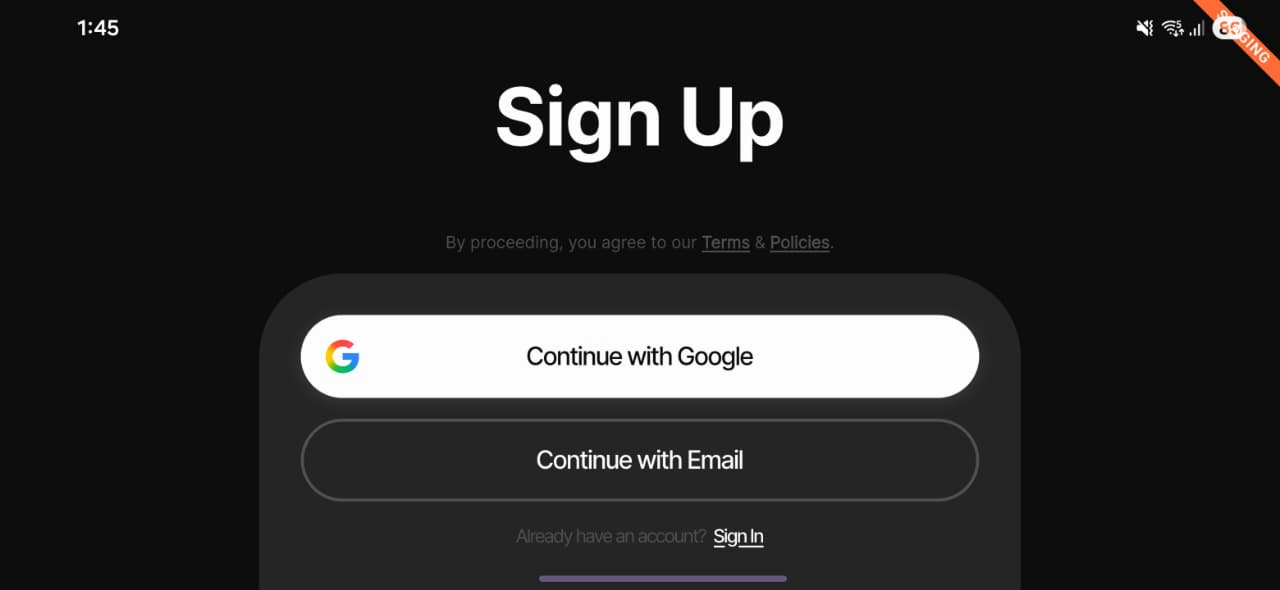
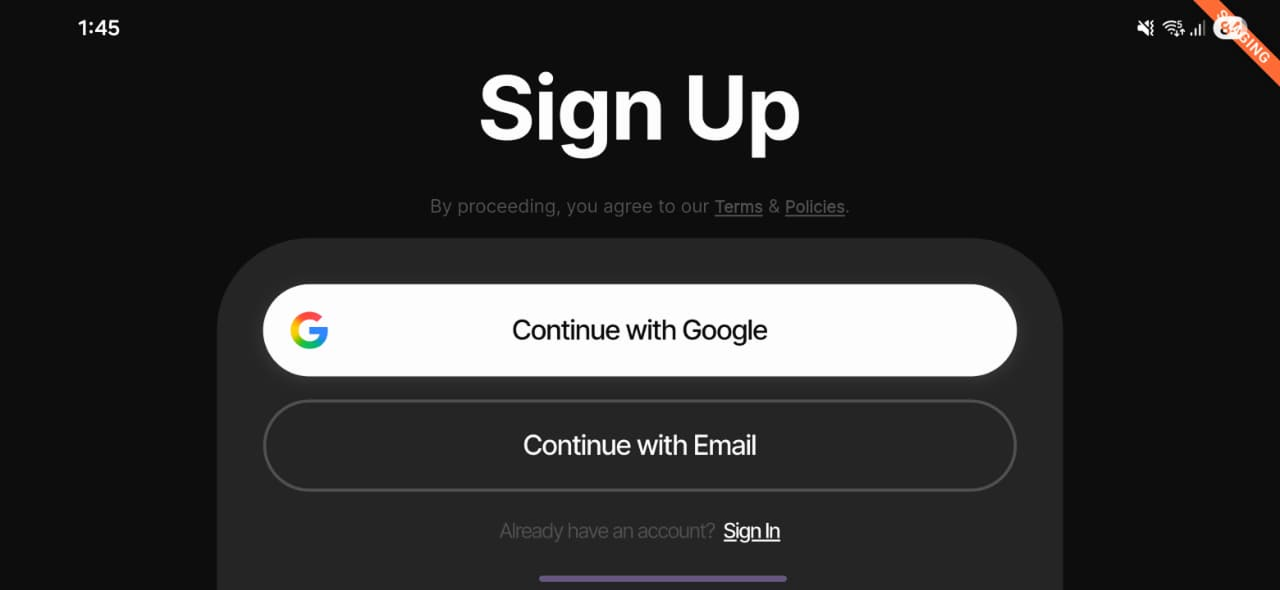
Different DPIs and aspect ratios distort layouts — especially in landscape, where text suddenly becomes huge.
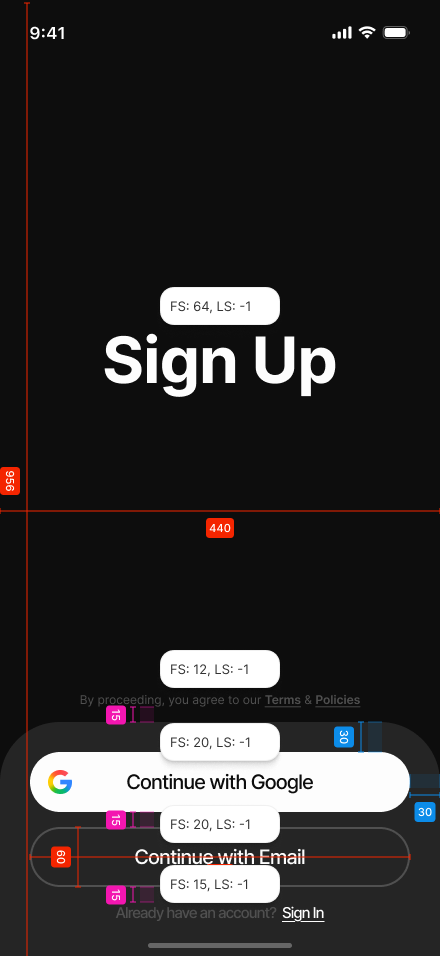
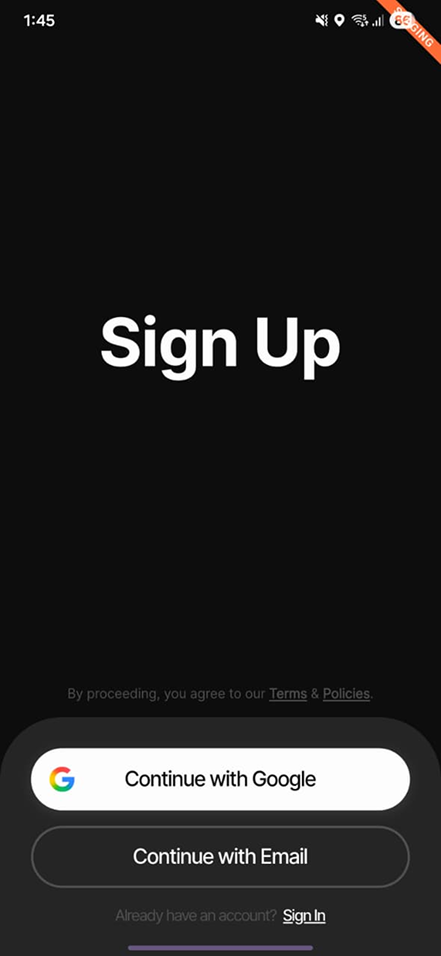
60px in figma is not 60px on device! Not with flutter natively.
| Figma Design | With flutter_ui_scaler |
Without (native scaling) |
|---|---|---|
 |
 |
 |
👉 Notice how proportions, text size, and padding stay true to the design with the plugin.
| With | Without |
|---|---|
 |
 |
✅ Text scaling stays consistent
❌ Native scaling causes bloated titles and mismatched spacing
From terminal:
flutter pub add flutter_ui_scalerOr add to pubspec.yaml:
dependencies:
  flutter_ui_scaler: ^latest
Then import:
import 'package:flutter_ui_scaler/flutter_ui_scaler.dart';return UiScaleScope(
figmaW: 440, // your design frame width
figmaH: 956, // your design frame height
child: MaterialApp(home: MyApp()),
);Inside widgets:
final ds = context.ds; // sugar for DesignScale.of(context)
double pad = ds.sx(16); // padding, radius, sizes
double titleSize = ds.sp(20); // font sizesTeam defaults can be set via CLI:
flutter_ui_scaler --set-des-res 440x956
flutter_ui_scaler --set-clamp 0.9..1.15
flutter_ui_scaler --show
This generates .flutter_ui_scaler.yaml for shared design settings.
DesignScale.of(
  context,
  figmaW: 440,
  figmaH: 956,
  minScale: 0.9,
  maxScale: 1.15,
  tightFontsInLandscape: true,
);sx/sy— scaling for padding, widths, radii, heights.sp— scaling for fonts with smart landscape strategy.UiScaleScope— app-wide configuration.context.ds— shorthand forDesignScale.of(context).
- ✅ Use
sx/syfor paddings, radii, widths, heights. - ✅ Use
sponly for text. - 🚫 Don’t scale bitmap images.
- 🧪 Test on multiple screen sizes (e.g., small phones, tablets, landscape).
See CHANGELOG.md.
MIT © MNBLabs