
Moderner, selbst gehosteter Web-IRC-Client — mit FiSH-Verschlüsselung, DH1080-Key-Exchange, FTP-Invites und mehr
Upstream-Website • Upstream-Docs • Docker

🇩🇪 Deutsch
This is a fork of The Lounge (@lordbex/thelounge) that adds a set of "old-school" IRC power-user features on top of the modern, self-hosted web client:
- 🔐 FiSH (Blowfish) encryption for channels and private queries — ECB and CBC modes, compatible with mIRC, HexChat, WeeChat and other FiSH clients.
- 🤝 DH1080 key exchange — automatically negotiate a shared Blowfish key with another user directly inside a private message, no manual key sharing required.
- 📁 FTP invites — send FTP
SITE INVITEcommands to your own FTP server straight from IRC, with optional auto-invite on connect. - 🌍 Per-nick character encoding — decode messages from individual users with a specific charset (utf8, latin1, cp1252, …).
- 🌈 Rainbow text and a few extra convenience commands (
/mute,/unmute).
Everything The Lounge already offers stays intact; the features above are additive and individually toggleable from the server config.
⚠️ Security note: FiSH/Blowfish and DH1080 are legacy IRC schemes. DH1080 in particular has no authentication of the other party, so it is vulnerable to man-in-the-middle attacks. Treat these features as obfuscation / casual privacy against passive observers, not as strong end-to-end encryption.
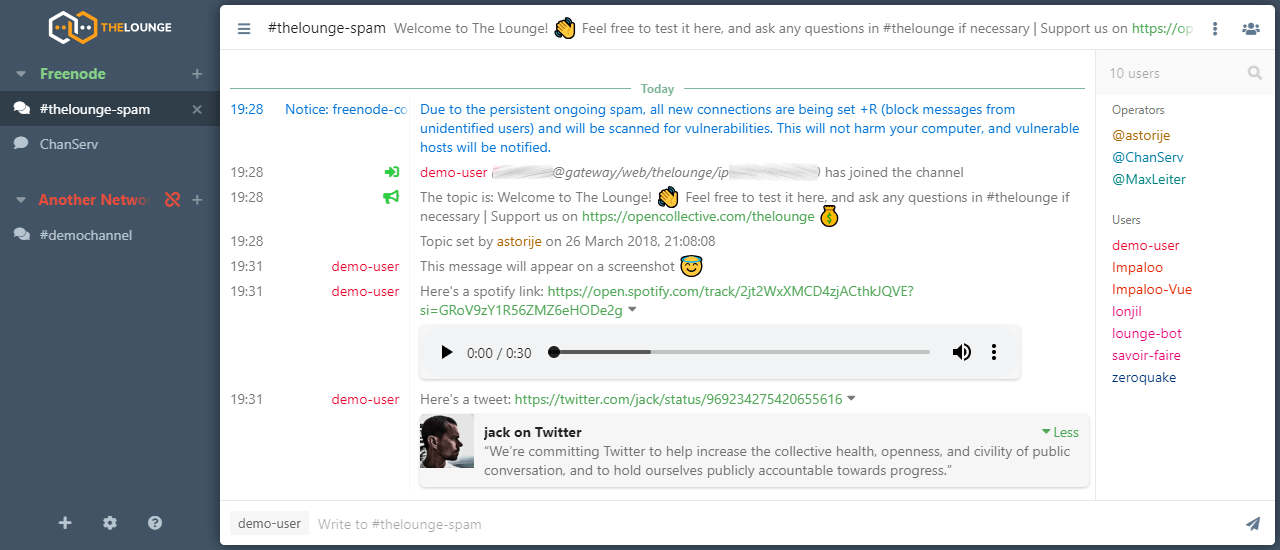
- Modern features brought to IRC. Push notifications, link previews, new message markers, and more bring IRC to the 21st century.
- Always connected. Remains connected to IRC servers while you are offline.
- Cross platform. It doesn't matter what OS you use, it just works wherever Node.js runs.
- Responsive interface. The client works smoothly on every desktop, smartphone and tablet.
- Synchronized experience. Always resume where you left off no matter what device.
To learn more about the base configuration, usage and features of The Lounge, take a look at the upstream website.
The Lounge is the official and community-managed fork of Shout, by Mattias Erming.
FiSH encrypts the message text of channel and query messages using Blowfish, encoded in the classic FiSH base64 alphabet so it interoperates with traditional IRC clients.
| Mode | Notes |
|---|---|
| ECB | Default. Maximum compatibility with old clients. Weaker (no IV). |
| CBC | Recommended. Uses a random IV per message. Both sides must support it. |
/blow                      Show the current key status for this channel/query
/blow <key>                Set an encryption key (defaults to ECB mode)
/blow <key> ecb            Set a key and force ECB mode
/blow <key> cbc            Set a key and force CBC mode
/blow off                  Clear the key for this channel/query
/blow clear                Alias for /blow off
The key is stored per target (channel name or nick) and persists across restarts. Outgoing messages are encrypted automatically and incoming encrypted messages are decrypted transparently when a key is present.
Open Network settings → FiSH (Blowfish). There you can set:
- Global key + mode — a default key applied to the whole network.
- Per-channel / per-user keys — a table of
#channelornick→ key → mode entries.
In your server config.js:
fish: {
    enabled: true,
    allowKeyExchange: true,
},
When fish.enabled is false, the FiSH UI section is hidden, the /blow command is rejected, and all encrypt/decrypt steps are skipped.
Instead of sharing a Blowfish key out-of-band, you can negotiate one automatically with another user using the DH1080 Diffie-Hellman key exchange. This is the standard scheme implemented by WeeChat's fish.py, mIRC FiSH, etc., so it works cross-client.
/keyexchange <nick>            Start a key exchange with <nick> (ECB mode)
/keyexchange ecb <nick>        Start an exchange, request ECB mode
/keyexchange cbc <nick>        Start an exchange, request CBC mode
/ke <nick>                     Short alias for /keyexchange
- You run
/ke <nick>(or with a mode). The client generates a DH keypair and sends aDH1080_INITnotice to the other user. - Their client replies with
DH1080_FINISHcontaining their public key. - Both sides derive the same shared secret, which becomes the Blowfish key for your private query with that nick — automatically, no copy-pasting.
- The raw
DH1080_INIT/DH1080_FINISHnotices are hidden from the chat; you only see a confirmation message. - If no response arrives within 2 minutes, the pending exchange times out and is discarded.
The negotiated mode (ECB/CBC) is honoured on both ends — requesting CBC appends a CBC marker that compatible clients understand.
fish.enabled: trueandfish.allowKeyExchange: trueinconfig.js.- An active connection to the IRC network.
⚠️ DH1080 has no identity verification. An attacker who can intercept and rewrite your notices can sit in the middle of the exchange. Use it accordingly.
Send FTP SITE INVITE commands to an FTP server directly from IRC — handy for private file-sharing channels that gate access through an FTP whitelist.
/ftp status                Show whether FTP invites are enabled and the configured host
/ftp test                  Send a test invite for your own current nick
/ftpinvite                 Send an FTP invite for your own nick
/ftpinvite <username>      Send an FTP invite for a specific username
Open Network settings → FTP Invite and enable it, then set:
- FTP Host, FTP Port (default 21)
- FTP Username, FTP Password
- Use FTP over explicit TLS (FTPS) toggle
When enabled, the client can also auto-send an invite on connect (before joining channels).
ftpInvite: {
    enabled: true,
},
When disabled, the FTP UI section is hidden and the /ftp / /ftpinvite commands are rejected.
Some users send messages in a non-UTF-8 charset. You can override decoding on a per-nick basis. Any encoding supported by iconv-lite is valid.
/encoding                      List all configured per-nick encodings
/encoding <nick>               Show the current encoding for <nick>
/encoding <nick> <encoding>    Set an encoding (e.g. utf8, latin1, cp1252, iso-8859-2, cp437)
/encoding <nick> auto          Reset <nick> back to auto-detection
encoding: {
    enabled: true,
},/rainbow <text> Send <text> as colourful rainbow-coloured IRC text
/rgb <text> Alias for /rainbow
/mute [#chan ...] Mute the current channel, or the listed channels/queries
/unmute [#chan ...] Unmute the current channel, or the listed channels/queries
/mute and /unmute work even while disconnected and persist across restarts.
| Command | Aliases | Purpose |
|---|---|---|
/blow |
— | Set / clear / show a FiSH Blowfish key |
/keyexchange |
/ke |
DH1080 key exchange with a user |
/ftp |
— | Show FTP status / send a test invite |
/ftpinvite |
— | Send an FTP SITE INVITE |
/encoding |
— | Set a per-nick character encoding |
/rainbow |
/rgb |
Send rainbow-coloured text |
/mute |
— | Mute a channel or query |
/unmute |
— | Unmute a channel or query |
In addition, all standard The Lounge commands remain available, including /away, /ban, /connect, /ctcp, /disconnect, /ignore, /ignorelist, /invite, /join, /kick, /kill, /list, /mode, /msg, /nick, /notice, /part, /quit, /raw, /rejoin, /topic, /whois, plus the client-side /collapse, /expand and /search.
The Lounge requires Node.js v24.11.1 or newer (Node.js v24 LTS or v25+ recommended).
The Yarn package manager v4.11.0+ is also recommended.
If you want to install with npm, --unsafe-perm is required for a correct install.
Please refer to the install and upgrade documentation on the upstream website for all available installation methods. A Docker image for this fork is available at LordBex/thelounge-docker.
The following commands install and run the development version of this fork:
git clone https://github.com/LordBex/thelounge.git
cd thelounge
yarn install
NODE_ENV=production yarn build
yarn start
When installed like this, the thelounge executable is not created. Use node index <command> to run commands.
After the first start, edit your config.js (in the configured THELOUNGE_HOME) to turn the fork features on or off:
fish:       { enabled: true, allowKeyExchange: true },
ftpInvite:  { enabled: true },
encoding: { enabled: true },Simply follow the instructions to run The Lounge from source above, on your own fork.
Before submitting any change, make sure to:
- Read the Contributing instructions
- Run
yarn testto execute linters and the test suite- Run
yarn format:prettierif linting fails
- Run
- Run
yarn build:clientif you change or add anything inclient/jsorclient/components- The built files will be output to
public/by webpack
- The built files will be output to
- Run
yarn build:serverif you change anything inserver/- The built files will be output to
dist/by tsc
- The built files will be output to
yarn devcan be used to start The Lounge with hot module reloading
To ensure that you don't commit files that fail the linting, you can install a pre-commit git hook.
Execute yarn githooks-install to do so.
This fork builds on The Lounge and inherits its license (see LICENSE). The DH1080 implementation is ported from WeeChat's fish.py by Bjorn Edstrom. See CREDITS.md for the full list of contributors to the upstream project.