
Picta (Latin “decorated, painted, coloured”) is a fork of the GitHub VS Code themes providing much more complete source code highlighting with a modified and extended colour palette:
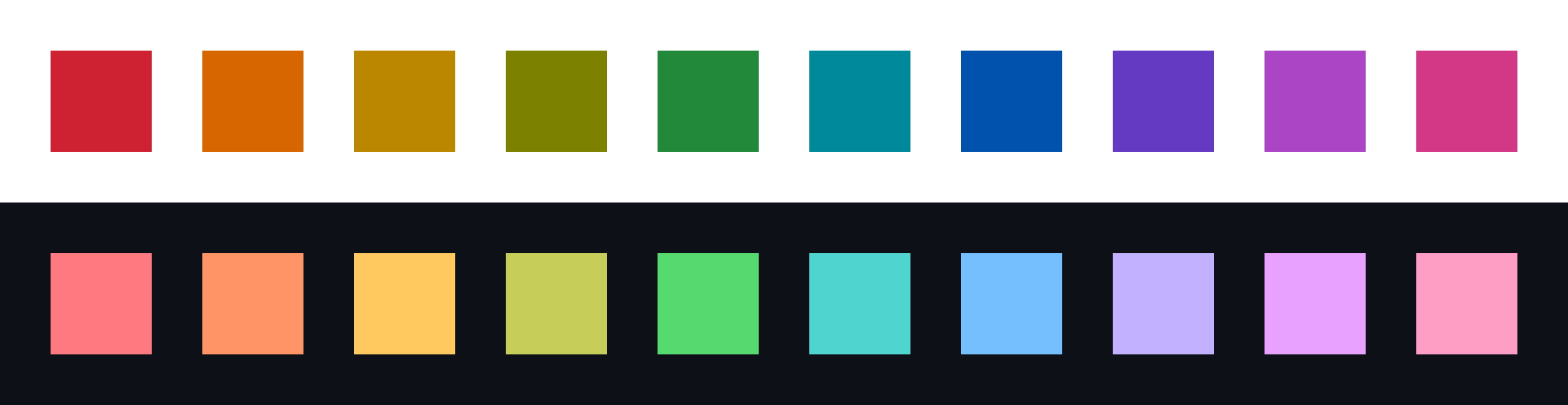
These colours have the following general meanings:
| Colour | Meaning | Notes |
|---|---|---|
| Red | Keywords | |
| Orange | Variables | more reddish than GitHub orange to make space for Picta yellow |
| Yellow | Unknown | new colour |
| Olive | None | new colour |
| Green | Functions | |
| Cyan | None | new colour |
| Blue | Enums | A different shade is used for literals |
| Indigo | Types | more blueish than GitHub purple to make space for Picta purple |
| Purple | Concepts (C++) | new colour |
| Pink | Modules/Namespaces | more reddish than GitHub pink to make space for Picta purple |
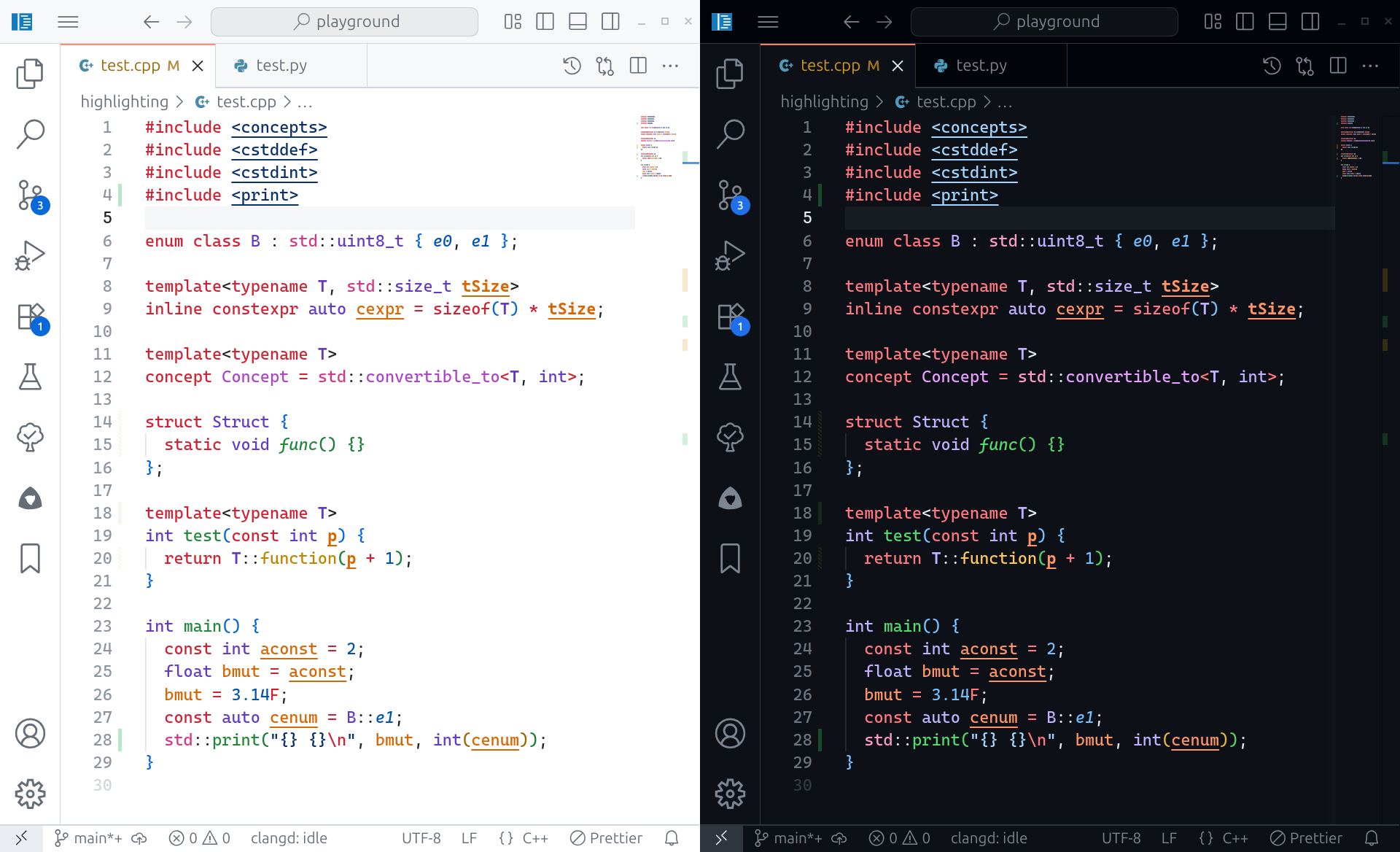
Furthermore, italic identifiers represent member variables/functions (attributes/methods in OOP parlance) and bold represents function/type/template parameters. The Extended themes additionally underline constants (if the language support is able to determine immutability).
The extended themes look as follows when applied to a C++ program using clangd:
- Go to VS Marketplace.
- Click on the "Install" button.
- Then select a theme:
Picta LightPicta Light ExtendedPicta DarkPicta Dark Extended