
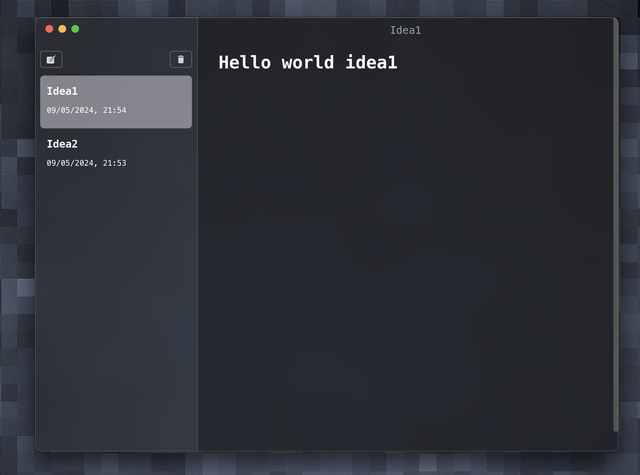
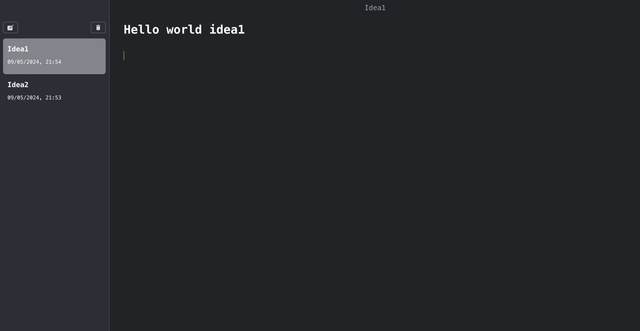
BrainBox is a cross-platform desktop application built with Electron and TypeScript that allows users to efficiently take and store notes.
Client: Electron, TypeScript, Tailwind, Mdxeditor, jotai
Server: Node.js
- Simple Interface: Clean and user-friendly interface for easy note-taking.
- Markdown Support: Write notes in Markdown format for enhanced formatting.
- Multiple Notebooks: Organize notes into different notebooks for better categorization.
- Cross-Platform: Works seamlessly on Windows, macOS, and Linux.
Clone the project
git clone https://github.com/JoelDeonDsouza/Electron-BrainBox.gitGo to the project directory
cd my-projectInstall dependencies
npm installStart the server
npm run dev- This modification instructs users to create a local folder named
IdeaMarkto store files. Alternatively, it mentions the possibility of changing the storage location by modifying thegetRootDir()function in thelib/index.tsfile.
- Create a New Note: Click on the "New Note" button to create a new note. Write your content in the text editor.
- Edit Note: Double-click on a note in the list to edit it.